


 Home
HomePhi AI for Low/No Code (Pega)



Helps TikTok sellers, brands, MCNs, and TAPs discover winning products and find creators.

HelpLook is an AI-powered all-in-one knowledge base tool that helps businesses quickly build knowledge bases, help centers, and...

Your AI Workspace

302.AI is an enterprise-grade AI resource platform with pay-as-you-go pricing, API access to a full range of AI models, and ready-to-use online applications.

剧火AI — AI Screenwriter + Director, a One-Person Short Drama Studio In one sentence, what is it?
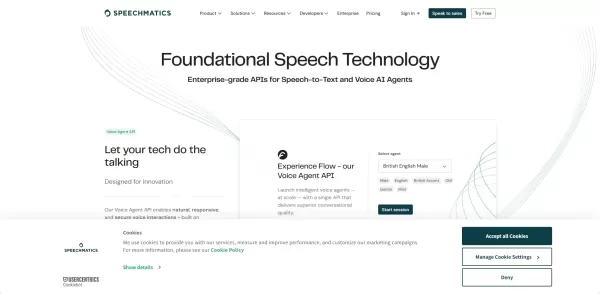
What is Speechmatics?Speechmatics is an automated speech recognition (ASR) technology that converts spoken language into accurate text. Powered by advanced machine learning, it delivers reliable performance even in difficult audio environments. The p

What is NOA?NOA Tech provides innovative technology solutions to enhance your business productivity. Utilizing advanced AI tools and custom automation, we identify operational bottlenecks, implement automation strategies, and empower your team to con
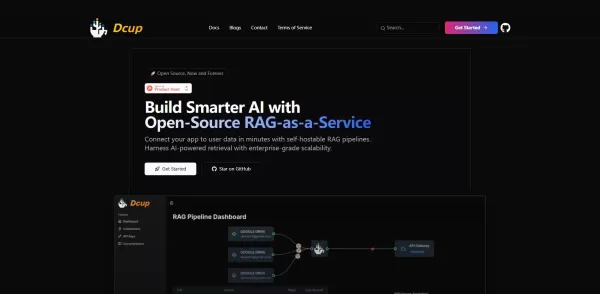
What is Dcup?Dcup is an advanced AI assistant built to streamline and optimize your daily workflows. It provides a suite of capabilities such as task automation, smart scheduling, and efficient data management. By leveraging cutting-edge AI technolog

What is Stacks?Stacks is an AI-powered agent designed to orchestrate various productivity tools, automating tasks and boosting work efficiency. It seamlessly connects different applications, enabling users to execute complex workflows smoothly. From
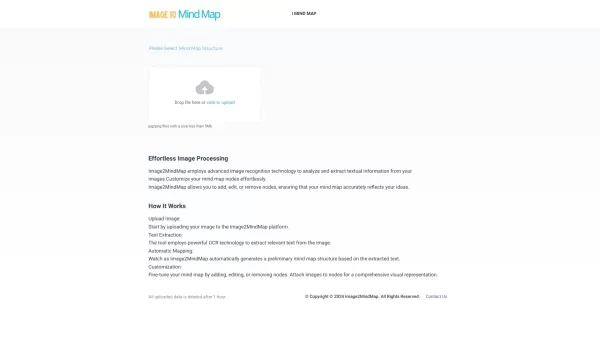
What is Convert image to mindmap?Image2MindMap is an advanced online tool that turns pictures into interactive mind maps, helping you organize concepts, brainstorm ideas, and structure plans visually. It streamlines the brainstorming and planning pro
Phi AI for Low/No Code (Pega) Product Information
What is Phi AI for Low/No Code (Pega)?
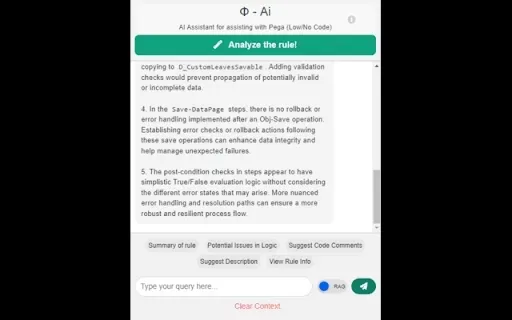
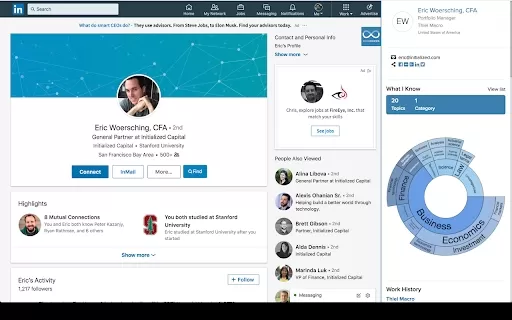
Phi AI for Pega is a Chrome extension designed specifically to aid Pega developers and users. It helps by examining activities and data transforms to pinpoint critical logic issues in Pega code, enabling quick identification and resolution of potential problems. The tool also offers smart suggestions for adding code comments to improve readability and long-term maintainability. Furthermore, it can rapidly summarize information related to rules, saving you considerable time when deciphering complex logic, and provides answers to questions specific to the Pega platform, ensuring a smooth and efficient development workflow.
Who will use Phi AI for Low/No Code (Pega)?
- Pega Developers
- Pega Users
- Software Engineers
- IT Professionals
How to use the Phi AI for Low/No Code (Pega)?
- Step 1: Install the Phi AI for Pega extension from the Chrome Web Store.
- Step 2: Open the Pega application where you intend to use the extension.
- Step 3: Click the extension's icon in the Chrome toolbar to activate it.
- Step 4: Utilize the available tools to analyze, comment on, and resolve issues within your Pega code.
- Step 5: Summarize rule-related details and ask Pega-specific questions directly through the extension interface.
Platform
- Chrome
Phi AI for Low/No Code (Pega)'s Core Features & Benefits
The Core Features
- Analyzes critical logic issues in Pega code
- Provides intelligent code comment suggestions
- Summarizes rule-related information efficiently
- Answers questions specific to the Pega domain
- Enhances and streamlines the overall development process
The Benefits
- Ensures smooth and uninterrupted operations
- Improves code readability and long-term maintainability
- Saves significant time and effort
- Boosts overall productivity
- Streamlines workflow and development cycles
Phi AI for Low/No Code (Pega)'s Main Use Cases & Applications
- Identifying and analyzing logic flaws within Pega code
- Generating smart suggestions for documenting code with comments
- Creating quick summaries of complex rule-related details
- Getting immediate answers to Pega-specific technical questions
FAQs of Phi AI for Low/No Code (Pega)
What is Phi AI for Pega?
Phi AI for Pega is a Chrome extension that helps analyze and fix issues in Pega code, recommends intelligent code comments, and provides answers to Pega-related queries.
Who can use Phi AI for Pega?
The tool is intended for Pega developers, Pega users, software engineers, and IT professionals.
What platforms does Phi AI for Pega support?
It currently supports the Chrome browser platform.
What are the core features of Phi AI for Pega?
Its key features include analyzing critical logic issues, suggesting helpful code comments, summarizing rule information, and answering Pega domain-specific questions.
How does Phi AI for Pega enhance the development process?
It improves the process by streamlining workflows, spotting code issues, enhancing maintainability, saving developers time, and boosting productivity.
Can Phi AI for Pega summarize Pega rule-related information?
Yes, it can quickly summarize relevant rules to save time and simplify understanding of complex logic.
Does Phi AI for Pega provide code comments?
Yes, it intelligently suggests code comments to improve readability and code maintainability.
How do I install Phi AI for Pega?
Install it from the Chrome Web Store and activate it by clicking its icon in the Chrome toolbar.
Is my data safe with Phi AI for Pega?
Yes, Phi AI for Pega follows strict privacy policies and does not sell or misuse your data.
Does Phi AI for Pega support other browsers?
No, it is currently only available for the Chrome browser.
Phi AI for Low/No Code (Pega) Company Information
Phi AI for Low/No Code (Pega) Screenshot


2026 Latest Best Top-Rated AI Prompt Libraries for optimizing all types of ChatGPT workflows. XIX.AI has curated a powerful, game-changing collection that goes through rigorous real-world tests to ensure top performance. You can find detailed free vs paid comparisons and expert rankings to help you choose the must-try tools that boost your productivity and unlock your AI edge. Explore now!
 11 tools
 xix.ai

2026 Latest Best AI Quiz Builder Platforms for Teachers, Tutors, and Cohort-Based Learning Programs! XIX.AI has curated a top-rated list of powerful game-changing tools that go through real-world tests to deliver accurate rankings. These must-try platforms help boost writing efficiency, streamline content creation, and simplify quiz design across all learning scenarios. Explore now to discover your perfect tool for unlocking your AI edge in teaching!
13 tools
xix.ai

2026 Latest Best AI Pull Request Review Tools for GitHub Teams are here on XIX.AI! This top-rated curated list showcases powerful game-changing solutions that streamline refactoring, bug fixing, and security gap detection across all team workflows. Enjoy a free vs paid comparison along with real-world tests and detailed rankings to help you find the perfect tool that boosts productivity significantly. Explore now to unlock your AI edge!
12 tools
xix.ai

2026 Latest Best Top-rated AI Text to Speech Tools for Natural Voiceovers are here on XIX.AI! This curated list features powerful, game-changing options that deliver crystal-clear voices for every use case, backed by real-world tests and weekly updated rankings. Get a free vs paid comparison to find the must-try solution that boosts your productivity instantly. Explore now to Unlock your AI edge!
11 tools
xix.ai

2026 Latest Best Manga AI Background Generators Ranked Top-Rated! This curated collection showcases powerful game-changing tools perfect for creating high-quality chapter backgrounds, book covers, and promotional art. Every option has undergone rigorous real-world tests to ensure reliability. Get a free vs paid comparison along with detailed insights. Explore now to discover your perfect tool and unlock your AI edge in manga creation.
6 tools
xix.ai

2026 Latest Best Top-rated AI Object Removal Editors for portraits travel product shots! XIX.AI curates a powerful game-changing collection regularly updated with weekly rankings. These tools offer real-world tests to help you quickly remove unwanted elements, boost content quality, and save tons of time without compromising results. Must-try for anyone aiming to unlock their AI creation edge. Explore now!
10 tools
xix.ai


