


 Home
HomeOdyssey
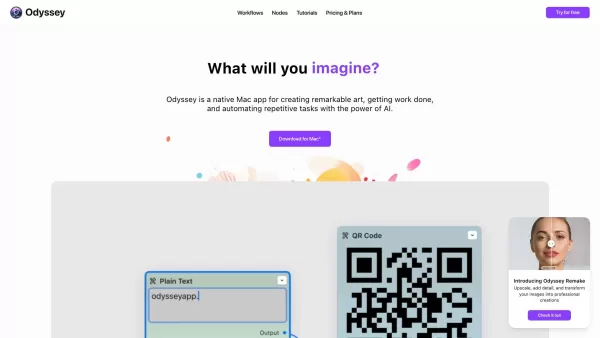
AI-powered native Mac app for art, tasks, and automation



Helps TikTok sellers, brands, MCNs, and TAPs discover winning products and find creators.

HelpLook is an AI-powered all-in-one knowledge base tool that helps businesses quickly build knowledge bases, help centers, and...

Your AI Workspace

302.AI is an enterprise-grade AI resource platform with pay-as-you-go pricing, API access to a full range of AI models, and ready-to-use online applications.

剧火AI — AI Screenwriter + Director, a One-Person Short Drama Studio In one sentence, what is it?

Ever wondered how you can get those stunning, professional-quality photos without stepping into a studio? Enter Snaptap, the AI-powered marvel that transforms your home into a photo studio. With Snaptap, you can capture breathtaking images right from your
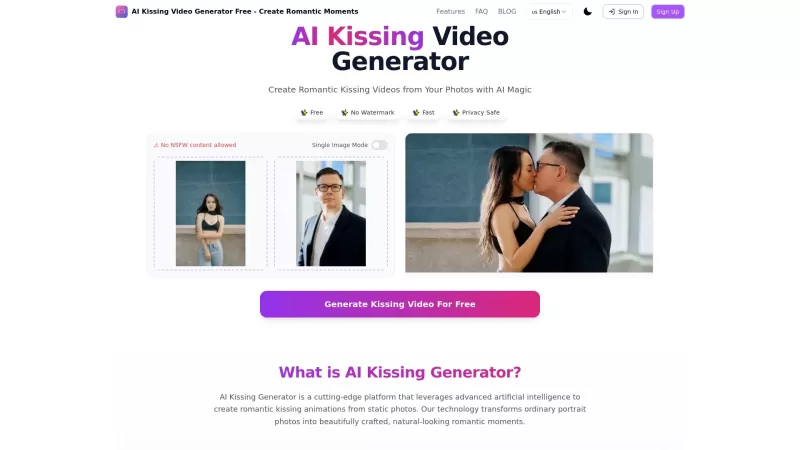
Ever wondered how you and your partner would look sharing a romantic kiss? The AI Kissing Video Generator is here to turn that curiosity into a stunning visual reality. This innovative tool uses advanced AI technology to create realistic kissing animation
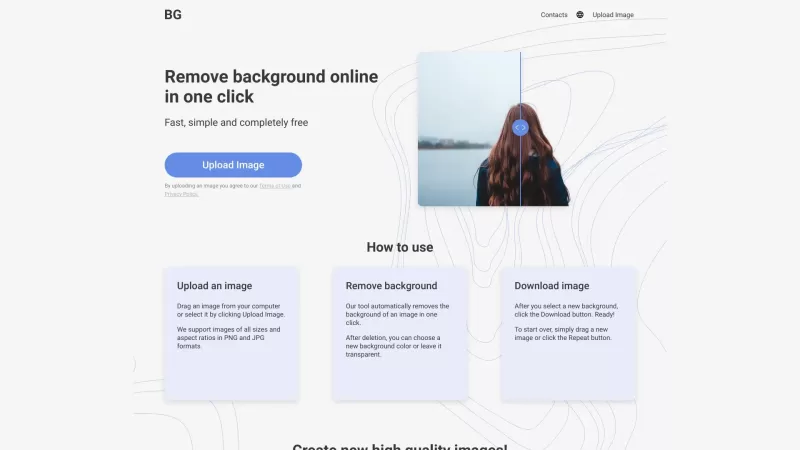
Ever found yourself wishing you could magically strip away the background from a photo? Well, that's where Remove Background comes into play. It's a nifty online tool that lets you do just that—remove the background from any image with ease. Whether you'r
Ever wondered how to bring the real world into the digital realm with stunning realism? Luma AI is your go-to tool for that. This nifty iOS app and web API harnesses the power of your iPhone's camera to transform the ordinary into extraordinary 3D models.
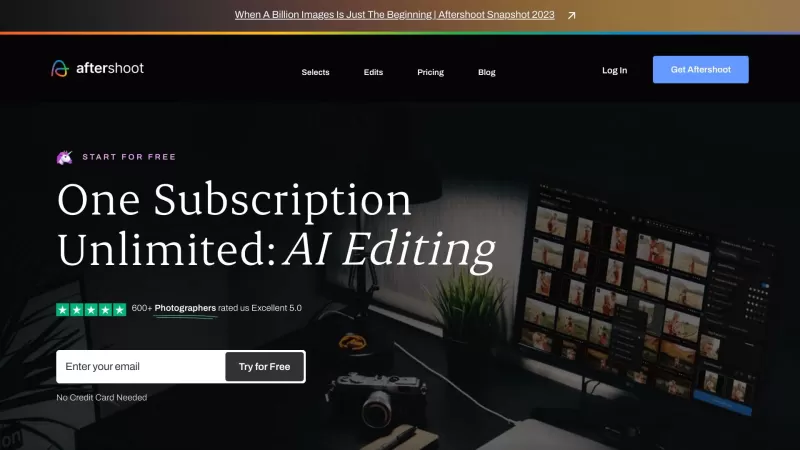
If you're a professional photographer constantly wrestling with the sheer volume of photos you need to cull and edit, let me introduce you to your new best friend: Aftershoot. It's not just any software; it's the #1 AI Culling and Editing Software tailore
Odyssey Product Information
Ever wondered what Odyssey is all about? Well, let me break it down for you. Odyssey isn't just another app; it's a powerhouse designed specifically for Mac users who want to dive into the world of AI. Whether you're an artist looking to create breathtaking visuals, a student tackling complex projects, or a marketer needing to automate repetitive tasks, Odyssey has got you covered. It's like having a Swiss Army knife for AI, with features ranging from image generation to text processing and everything in between. And the best part? It's tailored to suit the needs of a wide array of users—students, educators, artists, marketers, photographers, AI enthusiasts, developers, interior designers, and data analysts. If you're looking to streamline your work, boost your creativity, or just make life a bit easier, Odyssey is your go-to app.
How to Use Odyssey?
Getting started with Odyssey is a breeze. First, hop over to the Mac App Store and download the app. Once installed, you're ready to explore its vast array of features. From customizing your workflows to tapping into large language models, solving math equations, automating processes, and enhancing your images, Odyssey makes it all simple and intuitive. It's like having a personal AI assistant at your fingertips, ready to help you with whatever task you throw at it.
Odyssey's Core Features
Customizable Workflows
Tailor your work processes to fit your needs perfectly.
Large Language Models
Harness the power of advanced language processing for your projects.
Math Equations
Solve complex equations with ease.
Automation Processes
Automate those repetitive tasks and save time.
Image Generation and Processing
Create and enhance stunning visuals with AI assistance.
Odyssey's Use Cases
For Students
Odyssey is a game-changer for students, helping with writing, problem-solving, and content creation. It's like having a study buddy that never sleeps.
For Educators
Educators can streamline lesson planning and spark creativity in writing with Odyssey's versatile workflows.
For Artists
Artists can push the boundaries of their creativity using custom image-generation models and ControlNet, turning their visions into reality.
For Marketers
Marketers can craft unique AI imagery and custom chatbots to make their campaigns stand out from the crowd.
For Photographers
Photographers can streamline their image processing and manage batch workflows efficiently, freeing up more time to focus on shooting.
For AI Hobbyists
AI hobbyists can explore new horizons with local model alternatives and a user-friendly drag-and-drop interface for their projects.
For Developers
Developers can test prompts and image settings before diving into the coding, making the development process smoother and more efficient.
For Interior Designers
Interior designers can reimagine spaces and architectural designs, giving clients a fresh perspective on their projects.
For Data Analysts
Data analysts can process and analyze data, draw insightful conclusions, and compare performance metrics with ease.
FAQ from Odyssey
- Is Odyssey available for Windows or other operating systems?
- Unfortunately, Odyssey is currently exclusive to Mac users. No word yet on when or if it will be available for other platforms.
- Can I integrate custom AI models and plugins with Odyssey?
- Yes, Odyssey supports the integration of custom AI models and plugins, allowing you to tailor the app even further to your specific needs.
Join the Odyssey community on Discord at https://discord.gg/559q8BXD2b. For more Discord messages, click here.
Need support? Reach out to Odyssey's customer service at [email protected].
Odyssey is brought to you by Odyssey IO. Learn more about the company on their about us page.
Interested in pricing? Check out the Odyssey pricing page.
Want to see Odyssey in action? Visit their YouTube channel.
Follow Odyssey on TikTok at https://www.tiktok.com/@odyssey_ai for the latest updates and tips.
Stay connected with Odyssey on Twitter at https://twitter.com/odysseyapp_ai.
Odyssey Screenshot


2026 Latest Best Manga AI Background Generators Ranked Top-Rated! This curated collection showcases powerful game-changing tools perfect for creating high-quality chapter backgrounds, book covers, and promotional art. Every option has undergone rigorous real-world tests to ensure reliability. Get a free vs paid comparison along with detailed insights. Explore now to discover your perfect tool and unlock your AI edge in manga creation.
 6 tools
 xix.ai

2026 Latest Best Top-rated AI Object Removal Editors for portraits travel product shots! XIX.AI curates a powerful game-changing collection regularly updated with weekly rankings. These tools offer real-world tests to help you quickly remove unwanted elements, boost content quality, and save tons of time without compromising results. Must-try for anyone aiming to unlock their AI creation edge. Explore now!
10 tools
xix.ai

2026 Latest Best Top-rated AI Text to Speech Tools for Online Courses are curated by XIX.AI based on rigorous real-world tests and weekly updated rankings. These powerful tools help creators deliver crystal-clear audio content effortlessly, boosting writing efficiency and streamlining course production. Check out the free vs paid comparison to find your perfect fit. Explore now to unlock your AI edge in online education.
10 tools
xix.ai

2026 Latest Best Top-Rated AI Blog Title Tools for Higher Click Through Rates! XIX.AI has carefully curated a powerful, game-changing collection of top tools that go through rigorous real-world tests. You’ll find a free vs paid comparison, weekly updated rankings, and detailed insights to help you boost your blog’s traffic efficiently. Must-try options are highlighted to help you unlock your AI edge. Explore now!
10 tools
xix.ai

2026 Latest Best Top-rated AI Task Routing Tools for Support Workflows! XIX.AI has curated a highly powerful game-changing collection of must-try solutions, all undergoing rigorous real-world tests and updated weekly. These tools streamline workflows, boost productivity, and help teams deliver faster, more efficient support. Explore now to discover your perfect tool and unlock your AI edge!
17 tools
xix.ai

2026 Latest Best Top-Rated AI Citation and Paper Summary Tools Curated by XIX.AI. Get powerful game-changing solutions for quick content creation, improved writing efficiency, and boosting productivity. We offer a free vs paid comparison along with real-world tests and weekly updated rankings to help you find the must-try tool that fits your needs perfectly. Explore now to Unlock your AI edge.
10 tools
xix.ai


看到 Odyssey 專門為 Mac 設計的 AI 工具,作為長期果粉立刻心動了!平時用 Midjourney 總覺得工作流程卡卡的,這個介面整合感覺能讓創作更流暢~不過看介紹側重圖像生成,不知道對程式碼協作支援度如何?已加入待試用清單 ✨


