


 Home
HomeAftershoot
AI Culling Editing Software for Photographers



Helps TikTok sellers, brands, MCNs, and TAPs discover winning products and find creators.

HelpLook is an AI-powered all-in-one knowledge base tool that helps businesses quickly build knowledge bases, help centers, and...

Your AI Workspace

302.AI is an enterprise-grade AI resource platform with pay-as-you-go pricing, API access to a full range of AI models, and ready-to-use online applications.

剧火AI — AI Screenwriter + Director, a One-Person Short Drama Studio In one sentence, what is it?
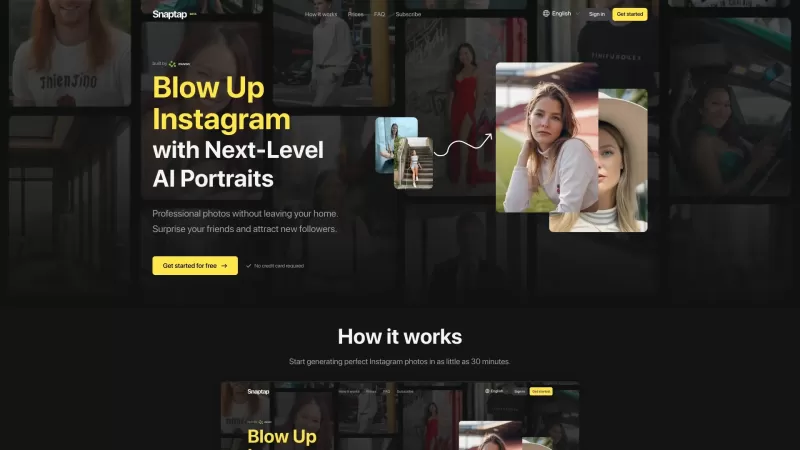
Ever wondered how you can get those stunning, professional-quality photos without stepping into a studio? Enter Snaptap, the AI-powered marvel that transforms your home into a photo studio. With Snaptap, you can capture breathtaking images right from your
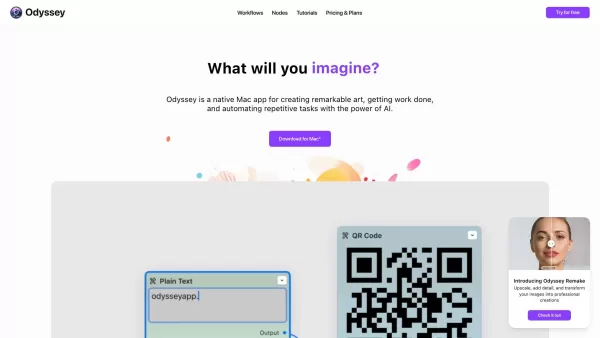
Ever wondered what Odyssey is all about? Well, let me break it down for you. Odyssey isn't just another app; it's a powerhouse designed specifically for Mac users who want to dive into the world of AI. Whether you're an artist looking to create breathtaking visuals, a student tackling complex projec
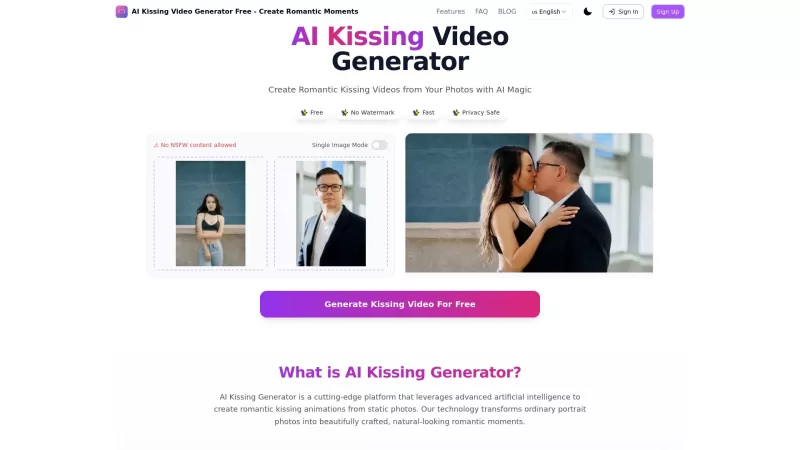
Ever wondered how you and your partner would look sharing a romantic kiss? The AI Kissing Video Generator is here to turn that curiosity into a stunning visual reality. This innovative tool uses advanced AI technology to create realistic kissing animation
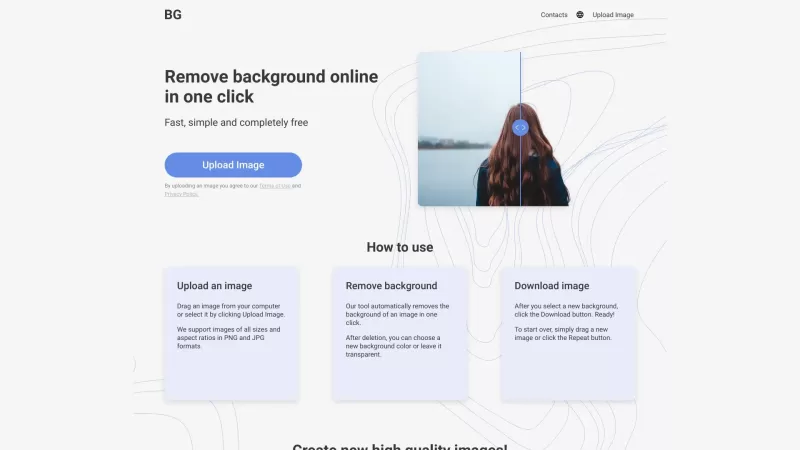
Ever found yourself wishing you could magically strip away the background from a photo? Well, that's where Remove Background comes into play. It's a nifty online tool that lets you do just that—remove the background from any image with ease. Whether you'r
Ever wondered how to bring the real world into the digital realm with stunning realism? Luma AI is your go-to tool for that. This nifty iOS app and web API harnesses the power of your iPhone's camera to transform the ordinary into extraordinary 3D models.
Aftershoot Product Information
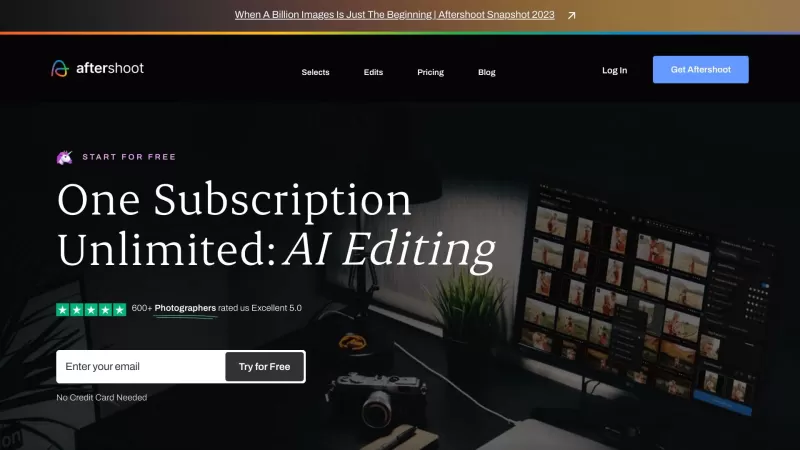
If you're a professional photographer constantly wrestling with the sheer volume of photos you need to cull and edit, let me introduce you to your new best friend: Aftershoot. It's not just any software; it's the #1 AI Culling and Editing Software tailored specifically for pros like you. With Aftershoot, you get to streamline your workflow, culling and editing unlimited photos for a simple, flat fee. And the best part? The AI behind Aftershoot keeps getting smarter, learning from your unique preferences over time.
How to Dive into Aftershoot?
Getting started with Aftershoot is as easy as pie. First, you'll need to download the app onto your computer—no fuss, no muss, it works smoothly on both Windows and MacOS. Once you've got it installed, you can start importing your photography files and let the magic of AI help you cull and edit like a pro. It's like having a digital assistant who knows exactly what you're looking for in your photos.
Aftershoot's Core Features
AI-Assisted Culling
Ever felt overwhelmed by the sheer number of photos you need to sort through? Aftershoot's AI-assisted culling feature takes the pain out of the process, helping you pick the best shots in no time.
AI-Assisted Editing
Editing can be a time-consuming chore, but with Aftershoot, it's more like a breeze. The AI helps you polish your photos, ensuring they look their best with minimal effort on your part.
Cropping and Straightening
Need to straighten a horizon or crop an image to perfection? Aftershoot's got you covered, making these adjustments quick and easy.
Personal AI Editing Profile
What sets Aftershoot apart is its ability to learn your editing style. Over time, it creates a personal AI editing profile that mirrors your unique touch, making every edit feel like it's straight from your own hands.
Pre-built AI Styles
Feeling adventurous? Experiment with Aftershoot's pre-built AI styles to give your photos a fresh new look without starting from scratch.
Export to Lightroom, Capture One, or Photo Mechanic
Once you're done editing, you can seamlessly export your photos to Lightroom, Capture One, or Photo Mechanic, making it easy to integrate Aftershoot into your existing workflow.
Why Photographers Love Aftershoot
Speed up your culling process
Say goodbye to hours spent sifting through thousands of photos. Aftershoot cuts down the time you spend culling, letting you focus on what you do best—capturing stunning images.
Save time on editing
With AI doing the heavy lifting, you'll find yourself with more time to shoot and less time staring at your screen, tweaking every little detail.
Train an AI Editing Profile that mirrors your style
Aftershoot learns from you, so the more you use it, the better it gets at replicating your personal editing style. It's like having a digital clone that knows your every move.
Experiment with different editing styles
Who says you have to stick to one style? Aftershoot's pre-built AI styles let you play around and find new looks that might just become your next favorite.
Export your edited photos in various formats
No matter what format you need, Aftershoot makes it easy to export your photos in a way that fits seamlessly into your workflow.
FAQ from Aftershoot
- Why Aftershoot?
- Aftershoot is designed to save professional photographers time and effort, offering a powerful AI that adapts to your style.
- What does Aftershoot Culling do?
- It helps you quickly sort through your photos, selecting the best ones based on your preferences.
- What does Aftershoot Edits do?
- It uses AI to edit your photos, applying adjustments that match your style and preferences.
- How does Aftershoot work and how to get started?
- Download the app on your Windows or MacOS computer, import your photos, and let the AI assist you in culling and editing.
- What image formats does Aftershoot process?
- Aftershoot can handle a variety of image formats, ensuring you can work with all your photos.
- How does the AI work and get trained?
- The AI learns from your editing choices over time, creating a profile that mirrors your style and preferences.
- What makes Aftershoot different from other AI culling and editing software?
- Its ability to adapt to your personal editing style and the flat fee for unlimited photos make it stand out.
Aftershoot Company
Aftershoot Company name: Aftershoot Pvt Ltd.
More about Aftershoot, please visit the about us page(https://aftershoot.com/about/).
Aftershoot Login
Aftershoot Login Link: https://account.aftershoot.com/auth
Aftershoot Sign up
Aftershoot Sign up Link: https://account.aftershoot.com/auth?signup=true
Aftershoot Pricing
Aftershoot Pricing Link: https://aftershoot.com/pricing/
Aftershoot Facebook
Aftershoot Facebook Link: https://www.facebook.com/aftershootco/
Aftershoot Youtube
Aftershoot Youtube Link: https://www.youtube.com/@aftershoot
Aftershoot Tiktok
Aftershoot Tiktok Link: https://www.tiktok.com/@aftershootco
Aftershoot Twitter
Aftershoot Twitter Link: https://www.twitter.com/aftershootco/
Aftershoot Instagram
Aftershoot Instagram Link: https://www.instagram.com/aftershootco/
Aftershoot Pinterest
Aftershoot Pinterest Link: https://www.pinterest.com/AfterShootCo/
Aftershoot Screenshot

2026 Latest Best AI Quiz Builder Platforms for Teachers, Tutors, and Cohort-Based Learning Programs! XIX.AI has curated a top-rated list of powerful game-changing tools that go through real-world tests to deliver accurate rankings. These must-try platforms help boost writing efficiency, streamline content creation, and simplify quiz design across all learning scenarios. Explore now to discover your perfect tool for unlocking your AI edge in teaching!
 13 tools
 xix.ai

2026 Latest Best AI Pull Request Review Tools for GitHub Teams are here on XIX.AI! This top-rated curated list showcases powerful game-changing solutions that streamline refactoring, bug fixing, and security gap detection across all team workflows. Enjoy a free vs paid comparison along with real-world tests and detailed rankings to help you find the perfect tool that boosts productivity significantly. Explore now to unlock your AI edge!
12 tools
xix.ai

2026 Latest Best Top-rated AI Text to Speech Tools for Natural Voiceovers are here on XIX.AI! This curated list features powerful, game-changing options that deliver crystal-clear voices for every use case, backed by real-world tests and weekly updated rankings. Get a free vs paid comparison to find the must-try solution that boosts your productivity instantly. Explore now to Unlock your AI edge!
11 tools
xix.ai

2026 Latest Best Manga AI Background Generators Ranked Top-Rated! This curated collection showcases powerful game-changing tools perfect for creating high-quality chapter backgrounds, book covers, and promotional art. Every option has undergone rigorous real-world tests to ensure reliability. Get a free vs paid comparison along with detailed insights. Explore now to discover your perfect tool and unlock your AI edge in manga creation.
6 tools
xix.ai

2026 Latest Best Top-rated AI Object Removal Editors for portraits travel product shots! XIX.AI curates a powerful game-changing collection regularly updated with weekly rankings. These tools offer real-world tests to help you quickly remove unwanted elements, boost content quality, and save tons of time without compromising results. Must-try for anyone aiming to unlock their AI creation edge. Explore now!
10 tools
xix.ai

2026 Latest Best Top-rated AI Text to Speech Tools for Online Courses are curated by XIX.AI based on rigorous real-world tests and weekly updated rankings. These powerful tools help creators deliver crystal-clear audio content effortlessly, boosting writing efficiency and streamlining course production. Check out the free vs paid comparison to find your perfect fit. Explore now to unlock your AI edge in online education.
10 tools
xix.ai


Just tried Aftershoot yesterday, and it was a total game-changer for my wedding shoot editing! It culled my 2k photos down to the best 300 in minutes—saving me hours of manual work. The AI picks are surprisingly accurate, though I still double-checked a few. Would definitely recommend to any busy photographer! 😊
Aftershootは私の写真ワークフローを変える存在です!写真の選別と編集にかかる時間を大幅に短縮してくれます。AIは賢いですが、時々私が「キーパー」と考えるものを見逃すことがあります。それでも、プロの写真家には必須のツールです!📸
Aftershoot mudou completamente meu fluxo de trabalho fotográfico! Reduz drasticamente o tempo que gasto selecionando e editando fotos. A IA é inteligente, mas às vezes erra o alvo no que considero 'mantenedores'. Ainda assim, é uma ferramenta essencial para qualquer fotógrafo profissional! 📸
Aftershoot has been a game-changer for my photography workflow! It cuts down the time I spend culling and editing photos by a huge margin. The AI is smart, but sometimes it misses the mark on what I consider 'keepers'. Still, it's a must-have for any pro photographer! 📸
Aftershoot는 내 사진 작업 흐름을 바꾸는 도구입니다! 사진을 선별하고 편집하는 데 드는 시간을 크게 줄여줍니다. AI는 똑똑하지만, 때때로 내가 '키퍼'라고 생각하는 것을 놓치는 경우가 있습니다. 그래도 프로 사진작가에게는 필수 도구입니다! 📸


