


 Home
HomeNeuroChat.AI
AI Note-Taking Extension | NeuroChat.AI



Helps TikTok sellers, brands, MCNs, and TAPs discover winning products and find creators.

HelpLook is an AI-powered all-in-one knowledge base tool that helps businesses quickly build knowledge bases, help centers, and...

Your AI Workspace

302.AI is an enterprise-grade AI resource platform with pay-as-you-go pricing, API access to a full range of AI models, and ready-to-use online applications.

剧火AI — AI Screenwriter + Director, a One-Person Short Drama Studio In one sentence, what is it?
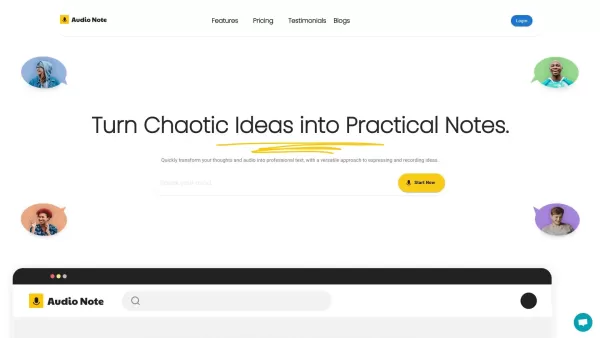
What is Audio Notes AI?Audio Notes AI is a sophisticated note-taking tool that employs artificial intelligence to effortlessly transform your voice recordings into text. It's built to help you capture, structure, transcribe, and summarize spoken cont
Understanding Kensho Scribe TranscriptionKensho's AI Toolkit is a robust suite of tools engineered to unlock valuable insights from complex and unstructured data. By leveraging advanced machine learning algorithms, it extracts, enriches, and interpre
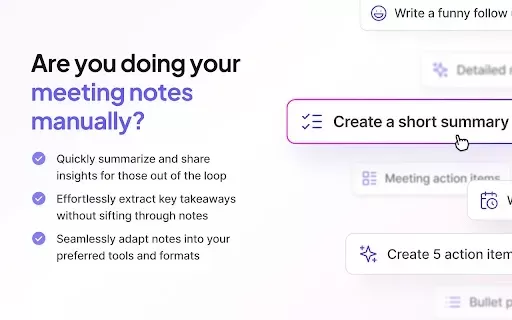
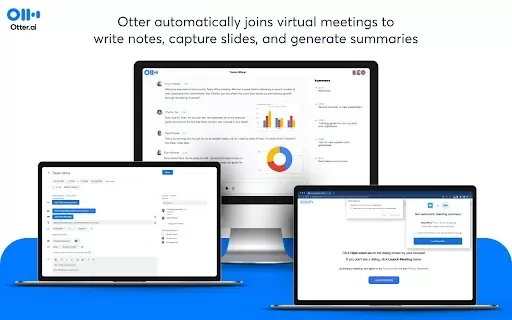
What is Tactiq: ChatGPT meeting summary?Tactiq is a browser extension that streamlines meeting documentation. It uses advanced AI to transcribe meetings live, delivering structured summaries, speaker-by-speaker transcripts, and actionable insights. T
NeuroChat.AI Product Information
What is NeuroChat.AI?
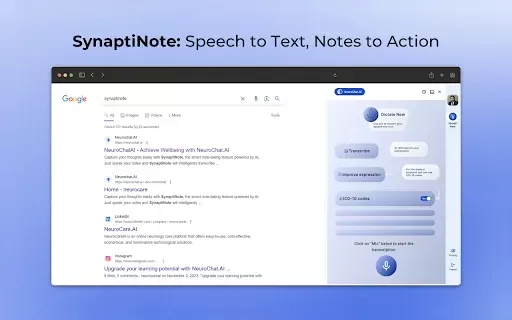
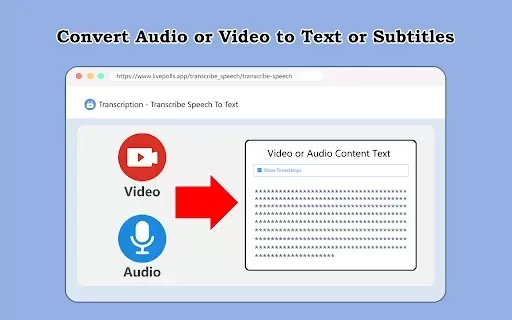
NeuroChat.AI streamlines note-taking with state-of-the-art AI for transcription and enhancement. It automatically fixes grammar and spelling mistakes while upgrading your notes with important details. Ideal for students, professionals, and anyone who wants to capture ideas smoothly and effectively, it helps boost productivity and organization.
Who uses NeuroChat.AI?
- Students
- Professionals
- Researchers
- Writers
- Educators
How do I use NeuroChat.AI?
- Step 1: Get the NeuroChat.AI extension from the Chrome Web Store.
- Step 2: Install and activate the extension in Chrome.
- Step 3: Open your preferred document or note-taking app.
- Step 4: Turn on NeuroChat.AI to start transcribing audio or improving your notes.
- Step 5: Check and adjust transcriptions as necessary, using the grammar correction tools.
Platform
- Chrome
NeuroChat.AI's Core Features & Benefits
The Core Features
- Real-time transcription
- Grammar and spelling correction
- Note enrichment
- User-friendly interface
The Benefits
- Higher productivity
- Greater note-taking accuracy
- Time-efficient setup
- Better thought organization
NeuroChat.AI's Main Use Cases & Applications
- Academic lectures
- Business meetings
- Brainstorming sessions
- Personal note-taking
FAQs of NeuroChat.AI
What is NeuroChat.AI?
NeuroChat.AI is a Chrome extension that provides advanced note-taking and transcription powered by artificial intelligence.
How does NeuroChat.AI work?
It employs AI technology to transcribe audio and enrich notes in real time.
Who can benefit from using NeuroChat.AI?
Students, professionals, and anyone looking for efficient note-taking solutions will find it valuable.
Is NeuroChat.AI free?
Yes, NeuroChat.AI is a free extension on the Chrome Web Store.
What platforms support NeuroChat.AI?
NeuroChat.AI is built exclusively for the Chrome browser.
Can I use NeuroChat.AI offline?
No, an internet connection is needed for its AI-powered functions.
Does it support multiple languages?
Yes, it offers transcription and correction in multiple languages.
How do I install NeuroChat.AI?
Just download it from the Chrome Web Store and enable it in your browser.
Is my data secure with NeuroChat.AI?
Yes, user privacy and data security are top priorities.
Can I integrate it with other productivity tools?
Yes, it works with many document and note-taking apps.
NeuroChat.AI Company Information
Website:
https://neurochat.pro/en/Company Name:
NeuroChatSupport Email:
NAFacebook:
NAX(Twitter):
NAYouTube:
NAInstagram:
NATiktok:
NALinkedIn:
NA
NeuroChat.AI Screenshot

2026 Latest Best AI Pull Request Review Tools for GitHub Teams are here on XIX.AI! This top-rated curated list showcases powerful game-changing solutions that streamline refactoring, bug fixing, and security gap detection across all team workflows. Enjoy a free vs paid comparison along with real-world tests and detailed rankings to help you find the perfect tool that boosts productivity significantly. Explore now to unlock your AI edge!
 12 tools
 xix.ai

2026 Latest Best Top-rated AI Text to Speech Tools for Natural Voiceovers are here on XIX.AI! This curated list features powerful, game-changing options that deliver crystal-clear voices for every use case, backed by real-world tests and weekly updated rankings. Get a free vs paid comparison to find the must-try solution that boosts your productivity instantly. Explore now to Unlock your AI edge!
11 tools
xix.ai

2026 Latest Best Manga AI Background Generators Ranked Top-Rated! This curated collection showcases powerful game-changing tools perfect for creating high-quality chapter backgrounds, book covers, and promotional art. Every option has undergone rigorous real-world tests to ensure reliability. Get a free vs paid comparison along with detailed insights. Explore now to discover your perfect tool and unlock your AI edge in manga creation.
6 tools
xix.ai

2026 Latest Best Top-rated AI Object Removal Editors for portraits travel product shots! XIX.AI curates a powerful game-changing collection regularly updated with weekly rankings. These tools offer real-world tests to help you quickly remove unwanted elements, boost content quality, and save tons of time without compromising results. Must-try for anyone aiming to unlock their AI creation edge. Explore now!
10 tools
xix.ai

2026 Latest Best Top-rated AI Text to Speech Tools for Online Courses are curated by XIX.AI based on rigorous real-world tests and weekly updated rankings. These powerful tools help creators deliver crystal-clear audio content effortlessly, boosting writing efficiency and streamlining course production. Check out the free vs paid comparison to find your perfect fit. Explore now to unlock your AI edge in online education.
10 tools
xix.ai

2026 Latest Best Top-Rated AI Blog Title Tools for Higher Click Through Rates! XIX.AI has carefully curated a powerful, game-changing collection of top tools that go through rigorous real-world tests. You’ll find a free vs paid comparison, weekly updated rankings, and detailed insights to help you boost your blog’s traffic efficiently. Must-try options are highlighted to help you unlock your AI edge. Explore now!
10 tools
xix.ai


