


 Home
HomeMagicRecap
MagicRecap: Friendly Summarization Assistant



Helps TikTok sellers, brands, MCNs, and TAPs discover winning products and find creators.

HelpLook is an AI-powered all-in-one knowledge base tool that helps businesses quickly build knowledge bases, help centers, and...

Your AI Workspace

302.AI is an enterprise-grade AI resource platform with pay-as-you-go pricing, API access to a full range of AI models, and ready-to-use online applications.

剧火AI — AI Screenwriter + Director, a One-Person Short Drama Studio In one sentence, what is it?

What is Concisely?Concisely is a cutting-edge Chrome extension that redefines email reading by using advanced AI to deliver one-sentence summaries of entire email threads. It allows busy professionals to capture the main idea instantly, eliminating t
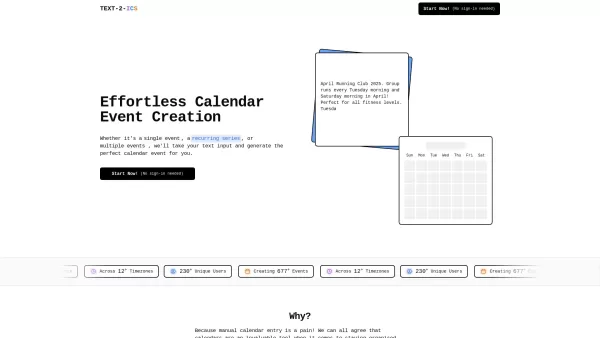
Ever found yourself struggling to add events to your calendar because you're just not in the mood to fill out all those fields? Well, let me introduce you to Text-2-ICS, a nifty little tool that takes the hassle out of event scheduling. Imagine just typin
Ever find yourself swamped with endless documents and articles, wishing there was a quicker way to absorb all that information? Enter ioAudio—an AI-powered tool that's about to change the game for you. This nifty tool takes those lengthy reports and URL l
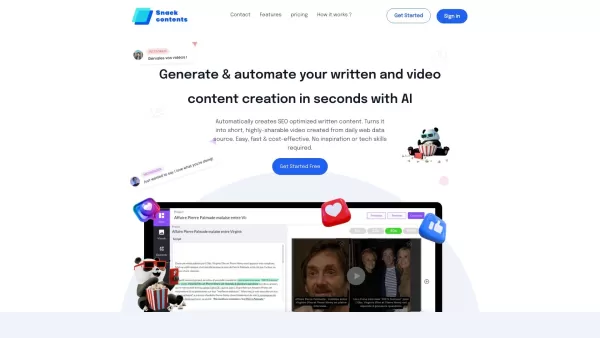
Ever heard of SnackContent? It's a game-changer for anyone looking to whip up content without breaking a sweat. This AI-powered platform takes the hassle out of content creation, letting you produce SEO-optimized articles and transform them into bite-size
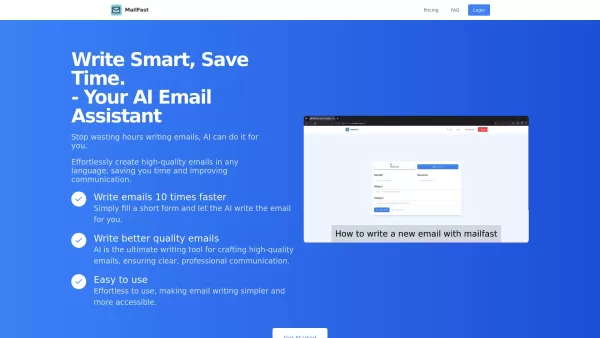
Ever found yourself staring at a blank email, wondering how to get your point across without sounding like a robot? Enter MailFast—an AI-powered email writing tool that's here to save the day. It's like having a personal email assistant that whips up high
MagicRecap Product Information
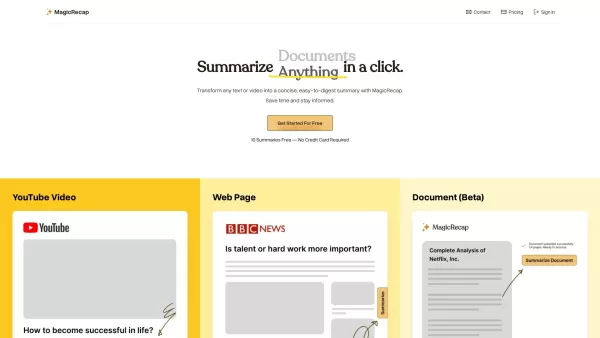
Ever found yourself drowning in a sea of text or video content, wishing there was a way to cut through the noise? Enter MagicRecap, your new best friend in the world of content summarization. This nifty tool is all about saving you time by boiling down hours of content into bite-sized, easy-to-digest summaries.
How to Make the Most of MagicRecap
Using MagicRecap is as easy as pie. Just toss in any text or video you want to summarize, and voila! MagicRecap crafts a concise summary for you. But wait, there's more! You can categorize your summaries for better organization, save them for later, and even listen to them with a soothing human voice narration. Plus, sharing your summaries with friends or colleagues is a breeze.
MagicRecap's Standout Features
- Summarize Text and Video: Whether it's a lengthy article or a video tutorial, MagicRecap has you covered.
- Categorize and Save: Keep your summaries neat and tidy with categorization and saving options.
- Listen to Audio Summaries: Prefer listening over reading? No problem, MagicRecap's got audio summaries for you.
- Share with Ease: Share your summaries with a click, making collaboration a snap.
- Cross-Device Compatibility: Use MagicRecap on your phone, tablet, or computer—no hassle, just convenience.
When to Use MagicRecap
Wondering when MagicRecap can be your hero? Here are some scenarios where it shines:
- Save Time on Long Documents: No more wading through endless pages; get the gist in minutes.
- Filter Content: Quickly sift through articles and videos to snag the most crucial info.
- Meeting and Presentation Notes: Share concise notes during meetings or presentations to keep everyone on the same page.
Frequently Asked Questions
- Why should I use MagicRecap?
- Because it's your shortcut to understanding content without spending hours on it.
- How many summaries can I generate for free?
- Check out the pricing page to see what's included in the free tier.
- Can I listen to the summaries instead of reading them?
- Absolutely! MagicRecap offers audio summaries for those on the go.
- Can I share the summaries with others?
- Yes, sharing is caring, and MagicRecap makes it easy.
- Is MagicRecap compatible with all devices?
- Yep, it works seamlessly across different devices.
For any support, reach out to the MagicRecap team at [email protected]. More contact options are available on their contact us page.
Brought to you by Quadruple, the folks behind MagicRecap, you can dive into the service by logging in at https://www.magicrecap.ai/sign-in or signing up at https://www.magicrecap.ai/sign-in. Curious about the pricing? Head over to https://www.magicrecap.ai/pricing.
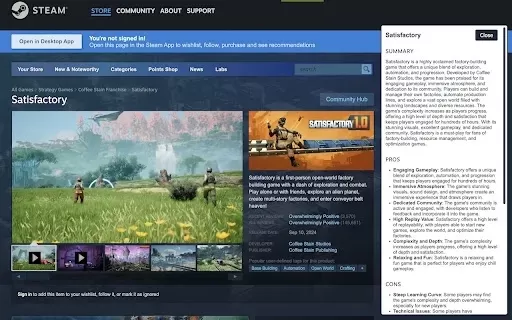
MagicRecap Screenshot

2026 Latest Best AI Pull Request Review Tools for GitHub Teams are here on XIX.AI! This top-rated curated list showcases powerful game-changing solutions that streamline refactoring, bug fixing, and security gap detection across all team workflows. Enjoy a free vs paid comparison along with real-world tests and detailed rankings to help you find the perfect tool that boosts productivity significantly. Explore now to unlock your AI edge!
 12 tools
 xix.ai

2026 Latest Best Top-rated AI Text to Speech Tools for Natural Voiceovers are here on XIX.AI! This curated list features powerful, game-changing options that deliver crystal-clear voices for every use case, backed by real-world tests and weekly updated rankings. Get a free vs paid comparison to find the must-try solution that boosts your productivity instantly. Explore now to Unlock your AI edge!
11 tools
xix.ai

2026 Latest Best Manga AI Background Generators Ranked Top-Rated! This curated collection showcases powerful game-changing tools perfect for creating high-quality chapter backgrounds, book covers, and promotional art. Every option has undergone rigorous real-world tests to ensure reliability. Get a free vs paid comparison along with detailed insights. Explore now to discover your perfect tool and unlock your AI edge in manga creation.
6 tools
xix.ai

2026 Latest Best Top-rated AI Object Removal Editors for portraits travel product shots! XIX.AI curates a powerful game-changing collection regularly updated with weekly rankings. These tools offer real-world tests to help you quickly remove unwanted elements, boost content quality, and save tons of time without compromising results. Must-try for anyone aiming to unlock their AI creation edge. Explore now!
10 tools
xix.ai

2026 Latest Best Top-rated AI Text to Speech Tools for Online Courses are curated by XIX.AI based on rigorous real-world tests and weekly updated rankings. These powerful tools help creators deliver crystal-clear audio content effortlessly, boosting writing efficiency and streamlining course production. Check out the free vs paid comparison to find your perfect fit. Explore now to unlock your AI edge in online education.
10 tools
xix.ai

2026 Latest Best Top-Rated AI Blog Title Tools for Higher Click Through Rates! XIX.AI has carefully curated a powerful, game-changing collection of top tools that go through rigorous real-world tests. You’ll find a free vs paid comparison, weekly updated rankings, and detailed insights to help you boost your blog’s traffic efficiently. Must-try options are highlighted to help you unlock your AI edge. Explore now!
10 tools
xix.ai


MagicRecap is a lifesaver! 😍 I used it to summarize a 2-hour lecture in minutes, and it nailed the key points. Super easy to use, but I wish it supported more video platforms. Still, it’s like having a personal assistant for content!


