


 Home
HomeLunaNotes - Take notes on YouTube



Helps TikTok sellers, brands, MCNs, and TAPs discover winning products and find creators.

HelpLook is an AI-powered all-in-one knowledge base tool that helps businesses quickly build knowledge bases, help centers, and...

Your AI Workspace

302.AI is an enterprise-grade AI resource platform with pay-as-you-go pricing, API access to a full range of AI models, and ready-to-use online applications.

剧火AI — AI Screenwriter + Director, a One-Person Short Drama Studio In one sentence, what is it?
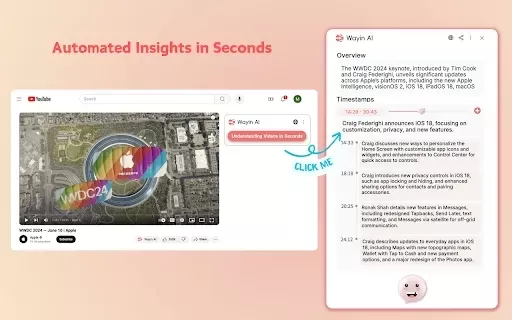
What is Wayin AI?Wayin AI is a robust tool that helps you understand videos quickly and effectively. Using advanced AI, it generates summaries of YouTube content so you can grasp the key points without watching the full video. This solution is ideal
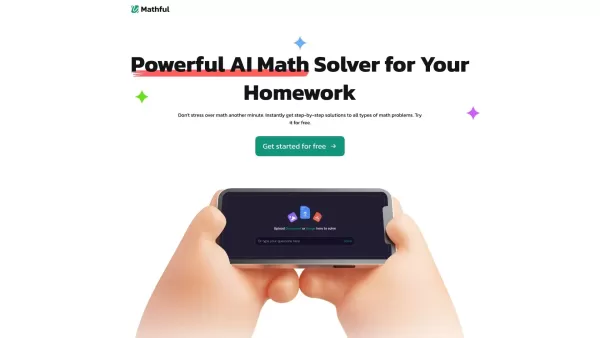
What is Mathful?Mathful is an advanced math-solving platform enhanced by artificial intelligence, enabling users to effortlessly find solutions to various mathematical problems. You can capture a picture of a math problem or input it manually, and Ma
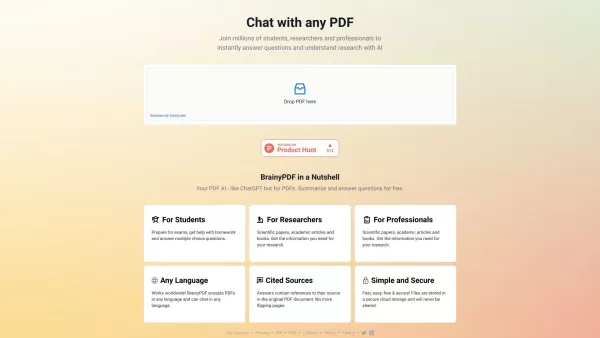
What is BrainyPDF?BrainyPDF is an AI-powered platform that enables users to ask questions and get detailed answers directly from any PDF. It includes intelligent features like context-aware text adjustments, AI-driven editing, and multi-language supp
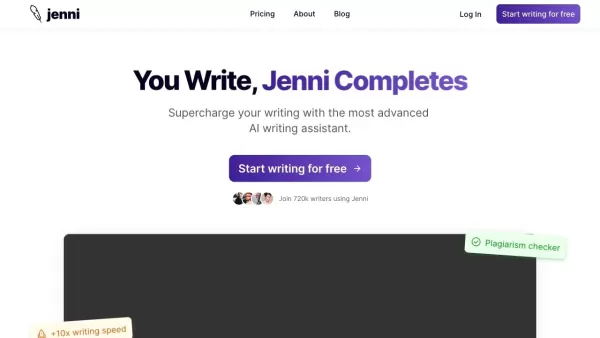
What is Jenni?Jenni AI is a powerful AI writing assistant that simplifies your workflow with features like AI-powered suggestions, automatic citation generation, advanced summarization, and plagiarism checking. It's the perfect tool for students, res
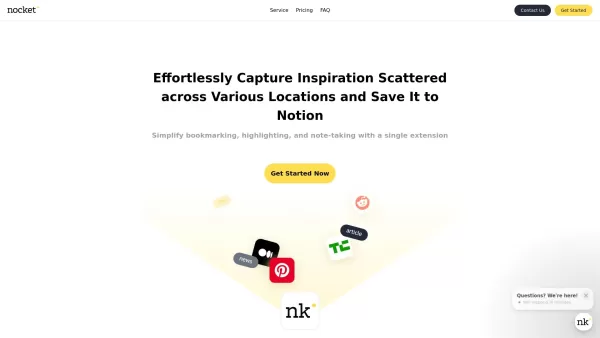
What is Nocket?Nocket.io is a user-friendly browser extension that transforms how you interact with web content. It enables you to bookmark pages, highlight text, and take notes right in your browser. You can easily save your discoveries to Notion, a
LunaNotes - Take notes on YouTube Product Information
What Is LunaNotes - Take Notes on YouTube?
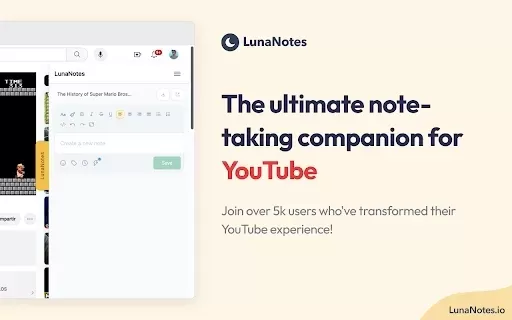
LunaNotes enables users to take, organize, and share notes directly while watching YouTube videos. The extension integrates seamlessly with YouTube, offering features like time-stamped annotations and real-time collaboration. Users can categorize their notes and easily capture key video moments, making it an ideal tool for students, educators, and lifelong learners. LunaNotes also fosters a community-centric approach, allowing users to exchange knowledge and tips on effective note-taking.
Who Will Use LunaNotes - Take Notes on YouTube?
- Students
- Educators
- Researchers
- Content Creators
- Lifelong Learners
How to Use LunaNotes - Take Notes on YouTube?
- Step 1: Install the LunaNotes Chrome extension from the Chrome Web Store.
- Step 2: Create an account or get started as a guest.
- Step 3: Open YouTube and select a video to watch.
- Step 4: Begin taking notes using the LunaNotes interface that appears alongside the video.
- Step 5: Organize your notes with tags and categories for easy access.
- Step 6: Share your notes with others or keep them private.
Platforms
- Web
- Chrome
LunaNotes - Take Notes on YouTube's Core Features & Benefits
The Core Features
- Time-Stamped Annotations
- Customizable Note Categories
- Real-Time Collaboration
- Screenshot & Annotation Tools
The Benefits
- Enhanced Learning Experience
- Seamless YouTube Integration
- Increased Retention of Information
- Easy Sharing and Collaboration
LunaNotes - Take Notes on YouTube's Main Use Cases & Applications
- Taking lecture notes during online classes
- Researching for projects while watching instructional videos
- Creating content summaries for YouTube channels
- Collaborative study sessions
FAQs of LunaNotes - Take Notes on YouTube
How do I install LunaNotes?
You can install LunaNotes from the Chrome Web Store.
Can I use LunaNotes without creating an account?
Yes, you can use it as a guest without an account.
Is there a mobile version of LunaNotes?
Currently, LunaNotes is only available as a Chrome extension.
Can I share my notes with others?
Yes, you can easily share your notes with others.
Are my notes saved automatically?
Yes, your notes are saved automatically as you create them.
Can I access my notes from any device?
Yes, as long as you're logged into your LunaNotes account.
Does LunaNotes have a premium version?
Currently, LunaNotes offers all features without a premium version.
Is LunaNotes suitable for team collaboration?
Yes, it includes tools for real-time collaboration.
What happens if I uninstall the extension?
Your notes will be saved, but you'll need to reinstall to access them again.
Can I organize my notes?
Yes, you can categorize and tag your notes for better organization.
LunaNotes - Take Notes on YouTube Company Information
Website:
https://lunanotes.io/Company Name:
LunaNotesSupport Email:
Facebook:
Not AvailableX (Twitter):
https://twitter.com/lunanotesappYouTube:
Not AvailableInstagram:
Not AvailableTikTok:
Not AvailableLinkedIn:
Not Available
LunaNotes - Take notes on YouTube Screenshot

2026 Latest Best Top-rated AI Competitive Research Tools for Small Businesses! XIX.AI has curated a highly powerful game-changing collection, updated weekly with rigorous real-world tests and detailed rankings. You can find a comprehensive free vs paid comparison to help you identify the must-try tools that boost your productivity and give you a competitive edge. Explore now to discover your perfect tool!
 9 tools
 xix.ai

2026 Latest Best Photoshop AI retouch tools for ecommerce apparel, skin cleanup, and color consistency! This top-rated curated list features powerful game-changing solutions that help you boost writing efficiency, streamline content creation, and achieve perfect visual results effortlessly. Each tool has undergone real-world tests through weekly updated rankings, complete with free vs paid comparison details. Backed by XIX.AI, it’s the must-try guide for anyone aiming to unlock your AI edge. Explore now!
10 tools
xix.ai

2026 Latest Best Top-Rated AI Prompt Libraries for optimizing all types of ChatGPT workflows. XIX.AI has curated a powerful, game-changing collection that goes through rigorous real-world tests to ensure top performance. You can find detailed free vs paid comparisons and expert rankings to help you choose the must-try tools that boost your productivity and unlock your AI edge. Explore now!
11 tools
xix.ai

2026 Latest Best AI Quiz Builder Platforms for Teachers, Tutors, and Cohort-Based Learning Programs! XIX.AI has curated a top-rated list of powerful game-changing tools that go through real-world tests to deliver accurate rankings. These must-try platforms help boost writing efficiency, streamline content creation, and simplify quiz design across all learning scenarios. Explore now to discover your perfect tool for unlocking your AI edge in teaching!
13 tools
xix.ai

2026 Latest Best AI Pull Request Review Tools for GitHub Teams are here on XIX.AI! This top-rated curated list showcases powerful game-changing solutions that streamline refactoring, bug fixing, and security gap detection across all team workflows. Enjoy a free vs paid comparison along with real-world tests and detailed rankings to help you find the perfect tool that boosts productivity significantly. Explore now to unlock your AI edge!
12 tools
xix.ai

2026 Latest Best Top-rated AI Text to Speech Tools for Natural Voiceovers are here on XIX.AI! This curated list features powerful, game-changing options that deliver crystal-clear voices for every use case, backed by real-world tests and weekly updated rankings. Get a free vs paid comparison to find the must-try solution that boosts your productivity instantly. Explore now to Unlock your AI edge!
11 tools
xix.ai


