


 Home
HomeLetterbot AI - Chrome Extension
AI Email Generator Chrome Extension



Helps TikTok sellers, brands, MCNs, and TAPs discover winning products and find creators.

HelpLook is an AI-powered all-in-one knowledge base tool that helps businesses quickly build knowledge bases, help centers, and...

Your AI Workspace

302.AI is an enterprise-grade AI resource platform with pay-as-you-go pricing, API access to a full range of AI models, and ready-to-use online applications.

剧火AI — AI Screenwriter + Director, a One-Person Short Drama Studio In one sentence, what is it?
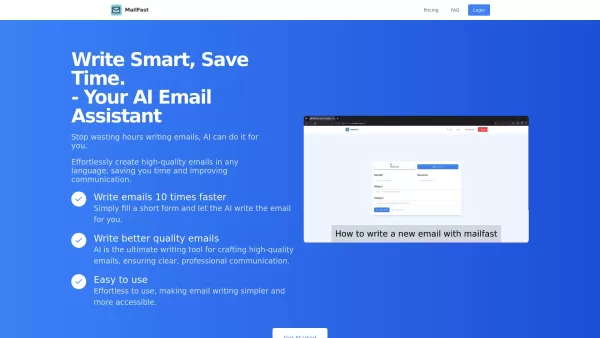
Ever found yourself staring at a blank email, wondering how to get your point across without sounding like a robot? Enter MailFast—an AI-powered email writing tool that's here to save the day. It's like having a personal email assistant that whips up high
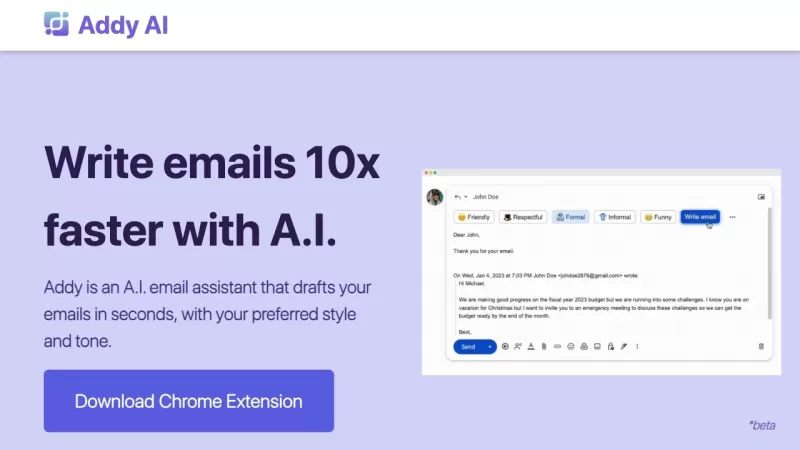
Ever wished you had a personal assistant to handle your emails? Meet Addy, your new AI-powered email buddy that can whip up emails in seconds, perfectly tailored to your style and tone. Whether you're crafting a formal business email or a casual note to a
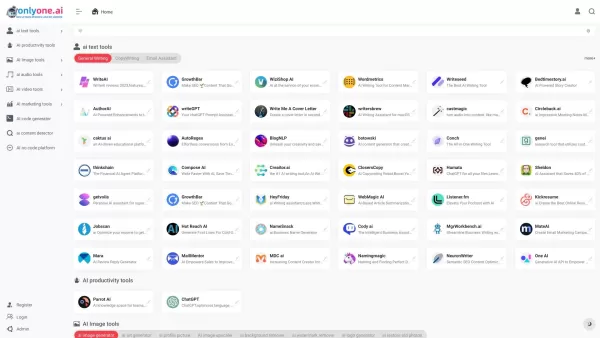
Only one AI is your go-to destination for a comprehensive collection of AI tools, boasting the largest directory on the web. Whether you're a tech enthusiast or a professional looking to streamline your workflow, this platform has something for every
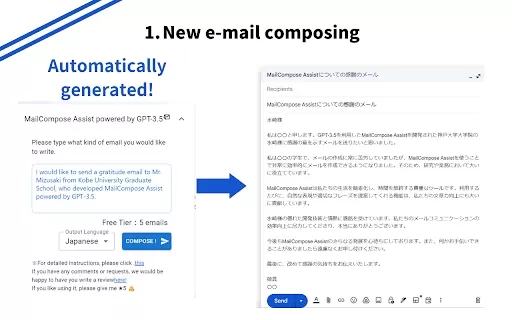
What is the Mail Composition Assist AI Chrome Extension? Mail Composition Assist is a tool designed to save you time when writing emails in Gmail and Outlook. It helps users navigate the complexities of formal language and culturally-specific email e
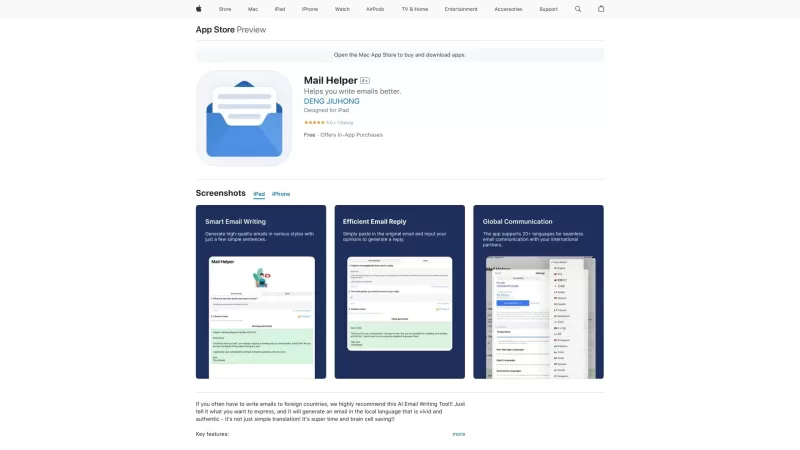
Ever found yourself drowning in a sea of emails, wishing for a lifeline? Enter Mail Helper, your personal on-the-go email assistant that's here to transform your email experience. It's not just about sending and receiving emails anymore; it's about doing
Letterbot AI - Chrome Extension Product Information
What is the Letterbot AI Chrome Extension?
The Letterbot AI Chrome Extension automates email writing. It leverages advanced language models to create polished email drafts from a few user-provided sentences. The tool manages spelling, grammar, and formal structure, enabling you to concentrate on your message's core content and desired tone.
How to Use the Letterbot AI Chrome Extension
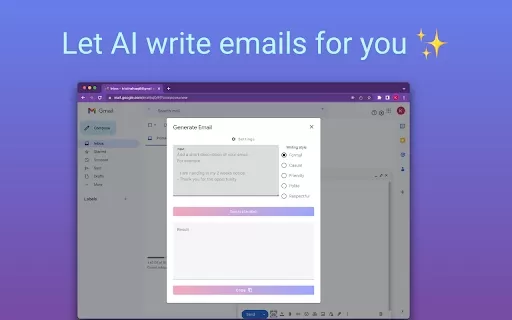
1. Open your Gmail account. 2. Start composing a new email. 3. Click the 'Letterbot AI' icon located near the 'Send' button. 4. The Letterbot interface will appear. 5. Briefly describe the intent of your email in a few sentences. 6. Insert the AI-generated email text directly into your composer.
Letterbot AI Chrome Extension's Core Features
AI-Powered Email Generation
Letterbot AI Chrome Extension's Use Cases
Quickly draft emails for a wide range of purposes.
FAQ from Letterbot AI
Which languages are supported?
Is a desktop version of the extension available?
Letterbot AI - Chrome Extension Screenshot

2026 Latest Best Photoshop AI retouch tools for ecommerce apparel, skin cleanup, and color consistency! This top-rated curated list features powerful game-changing solutions that help you boost writing efficiency, streamline content creation, and achieve perfect visual results effortlessly. Each tool has undergone real-world tests through weekly updated rankings, complete with free vs paid comparison details. Backed by XIX.AI, it’s the must-try guide for anyone aiming to unlock your AI edge. Explore now!
 10 tools
 xix.ai

2026 Latest Best Top-Rated AI Prompt Libraries for optimizing all types of ChatGPT workflows. XIX.AI has curated a powerful, game-changing collection that goes through rigorous real-world tests to ensure top performance. You can find detailed free vs paid comparisons and expert rankings to help you choose the must-try tools that boost your productivity and unlock your AI edge. Explore now!
11 tools
xix.ai

2026 Latest Best AI Quiz Builder Platforms for Teachers, Tutors, and Cohort-Based Learning Programs! XIX.AI has curated a top-rated list of powerful game-changing tools that go through real-world tests to deliver accurate rankings. These must-try platforms help boost writing efficiency, streamline content creation, and simplify quiz design across all learning scenarios. Explore now to discover your perfect tool for unlocking your AI edge in teaching!
13 tools
xix.ai

2026 Latest Best AI Pull Request Review Tools for GitHub Teams are here on XIX.AI! This top-rated curated list showcases powerful game-changing solutions that streamline refactoring, bug fixing, and security gap detection across all team workflows. Enjoy a free vs paid comparison along with real-world tests and detailed rankings to help you find the perfect tool that boosts productivity significantly. Explore now to unlock your AI edge!
12 tools
xix.ai

2026 Latest Best Top-rated AI Text to Speech Tools for Natural Voiceovers are here on XIX.AI! This curated list features powerful, game-changing options that deliver crystal-clear voices for every use case, backed by real-world tests and weekly updated rankings. Get a free vs paid comparison to find the must-try solution that boosts your productivity instantly. Explore now to Unlock your AI edge!
11 tools
xix.ai

2026 Latest Best Manga AI Background Generators Ranked Top-Rated! This curated collection showcases powerful game-changing tools perfect for creating high-quality chapter backgrounds, book covers, and promotional art. Every option has undergone rigorous real-world tests to ensure reliability. Get a free vs paid comparison along with detailed insights. Explore now to discover your perfect tool and unlock your AI edge in manga creation.
6 tools
xix.ai


Finally an email writer that doesn't make me sound like a robot 😅 Letterbot actually understands context and keeps my tone natural. Been using it for a week and it's saved me hours. Only worry is privacy since it reads my drafts, but the extension seems secure enough. Would recommend!


