


 Home
HomeInDesign Translator
Online Translation and Editing of InDesign Files



Helps TikTok sellers, brands, MCNs, and TAPs discover winning products and find creators.

HelpLook is an AI-powered all-in-one knowledge base tool that helps businesses quickly build knowledge bases, help centers, and...

Your AI Workspace

302.AI is an enterprise-grade AI resource platform with pay-as-you-go pricing, API access to a full range of AI models, and ready-to-use online applications.

剧火AI — AI Screenwriter + Director, a One-Person Short Drama Studio In one sentence, what is it?

Ever found yourself juggling multiple tabs, wishing you could just talk to them to get the info you need? Well, Tabchat AI might just be your new best friend. It's a nifty Chrome extension that lets you chat with your active browsing tabs and even scrape

Faith Forward isn't just another app; it's a personal companion for anyone looking to deepen their Christian faith. It harnesses the power of AI to deliver a tailor-made spiritual experience. Whether you're craving custom devotionals, need a daily dose of
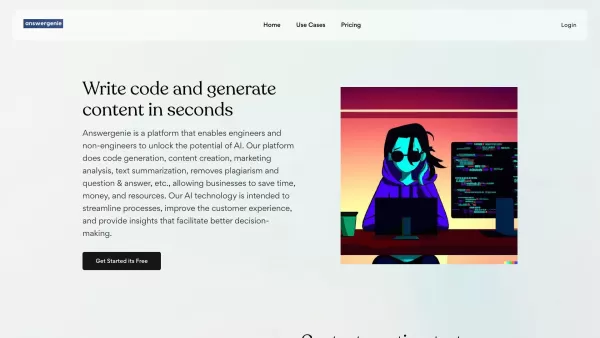
What is Answer Genie?AnswerGenie is an advanced AI-driven platform that delivers immediate, real-time answers to virtually any question you have. Available 24/7, it serves a diverse array of inquiries—from tech support and financial guidance to gener

Ever wondered how to make Computer Science education not just informative but truly engaging? Enter Profound Academy, a game-changer in the world of educational platforms. It's not just another tool; it's a revolution designed to transform how schools and
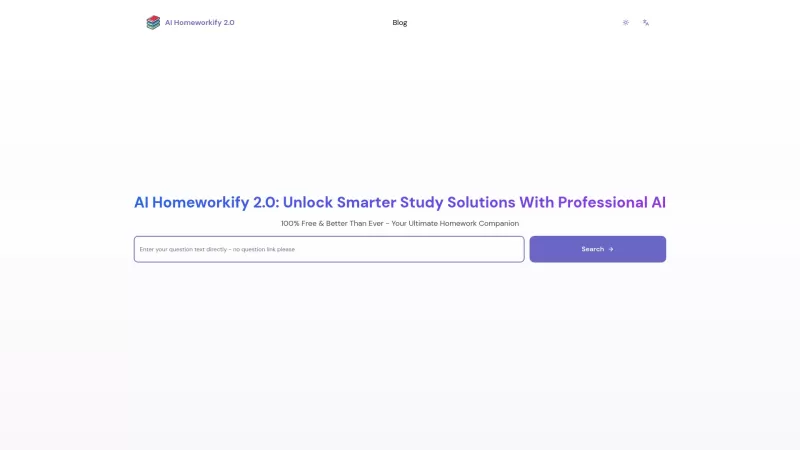
Ever stumbled upon a homework question that's got you scratching your head until the early hours? Well, let me introduce you to AI Homeworkify, your new late-night study buddy. This service is like a magic wand for students, offering instant, free homework help without even asking you to sign up. It
InDesign Translator Product Information
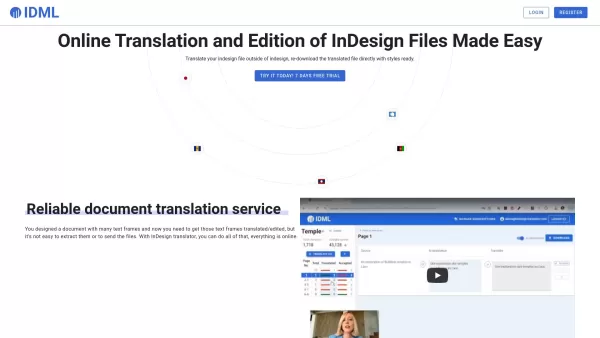
If you've ever wrestled with translating InDesign files while trying to keep everything in its place, then you're in for a treat with InDesign Translator. This nifty online platform makes the whole process of translating and editing your InDesign files a breeze, all while preserving the original layout and styles. It's like having a magic wand that keeps your design intact while swapping out the words!
How to Use InDesign Translator?
Getting started is as easy as pie. First, you'll need to export your InDesign file in .idml format. Once you've got that, just upload it to InDesign Translator and hit that translate button. One click, and you're on your way to a multilingual masterpiece without breaking a sweat.
InDesign Translator's Core Features
Extracts All Text Frames from InDesign Files
This feature is a real game-changer. InDesign Translator pulls out every single text frame from your file, so you can translate them all without missing a beat. It's like having a digital assistant that knows exactly where to look.
AI-Assisted Translation
Ever wish you had a smart buddy to help with translations? Well, InDesign Translator's AI assistant is just that. It helps speed up the process and ensures your translations are as accurate as possible. It's like having a language expert on call, 24/7.
Live Monitoring of Translation Progress
No more guessing games about when your translation will be done. With live monitoring, you can watch the progress in real-time. It's like having a window into the translation process, keeping you in the loop every step of the way.
No Login Required for Translators
Here's a perk that'll make your translators cheer—no need to sign up or log in. They can jump right into translating without any hassle. It's all about making the process as smooth as possible for everyone involved.
InDesign Translator's Use Cases
Translate Marketing Materials Designed in InDesign
Got a slick marketing brochure or a dazzling ad campaign designed in InDesign? InDesign Translator can help you take it global. Translate your materials without losing any of that original flair and style.
Collaborate with Translators Without Cumbersome File Transfers
Say goodbye to the headache of sending files back and forth. With InDesign Translator, you can work seamlessly with your translators, keeping everything streamlined and efficient. It's collaboration made easy.
FAQ from InDesign Translator
- What file format can I translate?
- You can translate files in the .idml format, which is the standard export format from InDesign.
- What is the AI assistant?
- The AI assistant is an advanced tool that helps with the translation process, offering suggestions and ensuring the accuracy of translations.
InDesign Translator Screenshot
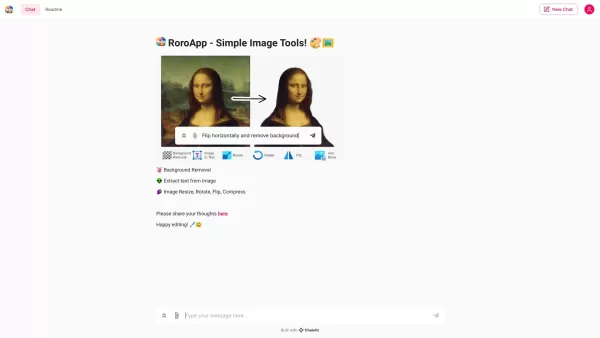


2026 Latest Best Top-rated AI Object Removal Editors for portraits travel product shots! XIX.AI curates a powerful game-changing collection regularly updated with weekly rankings. These tools offer real-world tests to help you quickly remove unwanted elements, boost content quality, and save tons of time without compromising results. Must-try for anyone aiming to unlock their AI creation edge. Explore now!
 10 tools
 xix.ai

2026 Latest Best Top-rated AI Text to Speech Tools for Online Courses are curated by XIX.AI based on rigorous real-world tests and weekly updated rankings. These powerful tools help creators deliver crystal-clear audio content effortlessly, boosting writing efficiency and streamlining course production. Check out the free vs paid comparison to find your perfect fit. Explore now to unlock your AI edge in online education.
10 tools
xix.ai

2026 Latest Best Top-Rated AI Blog Title Tools for Higher Click Through Rates! XIX.AI has carefully curated a powerful, game-changing collection of top tools that go through rigorous real-world tests. You’ll find a free vs paid comparison, weekly updated rankings, and detailed insights to help you boost your blog’s traffic efficiently. Must-try options are highlighted to help you unlock your AI edge. Explore now!
10 tools
xix.ai

2026 Latest Best Top-rated AI Task Routing Tools for Support Workflows! XIX.AI has curated a highly powerful game-changing collection of must-try solutions, all undergoing rigorous real-world tests and updated weekly. These tools streamline workflows, boost productivity, and help teams deliver faster, more efficient support. Explore now to discover your perfect tool and unlock your AI edge!
17 tools
xix.ai

2026 Latest Best Top-Rated AI Citation and Paper Summary Tools Curated by XIX.AI. Get powerful game-changing solutions for quick content creation, improved writing efficiency, and boosting productivity. We offer a free vs paid comparison along with real-world tests and weekly updated rankings to help you find the must-try tool that fits your needs perfectly. Explore now to Unlock your AI edge.
10 tools
xix.ai

2026 Latest Best Top-Rated AI Productivity Tools for Daily Work! XIX.AI has curated a powerful, game-changing selection based on rigorous weekly updated rankings and real-world tests. You’ll find must-try options that boost writing efficiency, streamline content creation, and help you overcome daily work challenges. Get a free vs paid comparison to find the perfect fit for your needs. Explore now to unlock your AI edge!
9 tools
xix.ai


InDesign Translatorは本当に便利!翻訳する際にレイアウトが崩れないから時間が大幅に節約できる。ただ、複雑なレイアウトだと苦戦することがあるけど、InDesignファイルを扱うなら必須ツールだね。試してみて!📚
InDesign Translator is a lifesaver! It keeps everything in place while translating, which is a huge time-saver. Sometimes it struggles with complex layouts, but overall, it's a must-have for anyone dealing with InDesign files. Give it a go! 📚
InDesign Translator는 정말 생명의 은인이에요! 번역하면서도 모든 것이 그대로 유지되니까 시간을 많이 절약할 수 있어요. 다만, 복잡한 레이아웃에서는 조금 어려움을 겪을 때가 있어요. 그래도 InDesign 파일을 다루는 분들에겐 필수 도구예요. 한번 써보세요! 📚
¡InDesign Translator es un salvavidas! Mantiene todo en su lugar mientras traduce, lo que ahorra mucho tiempo. A veces tiene problemas con diseños complejos, pero en general, es imprescindible para cualquiera que trabaje con archivos de InDesign. ¡Pruébalo! 📚
InDesign Translator é um salva-vidas! Mantém tudo no lugar enquanto traduz, o que economiza muito tempo. Às vezes, ele luta com layouts complexos, mas no geral, é essencial para quem lida com arquivos InDesign. Experimente! 📚


