


 Home
HomeImgezy



Helps TikTok sellers, brands, MCNs, and TAPs discover winning products and find creators.

HelpLook is an AI-powered all-in-one knowledge base tool that helps businesses quickly build knowledge bases, help centers, and...

Your AI Workspace

302.AI is an enterprise-grade AI resource platform with pay-as-you-go pricing, API access to a full range of AI models, and ready-to-use online applications.

剧火AI — AI Screenwriter + Director, a One-Person Short Drama Studio In one sentence, what is it?

What is Deepfake Maker? Deepfake Maker is a comprehensive, browser-based AI tool for creating deepfakes, tailored for creators, marketers, and designers who need striking visuals without complicated software. It combines multiple AI capabilities: adv

What is Kontext AI? Kontext AI is a cutting-edge, free image generation and editing tool powered by FLUX Kontext technology. It uses context-aware artificial intelligence to produce, alter, and improve images with remarkable speed and precision. The
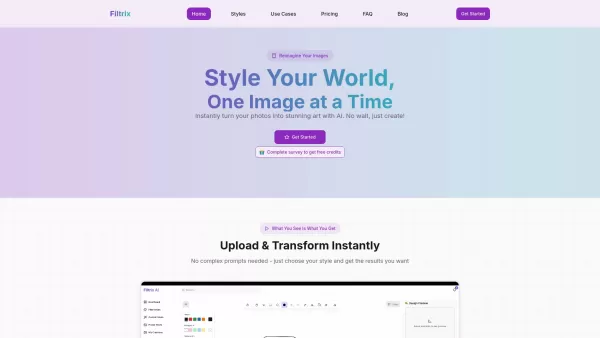
What is Filtrix AI? Filtrix AI is an intuitive AI image editor and generator that turns everyday photos into exceptional visual creations. It leverages artificial intelligence to manage the technical complexities, empowering users to concentrate on c

What is Nano Banana | Nanana AI? Nanana AI is the leading AI image generator and AI image editor on the market. It taps into the full potential of Google's revolutionary Nano Banana model to offer unmatched image creation and editing power. As an ear

DeepMaker AI is your go-to platform for transforming your images and videos with the latest AI technology. From removing backgrounds to generating stunning tattoos, this service has it all. What sets DeepMaker AI apart is its pay-as-you-go model—no subscr
Imgezy Product Information
What is Imgezy?
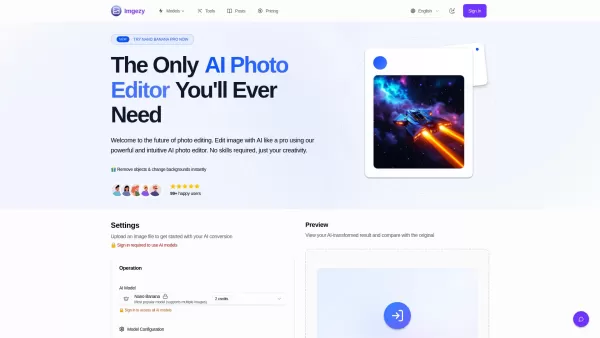
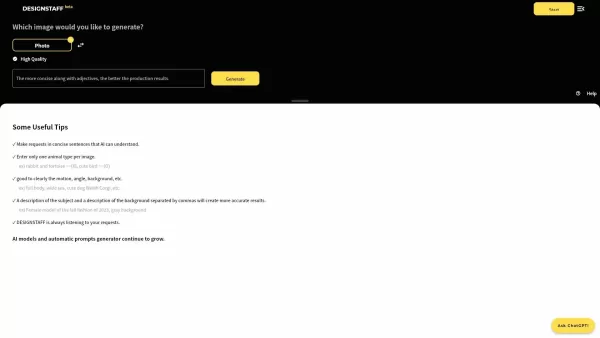
Imgezy is the ultimate AI-powered image editor for instantly editing and enhancing images online. It harnesses artificial intelligence to let users remove objects, swap backgrounds, and upscale photos with a single click. The platform is designed to deliver professional-grade results while maintaining consumer-level simplicity, making advanced photo editing accessible to everyone, regardless of their design experience.
How to use Imgezy?
Using Imgezy is simple and takes just three steps: 1. Upload Your Image: Drag and drop or select a file (JPG, PNG, WebP). 2. Describe Your Edit: Type your instructions in the text box, such as "Remove the person on the left" or "Change the background to a sunny beach." 3. Download & Share: Watch the AI transform your image in seconds, then preview and download the high-resolution result.
Imgezy's Core Features
Object Removal
Background Replacement
Photo Enhancement
Batch Processing
High-Quality Output
Smart Repair
Imgezy's Use Cases
Etsy shop owners create professional product shots without hiring a photographer.
Content creators edit images for social media posts.
Photography hobbyists restore old family photos by removing unwanted objects.
E-commerce managers create marketplace-compliant product images in bulk.
Travel bloggers remove crowds from landmark photos.
Social media influencers experiment with new looks for their profile pictures.
FAQ from Imgezy
What is the best way to get good results when editing an image with AI?
For the best results, use clear and specific instructions. Instead of saying "make it better," try "make the grass greener and the sky brighter." The more detail you provide, the more accurate the result.
How do you protect the privacy of my photos?
Imgezy takes your privacy very seriously. Your images are processed securely and are never used for any purpose other than fulfilling your edit request. All uploaded files are automatically deleted from their servers within 24 hours.
Can I use Imgezy for commercial purposes?
Yes, absolutely! Imgezy is perfect for businesses. Many e-commerce stores, marketing agencies, and content creators use Imgezy to produce professional product images and marketing materials.
How long does it take to edit a photo?
Most edits are completed in 5-10 seconds. Complex edits involving multiple objects or background changes may take up to 30 seconds.
Imgezy Support Email, Customer Service, and Refund Contact, etc.
Here is the Imgezy support email for customer service: [email protected]. For more contact options, visit the contact us page ([email protected])
Imgezy Company
Imgezy Company name: Imgezy.
Imgezy Company address: .
More about Imgezy, please visit the about us page.
Imgezy Login
Imgezy Login Link: https://www.imgezy.com/login
Imgezy Sign up
Imgezy Sign up Link: https://www.imgezy.com/#feature
Imgezy Pricing
Imgezy Pricing Link: https://www.imgezy.com/pricing
Imgezy Twitter
Imgezy Twitter Link: https://x.com/li_wujie
Imgezy Github
Imgezy Github Link: https://github.com/wujieli0207
Imgezy Screenshot

2026 Latest Best Top-rated AI Object Removal Editors for portraits travel product shots! XIX.AI curates a powerful game-changing collection regularly updated with weekly rankings. These tools offer real-world tests to help you quickly remove unwanted elements, boost content quality, and save tons of time without compromising results. Must-try for anyone aiming to unlock their AI creation edge. Explore now!
 10 tools
 xix.ai

2026 Latest Best Top-rated AI Text to Speech Tools for Online Courses are curated by XIX.AI based on rigorous real-world tests and weekly updated rankings. These powerful tools help creators deliver crystal-clear audio content effortlessly, boosting writing efficiency and streamlining course production. Check out the free vs paid comparison to find your perfect fit. Explore now to unlock your AI edge in online education.
10 tools
xix.ai

2026 Latest Best Top-Rated AI Blog Title Tools for Higher Click Through Rates! XIX.AI has carefully curated a powerful, game-changing collection of top tools that go through rigorous real-world tests. You’ll find a free vs paid comparison, weekly updated rankings, and detailed insights to help you boost your blog’s traffic efficiently. Must-try options are highlighted to help you unlock your AI edge. Explore now!
10 tools
xix.ai

2026 Latest Best Top-rated AI Task Routing Tools for Support Workflows! XIX.AI has curated a highly powerful game-changing collection of must-try solutions, all undergoing rigorous real-world tests and updated weekly. These tools streamline workflows, boost productivity, and help teams deliver faster, more efficient support. Explore now to discover your perfect tool and unlock your AI edge!
17 tools
xix.ai

2026 Latest Best Top-Rated AI Citation and Paper Summary Tools Curated by XIX.AI. Get powerful game-changing solutions for quick content creation, improved writing efficiency, and boosting productivity. We offer a free vs paid comparison along with real-world tests and weekly updated rankings to help you find the must-try tool that fits your needs perfectly. Explore now to Unlock your AI edge.
10 tools
xix.ai

2026 Latest Best Top-Rated AI Productivity Tools for Daily Work! XIX.AI has curated a powerful, game-changing selection based on rigorous weekly updated rankings and real-world tests. You’ll find must-try options that boost writing efficiency, streamline content creation, and help you overcome daily work challenges. Get a free vs paid comparison to find the perfect fit for your needs. Explore now to unlock your AI edge!
9 tools
xix.ai


