


 Home
HomeGhostCut
GhostCut: Easy Online Video Trimming Tool



Helps TikTok sellers, brands, MCNs, and TAPs discover winning products and find creators.

HelpLook is an AI-powered all-in-one knowledge base tool that helps businesses quickly build knowledge bases, help centers, and...

Your AI Workspace

302.AI is an enterprise-grade AI resource platform with pay-as-you-go pricing, API access to a full range of AI models, and ready-to-use online applications.

剧火AI — AI Screenwriter + Director, a One-Person Short Drama Studio In one sentence, what is it?

Introducing AniEraser: The Ultimate AI Clothes RemoverIf you've ever wanted to edit photos like a pro without the hassle of complicated tools or software installations, AniEraser is here to change the game. This cutting-edge online tool uses advanced AI t

What is Undressbaby AI?Undressbaby is a cutting-edge, AI-driven platform that lets users creatively alter their photos and videos. From swapping faces to trying on virtual outfits, it offers a simple yet powerful solution. Just upload your media, and
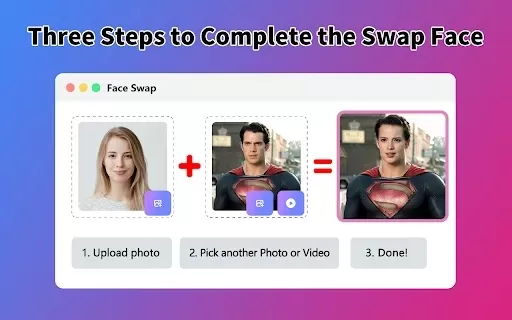
What is Face Swap - AI Face Swapper?Face Swap AI Face Swapper is a cutting-edge online tool that enables effortless face swapping in photos and videos. Powered by sophisticated artificial intelligence, it allows you to seamlessly replace faces, swap

Ever wanted to give your videos a quirky twist or a professional touch? Look no further than KreadoAI Video Face Swap! This nifty tool is a game-changer for anyone looking to seamlessly replace faces in videos. What's even better? It's absolutely free and

What is VideoWatermarkRemover AI? VideoWatermarkRemover is a free, AI-powered online tool that quickly and easily removes watermarks from videos. It supports popular formats like MP4, MOV, and AVI, and can detect and erase both static and moving wate
GhostCut Product Information
If you're looking to snip and trim your videos with ease, GhostCut is the tool you need to know about. This handy online video editor makes it a breeze to cut down your videos into shorter, more manageable clips or to extract just the right segments you want to keep. It's like having a personal video editor at your fingertips!
How to Make the Most of GhostCut?
Ready to dive in? Here's how you can start using GhostCut:
- Upload Your Video: Head over to the GhostCut website and upload the video you want to edit. It's as simple as clicking and dragging your file into the upload box.
- Set Your Marks: Use the intuitive editing interface to pinpoint exactly where you want your video to start and end. Drag those sliders and watch your masterpiece take shape!
- Preview and Tweak: Before you commit, take a moment to preview your edited video. If something doesn't feel right, no worries—just adjust those markers until it's perfect.
- Download or Save: Once you're happy with your work, you can download the trimmed video directly to your device or save it to your favorite cloud storage service. Your choice!
GhostCut's Standout Features
1. Trim and Cut Like a Pro
GhostCut's core function is all about giving you the power to trim and cut your videos. Whether you need a quick clip or a specific segment, this tool has you covered.
2. Preview Before You Commit
There's nothing worse than realizing you've made a mistake after the fact. GhostCut lets you preview your edits, so you can be sure you're happy with the final product before you download.
3. Format Flexibility
Worried about compatibility? Don't be. GhostCut supports a wide range of video file formats, making it a versatile choice for all your editing needs.
4. Cloud Storage Integration
Once you've crafted your perfect video, you can save it directly to cloud storage services. It's all about convenience and keeping your files safe and accessible.
5. User-Friendly Design
Even if you're not a tech whiz, GhostCut's interface is designed to be easy to navigate. You'll be editing like a pro in no time!
When to Use GhostCut?
- Shortening Long Videos: Got a long video that needs to be more digestible? GhostCut can help you create shorter, more engaging clips.
- Extracting Key Moments: Need to pull out a specific segment from a video? This tool makes it easy to isolate those crucial moments.
- Removing Unwanted Parts: Whether it's a blooper or just an unnecessary section, GhostCut lets you snip it out without a fuss.
- Social Media Ready: Trim your videos to the perfect length for sharing on social media platforms. It's all about getting those likes and shares!
- Project and Presentation Prep: Preparing video content for a project or presentation? GhostCut helps you get it just right.
Frequently Asked Questions About GhostCut
- How long does it take to trim a video?
- It depends on the length of your video and your internet connection, but generally, it's quick and efficient.
- Can I edit videos of any format?
- Yes, GhostCut supports a variety of video formats, so you're likely covered no matter what you're working with.
- What happens to the original video file?
- Your original video remains untouched. GhostCut only works on a copy, so you don't have to worry about losing your source material.
- Can I undo changes made to the video?
- Absolutely! You can adjust your edits as many times as you need before finalizing your video.
GhostCut Company
GhostCut is brought to you by JollyToday, a company dedicated to making video editing accessible and fun.
GhostCut Login
Already a user? Log in here: GhostCut Login
GhostCut Sign Up
New to GhostCut? Sign up here: GhostCut Sign Up
GhostCut Pricing
Interested in premium features? Check out the pricing here: GhostCut Pricing
GhostCut on Facebook
Join the community and stay updated: GhostCut Facebook
GhostCut Screenshot

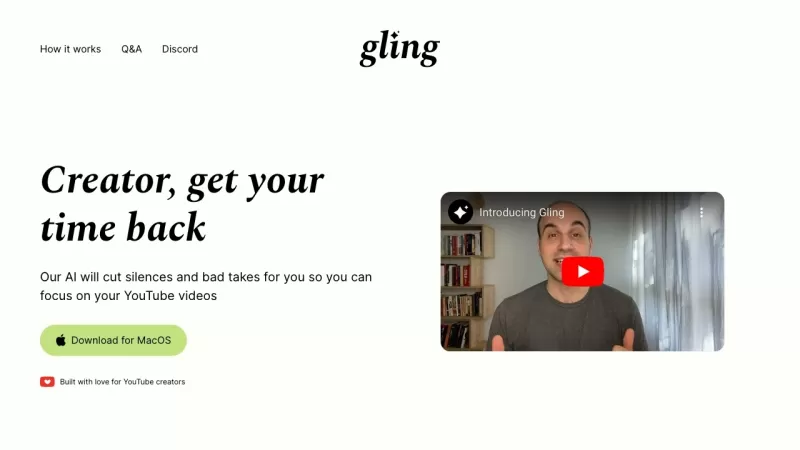
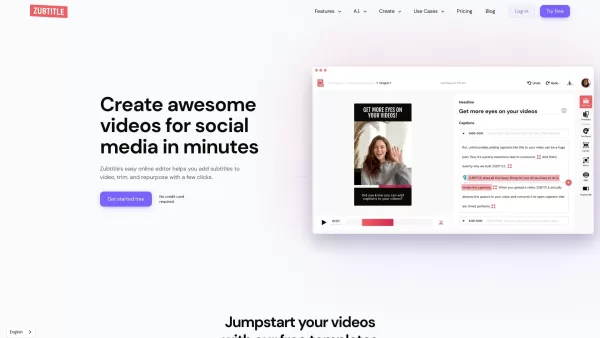


Discover 2026's best AI video editing tools for short dramas. Explore our top-rated curated picks on XIX.AI, compare free vs paid options, and see real-world test results. Transform your storytelling with powerful, game-changing features. Find your perfect editing assistant now and start creating.
 10 tools
 xix.ai


