


 Home
HomeFlowLens



Helps TikTok sellers, brands, MCNs, and TAPs discover winning products and find creators.

HelpLook is an AI-powered all-in-one knowledge base tool that helps businesses quickly build knowledge bases, help centers, and...

Your AI Workspace

302.AI is an enterprise-grade AI resource platform with pay-as-you-go pricing, API access to a full range of AI models, and ready-to-use online applications.

剧火AI — AI Screenwriter + Director, a One-Person Short Drama Studio In one sentence, what is it?
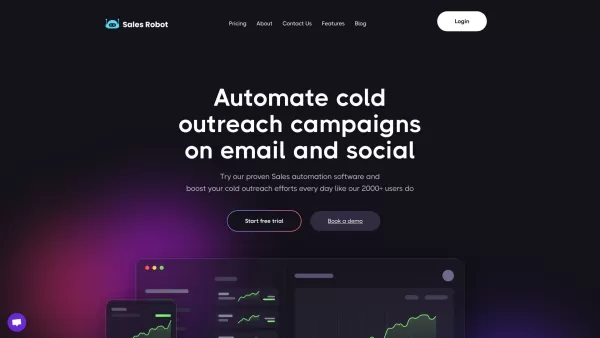
SalesRobot isn't just another tool in your sales arsenal—it's your new best friend in the world of automated outreach. This cloud-based gem lets you juggle multiple cold outreach campaigns on LinkedIn and through email, all while sipping your morning
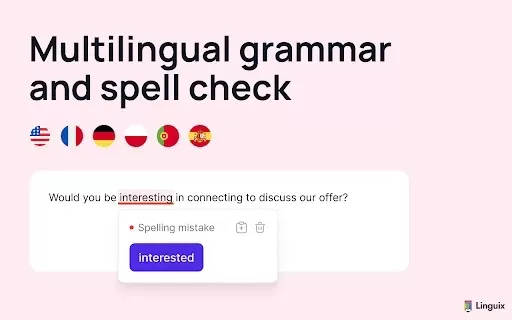
What is Linguix — Grammar Checker and AI Writing App?Linguix is an all-in-one grammar checker and AI-powered writing assistant that elevates your text across websites and applications. It supports multiple languages such as English, French, German, S

What is Stacks?Stacks is an AI-powered agent designed to orchestrate various productivity tools, automating tasks and boosting work efficiency. It seamlessly connects different applications, enabling users to execute complex workflows smoothly. From
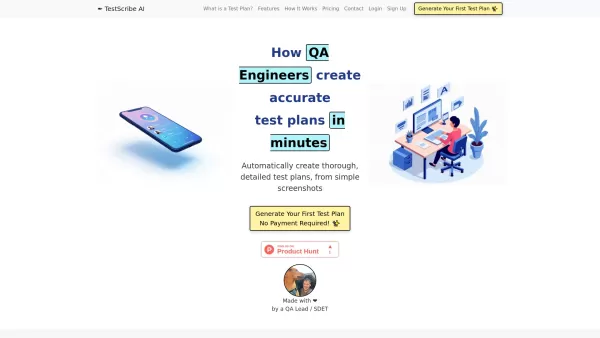
What is TestScribe AI? TestScribe AI revolutionizes software testing by automatically creating comprehensive test plans through artificial intelligence. This cloud-based solution helps testing teams and developers save countless hours on documentatio
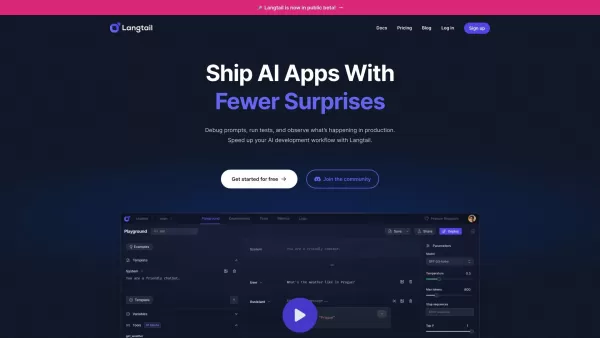
What is Langtail?Langtail is a powerful platform designed to streamline the management of Large Language Model (LLM) prompts, enhancing team collaboration and boosting the efficiency of AI development workflows. It's the go-to tool for developers and
FlowLens Product Information
What is FlowLens?
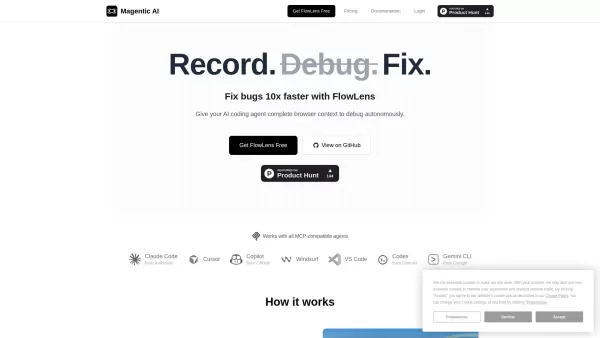
FlowLens is a Chrome extension paired with an open-source MCP server, built to streamline how you share web application bugs with both AI coding assistants and human developers. With a single click, it automatically captures the full picture: video replay, console logs, network activity, and user interactions. This rich, ready-to-use context allows AI agents to debug independently while optimizing token efficiency. The goal? To accelerate bug resolution tenfold by providing AI with complete browser environment context.
How to use FlowLens?
Getting started is simple: install the Chrome extension and, for AI-enhanced debugging, the optional MCP server. When you encounter a bug, just click 'record' in the extension and replicate the issue. FlowLens does the rest, gathering video, logs, network traffic, and user steps. All this context is bundled into one shareable link that's instantly understandable by developers and AI agents alike, enabling autonomous debugging without tedious manual steps or lengthy explanations.
FlowLens's Core Features
Comprehensive, automatic browser context capture (video, logs, network, actions, storage, navigation, system data)
AI-optimized context for autonomous debugging through MCP integration
One-click bug recording and instant sharing
Privacy-first approach with local PII redaction and encryption
Efficient token consumption for AI agent interactions
Seamless compatibility with MCP-enabled AI agents (like Claude Code, Cursor, GitHub Copilot)
Team collaboration tools with shared flows and projects
FlowLens's Use Cases
Developers accelerating web app debugging with AI support.
Software teams collaborating on fixes by sharing complete bug reports.
QA engineers submitting detailed, actionable bug reports to dev teams.
AI coding agents independently analyzing and resolving issues.
Capturing unexpected bugs after the fact with instant replay flows.
FAQ from FlowLens
How is FlowLens different from screen recording tools?
FlowLens goes beyond simple video. It captures console logs, network requests, user actions, and system state. Crucially, it packages everything in an MCP-friendly format that AI coding agents can directly interpret, transforming raw context into actionable solutions.
Which AI coding agents does FlowLens support?
FlowLens is designed for MCP-compatible agents, such as Claude Code, Cursor, GitHub Copilot, Windsurf, and others. The MCP integration delivers structured access to the entire captured flow, empowering AI agents to debug with full browser context.
What are local flows?
Local flows are stored exclusively on your device and are never sent to the cloud. Ideal for handling sensitive data or working offline, they are available without limit on all plans, including the Free tier.
Do you offer discounts for open source projects?
Absolutely! Open source projects and non-profits are eligible for complimentary access to the Teams plan. Please contact [email protected] with information about your project.
FlowLens Support Email & Customer service contact & Refund contact etc.
For customer service, please email FlowLens support at: [email protected] . For additional contact options, visit the contact us page(mailto:[email protected])
FlowLens Company
FlowLens Company name: Magentic AI .
FlowLens Login
FlowLens Login Link: https://flowlens.magentic.ai
FlowLens Youtube
FlowLens Youtube Link: https://youtube.com/@magentic-ai
FlowLens Linkedin
FlowLens Linkedin Link: https://linkedin.com/company/magentic-ai
FlowLens Twitter
FlowLens Twitter Link: https://x.com/magenticai
FlowLens Github
FlowLens Github Link: https://github.com/magentic
FlowLens Screenshot


2026 Latest Best Top-rated AI Object Removal Editors for portraits travel product shots! XIX.AI curates a powerful game-changing collection regularly updated with weekly rankings. These tools offer real-world tests to help you quickly remove unwanted elements, boost content quality, and save tons of time without compromising results. Must-try for anyone aiming to unlock their AI creation edge. Explore now!
 10 tools
 xix.ai

2026 Latest Best Top-rated AI Text to Speech Tools for Online Courses are curated by XIX.AI based on rigorous real-world tests and weekly updated rankings. These powerful tools help creators deliver crystal-clear audio content effortlessly, boosting writing efficiency and streamlining course production. Check out the free vs paid comparison to find your perfect fit. Explore now to unlock your AI edge in online education.
10 tools
xix.ai

2026 Latest Best Top-Rated AI Blog Title Tools for Higher Click Through Rates! XIX.AI has carefully curated a powerful, game-changing collection of top tools that go through rigorous real-world tests. You’ll find a free vs paid comparison, weekly updated rankings, and detailed insights to help you boost your blog’s traffic efficiently. Must-try options are highlighted to help you unlock your AI edge. Explore now!
10 tools
xix.ai

2026 Latest Best Top-rated AI Task Routing Tools for Support Workflows! XIX.AI has curated a highly powerful game-changing collection of must-try solutions, all undergoing rigorous real-world tests and updated weekly. These tools streamline workflows, boost productivity, and help teams deliver faster, more efficient support. Explore now to discover your perfect tool and unlock your AI edge!
17 tools
xix.ai

2026 Latest Best Top-Rated AI Citation and Paper Summary Tools Curated by XIX.AI. Get powerful game-changing solutions for quick content creation, improved writing efficiency, and boosting productivity. We offer a free vs paid comparison along with real-world tests and weekly updated rankings to help you find the must-try tool that fits your needs perfectly. Explore now to Unlock your AI edge.
10 tools
xix.ai

2026 Latest Best Top-Rated AI Productivity Tools for Daily Work! XIX.AI has curated a powerful, game-changing selection based on rigorous weekly updated rankings and real-world tests. You’ll find must-try options that boost writing efficiency, streamline content creation, and help you overcome daily work challenges. Get a free vs paid comparison to find the perfect fit for your needs. Explore now to unlock your AI edge!
9 tools
xix.ai


