


 Home
HomeFileZen



Helps TikTok sellers, brands, MCNs, and TAPs discover winning products and find creators.

HelpLook is an AI-powered all-in-one knowledge base tool that helps businesses quickly build knowledge bases, help centers, and...

Your AI Workspace

302.AI is an enterprise-grade AI resource platform with pay-as-you-go pricing, API access to a full range of AI models, and ready-to-use online applications.

剧火AI — AI Screenwriter + Director, a One-Person Short Drama Studio In one sentence, what is it?
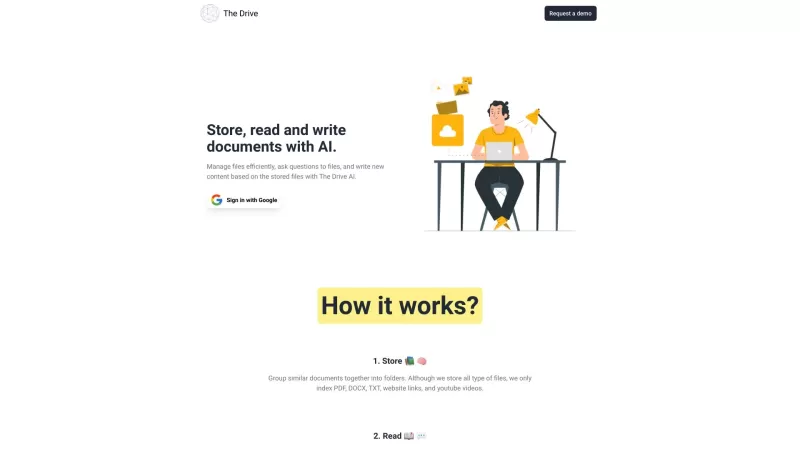
The Drive AI isn't just another tool—it's like having a super-smart assistant that transforms your files into a dynamic knowledge base. Imagine having a platform that not only organizes your documents but also harnesses the power of AI to streamline your
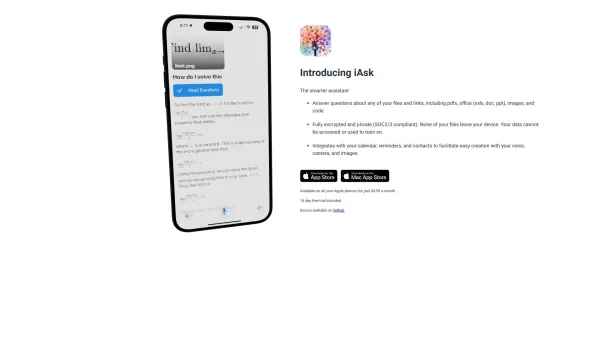
iAsk isn't just your average assistant; it's a smart tool designed to make your life easier by answering questions about your files and links. Think of it as your personal digital helper that knows your stuff inside out.How to Use iAsk?Getting starte
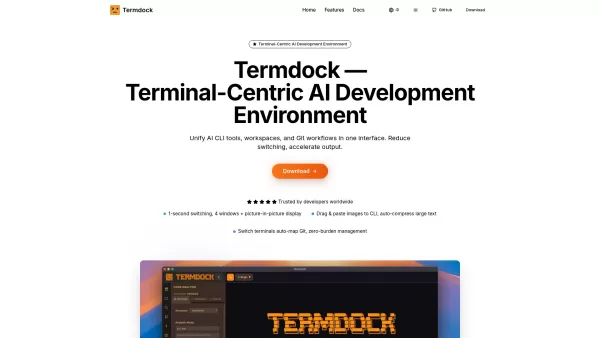
What is Termdock? Termdock is an AI-powered development environment built around the terminal. It consolidates multi-workspace management, multi-terminal layouts, and Git visualization into a single, unified interface. Using AST search (Tree-sitter),

What is Poly?Poly is an intelligent platform that helps you manage personal files and media using advanced AI. It enables users to store, browse, search, and share images and documents effortlessly. The system uses multimodal AI to interpret content,

What is Bitterbot AI? BitterBot is a completely open-source AI assistant created to help users easily handle real-world tasks. It serves as a digital partner for research, data analysis, and daily problem-solving, supporting these activities through
FileZen Product Information
What is FileZen?
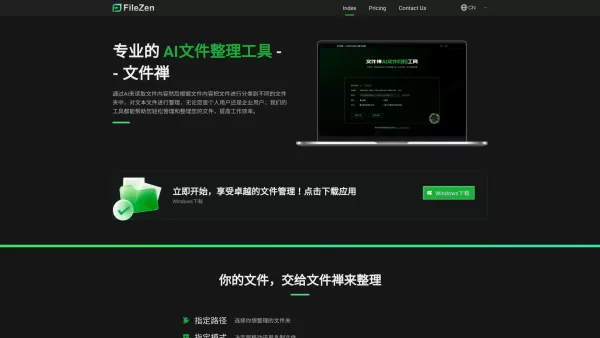
FileZen is an intelligent file management solution that uses AI to read file content and automatically organize documents into appropriate folders. It streamlines document management for users, ensuring files are easy to find and systematically arranged. Its smart design benefits individuals and businesses by turning the tedious chore of file organization into a simple, automated process. By automating sorting, FileZen eliminates the stress of manual filing, enabling fast and intuitive file retrieval.
Who uses FileZen?
- Individuals seeking improved personal file organization
- Businesses of all sizes, from small to large enterprises
- Industry professionals who require efficient document handling systems
How to use FileZen
- Step 1: Download and install FileZen on your computer.
- Step 2: Open the application and sign in or create a new account.
- Step 3: Upload the files you want to organize.
- Step 4: Let FileZen scan and automatically categorize your files.
- Step 5: Check the sorted files and modify categories if necessary.
- Step 6: Save your new organized folder system for quick access later.
Platform Availability
- Web
- macOS
- Windows
- Linux
- iOS
- Android
FileZen's Core Features & Benefits
Key Features
- AI-powered file categorization
- Simple, intuitive interface
- Cross-platform compatibility
- Automatic file sorting
- Customizable folder organization
Key Benefits
- Reduces time spent organizing files
- Increases workflow efficiency
- Boosts overall productivity
- Minimizes human filing errors
- Enables quick and easy file searches
Main Use Cases & Applications
- Organizing personal digital documents and archives
- Managing business reports and company files
- Streamlining project-related documentation
- Enhancing team collaboration with well-structured shared access
FileZen's Pros & Cons
Advantages
Employs advanced AI for smart file categorization and automatic renaming.
Handles a wide range of file types, including documents, images, and more.
Allows custom prompt words for flexible and precise organization.
Supports both cloud-based and local AI deployment for enhanced privacy and data security.
Interactive interface lets users refine prompts iteratively to achieve the desired sorting outcome.
Available on Windows and macOS operating systems.
Offers both free and paid plans, with premium features and dedicated professional support.
Limitations
Not available as open-source software.
Advanced features and full functionality require a paid subscription.
There is no current information regarding mobile app or browser extension support.
FileZen's Pricing
Free plan available | No |
|---|---|
Free trial details | |
Pricing model | |
Credit card required | No |
Plans start from | |
Lifetime plan offered | No |
Billing frequency |
For the most current pricing information, please visit: https://filezen.top/index/index/pricing.html
FileZen FAQs
What is FileZen?
FileZen is an AI-powered tool that automatically organizes files by analyzing and categorizing their content.
How does FileZen work?
It processes uploaded files and intelligently sorts them into user-defined or suggested folders.
Is FileZen free to use?
FileZen provides a free version with basic features and paid plans for advanced functionality.
Can I access FileZen from different devices?
Yes, FileZen is accessible on web, mobile (iOS/Android), and desktop (Windows/macOS/Linux) platforms.
Is my data secure with FileZen?
Yes, FileZen implements strong security protocols to safeguard user data.
How can I get support for FileZen?
Support is available by contacting the FileZen team through the official website.
Does FileZen integrate with other tools?
Yes, it provides integration capabilities with several popular file-sharing and productivity applications.
What types of files can I organize with FileZen?
It supports numerous file formats, including documents, spreadsheets, presentations, images, and more.
How do I cancel my FileZen subscription?
Subscriptions can be canceled at any time via the account settings page within your FileZen dashboard.
Can FileZen handle large files?
Yes, FileZen is built to efficiently manage and organize files of all sizes.
FileZen Company Information
Website:
https://filezen.topCompany Name:
FileZenSupport Email:
Facebook:
NAX (Twitter):
NAYouTube:
NAInstagram:
NATikTok:
NALinkedIn:
NA
FileZen Screenshot


2026 Latest Best Top-rated AI Object Removal Editors for portraits travel product shots! XIX.AI curates a powerful game-changing collection regularly updated with weekly rankings. These tools offer real-world tests to help you quickly remove unwanted elements, boost content quality, and save tons of time without compromising results. Must-try for anyone aiming to unlock their AI creation edge. Explore now!
 10 tools
 xix.ai

2026 Latest Best Top-rated AI Text to Speech Tools for Online Courses are curated by XIX.AI based on rigorous real-world tests and weekly updated rankings. These powerful tools help creators deliver crystal-clear audio content effortlessly, boosting writing efficiency and streamlining course production. Check out the free vs paid comparison to find your perfect fit. Explore now to unlock your AI edge in online education.
10 tools
xix.ai

2026 Latest Best Top-Rated AI Blog Title Tools for Higher Click Through Rates! XIX.AI has carefully curated a powerful, game-changing collection of top tools that go through rigorous real-world tests. You’ll find a free vs paid comparison, weekly updated rankings, and detailed insights to help you boost your blog’s traffic efficiently. Must-try options are highlighted to help you unlock your AI edge. Explore now!
10 tools
xix.ai

2026 Latest Best Top-rated AI Task Routing Tools for Support Workflows! XIX.AI has curated a highly powerful game-changing collection of must-try solutions, all undergoing rigorous real-world tests and updated weekly. These tools streamline workflows, boost productivity, and help teams deliver faster, more efficient support. Explore now to discover your perfect tool and unlock your AI edge!
17 tools
xix.ai

2026 Latest Best Top-Rated AI Citation and Paper Summary Tools Curated by XIX.AI. Get powerful game-changing solutions for quick content creation, improved writing efficiency, and boosting productivity. We offer a free vs paid comparison along with real-world tests and weekly updated rankings to help you find the must-try tool that fits your needs perfectly. Explore now to Unlock your AI edge.
10 tools
xix.ai

2026 Latest Best Top-Rated AI Productivity Tools for Daily Work! XIX.AI has curated a powerful, game-changing selection based on rigorous weekly updated rankings and real-world tests. You’ll find must-try options that boost writing efficiency, streamline content creation, and help you overcome daily work challenges. Get a free vs paid comparison to find the perfect fit for your needs. Explore now to unlock your AI edge!
9 tools
xix.ai


