


 Home
HomeEraser
AI Technical Diagram Generator



Helps TikTok sellers, brands, MCNs, and TAPs discover winning products and find creators.

HelpLook is an AI-powered all-in-one knowledge base tool that helps businesses quickly build knowledge bases, help centers, and...

Your AI Workspace

302.AI is an enterprise-grade AI resource platform with pay-as-you-go pricing, API access to a full range of AI models, and ready-to-use online applications.

剧火AI — AI Screenwriter + Director, a One-Person Short Drama Studio In one sentence, what is it?
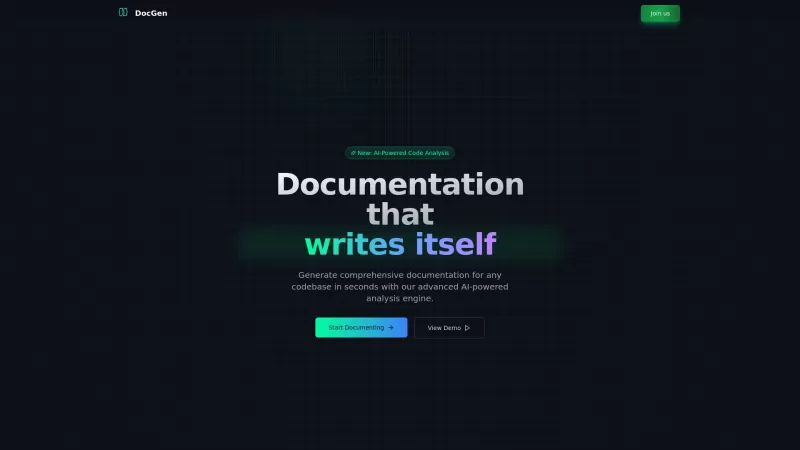
Ever found yourself knee-deep in code, wishing there was a magic wand to whip up some top-notch documentation? Well, say hello to DocGen CLI! This isn't just any documentation tool; it's like having a super-smart AI sidekick that can generate detailed, be

What is FormlyAI?FormlyAI offers a complete solution for startups seeking medical device certification in the EU and US. It uses AI and a team of seasoned regulatory experts to streamline the creation of documents for ISO 13485 compliance, technical
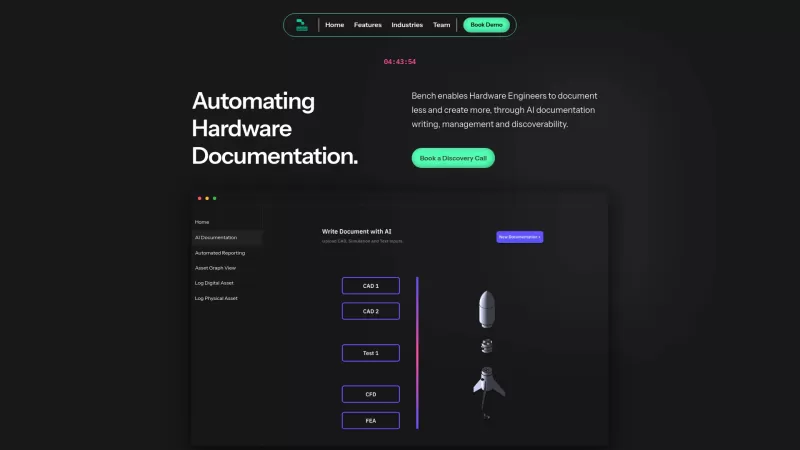
Bench AI Documentation is a game-changer for hardware engineers, using artificial intelligence to streamline the often tedious process of creating hardware documentation. It's not just about making documentation easier; it's about transforming how hardwar
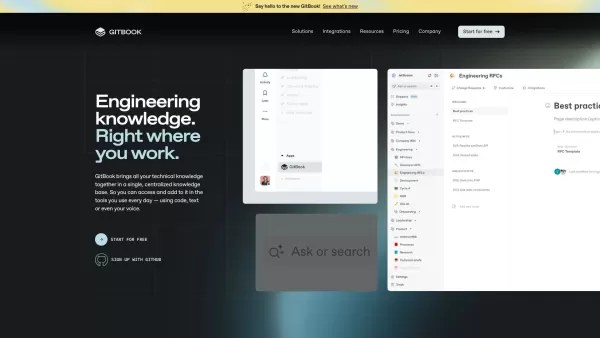
What is The New GitBook?GitBook is an intuitive knowledge management platform built for engineering teams. It combines docs-as-code support, AI-driven search, and detailed analytics to streamline the creation, management, and collaboration of technic

Ever found yourself staring at a blank GitHub README.md file, wondering where to start? Enter ReadmeChef, your new best friend in the world of software documentation. This AI-powered gem is designed to whip up professional README files for your GitHub projects in the blink of an eye. It's like havin
Eraser Product Information
Eraser is this fantastic tool that lets you whip up stunning technical diagrams in no time, using the power of AI. Whether you start with text, code, or images, Eraser transforms them into visually appealing diagrams that can make your work stand out.
How to Use Eraser?
Using Eraser is a breeze! Just feed it your text, code, or images, and watch as AI magic turns them into beautiful technical diagrams in mere seconds. It's like having a personal artist for your technical needs, making your documentation and presentations look top-notch.
Eraser's Core Features
AI Diagram
Eraser's AI can create any type of diagram you need, from simple to complex, ensuring your ideas are clearly visualized.
AI Flowchart
Need to map out a process or workflow? Eraser's got you covered with AI-generated flowcharts that are both accurate and visually appealing.
AI Architecture Diagram
For those intricate system designs, Eraser can generate detailed architecture diagrams that help you plan and communicate your project's structure effectively.
AI Documentation
Eraser isn't just about visuals; it can also help you create comprehensive documentation that complements your diagrams perfectly.
Text to Diagram
Just type out what you need, and Eraser will convert your text into a diagram that illustrates your concepts beautifully.
Image to Diagram
Got an image you want to turn into a diagram? Eraser can analyze it and generate a diagram that captures the essence of the image.
Code to Diagram
For developers, Eraser can take your code and turn it into a diagram that helps others understand your work at a glance.
Eraser's Use Cases
AI Diagramming
Whether you're a designer or an engineer, Eraser's AI diagramming capabilities can help you visualize your ideas and projects with ease.
Text to Diagram
Transform your written descriptions into clear, concise diagrams that anyone can understand.
Image to Diagram
Convert images into diagrams to better explain complex concepts or systems.
Technical Documentation
Eraser can enhance your technical documentation, making it more engaging and easier to follow.
Technical Design
Use Eraser to design and plan your technical projects with diagrams that clarify every detail.
Diagram as Code
For those who prefer coding, Eraser lets you create diagrams directly from your code, streamlining your workflow.
FAQ from Eraser
- What is Eraser?
- Eraser is an AI-powered tool that generates technical diagrams from text, code, or images.
- What can I use as inputs for Eraser?
- You can use text, code, or images as inputs to create diagrams with Eraser.
- Who is Eraser for?
- Eraser is ideal for designers, engineers, developers, and anyone who needs to create technical diagrams.
- What are the benefits of Eraser?
- Eraser saves time, enhances visual communication, and makes technical documentation more engaging and understandable.
- Can I edit Eraser diagrams?
- Yes, you can edit the diagrams generated by Eraser to fit your specific needs.
For more information on Eraser's support, including email, customer service, and refund policies, please visit the contact us page.
Eraser is brought to you by [Eraser Company name], located at [Eraser Company address]. To learn more about the company, check out the about us page.
To access your Eraser account, use the Eraser Login Link. If you're new to Eraser, you can sign up using the Eraser Sign up Link.
Eraser Screenshot


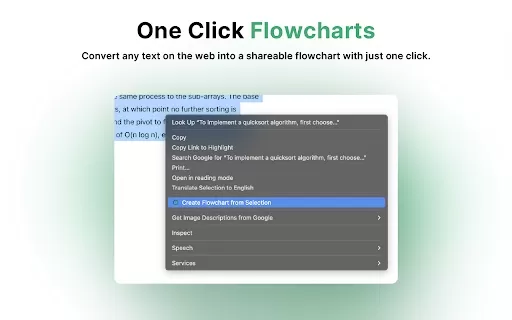

2026 Latest Best Top-rated AI Object Removal Editors for portraits travel product shots! XIX.AI curates a powerful game-changing collection regularly updated with weekly rankings. These tools offer real-world tests to help you quickly remove unwanted elements, boost content quality, and save tons of time without compromising results. Must-try for anyone aiming to unlock their AI creation edge. Explore now!
 10 tools
 xix.ai

2026 Latest Best Top-rated AI Text to Speech Tools for Online Courses are curated by XIX.AI based on rigorous real-world tests and weekly updated rankings. These powerful tools help creators deliver crystal-clear audio content effortlessly, boosting writing efficiency and streamlining course production. Check out the free vs paid comparison to find your perfect fit. Explore now to unlock your AI edge in online education.
10 tools
xix.ai

2026 Latest Best Top-Rated AI Blog Title Tools for Higher Click Through Rates! XIX.AI has carefully curated a powerful, game-changing collection of top tools that go through rigorous real-world tests. You’ll find a free vs paid comparison, weekly updated rankings, and detailed insights to help you boost your blog’s traffic efficiently. Must-try options are highlighted to help you unlock your AI edge. Explore now!
10 tools
xix.ai

2026 Latest Best Top-rated AI Task Routing Tools for Support Workflows! XIX.AI has curated a highly powerful game-changing collection of must-try solutions, all undergoing rigorous real-world tests and updated weekly. These tools streamline workflows, boost productivity, and help teams deliver faster, more efficient support. Explore now to discover your perfect tool and unlock your AI edge!
17 tools
xix.ai

2026 Latest Best Top-Rated AI Citation and Paper Summary Tools Curated by XIX.AI. Get powerful game-changing solutions for quick content creation, improved writing efficiency, and boosting productivity. We offer a free vs paid comparison along with real-world tests and weekly updated rankings to help you find the must-try tool that fits your needs perfectly. Explore now to Unlock your AI edge.
10 tools
xix.ai

2026 Latest Best Top-Rated AI Productivity Tools for Daily Work! XIX.AI has curated a powerful, game-changing selection based on rigorous weekly updated rankings and real-world tests. You’ll find must-try options that boost writing efficiency, streamline content creation, and help you overcome daily work challenges. Get a free vs paid comparison to find the perfect fit for your needs. Explore now to unlock your AI edge!
9 tools
xix.ai


Just tried Eraser for a quick architecture diagram and it's honestly mind-blowing! The AI understood my messy text description perfectly and gave me a clean, professional-looking output in seconds. This is gonna save me so much time on documentation. The only worry is I might get too reliant on it and forget how to draw a basic flowchart myself 😅. Definitely a game-changer for devs and PMs!
Just tried Eraser for a quick network diagram and it's seriously impressive! The AI understood my messy text notes and turned them into a clean, professional-looking chart in seconds. Saves so much time compared to wrestling with traditional diagram tools. A bit worried about the learning curve for more complex diagrams, but for now, it's a game-changer for my daily stand-up notes! 🚀
Eraser é incrível! Transforma meu código em diagramas lindos em segundos. Às vezes o layout poderia ser melhor, mas ainda assim economiza muito tempo. Adoro! 🌟
Eraser is a lifesaver for me! It turns my messy code into beautiful diagrams in seconds. Sometimes the layout could be better, but it's still a huge time-saver. Love it! 💻✨
¡Eraser es genial! Convierte mi código en diagramas impresionantes en segundos. A veces el diseño podría mejorar, pero sigue siendo un gran ahorro de tiempo. ¡Me encanta! 🎨


