


 Home
HomeEmail Finder Powered By AI | Ful.io
AI Email Finder: Source & Verify Addresses



Helps TikTok sellers, brands, MCNs, and TAPs discover winning products and find creators.

HelpLook is an AI-powered all-in-one knowledge base tool that helps businesses quickly build knowledge bases, help centers, and...

Your AI Workspace

302.AI is an enterprise-grade AI resource platform with pay-as-you-go pricing, API access to a full range of AI models, and ready-to-use online applications.

剧火AI — AI Screenwriter + Director, a One-Person Short Drama Studio In one sentence, what is it?

What is Orba?Orba is an AI-powered platform that personalizes interactions with your website visitors to enhance engagement and drive more conversions. It provides automated SDR outbound services, featuring an AI-driven website chatbot and personaliz
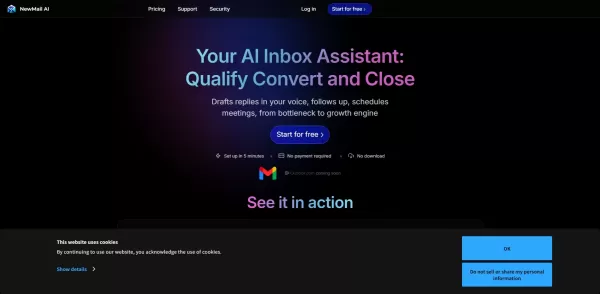
What is NewMail AI?NewMail AI provides a comprehensive suite of features that simplify email management. Powered by advanced AI algorithms, it automatically sorts incoming emails, highlights urgent messages, and proposes intelligent responses to boos
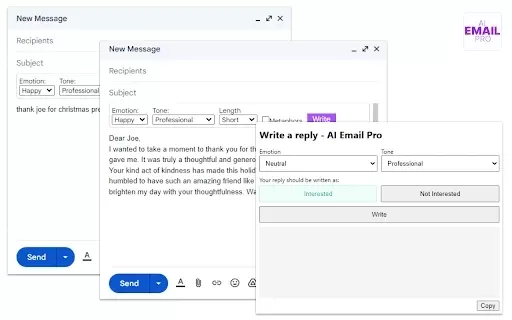
What is AI Email Pro?AI Email Pro is an intelligent email assistant that leverages artificial intelligence to help users draft emails swiftly and effectively. Its user-friendly interface allows you to create professional email drafts by simply enteri
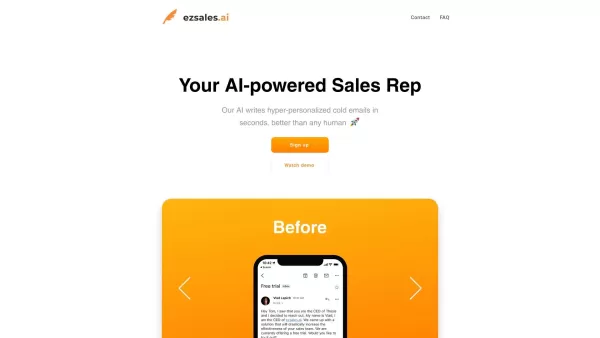
What is Ezsales AI?EzSales.ai is an advanced AI-powered platform that optimizes LinkedIn lead generation. It delivers highly accurate and current contact information, including verified email addresses and phone numbers, to help users build connectio

What is Flike?Flike is an AI-driven platform that helps sales teams create highly personalized sales emails by utilizing product marketing insights. It analyzes historical conversations, CRM data, and prospect details to generate relevant and tailore
Email Finder Powered By AI | Ful.io Product Information
What is Email Finder Powered by AI | Ful.io?
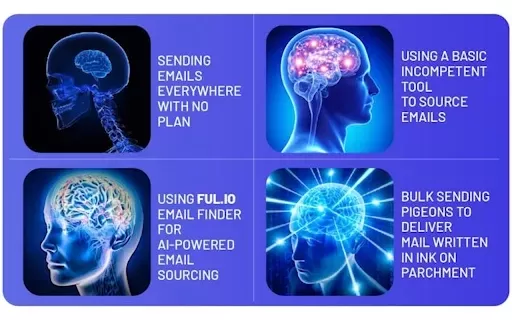
Email Finder Powered by AI is a powerful Chrome extension that transforms the way you discover and verify email addresses. Using advanced AI, it enables you to collect key contact information with just one click. This tool is essential for sales and marketing professionals aiming to boost their outreach, save valuable time, and guarantee data accuracy. Suitable for individuals and companies alike, it turns the typically time-consuming process of email discovery into a fast, reliable task.
Who uses Email Finder Powered by AI | Ful.io?
- Marketers
- Sales Professionals
- Recruiters
- Business Owners
- Freelancers
How to use Email Finder Powered by AI | Ful.io
- Step 1: Install the Email Finder Powered by AI extension from the Chrome Web Store.
- Step 2: Navigate to the webpage containing the contact details you're looking for.
- Step 3: Click the extension icon in your Chrome toolbar.
- Step 4: Let the AI scan the page and display email options.
- Step 5: Choose the emails you'd like to save or verify.
Platform
- Chrome
Email Finder Powered by AI | Ful.io's Core Features & Benefits
Core Features
- Instant email sourcing
- Email verification
- AI-powered search
- One-click functionality
Benefits
- Saves time
- Enhances lead generation
- Guarantees data accuracy
- User-friendly interface
Email Finder Powered by AI | Ful.io's Main Use Cases & Applications
- Lead generation
- Networking
- Recruitment
- Market research
FAQs About Email Finder Powered by AI | Ful.io
How does the Email Finder work?
The Email Finder uses AI to scan web pages and extract relevant email addresses.
Is there a cost for using the extension?
The extension offers both free and premium features.
Can I use it for personal emails?
Yes, you can use the extension to locate business and personal emails.
Does it guarantee 100% accuracy?
While the tool strives for high accuracy, no solution can guarantee perfect results.
Is it compatible with other browsers?
Currently, it is only supported on Chrome as a browser extension.
What data does it collect?
It collects email addresses while maintaining user privacy and compliance.
Can it verify email addresses?
Yes, the tool can validate the accuracy of found email addresses.
Is the tool easy to use?
Yes, it has an intuitive interface that is straightforward to operate.
What support options are available?
Help is available via customer support email.
How do I uninstall the extension?
Visit Chrome settings, select Extensions, and click 'Remove' next to Email Finder.
Email Finder Powered by AI | Ful.io Company Details
Email Finder Powered By AI | Ful.io Screenshot



2026 Latest Best Top-Rated AI Outline Generators for Long-Form SEO Articles, meticulously curated by XIX.AI. These powerful tools offer game-changing assistance in creating high-quality content quickly, boosting writing efficiency significantly. Get a free vs paid comparison along with real-world tests and detailed rankings to help you find the must-try option that suits your needs. Explore now to unlock your AI edge.
 8 tools
 xix.ai

2026 Latest Best AI Study Tools for Homework and Exam Prep! XIX.AI curates a top-rated list of powerful, game-changing tools that help students boost productivity, streamline homework completion, and ace exams through real-world tests. Get a free vs paid comparison, detailed rankings, and must-try options to unlock your AI edge. Explore now!
10 tools
xix.ai

2026 Latest Best AI Vocal Demo Tools for Songwriters, Hook Creators, and Multi-Language Content Teams! XIX.AI has curated a top-rated list of powerful game-changing tools that go through rigorous real-world tests. You’ll find detailed free vs paid comparison data, comprehensive rankings, and must-try options to help you boost writing efficiency and unlock your creative potential. Explore now to discover your perfect tool for all your content needs!
9 tools
xix.ai

2026 Latest Best Top-rated AI Competitive Research Tools for Small Businesses! XIX.AI has curated a highly powerful game-changing collection, updated weekly with rigorous real-world tests and detailed rankings. You can find a comprehensive free vs paid comparison to help you identify the must-try tools that boost your productivity and give you a competitive edge. Explore now to discover your perfect tool!
9 tools
xix.ai

2026 Latest Best Photoshop AI retouch tools for ecommerce apparel, skin cleanup, and color consistency! This top-rated curated list features powerful game-changing solutions that help you boost writing efficiency, streamline content creation, and achieve perfect visual results effortlessly. Each tool has undergone real-world tests through weekly updated rankings, complete with free vs paid comparison details. Backed by XIX.AI, it’s the must-try guide for anyone aiming to unlock your AI edge. Explore now!
10 tools
xix.ai

2026 Latest Best Top-Rated AI Prompt Libraries for optimizing all types of ChatGPT workflows. XIX.AI has curated a powerful, game-changing collection that goes through rigorous real-world tests to ensure top performance. You can find detailed free vs paid comparisons and expert rankings to help you choose the must-try tools that boost your productivity and unlock your AI edge. Explore now!
11 tools
xix.ai


