


 Home
HomeAI Email Pro
"AI Email Pro: GPT-3 Email Writing Assistant"



Helps TikTok sellers, brands, MCNs, and TAPs discover winning products and find creators.

HelpLook is an AI-powered all-in-one knowledge base tool that helps businesses quickly build knowledge bases, help centers, and...

Your AI Workspace

302.AI is an enterprise-grade AI resource platform with pay-as-you-go pricing, API access to a full range of AI models, and ready-to-use online applications.

剧火AI — AI Screenwriter + Director, a One-Person Short Drama Studio In one sentence, what is it?
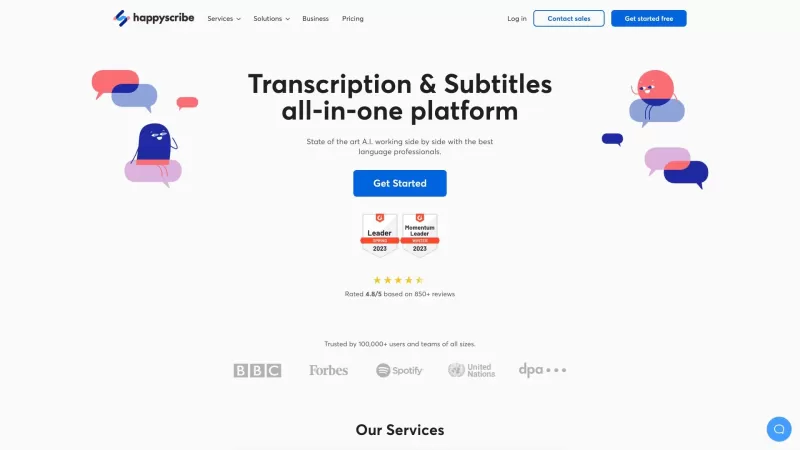
Discover the magic of Happy Scribe, your go-to service for turning audio into text with stunning accuracy across multiple languages and formats. Whether you're dealing with podcasts, interviews, or video content, Happy Scribe has got you covered with both automatic and human transcription options.Ho

What is Parker AI?Parker AI is an advanced artificial intelligence meeting assistant created to streamline how product conversations are captured, analyzed, and managed. It connects with leading communication platforms like Zoom and Slack, documentin
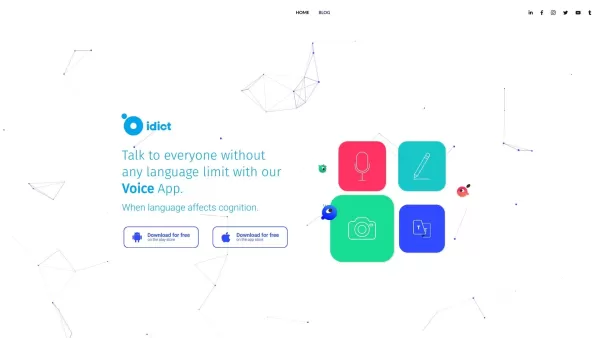
What is idict?idict leverages advanced AI and Machine Learning technology to deliver a unique translation experience. It provides real-time translations using voice cloning to reproduce your voice in multiple languages, resulting in a personal and na

Ever wondered how businesses manage to keep their communication lines buzzing with efficiency across the globe? Enter CallHippo, a virtual phone system that's changing the game for enterprises. This isn't just another phone service; it's a powerhouse that
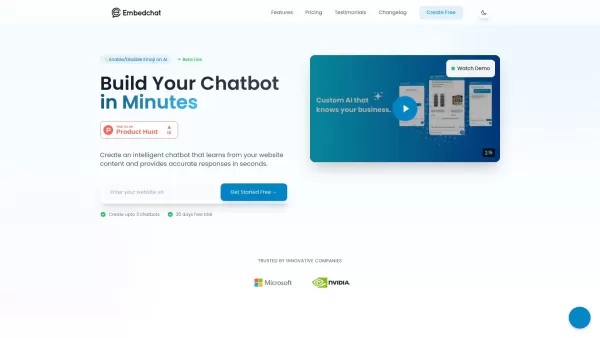
What is Embed Chat?Embed Chat is an all-in-one live chat solution that integrates seamlessly into your website. It enables instant communication between businesses and visitors, boosting engagement and customer satisfaction. The platform offers autom
AI Email Pro Product Information
What is AI Email Pro?
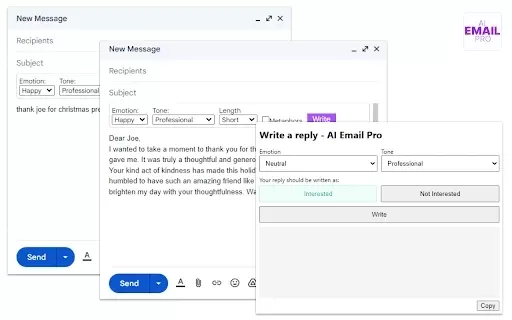
AI Email Pro is an intelligent email assistant that leverages artificial intelligence to help users draft emails swiftly and effectively. Its user-friendly interface allows you to create professional email drafts by simply entering a few keywords or phrases. This tool enhances both the quality of your emails and streamlines the writing process, making it simple for anyone to handle their correspondence. Whether you're a busy professional or someone looking to improve your writing, AI Email Pro is built to increase your productivity and communication efficiency.
Who is AI Email Pro for?
- Business Professionals
- Students
- Entrepreneurs
- Freelancers
- Recruiters & Hiring Managers
How to Use AI Email Pro
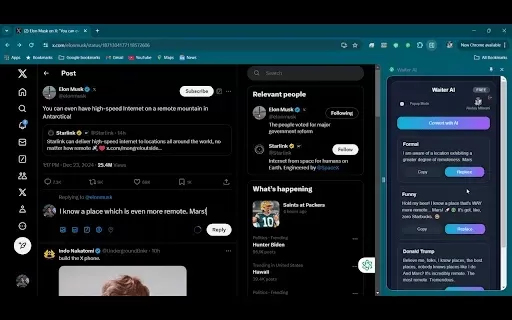
- Step 1: Install the AI Email Pro extension from the Chrome Web Store.
- Step 2: Open your email service, such as Gmail.
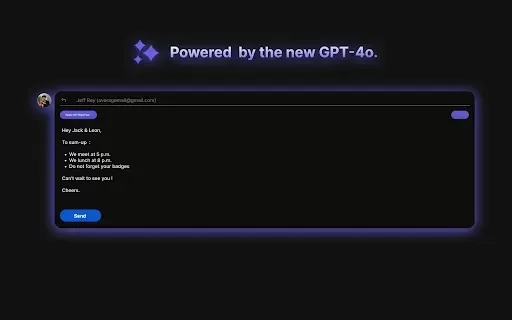
- Step 3: Click the AI Email Pro icon in your email composition window.
- Step 4: Provide your keywords or a short description.
- Step 5: Review and personalize the AI-generated email draft.
- Step 6: Send your completed email.
Supported Platform
- Google Chrome
AI Email Pro's Core Features & Benefits
Key Features
- AI-Powered Email Draft Generation
- Seamless Email Client Integration
- Intuitive, Easy-to-Use Interface
Primary Benefits
- Drastically Reduces Email Writing Time
- Elevates the Professionalism of Your Emails
- Boosts Overall Communication Effectiveness
Main Use Cases & Applications
- Business & Professional Correspondence
- Crafting Job Applications
- Prospecting and Client Outreach
- Sending Follow-Up Messages
- Requesting Meetings and Appointments
AI Email Pro FAQs
How does AI Email Pro work?
AI Email Pro employs advanced GPT-3 technology to produce email drafts based on your inputs.
Is it free to use?
Yes, AI Email Pro is completely free to use.
What email clients does it support?
It integrates primarily with Gmail and other popular web-based email services.
Can I customize the email drafts?
Yes, you have full control to edit and tailor all generated drafts before sending.
Is my data secure?
Yes, user privacy and data security are top priorities for AI Email Pro.
Do I need to create an account?
No account is required. Just install the extension and begin using it immediately.
Can it help with specific scenarios like job applications?
Certainly. It can generate targeted emails for various situations, including job applications.
Are there any limitations on email length?
While there are no hard limits, providing clear, concise prompts typically delivers the best outcomes.
Will it work on mobile?
Currently, the extension is optimized for the Chrome browser on desktop computers.
How do I uninstall the extension?
You can remove it directly from Chrome's settings menu under "Extensions."
About AI Email Pro
AI Email Pro Screenshot

2026 Latest Best Top-rated AI Text to Speech Tools for Natural Voiceovers are here on XIX.AI! This curated list features powerful, game-changing options that deliver crystal-clear voices for every use case, backed by real-world tests and weekly updated rankings. Get a free vs paid comparison to find the must-try solution that boosts your productivity instantly. Explore now to Unlock your AI edge!
 11 tools
 xix.ai

2026 Latest Best Manga AI Background Generators Ranked Top-Rated! This curated collection showcases powerful game-changing tools perfect for creating high-quality chapter backgrounds, book covers, and promotional art. Every option has undergone rigorous real-world tests to ensure reliability. Get a free vs paid comparison along with detailed insights. Explore now to discover your perfect tool and unlock your AI edge in manga creation.
6 tools
xix.ai

2026 Latest Best Top-rated AI Object Removal Editors for portraits travel product shots! XIX.AI curates a powerful game-changing collection regularly updated with weekly rankings. These tools offer real-world tests to help you quickly remove unwanted elements, boost content quality, and save tons of time without compromising results. Must-try for anyone aiming to unlock their AI creation edge. Explore now!
10 tools
xix.ai

2026 Latest Best Top-rated AI Text to Speech Tools for Online Courses are curated by XIX.AI based on rigorous real-world tests and weekly updated rankings. These powerful tools help creators deliver crystal-clear audio content effortlessly, boosting writing efficiency and streamlining course production. Check out the free vs paid comparison to find your perfect fit. Explore now to unlock your AI edge in online education.
10 tools
xix.ai

2026 Latest Best Top-Rated AI Blog Title Tools for Higher Click Through Rates! XIX.AI has carefully curated a powerful, game-changing collection of top tools that go through rigorous real-world tests. You’ll find a free vs paid comparison, weekly updated rankings, and detailed insights to help you boost your blog’s traffic efficiently. Must-try options are highlighted to help you unlock your AI edge. Explore now!
10 tools
xix.ai

2026 Latest Best Top-rated AI Task Routing Tools for Support Workflows! XIX.AI has curated a highly powerful game-changing collection of must-try solutions, all undergoing rigorous real-world tests and updated weekly. These tools streamline workflows, boost productivity, and help teams deliver faster, more efficient support. Explore now to discover your perfect tool and unlock your AI edge!
17 tools
xix.ai


