


 Home
HomeEdit on the Spot
Edit on the Spot: Automates Video Editing



Helps TikTok sellers, brands, MCNs, and TAPs discover winning products and find creators.

HelpLook is an AI-powered all-in-one knowledge base tool that helps businesses quickly build knowledge bases, help centers, and...

Your AI Workspace

302.AI is an enterprise-grade AI resource platform with pay-as-you-go pricing, API access to a full range of AI models, and ready-to-use online applications.

剧火AI — AI Screenwriter + Director, a One-Person Short Drama Studio In one sentence, what is it?
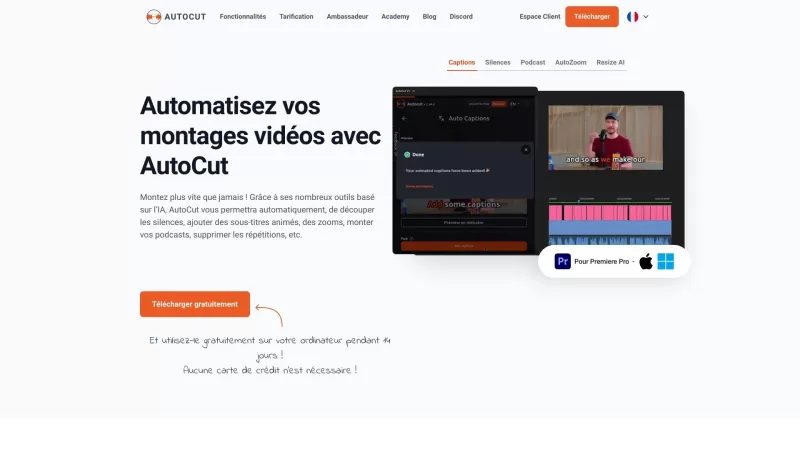
Ever wished you had a magic wand for video editing? Meet AutoCut, the Premiere Pro plugin that's like your very own AI editing assistant. It does everything from adding those snazzy animated subtitles to cutting out those awkward silences. Whether you're
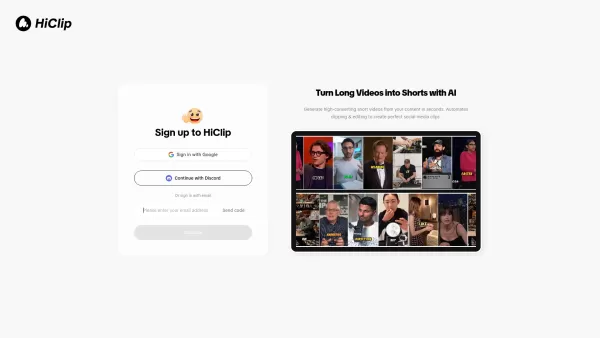
What is HiClip? HiClip is an AI-powered video clipping tool that instantly converts long videos into popular short-form content such as Shorts, Reels, and TikToks. It uses artificial intelligence to pinpoint high-engagement moments, automatically add
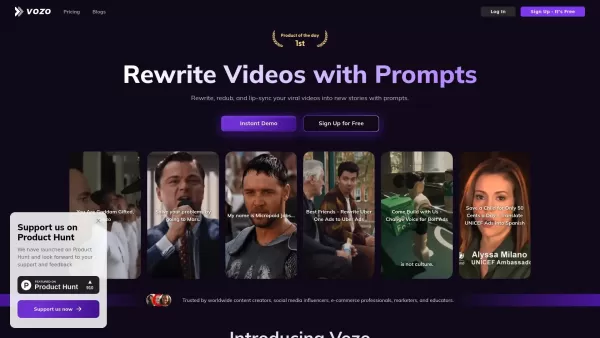
What is Vozo AI?Vozo is an AI-powered video editing platform that transforms video creation. It allows users to easily edit videos by rewriting scripts, dubbing, and translating content simply by entering prompts. The tool automatically creates subti
What is vverse.ai?VideoVerse delivers advanced AI solutions for creating, editing, and distributing video content. The platform empowers users to simplify video production with automated editing, real-time collaboration tools, and in-depth analytics.
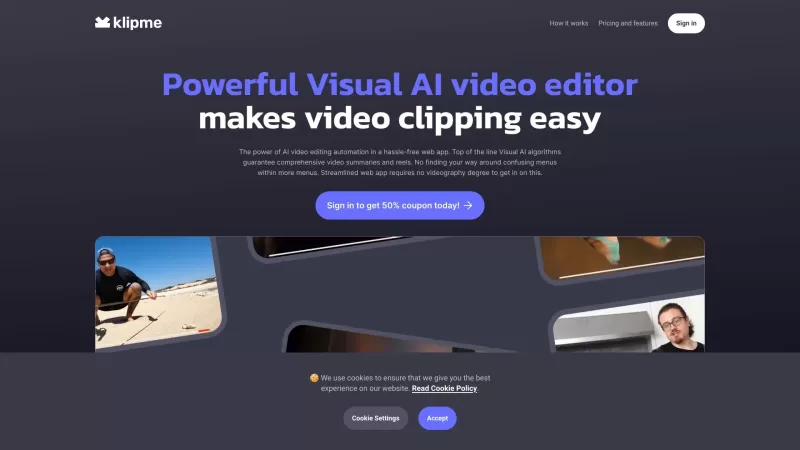
Ever heard of Klipme? It's this cool, cutting-edge tool that's transforming how we edit videos. Powered by visual AI, Klipme automates the entire video editing process, making it a breeze to turn your long videos into snappy, engaging reels. It's like hav
Edit on the Spot Product Information
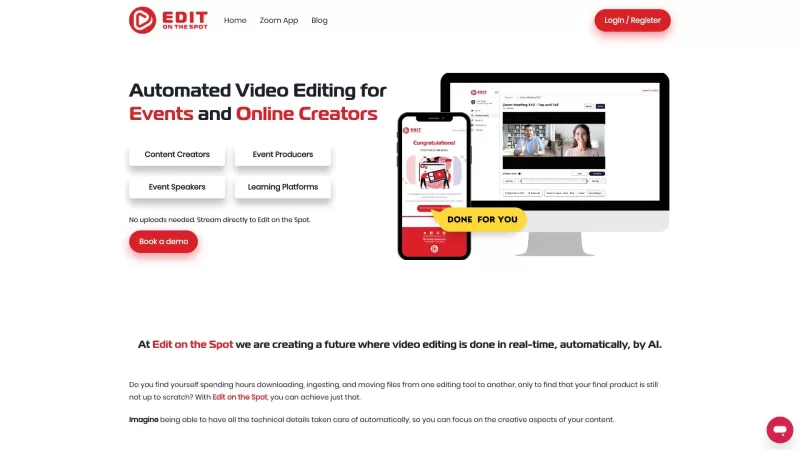
Ever found yourself staring at hours of raw footage from a live stream or a video conference, wishing there was a magic wand to turn it into something shareable? Well, that's where Edit on the Spot comes into play. This nifty platform automates the video editing process, transforming your live-streams, video calls, and studio sessions into polished clips, segments, and highlight reels. It's like having an AI editor by your side, making the whole process faster, easier, and way more efficient. Whether you're a content creator or a professional speaker, Edit on the Spot is here to streamline your content production.
How to Use Edit on the Spot?
So, you're ready to give your videos that professional touch without breaking a sweat? Here’s how to harness the power of Edit on the Spot:Connect Your Platforms: First things first, link up your favorite web conferencing or live streaming platforms like Zoom, Teams, or Restream with Edit on the Spot. It's super straightforward—just follow the prompts.
Upload or Stream Your Content: Whether you're uploading pre-recorded videos or streaming live, Edit on the Spot has you covered. Just get your content onto the platform.
Trim and Brand: Use the free trimming feature to snip out those awkward pauses at the start and end of your recordings. And hey, why not add some custom branding, intros, and outros to make your content pop?
Get Your Edited Video: As soon as your meeting or recording wraps up, you'll get a download link sent straight to your inbox. Or, if you prefer, you can stream your newly edited video to wherever you want it to go.
Edit on the Spot's Core Features
- **Automatic Trimming**: Say goodbye to those silent stretches at the beginning and end of your recordings. Edit on the Spot trims them away effortlessly. - **AI-Powered Editing**: Let the AI do the heavy lifting, turning your raw footage into professional-looking content in no time. - **Custom Branding**: Make your videos uniquely yours with custom logos, intros, and outros. - **Instant Delivery**: No waiting around—your finished videos are ready almost as soon as you're done recording. - **Platform Integration**: Seamlessly works with popular platforms like Zoom, Teams, and Restream.Edit on the Spot's Use Cases
- **Content Creators**: If you're churning out videos, podcasts, or interviews on platforms like Zoom or Teams, Edit on the Spot can be your secret weapon for quick, polished content. - **Event Speakers**: Need professionally edited clips of your presentations to share on social media? Edit on the Spot has you covered, delivering your clips within minutes. - **Event Producers**: Streamline your video editing workflows and get edited content to your clients pronto with this tool. - **Online Learning Platforms**: Save time and money by automating the editing and branding of your professional development sessions.FAQ from Edit on the Spot
- Can I stream my recordings directly to Edit on the Spot?
- Absolutely! You can stream your recordings directly to the platform, making the editing process even smoother.
- What is the cost of using Edit on the Spot?
- Head over to Edit on the Spot's pricing page to see what fits your budget.
- Does Edit on the Spot provide transcription services?
- Currently, Edit on the Spot focuses on video editing, but they might expand their services in the future. Keep an eye out!
- Can I add custom branding to my videos?
- Yes, you can add custom logos, intros, and outros to personalize your videos.
- Which platforms does Edit on the Spot integrate with?
- Edit on the Spot works seamlessly with Zoom, Teams, Restream, and other popular platforms.
Need some help or have a question? Drop an email to [email protected] or check out more contact options on their contact us page.
Edit on the Spot is brought to you by Edit on the Spot, the company that's revolutionizing video editing. Want to dive in? Log in at their dashboard or sign up if you're new to the scene. Check out their pricing at their pricing page, and don't forget to follow them on social media—find them on Facebook, LinkedIn, Twitter, and Instagram.
Edit on the Spot Screenshot

2026 Latest Best AI Pull Request Review Tools for GitHub Teams are here on XIX.AI! This top-rated curated list showcases powerful game-changing solutions that streamline refactoring, bug fixing, and security gap detection across all team workflows. Enjoy a free vs paid comparison along with real-world tests and detailed rankings to help you find the perfect tool that boosts productivity significantly. Explore now to unlock your AI edge!
 12 tools
 xix.ai

2026 Latest Best Top-rated AI Text to Speech Tools for Natural Voiceovers are here on XIX.AI! This curated list features powerful, game-changing options that deliver crystal-clear voices for every use case, backed by real-world tests and weekly updated rankings. Get a free vs paid comparison to find the must-try solution that boosts your productivity instantly. Explore now to Unlock your AI edge!
11 tools
xix.ai

2026 Latest Best Manga AI Background Generators Ranked Top-Rated! This curated collection showcases powerful game-changing tools perfect for creating high-quality chapter backgrounds, book covers, and promotional art. Every option has undergone rigorous real-world tests to ensure reliability. Get a free vs paid comparison along with detailed insights. Explore now to discover your perfect tool and unlock your AI edge in manga creation.
6 tools
xix.ai

2026 Latest Best Top-rated AI Object Removal Editors for portraits travel product shots! XIX.AI curates a powerful game-changing collection regularly updated with weekly rankings. These tools offer real-world tests to help you quickly remove unwanted elements, boost content quality, and save tons of time without compromising results. Must-try for anyone aiming to unlock their AI creation edge. Explore now!
10 tools
xix.ai

2026 Latest Best Top-rated AI Text to Speech Tools for Online Courses are curated by XIX.AI based on rigorous real-world tests and weekly updated rankings. These powerful tools help creators deliver crystal-clear audio content effortlessly, boosting writing efficiency and streamlining course production. Check out the free vs paid comparison to find your perfect fit. Explore now to unlock your AI edge in online education.
10 tools
xix.ai

2026 Latest Best Top-Rated AI Blog Title Tools for Higher Click Through Rates! XIX.AI has carefully curated a powerful, game-changing collection of top tools that go through rigorous real-world tests. You’ll find a free vs paid comparison, weekly updated rankings, and detailed insights to help you boost your blog’s traffic efficiently. Must-try options are highlighted to help you unlock your AI edge. Explore now!
10 tools
xix.ai


Edit on the Spot 這工具太神了!直播或會議錄影直接變精華片段,簡直是剪輯苦手的救星啊~以後不用再對着幾小時素材發呆了,AI 自動搞定,省下的時間可以多摸魚了(笑)。希望辨識語言的準確度高一點,別把重要內容剪掉就好!👍
生放送の録画を面倒な編集作業なしにサクッと共有したいと思っていたので、Edit on the Spotを試してみました。確かに自動でハイライトを抽出してくれて便利ですが、時々本当に必要なシーンがカットされている気がします😂。もう少し細かい調整ができたら最高なんだけどなぁ。
Edit on the Spot is a lifesaver! 😍 I used it to trim a 3-hour stream into a slick 5-minute highlight reel in no time. The AI picks the best moments like a pro editor, though sometimes it misses the mark on context. Still, it’s super intuitive and saved me hours of manual editing. Perfect for quick social media clips!
Edit on the Spot es genial para editar mis videos en vivo. Convierte horas de material en algo compartible rápidamente. A veces los cortes no son perfectos, pero es mucho mejor que hacerlo a mano. ¡Un imprescindible para quien trabaje con transmisiones en vivo! 👌
Edit on the Spot is a lifesaver for my video editing! It turns hours of raw footage into something shareable in no time. Sometimes the cuts are a bit off, but hey, it's way better than doing it manually. Definitely a must-have for anyone dealing with live streams! 👍


