


 Home
HomeDeepBrain AI's AI Kiosk
AI Video Maker|Text to Video



Helps TikTok sellers, brands, MCNs, and TAPs discover winning products and find creators.

HelpLook is an AI-powered all-in-one knowledge base tool that helps businesses quickly build knowledge bases, help centers, and...

Your AI Workspace

302.AI is an enterprise-grade AI resource platform with pay-as-you-go pricing, API access to a full range of AI models, and ready-to-use online applications.

剧火AI — AI Screenwriter + Director, a One-Person Short Drama Studio In one sentence, what is it?
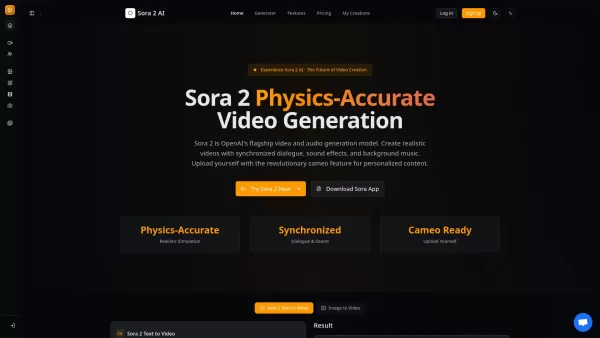
What is Sora 2? Sora 2 is OpenAI's premier AI model for generating video and audio, marking a milestone for video creation comparable to the impact of GPT-3.5. It stands as the most sophisticated AI video generation platform available, featuring prec

What is Makefilm?Makefilm revolutionizes video creation as a comprehensive AI-powered platform that streamlines professional-quality video production. This innovative solution combines multiple smart tools into one seamless workflow - transforming te
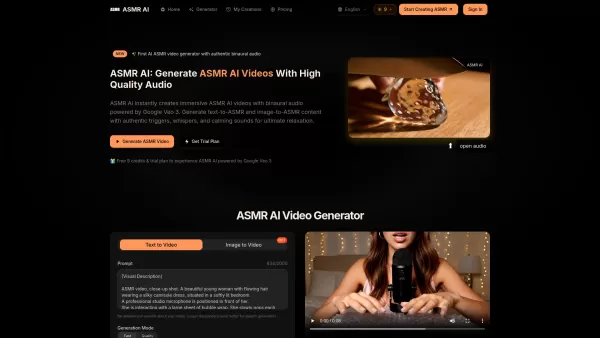
What is ASMR AI?ASMR AI represents the cutting edge of digital relaxation technology - an AI-driven platform specializing in hyper-realistic ASMR video generation. Harnessing the power of Google's Veo 3 technology, it crafts immersive binaural audio
Ever wondered how to whip up professional-looking videos without breaking a sweat? That's where Steve.AI comes into play. It's not just another video-making app; it's a powerhouse that uses AI to transform your ideas into stunning videos and animations in
Ever wondered what Minimax AI is all about? Well, let me break it down for you. Minimax AI is this cool platform developed by MiniMax that lets you whip up high-resolution videos just by typing in some text. They use something called the Video-01 model, w
DeepBrain AI's AI Kiosk Product Information
What is DeepBrain AI's AI Kiosk?
DeepBrain AI Studios is an innovative platform that transforms text into videos by harnessing the power of generative artificial intelligence and state-of-the-art Text-to-Speech (TTS) technology. Creating a video is straightforward: select an AI avatar from a library of 100+ pre-made options or design a custom one, provide or auto-generate the script for the avatar to deliver, and then produce your final video. This tool democratizes high-quality video production, making it simple and efficient for individuals and organizations of all sizes.
Who will use DeepBrain AI's AI Kiosk?
- Content Creators
- Marketing Professionals
- Educators and Trainers
- Businesses and Enterprises
- Social Media Influencers
- YouTubers and Video Producers
- Training & Development Departments
- Corporate Communications Teams
How to use the DeepBrain AI's AI Kiosk?
- Step 1: Select an AI avatar from the available stock library or create a unique custom avatar.
- Step 2: Input your script or use the platform's tools to generate one for your avatar to speak.
- Step 3: Polish your video using the platform's intuitive, built-in editing tools.
- Step 4: Finalize your project and export the completed video in your preferred format.
Platform
- Web
- macOS
- Windows
DeepBrain AI's AI Kiosk's Core Features & Benefits
The Core Features
- AI-Powered Text-to-Video Generation
- 100+ Customizable AI Avatars
- Advanced Text-to-Speech (TTS) Technology
- User-Friendly Editing Suite
- Multi-Language Support & Translation
The Benefits
- Streamlines the Video Creation Workflow
- Brings Professional Video Quality Within Reach
- Significantly Reduces Content Production Time
- Enables Easy Localization of Video Content
- Lowers Overall Production Expenses
DeepBrain AI's AI Kiosk's Main Use Cases & Applications
- Educational and Tutorial Videos
- Marketing and Advertising Campaigns
- Social Media Content
- Corporate Training Modules
- Product Demonstrations and Explainer Videos
- Customer Support and Service Videos
DeepBrain AI's AI Kiosk's Pros & Cons
The Pros
Produces studio-grade videos with realistic AI avatars and multilingual voiceovers.
Supports 150+ languages with AI dubbing and perfectly synchronized lip movements for localization.
Offers extensive customization, including personal/studio avatars and AI voice cloning.
Provides automation features and API access for scalable, high-volume video production.
Features real-time conversational AI avatars for engaging, interactive applications.
Integrates deepfake detection to ensure content authenticity and security.
Requires no advanced editing expertise thanks to its intuitive interface.
Awarded leader status among AI software products by G2 in 2025.
The Cons
No public information regarding open-source availability or a GitHub repository.
Specific pricing details and free tier limitations are not clearly outlined beyond initial free access.
Limited clarity on offline functionality or dedicated mobile app support outside of Google Play.
DeepBrain AI's AI Kiosk's Pricing
Free Plan Available | YES |
|---|---|
Free Trial Details | Unlimited video creation with no credit card required |
Pricing Model | Freemium |
Credit Card Required | No |
Paid Plans Start From | 120 USD |
Lifetime Plan Available | No |
Billing Frequency | Annually |
Details of Pricing Plan
Annual Pro Plan
120 USD
- Unlimited video creation
- Full access to AI avatar library
- Text-to-speech in multiple languages
- High-definition video exports
- Premium voice options
Enterprise Plan
Custom Pricing
- Tailored pricing based on specific business requirements
- Dedicated account and support
- Full API access for integration
- Advanced team collaboration features
- Enterprise-grade security protocols
For the most current pricing, please visit: https://www.deepbrain.io/aistudios
FAQs of DeepBrain AI's AI Kiosk
What is DeepBrain AI Studios?
DeepBrain AI Studios is an AI-powered platform that converts written text into engaging videos using sophisticated generative AI and Text-to-Speech technology.
Who can use DeepBrain AI Studios?
It is designed for a wide audience, including content creators, marketers, educators, businesses, social media influencers, YouTubers, and corporate teams.
What platforms are supported?
The platform is accessible via web browsers and offers applications for both Windows and macOS.
Can I create custom avatars?
Yes, the platform allows you to design a custom avatar from scratch or choose from a diverse library of over 100 stock avatars.
How do I start creating a video?
The process is simple: pick an AI avatar, input or generate your script, make edits using the provided tools, and then finalize your video.
Does the platform support multiple languages?
Yes, it offers extensive multi-language support and includes translation capabilities for global reach.
What are the main benefits of using DeepBrain AI Studios?
Key benefits include streamlining video production, making professional-quality videos accessible, speeding up content creation, and lowering production costs.
What are some use cases?
Common applications are educational content, marketing campaigns, social media posts, corporate training materials, product demos, and customer service videos.
What technology does DeepBrain AI Studios use?
It leverages cutting-edge generative artificial intelligence and advanced Text-to-Speech (TTS) systems.
Are there any competitors to DeepBrain AI Studios?
Yes, similar platforms in the market include Synthesia, Wibbitz, Lumen5, Animoto, and Veed.io.
DeepBrain AI's AI Kiosk Company Information
Website:
https://www.deepbrain.ioCompany Name:
DeepBrainSupport Email:
Facebook:
https://www.facebook.com/deepbrainioX(Twitter):
https://twitter.com/deepbrainioYouTube:
NAInstagram:
NATiktok:
NALinkedIn:
https://www.linkedin.com/company/deepbrain-io
DeepBrain AI's AI Kiosk Screenshot
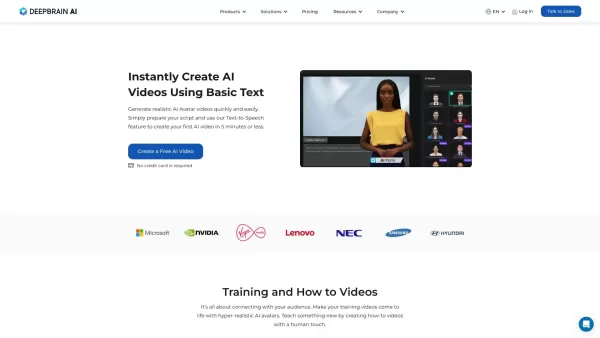


2026 Latest Best Top-rated AI Anomaly Detection Tools for KPI Monitoring in SaaS and Ecommerce teams! XIX.AI has curated a powerful, game-changing collection based on rigorous real-world tests and weekly updated rankings. You’ll find detailed free vs paid comparison insights to help you identify the must-try solution that boosts productivity and unlocks your AI edge. Explore now!
 10 tools
 xix.ai

2026 Latest Best Top-Rated AI Outline Generators for Long-Form SEO Articles, meticulously curated by XIX.AI. These powerful tools offer game-changing assistance in creating high-quality content quickly, boosting writing efficiency significantly. Get a free vs paid comparison along with real-world tests and detailed rankings to help you find the must-try option that suits your needs. Explore now to unlock your AI edge.
8 tools
xix.ai

2026 Latest Best AI Study Tools for Homework and Exam Prep! XIX.AI curates a top-rated list of powerful, game-changing tools that help students boost productivity, streamline homework completion, and ace exams through real-world tests. Get a free vs paid comparison, detailed rankings, and must-try options to unlock your AI edge. Explore now!
10 tools
xix.ai

2026 Latest Best AI Vocal Demo Tools for Songwriters, Hook Creators, and Multi-Language Content Teams! XIX.AI has curated a top-rated list of powerful game-changing tools that go through rigorous real-world tests. You’ll find detailed free vs paid comparison data, comprehensive rankings, and must-try options to help you boost writing efficiency and unlock your creative potential. Explore now to discover your perfect tool for all your content needs!
9 tools
xix.ai

2026 Latest Best Top-rated AI Competitive Research Tools for Small Businesses! XIX.AI has curated a highly powerful game-changing collection, updated weekly with rigorous real-world tests and detailed rankings. You can find a comprehensive free vs paid comparison to help you identify the must-try tools that boost your productivity and give you a competitive edge. Explore now to discover your perfect tool!
9 tools
xix.ai

2026 Latest Best Photoshop AI retouch tools for ecommerce apparel, skin cleanup, and color consistency! This top-rated curated list features powerful game-changing solutions that help you boost writing efficiency, streamline content creation, and achieve perfect visual results effortlessly. Each tool has undergone real-world tests through weekly updated rankings, complete with free vs paid comparison details. Backed by XIX.AI, it’s the must-try guide for anyone aiming to unlock your AI edge. Explore now!
10 tools
xix.ai


