


 Home
HomeInVideo AI
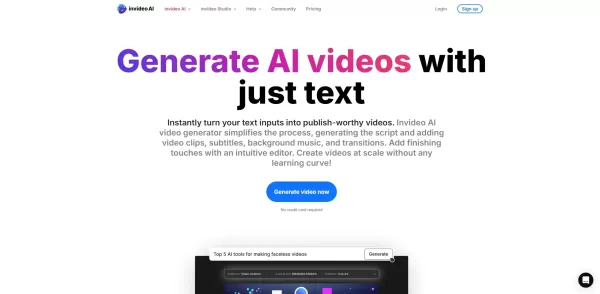
InVideo AI: AI Video Creation Tools



Helps TikTok sellers, brands, MCNs, and TAPs discover winning products and find creators.

HelpLook is an AI-powered all-in-one knowledge base tool that helps businesses quickly build knowledge bases, help centers, and...

Your AI Workspace

302.AI is an enterprise-grade AI resource platform with pay-as-you-go pricing, API access to a full range of AI models, and ready-to-use online applications.

剧火AI — AI Screenwriter + Director, a One-Person Short Drama Studio In one sentence, what is it?

What is Deepfake Maker? Deepfake Maker is a comprehensive, browser-based AI tool for creating deepfakes, tailored for creators, marketers, and designers who need striking visuals without complicated software. It combines multiple AI capabilities: adv

What is Celebrity AI?CelebrityAI revolutionizes digital content creation with its cutting-edge artificial intelligence platform that generates lifelike celebrity videos and voice messages. Using sophisticated technologies including deep neural networ

What is Makefilm?Makefilm revolutionizes video creation as a comprehensive AI-powered platform that streamlines professional-quality video production. This innovative solution combines multiple smart tools into one seamless workflow - transforming te
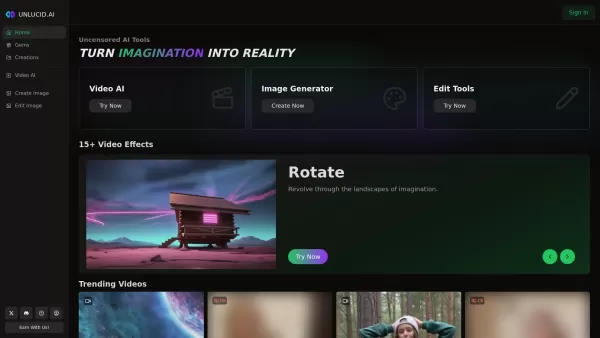
What is Unlucid AI? Unlucid AI provides free, uncensored AI tools empowering creators to craft, edit, and animate videos using advanced AI technology. It transforms imagination into reality with unres

What is AIShowX?AIShowX represents the next generation of creative tools - a comprehensive online platform powered by artificial intelligence that empowers anyone to produce professional-quality videos, images, and audio content with remarkable ease.
InVideo AI Product Information
What is InVideo AI?
InVideo AI is a powerful video creation platform that uses artificial intelligence to simplify the entire video creation process. It provides a vast library of templates and stock media, enabling users to quickly produce customized videos. From promotional materials and social media posts to educational content, InVideo AI makes it easy to edit and personalize your videos, helping you create professional-looking results with minimal effort.
Who uses InVideo AI?
- Content creators
- Marketing experts
- Businesses of all sizes
- Educators and trainers
- Social media managers
How to use InVideo AI
- Step 1: Create an account on the InVideo AI website.
- Step 2: Select a template or begin with a blank project.
- Step 3: Upload your own files or choose from stock footage and images.
- Step 4: Personalize your video by adjusting text, colors, and transitions.
- Step 5: Preview your video and make final tweaks as needed.
- Step 6: Export the completed video in your preferred format.
Platform
- Web
- iOS
- Android
InVideo AI's Core Features & Benefits
The Core Features
- AI-powered video generation
- Extensive template library
- Access to stock media
- Easy text overlay tools
- Comprehensive video editing
The Benefits
- Accelerated video production
- High-quality, professional output
- Intuitive and easy-to-use interface
- Adaptable for various video styles
- Budget-friendly plans
InVideo AI's Main Use Cases & Applications
- Promotional videos
- Social media clips
- Internal training videos
- Explainer and informational videos
- Event and highlight reels
InVideo AI's Pros & Cons
The Pros
Generate complete videos from text prompts without any prior editing experience.
Utilize a collection of over 16 million stock photos and videos for dynamic content.
Produce lifelike voiceovers in various languages and accents.
Make instant edits and changes using simple text instructions.
Access the tool directly from your browser without downloading software.
Boost efficiency with AI-driven scriptwriting and automated workflows.
Real-time collaboration with team members (feature launching soon).
Cost-effective solution for professional voiceovers.
The Cons
No publicly accessible source code or GitHub repository.
Certain advanced options, such as multiplayer editing, are currently in development.
Free version restricts usage to 10 minutes of video per week and adds a watermark.
Relies on existing stock media, which might limit originality unless you upload your own content.
InVideo AI's Pricing
Free plan available | YES |
|---|---|
Free trial details | |
Pricing model | Freemium |
Credit card required | No |
Starting price | USD |
Lifetime plan available | No |
Billing frequency |
Details of Pricing Plan
Free
$0
- 10 minutes of video per week
- 1 Express avatar
- 4 weekly exports with InVideo watermark
- Generative AI features not included
Enterprise
Custom pricing
- Tailored solutions for enterprise clients
- Enhanced security and control
- Flexible pricing to suit organizational requirements
For the latest prices, please visit: https://invideo.io/pricing/
InVideo AI FAQs
What subscription plans does InVideo AI offer?
InVideo AI provides monthly and annual plans with varying features and capabilities.
Can I upload my own media to InVideo AI?
Yes, you can import your own videos and images to include in your projects.
Does InVideo AI have a free trial?
New users can test InVideo AI with a free trial to experience its core features.
What support options are available?
Get assistance through email support and browse the detailed help center for guidance.
Am I able to download my finished videos?
Yes, you can download your completed videos in multiple resolutions and formats.
Does InVideo AI work in multiple languages?
Yes, the platform supports multiple languages for text input and voiceover generation.
Is InVideo AI suitable for business marketing?
Yes, it is an excellent tool for creating marketing and promotional videos for businesses.
What are the system requirements?
InVideo AI runs in your browser, so you only need an up-to-date web browser and internet access.
Are there hidden charges?
All costs are transparently displayed before you subscribe—no unexpected fees.
Can I cancel anytime?
Yes, you can cancel your subscription at any time without additional charges.
InVideo AI Company Information
InVideo AI Screenshot

2026 Latest Best Top-rated AI Object Removal Editors for portraits travel product shots! XIX.AI curates a powerful game-changing collection regularly updated with weekly rankings. These tools offer real-world tests to help you quickly remove unwanted elements, boost content quality, and save tons of time without compromising results. Must-try for anyone aiming to unlock their AI creation edge. Explore now!
 10 tools
 xix.ai

2026 Latest Best Top-rated AI Text to Speech Tools for Online Courses are curated by XIX.AI based on rigorous real-world tests and weekly updated rankings. These powerful tools help creators deliver crystal-clear audio content effortlessly, boosting writing efficiency and streamlining course production. Check out the free vs paid comparison to find your perfect fit. Explore now to unlock your AI edge in online education.
10 tools
xix.ai

2026 Latest Best Top-Rated AI Blog Title Tools for Higher Click Through Rates! XIX.AI has carefully curated a powerful, game-changing collection of top tools that go through rigorous real-world tests. You’ll find a free vs paid comparison, weekly updated rankings, and detailed insights to help you boost your blog’s traffic efficiently. Must-try options are highlighted to help you unlock your AI edge. Explore now!
10 tools
xix.ai

2026 Latest Best Top-rated AI Task Routing Tools for Support Workflows! XIX.AI has curated a highly powerful game-changing collection of must-try solutions, all undergoing rigorous real-world tests and updated weekly. These tools streamline workflows, boost productivity, and help teams deliver faster, more efficient support. Explore now to discover your perfect tool and unlock your AI edge!
17 tools
xix.ai

2026 Latest Best Top-Rated AI Citation and Paper Summary Tools Curated by XIX.AI. Get powerful game-changing solutions for quick content creation, improved writing efficiency, and boosting productivity. We offer a free vs paid comparison along with real-world tests and weekly updated rankings to help you find the must-try tool that fits your needs perfectly. Explore now to Unlock your AI edge.
10 tools
xix.ai

2026 Latest Best Top-Rated AI Productivity Tools for Daily Work! XIX.AI has curated a powerful, game-changing selection based on rigorous weekly updated rankings and real-world tests. You’ll find must-try options that boost writing efficiency, streamline content creation, and help you overcome daily work challenges. Get a free vs paid comparison to find the perfect fit for your needs. Explore now to unlock your AI edge!
9 tools
xix.ai


