


 Home
HomeClyr - Chrome Extension
Automated expense and invoice management



Helps TikTok sellers, brands, MCNs, and TAPs discover winning products and find creators.

HelpLook is an AI-powered all-in-one knowledge base tool that helps businesses quickly build knowledge bases, help centers, and...

Your AI Workspace

302.AI is an enterprise-grade AI resource platform with pay-as-you-go pricing, API access to a full range of AI models, and ready-to-use online applications.

剧火AI — AI Screenwriter + Director, a One-Person Short Drama Studio In one sentence, what is it?

What is Concisely?Concisely is a cutting-edge Chrome extension that redefines email reading by using advanced AI to deliver one-sentence summaries of entire email threads. It allows busy professionals to capture the main idea instantly, eliminating t
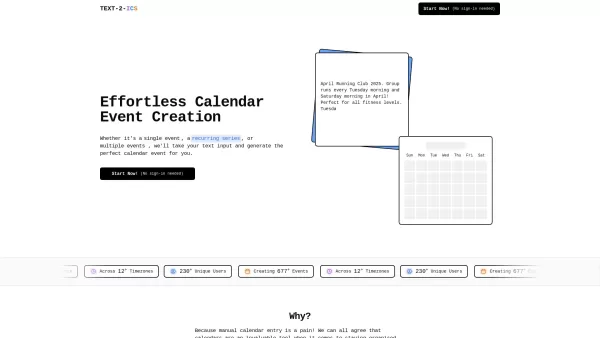
Ever found yourself struggling to add events to your calendar because you're just not in the mood to fill out all those fields? Well, let me introduce you to Text-2-ICS, a nifty little tool that takes the hassle out of event scheduling. Imagine just typin
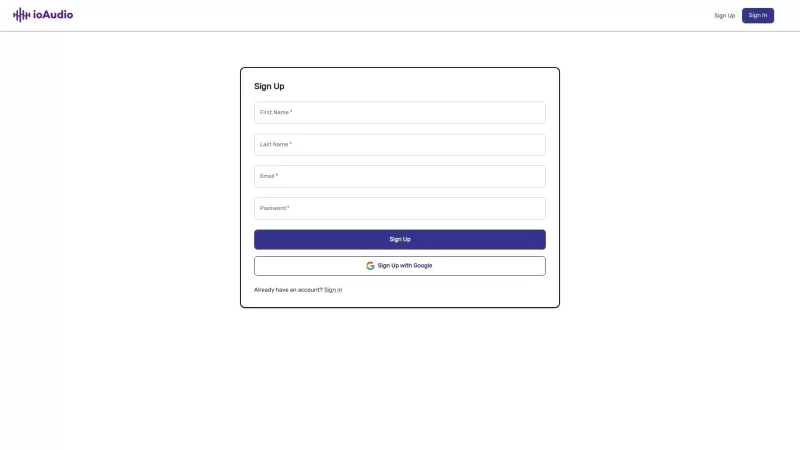
Ever find yourself swamped with endless documents and articles, wishing there was a quicker way to absorb all that information? Enter ioAudio—an AI-powered tool that's about to change the game for you. This nifty tool takes those lengthy reports and URL l

Ever heard of SnackContent? It's a game-changer for anyone looking to whip up content without breaking a sweat. This AI-powered platform takes the hassle out of content creation, letting you produce SEO-optimized articles and transform them into bite-size

Ever found yourself staring at a blank email, wondering how to get your point across without sounding like a robot? Enter MailFast—an AI-powered email writing tool that's here to save the day. It's like having a personal email assistant that whips up high
Clyr - Chrome Extension Product Information
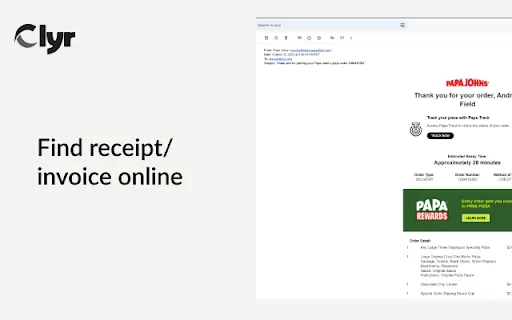
If you're tired of juggling paper receipts and manually entering expense data, let me introduce you to the Clyr AI Chrome extension. This nifty tool is here to revolutionize how you manage your expenses and spending, making it as easy as snapping a picture. Whether you're a busy professional or just someone who hates dealing with receipts, Clyr is designed to streamline your life with its receipt and invoice capture capabilities.
How to Use the Clyr AI Chrome Extension?
Getting started with Clyr is a breeze. Here's how you can dive right in:Install the Extension: First things first, head over to the Chrome Web Store and install the Clyr AI extension. It's quick and painless, I promise.
Log in or Register: Once installed, you'll need to log in if you already have an account, or register if you're new to Clyr. It's a straightforward process that'll have you set up in no time.
Capture Receipts and Invoices: Whenever you get a receipt or an invoice, just click on the Clyr icon in your browser. Snap a picture of the document, and watch Clyr work its magic.
Automatic Matching and Categorization: Clyr will automatically match your receipt or invoice to the right transaction and categorize it for you. It's like having a personal expense manager at your fingertips.
Clyr AI Chrome Extension's Core Features
Clyr isn't just another tool; it's packed with features that make managing expenses a walk in the park:Snap Receipts & Invoices
Forget about manually entering data. With Clyr, you can simply snap a photo of your receipt or invoice, and it's done.
Seamless Integration
Clyr integrates seamlessly with your existing financial tools, making it a perfect fit for your workflow.
Card Agnostic
Whether you're using a credit card, debit card, or something else, Clyr works with all of them. No need to worry about compatibility issues.
Real-Time Notifications
Stay on top of your expenses with real-time notifications. You'll know exactly where your money is going, as it happens.
Automated Matching & Smart Categorization
Clyr's smart algorithms automatically match your receipts to transactions and categorize them, saving you heaps of time and effort.
Clyr AI Chrome Extension's Use Cases
Wondering how Clyr can fit into your daily life? Here are some scenarios where it shines:Effortlessly Capture and Categorize Receipts and Invoices
Say goodbye to the hassle of keeping track of paper receipts. With Clyr, capturing and categorizing them is as easy as taking a photo.
Receive Real-Time Expense Notifications
Stay in the loop with real-time notifications about your expenses. No more surprises at the end of the month.
Save Time on Expense Management
Clyr automates much of the expense management process, freeing up your time to focus on what really matters.
FAQ from Clyr
- Why choose Clyr?
- Clyr stands out because it simplifies expense and spend management with its intuitive, user-friendly interface. It's designed to save you time, reduce errors, and provide real-time insights into your spending, all while being compatible with any card you use. Plus, its seamless integration with other financial tools makes it a no-brainer for anyone looking to streamline their financial life.
Clyr - Chrome Extension Screenshot




2026 Latest Best Top-Rated AI Expense Tracking Tools for Small Teams are here on XIX.AI! This curated list features powerful, game-changing solutions that help small teams streamline budget management, save time tracking costs, and boost productivity. We conduct real-world tests to deliver accurate rankings and a free vs paid comparison so you can easily find the must-try tool that fits your needs. Explore now to uncover the perfect option for your team!
 9 tools
 xix.ai

2026 Latest Best AI Expense Trackers: Top-rated tools to scan receipts & categorize corporate spend automatically. Discover powerful, game-changing solutions for effortless expense management, accurate financial tracking, and streamlined compliance. Our curated, weekly-updated comparison of free vs paid options helps you find the perfect fit. Unlock your AI edge with XIX.AI's expert picks.
10 tools
xix.ai

Discover the 2026 best AI spreadsheet formula tools for accounting and bookkeeping. Our curated, weekly updated rankings feature top-rated, powerful solutions for automated calculations, financial analysis, and error-free bookkeeping. Compare free vs paid options with real-world tests. Find your game-changing productivity boost at XIX.AI. Explore the top picks now!
10 tools
xix.ai


