


 Home
HomeBrowse AI: Fast Web Scraping & Monitoring



Helps TikTok sellers, brands, MCNs, and TAPs discover winning products and find creators.

HelpLook is an AI-powered all-in-one knowledge base tool that helps businesses quickly build knowledge bases, help centers, and...

Your AI Workspace

302.AI is an enterprise-grade AI resource platform with pay-as-you-go pricing, API access to a full range of AI models, and ready-to-use online applications.

剧火AI — AI Screenwriter + Director, a One-Person Short Drama Studio In one sentence, what is it?

What is Optical Character Recognition (OCR)?Our OCR extension uses cutting-edge optical character recognition technology to convert images into editable text. Use screen selection or image uploads for immediate text conversion - ideal for students, p
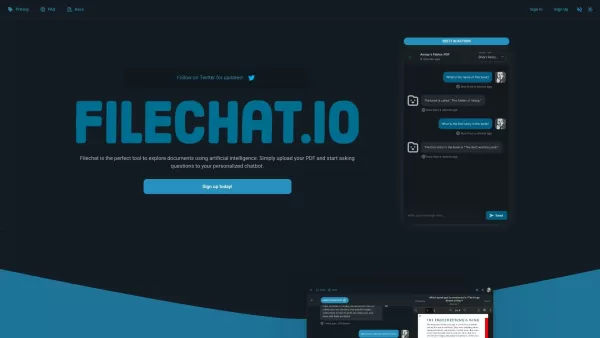
What is FileChat?FileChat.io is an AI-powered tool designed to help users interact with and analyze their documents. You can upload various file types such as PDFs, research papers, books, and manuals, then ask questions to a custom chatbot that deli
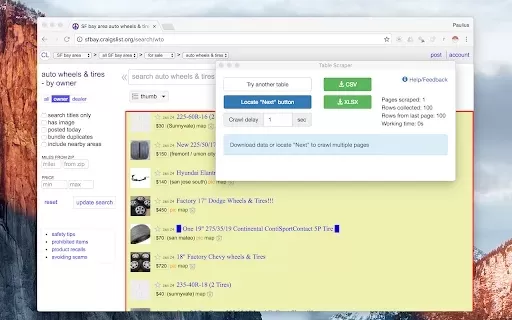
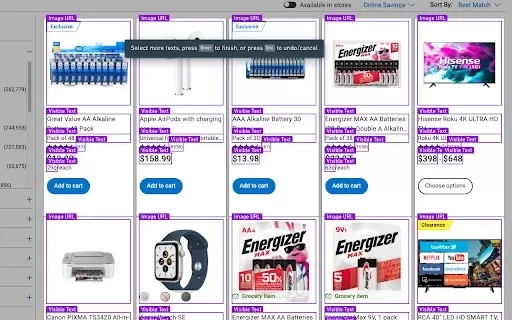
What is Instant Data Scraper?Instant Data Scraper is a robust Google Chrome extension that streamlines data extraction from websites. Its AI technology intelligently identifies and extracts the most relevant information on any page, enabling efficien
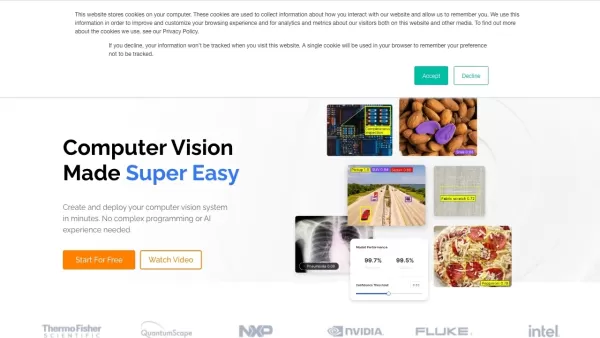
What is Landing.ai?Landing AI provides LandingLens, an intuitive computer vision platform that streamlines the development, training, and deployment of deep learning models. Serving a wide range of industries, it adopts a data-centric AI approach to
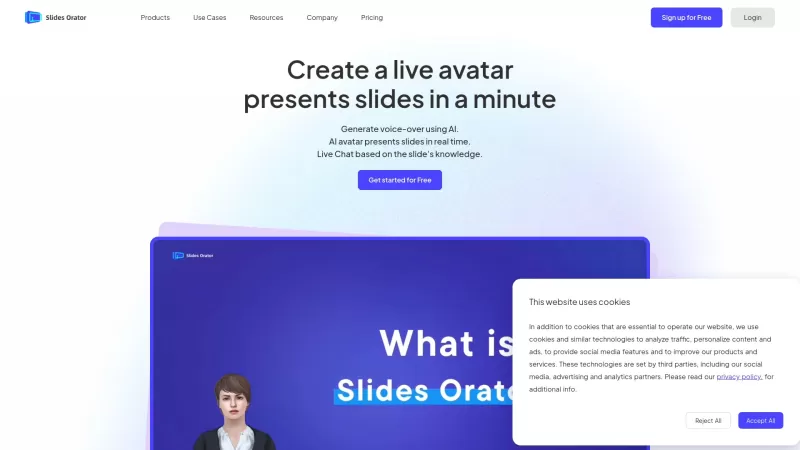
Ever wondered how to make your presentations not just informative but downright engaging? Enter SlidesOrator, a game-changer in the world of slide decks. This isn't your run-of-the-mill presentation tool; it's powered by AI to bring your slides to li
Browse AI: Fast Web Scraping & Monitoring Product Information
What is Browse AI: Fast Web Scraping & Monitoring?
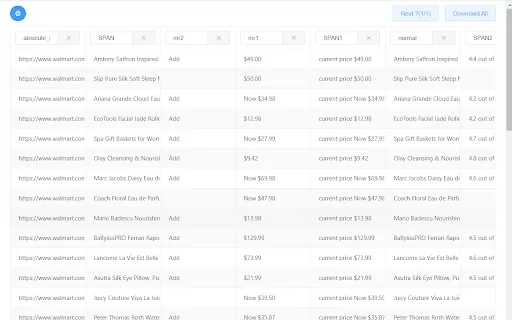
Browse AI is a powerful web scraping and monitoring solution that allows you to extract data from any website without needing to write code. Its user-friendly, no-code platform lets you quickly train automated bots to collect information efficiently. You can configure your scraping tasks in just two minutes and automate repetitive data collection. Browse AI simplifies monitoring website updates, gathering product details, and accessing data behind login walls, making it easy for anyone to use, regardless of technical expertise.
Who will use Browse AI: Fast Web Scraping & Monitoring?
- Data analysts
- Business professionals
- Researchers
- Marketing teams
- Web developers
How to use the Browse AI: Fast Web Scraping & Monitoring?
- Step 1: Install the Browse AI extension from the Chrome Web Store.
- Step 2: Navigate to the website you wish to scrape.
- Step 3: Click the Browse AI icon and choose 'Create a new robot.'
- Step 4: Follow the guided steps to train your robot by selecting the data you want to collect.
- Step 5: Save your configuration and run the robot to start scraping.
Platform
- Chrome
Browse AI: Fast Web Scraping & Monitoring's Core Features & Benefits
The Core Features
- No-code web scraping
- Automated website monitoring
- Rapid data extraction
- Ability to scrape data behind login pages
The Benefits
- Automate tasks to save time
- Gain access to hard-to-reach data
- Intuitive interface suitable for all users
- Improved data accuracy and operational efficiency
Browse AI: Fast Web Scraping & Monitoring's Main Use Cases & Applications
- Tracking price fluctuations on e-commerce sites
- Collecting leads from online directories
- Monitoring competitor sites for updates
- Gathering product data for market research
FAQs of Browse AI: Fast Web Scraping & Monitoring
How do I start using Browse AI?
Install the extension from the Chrome Web Store and complete the setup instructions.
Is coding required to use Browse AI?
No, Browse AI is built for users of all experience levels and requires no coding knowledge.
Can I scrape data from websites that require a login?
Yes, Browse AI can retrieve data from websites that are behind login screens.
How fast can I scrape data?
You can begin scraping data in less than two minutes.
What types of data can I extract?
You can collect text, images, links, and other elements from any available webpage.
Is my data secure while using Browse AI?
Yes, Browse AI adheres to strict data security measures to protect your information.
Can I automate recurring scraping tasks?
Yes, you can schedule robots to perform scraping tasks at regular intervals.
Is Browse AI free to use?
Browse AI offers a free plan, with additional features accessible via paid subscriptions.
What support options are available?
Browse AI provides email support, a help center, and community forums for users.
Can I download the scraped data?
Yes, you can export the collected data in multiple formats, such as CSV and Excel.
Browse AI: Fast Web Scraping & Monitoring Company Information
Website:
https://www.browse.aiCompany Name:
Browse AISupport Email:
Facebook:
https://www.facebook.com/browseaiX(Twitter):
https://www.twitter.com/browseaiYouTube:
NAInstagram:
NATiktok:
NALinkedIn:
NA
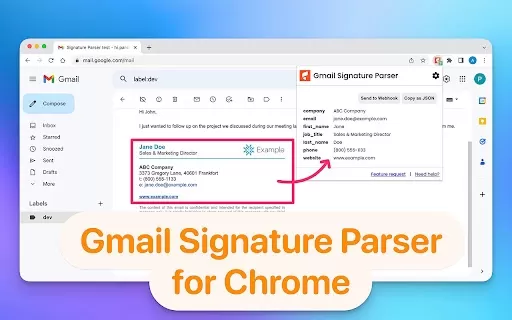
Browse AI: Fast Web Scraping & Monitoring Screenshot

2026 Latest Best Top-rated AI Object Removal Editors for portraits travel product shots! XIX.AI curates a powerful game-changing collection regularly updated with weekly rankings. These tools offer real-world tests to help you quickly remove unwanted elements, boost content quality, and save tons of time without compromising results. Must-try for anyone aiming to unlock their AI creation edge. Explore now!
 10 tools
 xix.ai

2026 Latest Best Top-rated AI Text to Speech Tools for Online Courses are curated by XIX.AI based on rigorous real-world tests and weekly updated rankings. These powerful tools help creators deliver crystal-clear audio content effortlessly, boosting writing efficiency and streamlining course production. Check out the free vs paid comparison to find your perfect fit. Explore now to unlock your AI edge in online education.
10 tools
xix.ai

2026 Latest Best Top-Rated AI Blog Title Tools for Higher Click Through Rates! XIX.AI has carefully curated a powerful, game-changing collection of top tools that go through rigorous real-world tests. You’ll find a free vs paid comparison, weekly updated rankings, and detailed insights to help you boost your blog’s traffic efficiently. Must-try options are highlighted to help you unlock your AI edge. Explore now!
10 tools
xix.ai

2026 Latest Best Top-rated AI Task Routing Tools for Support Workflows! XIX.AI has curated a highly powerful game-changing collection of must-try solutions, all undergoing rigorous real-world tests and updated weekly. These tools streamline workflows, boost productivity, and help teams deliver faster, more efficient support. Explore now to discover your perfect tool and unlock your AI edge!
17 tools
xix.ai

2026 Latest Best Top-Rated AI Citation and Paper Summary Tools Curated by XIX.AI. Get powerful game-changing solutions for quick content creation, improved writing efficiency, and boosting productivity. We offer a free vs paid comparison along with real-world tests and weekly updated rankings to help you find the must-try tool that fits your needs perfectly. Explore now to Unlock your AI edge.
10 tools
xix.ai

2026 Latest Best Top-Rated AI Productivity Tools for Daily Work! XIX.AI has curated a powerful, game-changing selection based on rigorous weekly updated rankings and real-world tests. You’ll find must-try options that boost writing efficiency, streamline content creation, and help you overcome daily work challenges. Get a free vs paid comparison to find the perfect fit for your needs. Explore now to unlock your AI edge!
9 tools
xix.ai


