


 Home
HomeBerrycast Transcripts (Powered by AI)



Helps TikTok sellers, brands, MCNs, and TAPs discover winning products and find creators.

HelpLook is an AI-powered all-in-one knowledge base tool that helps businesses quickly build knowledge bases, help centers, and...

Your AI Workspace

302.AI is an enterprise-grade AI resource platform with pay-as-you-go pricing, API access to a full range of AI models, and ready-to-use online applications.

剧火AI — AI Screenwriter + Director, a One-Person Short Drama Studio In one sentence, what is it?

What is AI Excel Bot?AI Excel Bot uses advanced AI algorithms to help you build complex Excel and Google Sheets formulas in seconds. By leveraging natural language processing, it makes writing, editing, and understanding formulas much easier. Whether

What is NOA?NOA Tech provides innovative technology solutions to enhance your business productivity. Utilizing advanced AI tools and custom automation, we identify operational bottlenecks, implement automation strategies, and empower your team to con
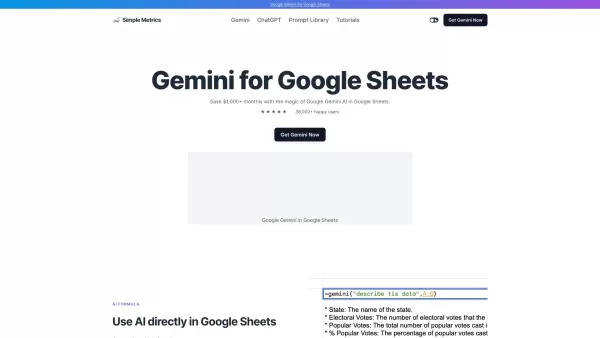
What is Gemini AI for Sheets?Gemini AI for Sheets by Simple Metrics is a powerful add-on that integrates natively with Google Sheets. It enables sophisticated data analysis, automated content creation, sentiment analysis, and live data interpretation

What is Servant AI?Servant AI functions as your intelligent virtual assistant, integrating a wide array of tools and resources to simplify your daily tasks. Whether you're looking to erase backgrounds from photos, craft polished email signatures, or
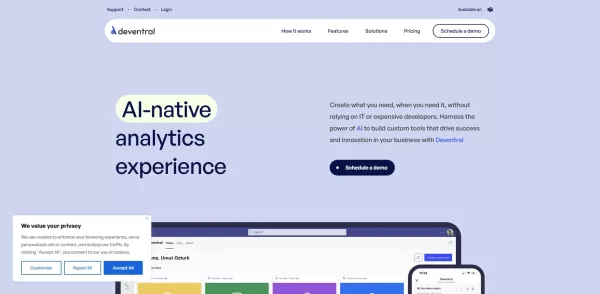
What is Deventral?Deventral is a dynamic AI agent built to foster automation by taking over repetitive tasks, managing workflows, and offering intelligent solutions to businesses and individuals. Its sophisticated algorithms help it understand user r
Berrycast Transcripts (Powered by AI) Product Information
What Is Berrycast Transcripts (Powered by AI)?
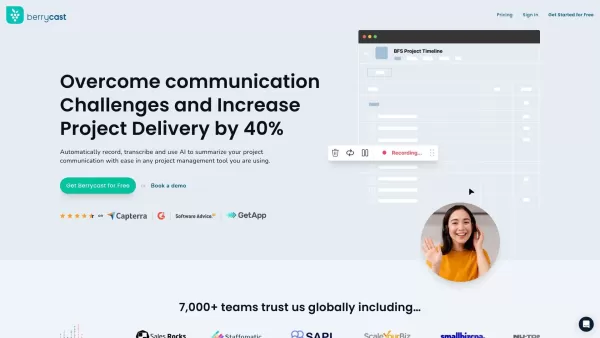
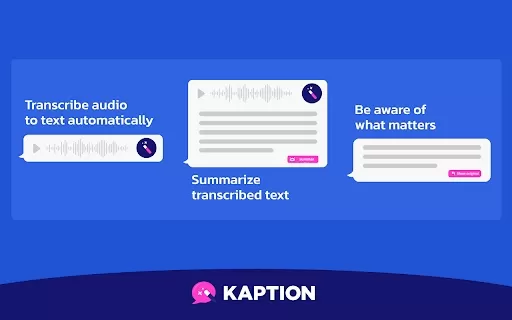
Berrycast is a sophisticated screen recording and video messaging platform designed for effortless communication. It allows users to capture their screen, webcam, and audio simultaneously, making it perfect for creating compelling video content. With features including annotations, password protection, and video trimming, Berrycast streamlines the recording and sharing process. Its integration with various workplace tools ensures that users can embed conversations into their everyday applications, maintaining smooth collaboration and workflow.
Who Uses Berrycast Transcripts (Powered by AI)?
- Mortgage Brokers
- Educators
- Corporate Teams
- Remote Workers
- Freelancers
- Customer Support Teams
- Sales Professionals
How to Use Berrycast Transcripts (Powered by AI)?
- Step 1: Sign up for a Berrycast account on their website.
- Step 2: Download and install the Berrycast application on your device.
- Step 3: Open Berrycast and log in to your account.
- Step 4: Click the record button to start a new recording.
- Step 5: Select the screen area or application window you wish to record.
- Step 6: Use the microphone and webcam options if you need audio and video input.
- Step 7: Click the stop button when you are done recording.
- Step 8: Edit the recording by trimming unnecessary parts.
- Step 9: Annotate the video if needed.
- Step 10: Share the video via email or a link generated by Berrycast.
Platforms
- Web
- Mac
- Windows
- Chrome
Core Features and Benefits of Berrycast Transcripts (Powered by AI)
Core Features
- Screen Recording
- Video Messaging
- Annotations
- Password Protection
- Video Trimming
- Mic and Webcam Support
Benefits
- Enhanced Communication
- Easy Video Sharing
- Productivity Boost
- Seamless Integration with Work Tools
- Data Security
Main Use Cases and Applications of Berrycast Transcripts (Powered by AI)
- Mortgage Client Communication
- Remote Team Collaboration
- Educational Tutorials
- Product Demos
- Customer Support
Pros and Cons of Berrycast Transcripts (Powered by AI)
Pros
Unlimited Video Recording and Uploading
Video Comments Without Signup
AI-Powered Meeting Summaries and Transcription
Custom Branding and Collaborative Spaces Available
Multiple Integrations with Popular Work Tools
Supports Multiple Languages for Transcripts
User-Friendly Interface and Affordable Pricing
Cons
No Open Source Code Available
AI Writer and Transcript Features Limited in Lower-Tier Plans
No Mobile Apps Linked for Google Play or App Store
No Public GitHub Repository Found
No Links Found for Discord, Telegram, or Chrome Web Store Extensions
Pricing of Berrycast Transcripts (Powered by AI)
Free Plan Available? | No |
|---|---|
Free Trial Details | 14-day full-feature free trial with the option to extend for another 14 days without a credit card |
Pricing Model | Free Trial |
Credit Card Required? | No |
Starting Price | 16 USD |
Lifetime Plan Available? | No |
Billing Frequency | Monthly |
Pricing Plan Details
Starter
16 USD
- Unlimited Videos
- Unlimited Recording
- Comment on Videos
Professional
18 USD
- All Starter Features
- Custom Branding
- Limited AI Writer (2 hours per month)
- Limited Video Transcript (2 hours per month)
- Bundle Pricing (Discount for 5+ Licenses)
Enterprise
29 USD
- All Professional Features
- Video Analytics
- Unlimited AI Writer
- Unlimited Video Transcript
- Collaborative Spaces
Discount:
20% discount applied automatically via affiliate URL or coupon code
For the latest prices, please visit: https://www.berrycast.com/pricing
FAQs About Berrycast Transcripts (Powered by AI)
What Is Berrycast?
Berrycast is a screen recording and video messaging tool built for seamless communication and collaboration.
How Can I Use Berrycast?
You can use Berrycast to record your screen, create video messages, edit them, and share with others easily.
What Platforms Is Berrycast Available On?
Berrycast is available on Web, Windows, Mac, and Chrome.
Who Can Benefit from Berrycast?
Mortgage brokers, educators, remote teams, freelancers, and customer support teams can all benefit from using Berrycast.
Does Berrycast Support Annotations in Videos?
Yes, Berrycast supports annotations to highlight key parts of your video.
Is There Password Protection for Shared Videos?
Yes, Berrycast provides an option to password protect your shared videos.
Can I Trim Videos on Berrycast?
Yes, Berrycast allows you to trim videos to remove any unnecessary parts.
Does Berrycast Support Webcam and Mic Input?
Yes, Berrycast supports both webcam and mic input for recording.
How Can I Share My Berrycast Recordings?
You can share your Berrycast recordings via email or a unique link.
What Are Some Common Alternatives to Berrycast?
Common alternatives to Berrycast include Loom, Zight, Snagit, Vidyard, and Zoom.
Company Information for Berrycast Transcripts (Powered by AI)
Berrycast Transcripts (Powered by AI) Screenshot

2026 Latest Best Top-rated AI Text to Speech Tools for Natural Voiceovers are here on XIX.AI! This curated list features powerful, game-changing options that deliver crystal-clear voices for every use case, backed by real-world tests and weekly updated rankings. Get a free vs paid comparison to find the must-try solution that boosts your productivity instantly. Explore now to Unlock your AI edge!
 11 tools
 xix.ai

2026 Latest Best Manga AI Background Generators Ranked Top-Rated! This curated collection showcases powerful game-changing tools perfect for creating high-quality chapter backgrounds, book covers, and promotional art. Every option has undergone rigorous real-world tests to ensure reliability. Get a free vs paid comparison along with detailed insights. Explore now to discover your perfect tool and unlock your AI edge in manga creation.
6 tools
xix.ai

2026 Latest Best Top-rated AI Object Removal Editors for portraits travel product shots! XIX.AI curates a powerful game-changing collection regularly updated with weekly rankings. These tools offer real-world tests to help you quickly remove unwanted elements, boost content quality, and save tons of time without compromising results. Must-try for anyone aiming to unlock their AI creation edge. Explore now!
10 tools
xix.ai

2026 Latest Best Top-rated AI Text to Speech Tools for Online Courses are curated by XIX.AI based on rigorous real-world tests and weekly updated rankings. These powerful tools help creators deliver crystal-clear audio content effortlessly, boosting writing efficiency and streamlining course production. Check out the free vs paid comparison to find your perfect fit. Explore now to unlock your AI edge in online education.
10 tools
xix.ai

2026 Latest Best Top-Rated AI Blog Title Tools for Higher Click Through Rates! XIX.AI has carefully curated a powerful, game-changing collection of top tools that go through rigorous real-world tests. You’ll find a free vs paid comparison, weekly updated rankings, and detailed insights to help you boost your blog’s traffic efficiently. Must-try options are highlighted to help you unlock your AI edge. Explore now!
10 tools
xix.ai

2026 Latest Best Top-rated AI Task Routing Tools for Support Workflows! XIX.AI has curated a highly powerful game-changing collection of must-try solutions, all undergoing rigorous real-world tests and updated weekly. These tools streamline workflows, boost productivity, and help teams deliver faster, more efficient support. Explore now to discover your perfect tool and unlock your AI edge!
17 tools
xix.ai


