


 Home
HomeGemini AI for Sheets
Gemini AI for Sheets: Advanced Data Analysis



Helps TikTok sellers, brands, MCNs, and TAPs discover winning products and find creators.

HelpLook is an AI-powered all-in-one knowledge base tool that helps businesses quickly build knowledge bases, help centers, and...

Your AI Workspace

302.AI is an enterprise-grade AI resource platform with pay-as-you-go pricing, API access to a full range of AI models, and ready-to-use online applications.

剧火AI — AI Screenwriter + Director, a One-Person Short Drama Studio In one sentence, what is it?

What is AI Excel Bot?AI Excel Bot uses advanced AI algorithms to help you build complex Excel and Google Sheets formulas in seconds. By leveraging natural language processing, it makes writing, editing, and understanding formulas much easier. Whether

What is NOA?NOA Tech provides innovative technology solutions to enhance your business productivity. Utilizing advanced AI tools and custom automation, we identify operational bottlenecks, implement automation strategies, and empower your team to con

What is Servant AI?Servant AI functions as your intelligent virtual assistant, integrating a wide array of tools and resources to simplify your daily tasks. Whether you're looking to erase backgrounds from photos, craft polished email signatures, or
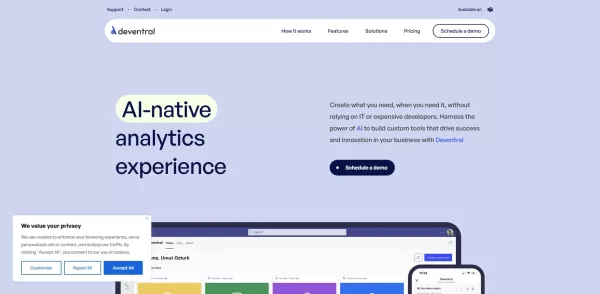
What is Deventral?Deventral is a dynamic AI agent built to foster automation by taking over repetitive tasks, managing workflows, and offering intelligent solutions to businesses and individuals. Its sophisticated algorithms help it understand user r
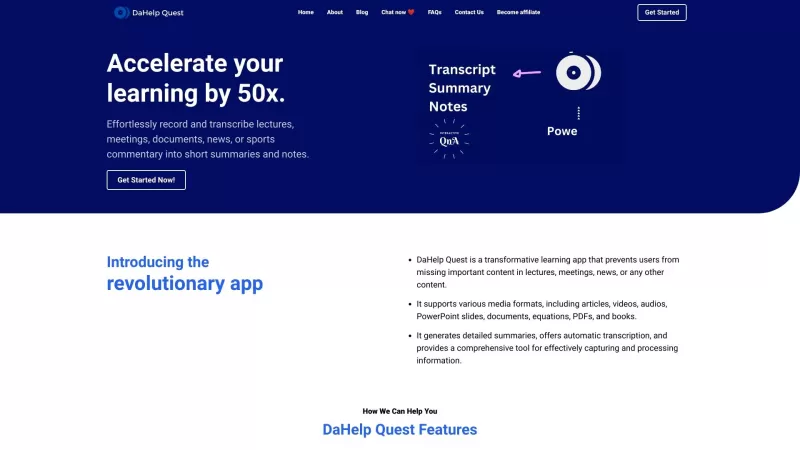
Ever felt overwhelmed by the sheer amount of information you need to process? Enter DaHelp Quest, a game-changer in the world of learning and knowledge management. This nifty app isn't just another tool; it's your personal assistant that helps you capture
Gemini AI for Sheets Product Information
What is Gemini AI for Sheets?
Gemini AI for Sheets by Simple Metrics is a powerful add-on that integrates natively with Google Sheets. It enables sophisticated data analysis, automated content creation, sentiment analysis, and live data interpretation directly inside your spreadsheets. Supporting multiple languages and diverse applications, it is perfect for professionals and teams aiming to boost efficiency and improve their decision-making with AI.
Who uses Gemini AI for Sheets?
- Business Analysts
- Data Scientists
- E-commerce Managers
- Market Researchers
- Freelancers
- Small Teams
How to use Gemini AI for Sheets
- Step 1: Install the Gemini AI for Sheets add-on from the Google Workspace Marketplace.
- Step 2: Open a Google Sheets document and activate the Gemini AI for Sheets add-on.
- Step 3: Input your data and use the tool to generate insights or perform sentiment analysis.
- Step 4: Utilize the AI-powered features to automate routine work and increase productivity.
- Step 5: Adjust the settings to match your specific use cases and needs.
Platform
- Chrome
- Web
Gemini AI for Sheets Core Features & Benefits
Core Features
- Advanced Data Analysis
- Automated Content Creation
- Sentiment Analysis
- Real-time Data Insights
- Multi-language Support
Key Benefits
- Increased Productivity
- Data-driven Decision Making
- Time-saving Automation
- Superior Content Quality
- Actionable Business Insights
Primary Use Cases & Applications
- Business Report Analysis
- Customer Feedback Sentiment Analysis
- Bulk Content Generation
- Market Research
- Automating Repetitive Spreadsheet Tasks
Pros & Cons of Gemini AI for Sheets
Advantages
Brings advanced AI capabilities directly into Google Sheets.
Supports 45 different languages.
Automates data processes, including image analysis, web search, and PDF extraction.
Boosts productivity for analysts and marketers.
Allows you to customize the AI's response style and creativity.
Pricing for Gemini AI for Sheets
Free Plan Available | YES |
|---|---|
Free Trial Details | |
Pricing Model | Freemium |
Credit Card Required | No |
Paid Plans Start From | 15 USD |
Lifetime Plan Available | No |
Billing Frequency | Monthly |
Pricing Plan Details
Free
0 USD
- 50 uses per month
Pro
15 USD
- 10,000 uses per month
- Custom Instructions
- Full Sheet Analysis
- Increased Input/Output Limit (100x)
- Access to Advanced AI Model
- Real-time Web Search
- Image Generation
- 24-Hour Customer Support
Plus
55 USD
- 50,000 uses per month
- Custom Instructions
- Full Sheet Analysis
- Increased Input/Output Limit (100x)
- Access to Advanced AI Model
- Real-time Web Search
- Image Generation
- 24-Hour Customer Support
Ultra
95 USD
- 100,000 uses per month
- Custom Instructions
- Full Sheet Analysis
- Increased Input/Output Limit (100x)
- Access to Advanced AI Model
- Real-time Web Search
- Image Generation
- 24-Hour Customer Support
Team
0 USD
- Custom usage / multiple accounts
- Custom Instructions
- Full Sheet Analysis
- Increased Input/Output Limit (100x)
- Access to Advanced AI Model
- Real-time Web Search
- Image Generation
- 24-Hour Customer Support
For the most current pricing, visit: https://simplemetrics.xyz
Gemini AI for Sheets FAQs
Is there a free tier available?
Yes, a free tier is available, offering up to 100 uses monthly.
How do I install Gemini AI for Sheets?
Install it directly from the Google Workspace Marketplace.
What types of data analysis can Gemini AI perform?
It performs sentiment analysis, automated content creation, and live data insights.
Does Gemini AI support multiple languages?
Yes, it supports 45 languages.
Can I customize the tool settings?
Absolutely. You can tailor the settings to your specific requirements.
What are the main benefits of using Gemini AI for Sheets?
Key benefits are greater productivity, more accurate decisions, and streamlined automation.
Who are the target users for Gemini AI?
It's designed for business analysts, data scientists, e-commerce managers, market researchers, freelancers, and small teams.
What platforms are supported?
It works on Chrome and Web browsers.
How do I get started with using Gemini AI?
Get the add-on from the Google Workspace Marketplace, open a Google Sheet, and enable it.
What are the main use cases for Gemini AI?
Main applications are data and sentiment analysis, bulk content creation, market research, and task automation.
Company Behind Gemini AI for Sheets
- Simple Metrics
- https://simplemetrics.xyz
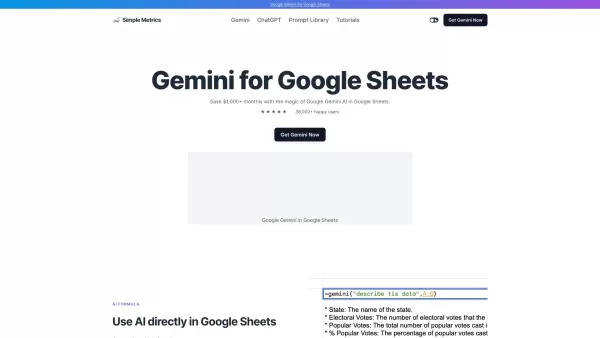
Gemini AI for Sheets Screenshot



2026 Latest rankings of top-rated AI tools for data analysis and research support. Compare our curated best picks: discover powerful, game-changing solutions to clean, visualize, and interpret data effortlessly. Unlock your research edge with XIX.AI's expert-selected, weekly updated must-try tools.
 10 tools
 xix.ai


Just tried Gemini AI for Sheets and it's a game-changer for my monthly reports! The sentiment analysis feature saved me hours of manual review on customer feedback columns. Still getting the hang of the live data prompts, but so far, so good. 🤖📊


