


 Home
HomeBeFunky Photo Editor



Helps TikTok sellers, brands, MCNs, and TAPs discover winning products and find creators.

HelpLook is an AI-powered all-in-one knowledge base tool that helps businesses quickly build knowledge bases, help centers, and...

Your AI Workspace

302.AI is an enterprise-grade AI resource platform with pay-as-you-go pricing, API access to a full range of AI models, and ready-to-use online applications.

剧火AI — AI Screenwriter + Director, a One-Person Short Drama Studio In one sentence, what is it?

What is Undressbaby AI?Undressbaby is a cutting-edge, AI-driven platform that lets users creatively alter their photos and videos. From swapping faces to trying on virtual outfits, it offers a simple yet powerful solution. Just upload your media, and

What is Celebrity AI?CelebrityAI revolutionizes digital content creation with its cutting-edge artificial intelligence platform that generates lifelike celebrity videos and voice messages. Using sophisticated technologies including deep neural networ
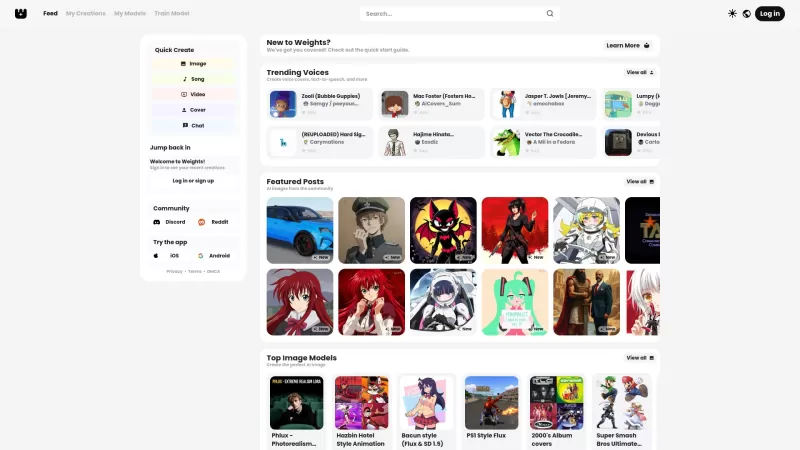
Ever stumbled upon Weights and wondered what it's all about? Well, let me break it down for you. Weights isn't just another AI tool; it's your creative playground where you can whip up AI voice covers, transform text into speech, and conjure up stunning A
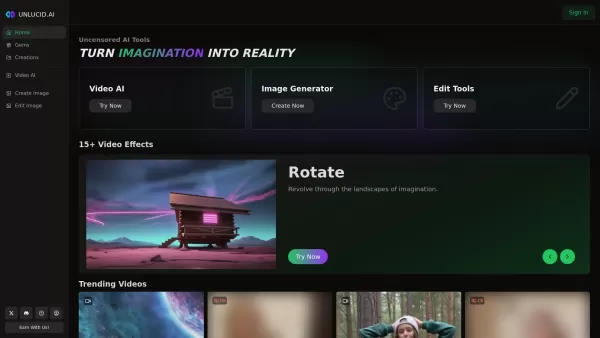
What is Unlucid AI? Unlucid AI provides free, uncensored AI tools empowering creators to craft, edit, and animate videos using advanced AI technology. It transforms imagination into reality with unres

What is AIShowX?AIShowX represents the next generation of creative tools - a comprehensive online platform powered by artificial intelligence that empowers anyone to produce professional-quality videos, images, and audio content with remarkable ease.
BeFunky Photo Editor Product Information
What is BeFunky Photo Editor?
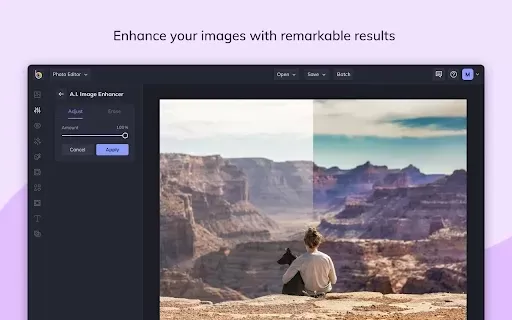
BeFunky Photo Editor is a versatile online creative suite that makes photo editing, collage making, and graphic design straightforward. Leveraging AI-driven tools, BeFunky provides capabilities such as background removal, photo enhancement, and portrait touch-ups. It also features a wide selection of design templates, artistic effects, and typography to help users refine their projects. An ad-free, no-registration-required environment guarantees a smooth and intuitive experience on both desktop and mobile.
Who uses BeFunky Photo Editor?
- Graphic designers
- Photographers
- Social media managers
- Creative hobbyists
- Small business owners
How to use the BeFunky Photo Editor?
- Step 1: Go to BeFunky and choose your tool (Photo Editor, Collage Maker, or Graphic Designer).
- Step 2: Upload your own images or pick from the library of free stock photos.
- Step 3: Enhance your photos or craft your design using the available editing tools.
- Step 4: Personalize your project by applying filters, adding text, and making adjustments.
- Step 5: Download your creation or share it instantly to social platforms.
Platform
- Web
- iOS
- Android
- Chrome
BeFunky Photo Editor's Core Features & Benefits
The Core Features
- Comprehensive photo editing tools
- Collage maker
- Graphic designer
- AI-powered effects
- Background remover
- Image enhancer
- Portrait retouching
- Free stock image library
- Customizable design templates
The Benefits
- User-friendly interface
- No ads or mandatory sign-up
- Professional-grade outcomes
- Cross-platform accessibility
- Efficient, time-saving tools
BeFunky Photo Editor's Main Use Cases & Applications
- Photo editing and retouching
- Crafting engaging social media content
- Designing invitations, flyers, and promotional materials
- Creating personalized photo collages
- Enhancing product images for e-commerce
FAQs of BeFunky Photo Editor
How do I get started with BeFunky?
Just head to BeFunky.com, pick the tool that fits your needs, and begin by uploading photos or starting a new design.
Is there a free version of BeFunky?
Absolutely. BeFunky provides a robust free version with essential features. For advanced capabilities, you can subscribe to BeFunky Plus.
Do I need to create an account to use BeFunky?
An account is not required to start editing. However, signing up unlocks extra features and allows you to save your work.
Can I use BeFunky on my mobile device?
Yes. BeFunky has dedicated apps for Android and iOS, enabling easy photo editing and design work anywhere.
What types of files can I upload to BeFunky?
BeFunky accepts common image formats like JPEG, PNG, and GIF.
Does BeFunky have templates for social media posts?
Yes. BeFunky includes pre-sized templates for popular social networks such as Instagram, Facebook, and Twitter.
Can I remove the background from a photo with BeFunky?
Yes. The AI Background Remover tool allows you to delete backgrounds from images with a single click.
What payment options are available for BeFunky Plus?
BeFunky Plus offers monthly and annual subscriptions, payable via major credit cards and PayPal.
Are there tutorials available for BeFunky?
Yes. BeFunky hosts a variety of step-by-step tutorials to help users learn and maximize the platform's tools.
Can I use my own fonts in BeFunky?
Yes. You can upload custom fonts or access Google Fonts directly within the editor.
BeFunky Photo Editor Company Information
- BeFunky Inc.
- https://www.befunky.com
- https://facebook.com/befunkyphoto
- https://twitter.com/befunky
- https://www.youtube.com/user/BeFunkyIncorporated
- https://www.instagram.com/befunky/
BeFunky Photo Editor Screenshot
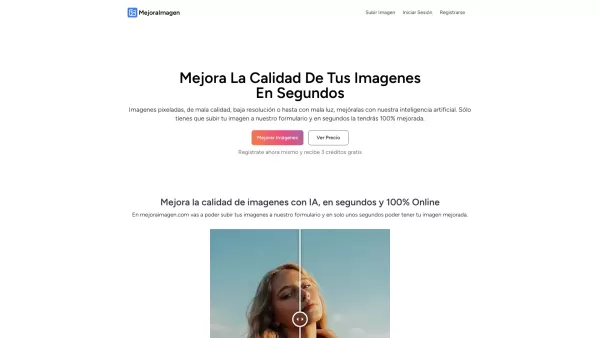
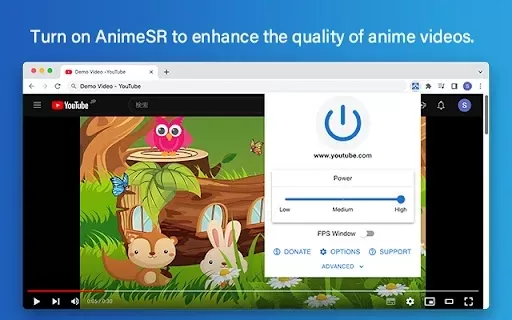

2026 Latest Best Top-rated AI Object Removal Editors for portraits travel product shots! XIX.AI curates a powerful game-changing collection regularly updated with weekly rankings. These tools offer real-world tests to help you quickly remove unwanted elements, boost content quality, and save tons of time without compromising results. Must-try for anyone aiming to unlock their AI creation edge. Explore now!
 10 tools
 xix.ai

2026 Latest Best Top-rated AI Text to Speech Tools for Online Courses are curated by XIX.AI based on rigorous real-world tests and weekly updated rankings. These powerful tools help creators deliver crystal-clear audio content effortlessly, boosting writing efficiency and streamlining course production. Check out the free vs paid comparison to find your perfect fit. Explore now to unlock your AI edge in online education.
10 tools
xix.ai

2026 Latest Best Top-Rated AI Blog Title Tools for Higher Click Through Rates! XIX.AI has carefully curated a powerful, game-changing collection of top tools that go through rigorous real-world tests. You’ll find a free vs paid comparison, weekly updated rankings, and detailed insights to help you boost your blog’s traffic efficiently. Must-try options are highlighted to help you unlock your AI edge. Explore now!
10 tools
xix.ai

2026 Latest Best Top-rated AI Task Routing Tools for Support Workflows! XIX.AI has curated a highly powerful game-changing collection of must-try solutions, all undergoing rigorous real-world tests and updated weekly. These tools streamline workflows, boost productivity, and help teams deliver faster, more efficient support. Explore now to discover your perfect tool and unlock your AI edge!
17 tools
xix.ai

2026 Latest Best Top-Rated AI Citation and Paper Summary Tools Curated by XIX.AI. Get powerful game-changing solutions for quick content creation, improved writing efficiency, and boosting productivity. We offer a free vs paid comparison along with real-world tests and weekly updated rankings to help you find the must-try tool that fits your needs perfectly. Explore now to Unlock your AI edge.
10 tools
xix.ai

2026 Latest Best Top-Rated AI Productivity Tools for Daily Work! XIX.AI has curated a powerful, game-changing selection based on rigorous weekly updated rankings and real-world tests. You’ll find must-try options that boost writing efficiency, streamline content creation, and help you overcome daily work challenges. Get a free vs paid comparison to find the perfect fit for your needs. Explore now to unlock your AI edge!
9 tools
xix.ai


