


 Home
Homebananatalk
AI PDF Chat & Summary | BananaTalk



Helps TikTok sellers, brands, MCNs, and TAPs discover winning products and find creators.

HelpLook is an AI-powered all-in-one knowledge base tool that helps businesses quickly build knowledge bases, help centers, and...

Your AI Workspace

302.AI is an enterprise-grade AI resource platform with pay-as-you-go pricing, API access to a full range of AI models, and ready-to-use online applications.

剧火AI — AI Screenwriter + Director, a One-Person Short Drama Studio In one sentence, what is it?
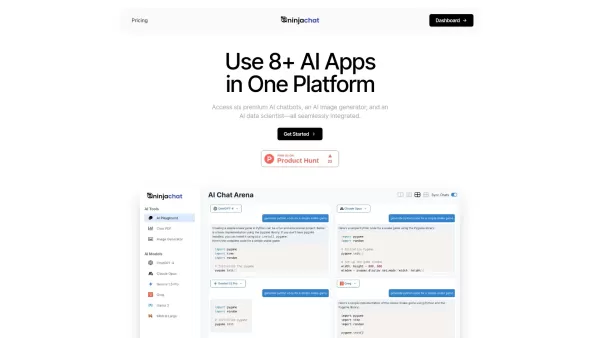
What is NinjaChat AI?NinjaChat is a comprehensive AI assistant that combines multiple AI capabilities into one unified platform. Users can interact with advanced models such as GPT-4 and Claude 3, analyze PDF documents, create images, and communicate

What is SigmaNote? SigmaNote is more than just another productivity tool—it’s your personal "second brain." Powered by AI, SigmaNote takes anything from PDFs to URLs, even videos, and turns it into smart, editable notes. Think of it as your ultimate knowl
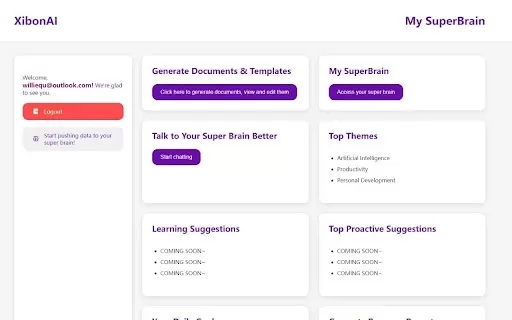
What is Xibon AI? Xibon AI's SuperBrain is an AI-powered tool that boosts productivity and learning by serving as your personal 'SecondBrain/SuperBrain.' It automatically captures, organizes, and summarizes important information as you browse the web
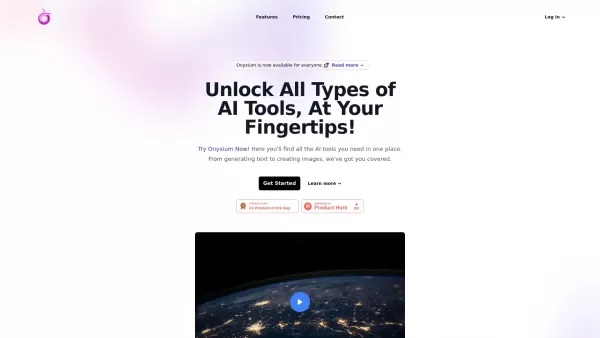
What is Onyxium AI?Onyxium AI is a comprehensive all-in-one platform providing a wide array of AI tools designed for diverse applications. Its capabilities include text generation, image recognition, and speech analysis. Users can navigate a straight

Ever wondered how students with ADHD can level up their study game? Enter Kumo Study, a revolutionary tool designed specifically to help these students thrive in their academic journey. It's not just another study app; it's a tailored experience that blen
bananatalk Product Information
What is bananatalk?
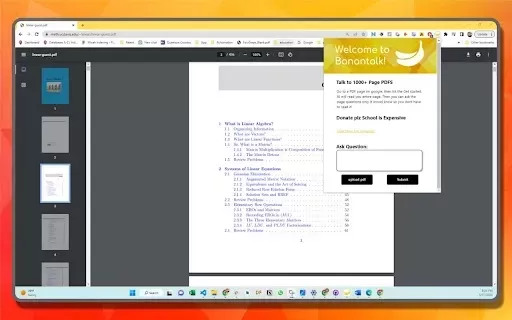
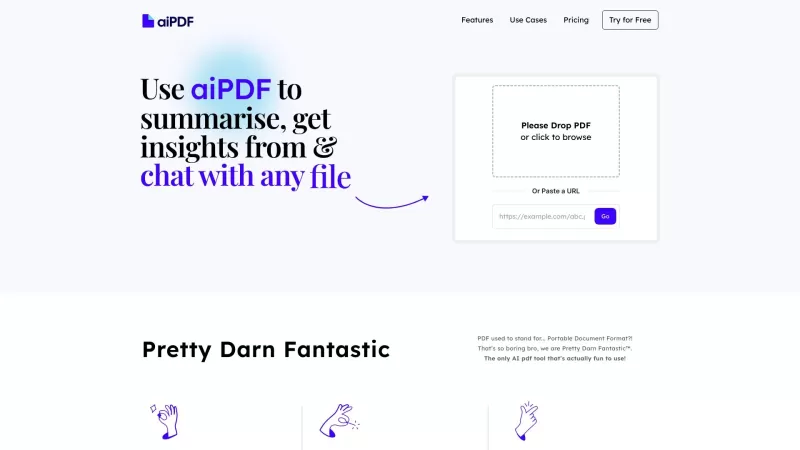
BananaTalk is an innovative Chrome extension that makes reading long PDFs easier. It lets you chat with your documents using natural language, providing instant summaries and key insights so you can grasp important information quickly without reading every page. Perfect for students, researchers, and busy professionals, BananaTalk boosts productivity and saves valuable time.
Who will use bananatalk?
- Students
- Researchers
- Professionals
- Academics
How to use the bananatalk?
- Step 1: Install the BananaTalk extension from the Chrome Web Store.
- Step 2: Open any PDF file in your browser.
- Step 3: Click the BananaTalk icon to activate the extension.
- Step 4: Begin chatting with the AI about the document's content.
- Step 5: Receive real-time summaries and insights extracted from the text.
Platform
- Web
- Chrome Extensions
bananatalk's Core Features & Benefits
The Core Features
- Natural language chat interface for documents
- AI-powered summarization of long texts
- Instant extraction of key points and insights
The Benefits
- Saves time by extracting essential information
- Improves comprehension through interactive Q&A
- Increases productivity when working with complex materials
bananatalk's Main Use Cases & Applications
- Efficiently reviewing academic papers and articles
- Quickly analyzing lengthy reports or instruction manuals
- Enhancing collaboration on projects with large documents
FAQs of bananatalk
What is BananaTalk?
BananaTalk is a Chrome extension for an interactive, chat-based PDF reading experience.
How does BananaTalk work?
It uses AI to summarize content and lets you ask questions about the PDF through a chat interface.
Who can use BananaTalk?
It is designed for students, researchers, and professionals.
Is it free to use?
Yes, BananaTalk is a free extension on the Chrome Web Store.
How do I install it?
Simply install it from the Chrome Web Store.
What types of documents can I use it with?
It works with any PDF document.
Can I use it on mobile?
It is currently available only for Chrome on desktop.
Does it save my PDF documents?
No, it does not save files; it only processes them during your active session.
Is my data safe?
Yes, your data remains private and is not stored.
What if I have issues using it?
Please contact customer support for help.
bananatalk Company Information
Website:
https://chromewebstore.google.com/detail/bananatalk/bjpajbcdofeokhmgoolgnlknlaepdakdCompany Name:
BananaTalkSupport Email:
NAFacebook:
NAX(Twitter):
NAYouTube:
NAInstagram:
NATiktok:
NALinkedIn:
NA
bananatalk Screenshot



2026 Latest Best Top-rated AI Object Removal Editors for portraits travel product shots! XIX.AI curates a powerful game-changing collection regularly updated with weekly rankings. These tools offer real-world tests to help you quickly remove unwanted elements, boost content quality, and save tons of time without compromising results. Must-try for anyone aiming to unlock their AI creation edge. Explore now!
 10 tools
 xix.ai

2026 Latest Best Top-rated AI Text to Speech Tools for Online Courses are curated by XIX.AI based on rigorous real-world tests and weekly updated rankings. These powerful tools help creators deliver crystal-clear audio content effortlessly, boosting writing efficiency and streamlining course production. Check out the free vs paid comparison to find your perfect fit. Explore now to unlock your AI edge in online education.
10 tools
xix.ai

2026 Latest Best Top-Rated AI Blog Title Tools for Higher Click Through Rates! XIX.AI has carefully curated a powerful, game-changing collection of top tools that go through rigorous real-world tests. You’ll find a free vs paid comparison, weekly updated rankings, and detailed insights to help you boost your blog’s traffic efficiently. Must-try options are highlighted to help you unlock your AI edge. Explore now!
10 tools
xix.ai

2026 Latest Best Top-rated AI Task Routing Tools for Support Workflows! XIX.AI has curated a highly powerful game-changing collection of must-try solutions, all undergoing rigorous real-world tests and updated weekly. These tools streamline workflows, boost productivity, and help teams deliver faster, more efficient support. Explore now to discover your perfect tool and unlock your AI edge!
17 tools
xix.ai

2026 Latest Best Top-Rated AI Citation and Paper Summary Tools Curated by XIX.AI. Get powerful game-changing solutions for quick content creation, improved writing efficiency, and boosting productivity. We offer a free vs paid comparison along with real-world tests and weekly updated rankings to help you find the must-try tool that fits your needs perfectly. Explore now to Unlock your AI edge.
10 tools
xix.ai

2026 Latest Best Top-Rated AI Productivity Tools for Daily Work! XIX.AI has curated a powerful, game-changing selection based on rigorous weekly updated rankings and real-world tests. You’ll find must-try options that boost writing efficiency, streamline content creation, and help you overcome daily work challenges. Get a free vs paid comparison to find the perfect fit for your needs. Explore now to unlock your AI edge!
9 tools
xix.ai


