


 Home
HomeAspen - API Testing for macOS



Helps TikTok sellers, brands, MCNs, and TAPs discover winning products and find creators.

HelpLook is an AI-powered all-in-one knowledge base tool that helps businesses quickly build knowledge bases, help centers, and...

Your AI Workspace

302.AI is an enterprise-grade AI resource platform with pay-as-you-go pricing, API access to a full range of AI models, and ready-to-use online applications.

剧火AI — AI Screenwriter + Director, a One-Person Short Drama Studio In one sentence, what is it?
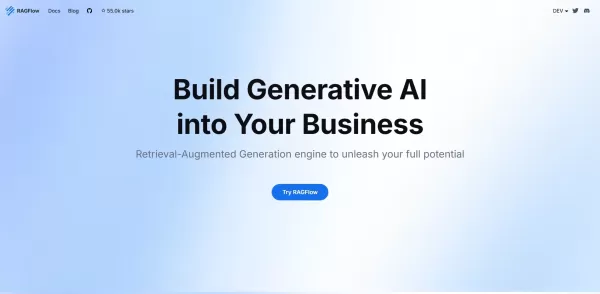
What is RAGFlow?RAGFlow is an open-source RAG (Retrieval-Augmented Generation) engine designed to simplify the creation and deployment of AI agents. It merges intelligent document processing with vector search to convert unstructured data from PDFs,

What Are Notion Templates for AI? Notion Templates for AI Integration to Supercharge Productivity Looking to harness the power of AI within your workflow? Notion Templates for AI Integration offers tailored solutions designed to streamline your day-to-day

What is QuickBox AI?QuickBox AI offers a handy browser extension that integrates a suite of AI tools directly into your browser. Pressing cmd+k (or ctrl+k) brings up a compact overlay on your current tab, enabling instant access to AI utilities. You
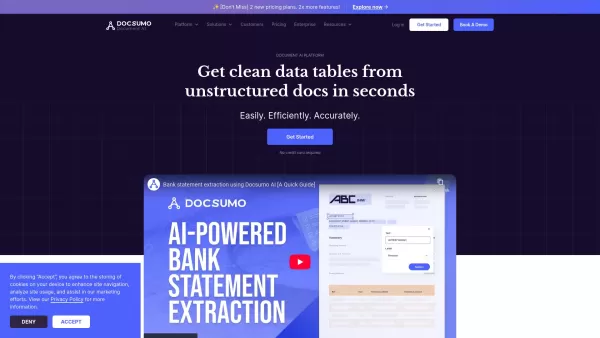
Docsumo is more than just another tech tool—it’s a powerhouse for businesses looking to streamline their document workflows. At its core, Docsumo uses advanced AI to effortlessly pull critical data from messy, unstructured documents like invoices, contrac
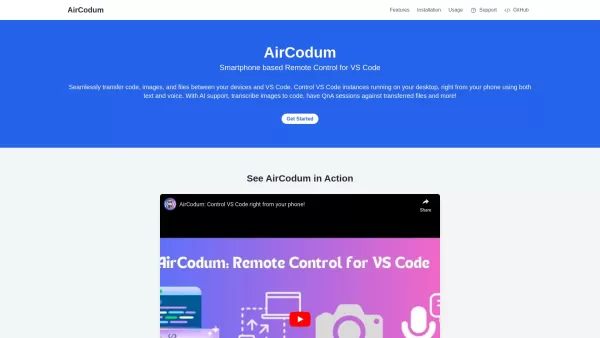
Ever wished you could control your VS Code from your phone? Enter CodeAir, the nifty mobile companion app that lets you do just that. It's like having a remote control for your coding environment, complete with file transfer capabilities right from your s
Aspen - API Testing for macOS Product Information
What is Aspen - API Testing for macOS?
Aspen is a free, native macOS application for testing REST APIs. It features built-in AI to help you test quickly and efficiently, with no account or login required. Built on a zero-trust foundation, Aspen ensures your data remains private and is never logged. You can generate integration code, craft OpenAPI Specifications, and design Data Models—all within one seamless interface, streamlining developer workflows and boosting productivity.
Who uses Aspen - API Testing for macOS?
- API Developers
- Software Testers
- Backend Engineers
- DevOps Professionals
How to use Aspen - API Testing for macOS
- Step 1: Download Aspen from the official website.
- Step 2: Install the application on your Mac.
- Step 3: Launch Aspen and create a new API project.
- Step 4: Input the API endpoints you want to test.
- Step 5: Set up your request parameters and headers.
- Step 6: Execute the tests and review the outcomes.
- Step 7: Leverage AI insights to refine your testing approach.
- Step 8: Save your API setups and results for later use.
Platform
- macOS
Aspen - API Testing for macOS: Core Features & Benefits
Core Features
- AI-Powered Assistance
- No Login Required
- REST API Focus
- Integration Code Generation
- OpenAPI Spec Creation
- Data Model Development
Key Benefits
- Boosts Productivity
- Enhanced Security & Privacy
- Intuitive User Interface
- Comprehensive Testing Tools
- All-in-One Solution
- Completely Free
Primary Use Cases & Applications
- Testing New API Endpoints
- Automating API Test Workflows
- Validating API Compliance
- Conducting Performance & Load Tests
- Debugging APIs in Development
Aspen - API Testing for macOS: Pros & Cons
Pros
A zero-trust architecture guarantees data security by processing everything locally without storing any information.
No login is needed, providing instant access to start testing APIs.
An integrated AI assistant accelerates testing and helps generate code and specifications.
Specifically designed for REST API testing with tailored functionality.
Enables team collaboration through shared Collections for organizing API requests.
It is completely free to use.
Cons
Only available for macOS, limiting access for users on other operating systems.
Its open-source status is not publicly disclosed.
Lacks native support for testing non-REST APIs (e.g., GraphQL, SOAP).
Aspen - API Testing for macOS Pricing
Has free plan | YES |
|---|---|
Free trial details | |
Pricing model | Free |
Is credit card required | No |
Paid from | |
Has lifetime plan | No |
Billing frequency |
For the latest prices, please visit: https://getaspen.io
Frequently Asked Questions about Aspen
Is Aspen free to use?
Yes, Aspen is completely free with no hidden costs.
Do I need to create an account to use Aspen?
No, Aspen requires no account creation or login.
What platforms is Aspen available on?
Aspen is exclusively available for macOS.
Can Aspen be used to test non-REST APIs?
Aspen is specifically optimized for testing REST APIs.
Does Aspen log any of my data?
No. Aspen operates on a zero-trust principle and does not log or store your data.
Does Aspen support API automation?
Yes, Aspen includes features to automate your API testing processes.
Can I generate OpenAPI Specifications using Aspen?
Yes, you can create OpenAPI Specifications directly within Aspen.
How do I install Aspen?
Download the installer from the official Aspen website and follow the setup instructions for macOS.
Does Aspen provide AI-based testing suggestions?
Yes, its integrated AI offers insights and suggestions to optimize your API tests.
Is there a support team I can contact for issues?
Yes, you can contact the support team via the official website.
Aspen - API Testing for macOS Company Information
Aspen - API Testing for macOS Screenshot

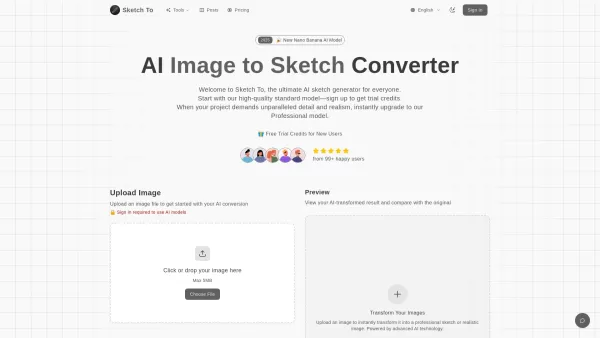

2026 Latest Best Manga AI Background Generators Ranked Top-Rated! This curated collection showcases powerful game-changing tools perfect for creating high-quality chapter backgrounds, book covers, and promotional art. Every option has undergone rigorous real-world tests to ensure reliability. Get a free vs paid comparison along with detailed insights. Explore now to discover your perfect tool and unlock your AI edge in manga creation.
 6 tools
 xix.ai

2026 Latest Best Top-rated AI Object Removal Editors for portraits travel product shots! XIX.AI curates a powerful game-changing collection regularly updated with weekly rankings. These tools offer real-world tests to help you quickly remove unwanted elements, boost content quality, and save tons of time without compromising results. Must-try for anyone aiming to unlock their AI creation edge. Explore now!
10 tools
xix.ai

2026 Latest Best Top-rated AI Text to Speech Tools for Online Courses are curated by XIX.AI based on rigorous real-world tests and weekly updated rankings. These powerful tools help creators deliver crystal-clear audio content effortlessly, boosting writing efficiency and streamlining course production. Check out the free vs paid comparison to find your perfect fit. Explore now to unlock your AI edge in online education.
10 tools
xix.ai

2026 Latest Best Top-Rated AI Blog Title Tools for Higher Click Through Rates! XIX.AI has carefully curated a powerful, game-changing collection of top tools that go through rigorous real-world tests. You’ll find a free vs paid comparison, weekly updated rankings, and detailed insights to help you boost your blog’s traffic efficiently. Must-try options are highlighted to help you unlock your AI edge. Explore now!
10 tools
xix.ai

2026 Latest Best Top-rated AI Task Routing Tools for Support Workflows! XIX.AI has curated a highly powerful game-changing collection of must-try solutions, all undergoing rigorous real-world tests and updated weekly. These tools streamline workflows, boost productivity, and help teams deliver faster, more efficient support. Explore now to discover your perfect tool and unlock your AI edge!
17 tools
xix.ai

2026 Latest Best Top-Rated AI Citation and Paper Summary Tools Curated by XIX.AI. Get powerful game-changing solutions for quick content creation, improved writing efficiency, and boosting productivity. We offer a free vs paid comparison along with real-world tests and weekly updated rankings to help you find the must-try tool that fits your needs perfectly. Explore now to Unlock your AI edge.
10 tools
xix.ai


