


 Home
HomeAngry Email Translator



Helps TikTok sellers, brands, MCNs, and TAPs discover winning products and find creators.

HelpLook is an AI-powered all-in-one knowledge base tool that helps businesses quickly build knowledge bases, help centers, and...

Your AI Workspace

302.AI is an enterprise-grade AI resource platform with pay-as-you-go pricing, API access to a full range of AI models, and ready-to-use online applications.

剧火AI — AI Screenwriter + Director, a One-Person Short Drama Studio In one sentence, what is it?
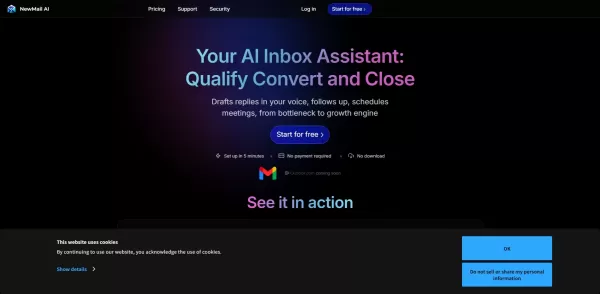
What is NewMail AI?NewMail AI provides a comprehensive suite of features that simplify email management. Powered by advanced AI algorithms, it automatically sorts incoming emails, highlights urgent messages, and proposes intelligent responses to boos
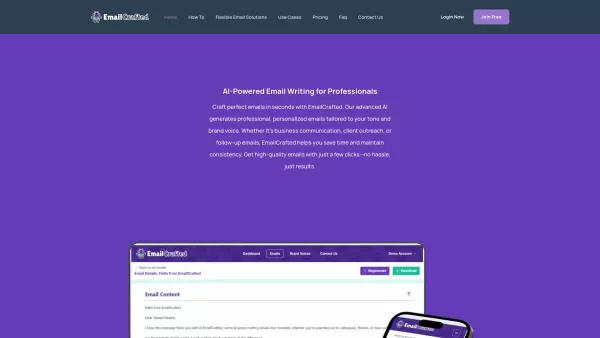
EmailCrafted isn't just another tool; it's like having a personal assistant dedicated to crafting your emails with a touch of AI magic. Imagine whipping up personalized, professional emails in a snap, all tailored to match your brand's unique voice. Wheth
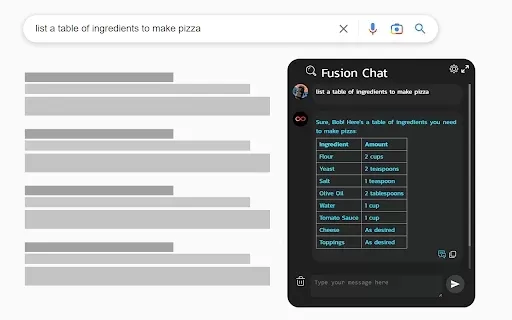
What is ChatGPT 4 for Google - ChatGPT Everywhere?The ChatGPT-4 for Google Chat extension brings the power of OpenAI's ChatGPT directly into your Google Chat workspace. It empowers you to craft replies, pull key information, and optimize your workflo
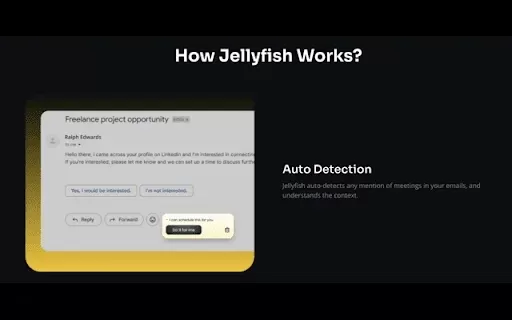
What is jellyfish?Jellyfish is an AI-powered Chrome extension that transforms meeting scheduling. Forget the tedious process of sending individual invites. Now, efficiently manage your calendar and eliminate email back-and-forth with a single click.
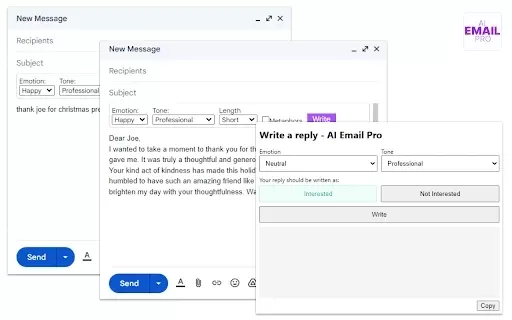
What is AI Email Pro?AI Email Pro is an intelligent email assistant that leverages artificial intelligence to help users draft emails swiftly and effectively. Its user-friendly interface allows you to create professional email drafts by simply enteri
Angry Email Translator Product Information
What is Angry Email Translator?
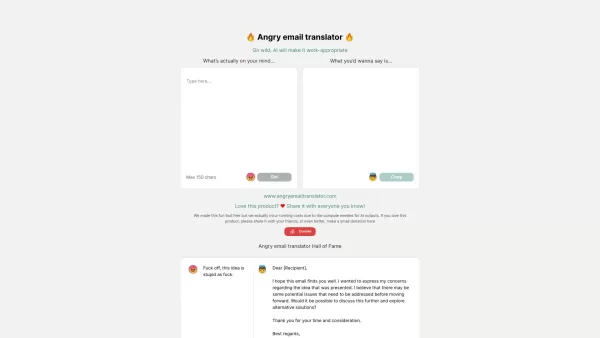
Angry Email Translator is an AI-powered online tool that helps you rephrase angry, passive-aggressive, or strongly worded emails into polite and professional messages. Using advanced language processing algorithms, it converts emotional and potentially harmful content into calm, respectful communication, helping you maintain relationships and professional standards.
Who uses Angry Email Translator?
- Employees
- Managers
- Business Professionals
- Freelancers
- Customer Service Representatives
- HR Personnel
How to use Angry Email Translator
- Step 1: Visit the Angry Email Translator website.
- Step 2: Paste your angry email into the input box.
- Step 3: Click the 'Translate' button.
- Step 4: Check the result to confirm it reflects your intent with a polite tone.
- Step 5: Copy the revised email and send it through your email client.
Platform
- Web
Angry Email Translator's Core Features & Benefits
Core Features
- Converts angry emails into polite versions
- Powered by advanced AI algorithms
- Preserves the main message
- Completely free to use
Benefits
- Avoids professional mistakes
- Enhances workplace communication
- Reduces stress when drafting difficult emails
- Boosts your professional image
Angry Email Translator's Main Use Cases & Applications
- Rephrasing customer complaints
- Responding to negative feedback
- Communicating with challenging colleagues or supervisors
- Managing sensitive HR discussions
- Drafting professional replies in stressful scenarios
Angry Email Translator's Pros & Cons
Pros
Turns angry messages into professional, polite communication
Free to use, with an option to donate for computing support
Improves workplace communication and minimizes conflict
Cons
Input text limited to 150 characters
No clear details on AI model accuracy or constraints
No dedicated mobile app or browser extensions
FAQs of Angry Email Translator
What is Angry Email Translator?
An AI tool that rewrites angry emails into polite and professional messages.
Is the tool free to use?
Yes, it is completely free.
How accurate is the translation?
It preserves your original message while softening the tone. It's generally reliable, but always review the output.
Do I need to sign up?
No sign-up is required to use the tool.
Can it handle long emails?
Yes, it can process emails of different lengths.
Is my data secure?
Yes, the tool values data security, but avoid including highly sensitive details.
Can I use it for non-work-related emails?
Yes, it works for any email communication.
Does it work on mobile devices?
Yes, it's web-based and accessible via browser on any device.
How quickly does it translate the email?
Translation happens almost instantly after clicking 'Translate'.
Will it change the meaning of my email?
It aims to keep your original meaning while making the tone more respectful.
Angry Email Translator Company Information
Website:
https://angryemailtranslator.comCompany Name:
Angry Email TranslatorSupport Email:
NAFacebook:
https://www.facebook.com/godofprompt/videos/98-lose-their-jobs-because-they-cant-handle-stressful-situationsthats-why-i-crea/797302649078144/X(Twitter):
NAYouTube:
https://www.youtube.com/watch?v=2JgrxWfggY8Instagram:
https://www.instagram.com/torro.io/reel/Cv8kcmwtxxN/Tiktok:
https://www.tiktok.com/discover/translating-angry-email-for-bossLinkedIn:
https://www.linkedin.com/pulse/angry-email-translator-your-solution-professional-raki-sarkar-advkc
Angry Email Translator Screenshot


2026 Latest Best AI Pull Request Review Tools for GitHub Teams are here on XIX.AI! This top-rated curated list showcases powerful game-changing solutions that streamline refactoring, bug fixing, and security gap detection across all team workflows. Enjoy a free vs paid comparison along with real-world tests and detailed rankings to help you find the perfect tool that boosts productivity significantly. Explore now to unlock your AI edge!
 12 tools
 xix.ai

2026 Latest Best Top-rated AI Text to Speech Tools for Natural Voiceovers are here on XIX.AI! This curated list features powerful, game-changing options that deliver crystal-clear voices for every use case, backed by real-world tests and weekly updated rankings. Get a free vs paid comparison to find the must-try solution that boosts your productivity instantly. Explore now to Unlock your AI edge!
11 tools
xix.ai

2026 Latest Best Manga AI Background Generators Ranked Top-Rated! This curated collection showcases powerful game-changing tools perfect for creating high-quality chapter backgrounds, book covers, and promotional art. Every option has undergone rigorous real-world tests to ensure reliability. Get a free vs paid comparison along with detailed insights. Explore now to discover your perfect tool and unlock your AI edge in manga creation.
6 tools
xix.ai

2026 Latest Best Top-rated AI Object Removal Editors for portraits travel product shots! XIX.AI curates a powerful game-changing collection regularly updated with weekly rankings. These tools offer real-world tests to help you quickly remove unwanted elements, boost content quality, and save tons of time without compromising results. Must-try for anyone aiming to unlock their AI creation edge. Explore now!
10 tools
xix.ai

2026 Latest Best Top-rated AI Text to Speech Tools for Online Courses are curated by XIX.AI based on rigorous real-world tests and weekly updated rankings. These powerful tools help creators deliver crystal-clear audio content effortlessly, boosting writing efficiency and streamlining course production. Check out the free vs paid comparison to find your perfect fit. Explore now to unlock your AI edge in online education.
10 tools
xix.ai

2026 Latest Best Top-Rated AI Blog Title Tools for Higher Click Through Rates! XIX.AI has carefully curated a powerful, game-changing collection of top tools that go through rigorous real-world tests. You’ll find a free vs paid comparison, weekly updated rankings, and detailed insights to help you boost your blog’s traffic efficiently. Must-try options are highlighted to help you unlock your AI edge. Explore now!
10 tools
xix.ai


