


 Home
HomeAll Document Reader Assistant



Helps TikTok sellers, brands, MCNs, and TAPs discover winning products and find creators.

HelpLook is an AI-powered all-in-one knowledge base tool that helps businesses quickly build knowledge bases, help centers, and...

Your AI Workspace

302.AI is an enterprise-grade AI resource platform with pay-as-you-go pricing, API access to a full range of AI models, and ready-to-use online applications.

剧火AI — AI Screenwriter + Director, a One-Person Short Drama Studio In one sentence, what is it?
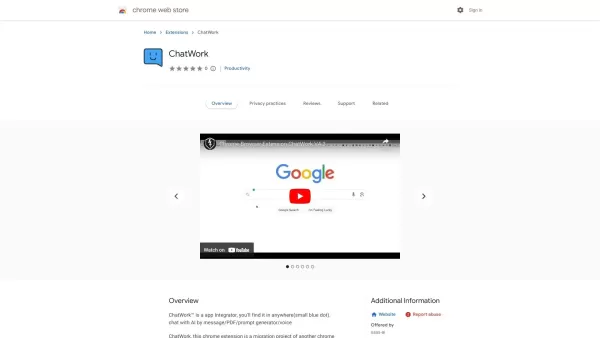
What is ChatWork?ChatWork is a powerful cloud-based collaboration platform for effortless team communication. It unites secure messaging, video conferencing, task management, and file sharing in a single, intuitive interface. This all-in-one solution

Filebox isn't just another cloud storage service; it's like having a smart assistant right in your digital pocket. Imagine a place where you can not only store, share, and manage your files securely but also harness the power of advanced AI to boost your
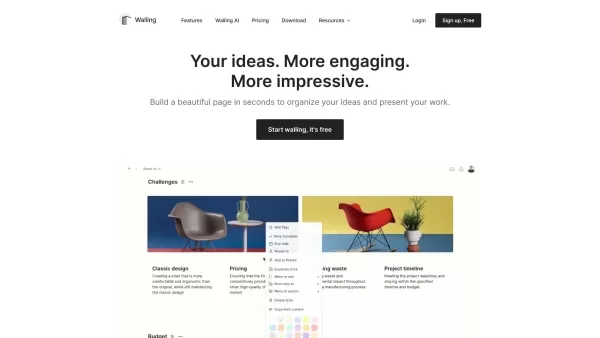
What is Walling AI?Walling is a productivity application that provides a visual workspace for organizing ideas, tasks, and projects. Its signature 'walls' offer a flexible and interactive canvas where users can incorporate notes, images, files, and v
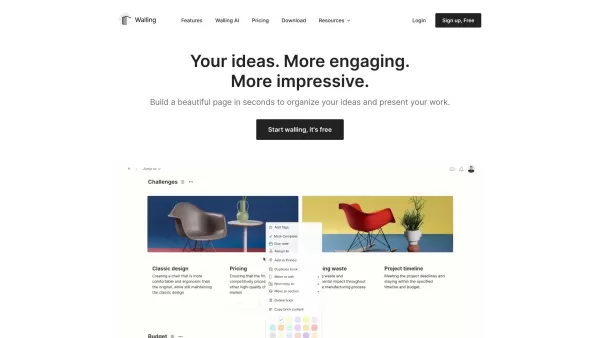
Ever felt overwhelmed with ideas, tasks, and projects scattered all over the place? Enter Walling, the revolutionary tool designed to streamline your work and present your ideas in a visually stunning way. With Walling, all you need to do is ask the Walli
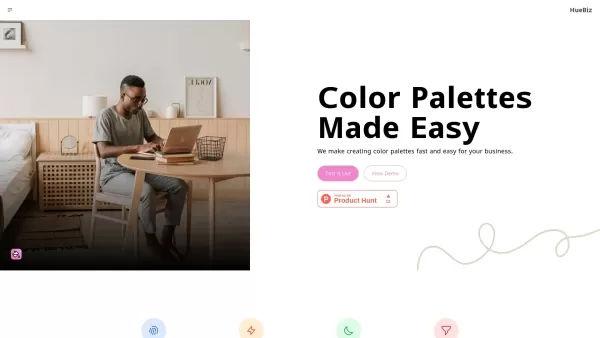
What is HueBiz?HueBiz is a comprehensive business management platform built to enhance team communication and foster effective collaboration. It offers features like task management, file sharing, and real-time messaging. The platform helps boost pro
All Document Reader Assistant Product Information
What Is the All Document Reader Assistant?
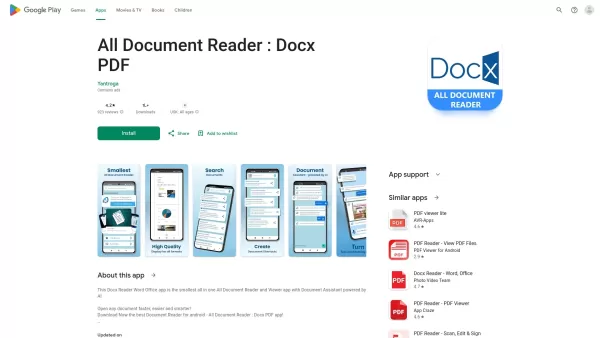
All Document Reader is a free, all-in-one mobile application designed to effortlessly view and manage different types of documents. This lightweight app supports a wide range of formats, including PDF, DOCX, XLSX, and more. Users can quickly open, read, and share any document directly on their devices. The intuitive design makes navigation simple, while the AI-powered assistant helps streamline tasks, ensuring a seamless document management experience on the go.
Who Uses the All Document Reader Assistant?
- Students
- Professionals
- Business Owners
- Teachers
- Researchers
How to Use the All Document Reader Assistant?
- Step 1: Download the All Document Reader app from the Play Store.
- Step 2: Open the app on your mobile device.
- Step 3: Select the document type you wish to view (PDF, DOCX, etc.).
- Step 4: Navigate to the document location on your device.
- Step 5: Tap on the desired document to open and read it.
Platform
- Android
All Document Reader Assistant's Core Features & Benefits
Core Features
- Supports multiple document formats
- AI-powered document assistant
- User-friendly interface
- Fast PDF and document viewing
- File sharing capabilities
Benefits
- Convenience of reading on the go
- Easily manage various document types
- Enhances productivity
- Creates a seamless user experience
- Saves storage with a lightweight app
All Document Reader Assistant's Main Use Cases & Applications
- Reading educational materials
- Managing business documents
- Sharing files with colleagues
- Preparing presentation materials
- Reviewing research papers
FAQs of All Document Reader Assistant
How Do I Download All Document Reader?
You can download it from the Google Play Store.
Is All Document Reader Free?
Yes, it is completely free to use.
What Document Formats Can I Open?
You can open PDF, DOCX, XLSX, and more.
Does It Require an Internet Connection?
No, it works offline as well.
Is There Support for Large Files?
Yes, the app supports various file sizes.
Can I Edit My Documents Directly in the App?
No, it is primarily for viewing documents.
Is the App User-Friendly?
Yes, it has an intuitive interface for easy navigation.
Does It Support Cloud Storage Integration?
No, but you can open files saved on your device.
What If I Face Issues While Using the App?
You can contact support via the app or through their website.
Can I Share Documents Using This App?
Yes, you can easily share documents from the app.
All Document Reader Assistant Company Information
Website:
https://5-letter-words.comCompany Name:
N/ASupport Email:
N/AFacebook:
N/AX (Twitter):
N/AYouTube:
N/AInstagram:
N/ATikTok:
N/ALinkedIn:
N/A
All Document Reader Assistant Screenshot


2026 Latest Best Top-rated AI Object Removal Editors for portraits travel product shots! XIX.AI curates a powerful game-changing collection regularly updated with weekly rankings. These tools offer real-world tests to help you quickly remove unwanted elements, boost content quality, and save tons of time without compromising results. Must-try for anyone aiming to unlock their AI creation edge. Explore now!
 10 tools
 xix.ai

2026 Latest Best Top-rated AI Text to Speech Tools for Online Courses are curated by XIX.AI based on rigorous real-world tests and weekly updated rankings. These powerful tools help creators deliver crystal-clear audio content effortlessly, boosting writing efficiency and streamlining course production. Check out the free vs paid comparison to find your perfect fit. Explore now to unlock your AI edge in online education.
10 tools
xix.ai

2026 Latest Best Top-Rated AI Blog Title Tools for Higher Click Through Rates! XIX.AI has carefully curated a powerful, game-changing collection of top tools that go through rigorous real-world tests. You’ll find a free vs paid comparison, weekly updated rankings, and detailed insights to help you boost your blog’s traffic efficiently. Must-try options are highlighted to help you unlock your AI edge. Explore now!
10 tools
xix.ai

2026 Latest Best Top-rated AI Task Routing Tools for Support Workflows! XIX.AI has curated a highly powerful game-changing collection of must-try solutions, all undergoing rigorous real-world tests and updated weekly. These tools streamline workflows, boost productivity, and help teams deliver faster, more efficient support. Explore now to discover your perfect tool and unlock your AI edge!
17 tools
xix.ai

2026 Latest Best Top-Rated AI Citation and Paper Summary Tools Curated by XIX.AI. Get powerful game-changing solutions for quick content creation, improved writing efficiency, and boosting productivity. We offer a free vs paid comparison along with real-world tests and weekly updated rankings to help you find the must-try tool that fits your needs perfectly. Explore now to Unlock your AI edge.
10 tools
xix.ai

2026 Latest Best Top-Rated AI Productivity Tools for Daily Work! XIX.AI has curated a powerful, game-changing selection based on rigorous weekly updated rankings and real-world tests. You’ll find must-try options that boost writing efficiency, streamline content creation, and help you overcome daily work challenges. Get a free vs paid comparison to find the perfect fit for your needs. Explore now to unlock your AI edge!
9 tools
xix.ai


