


 Home
HomeAI Photo Enhancer.Pro
AI Photo Enhancer: Sharpen, Denoise, Color Correct



Helps TikTok sellers, brands, MCNs, and TAPs discover winning products and find creators.

HelpLook is an AI-powered all-in-one knowledge base tool that helps businesses quickly build knowledge bases, help centers, and...

Your AI Workspace

302.AI is an enterprise-grade AI resource platform with pay-as-you-go pricing, API access to a full range of AI models, and ready-to-use online applications.

剧火AI — AI Screenwriter + Director, a One-Person Short Drama Studio In one sentence, what is it?

What is Deepfake Maker? Deepfake Maker is a comprehensive, browser-based AI tool for creating deepfakes, tailored for creators, marketers, and designers who need striking visuals without complicated software. It combines multiple AI capabilities: adv

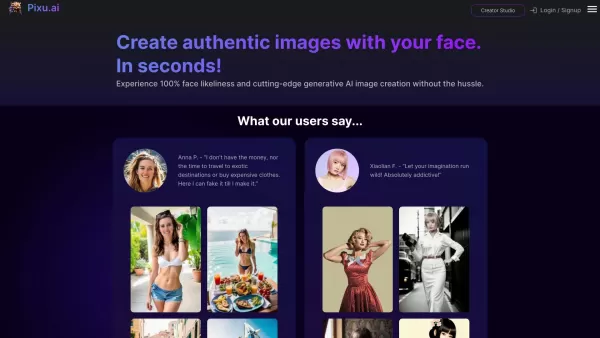
Ever wondered what it would be like to step into a world where fashion is just a click away? Well, DRESSX GEN AI is here to make that dream a reality. This nifty tool lets you upload a photo of yourself and, in a snap, you're digitally dressed in an outfi
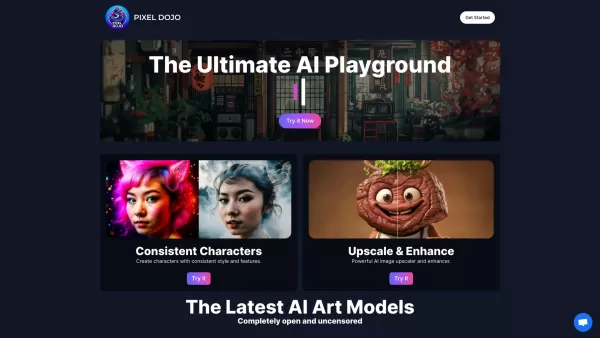
What is PixelDojo?Pixel Dojo is an innovative creative platform that offers a comprehensive suite of generative art tools. It empowers users to generate images from scratch, improve them with advanced upscaling technology, design consistent character

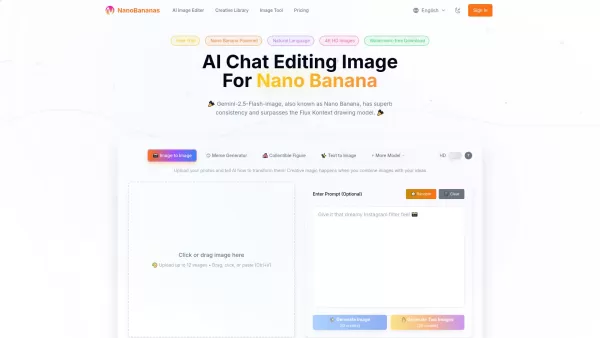
What is Banana AI - Free AI Photo Editor?Banana AI is a free, AI-driven photo editor that uses Google's Nano Banana technology (Gemini 2.5 Flash Image) to transform your pictures with simple text commands. Easily remove unwanted objects, swap backgro
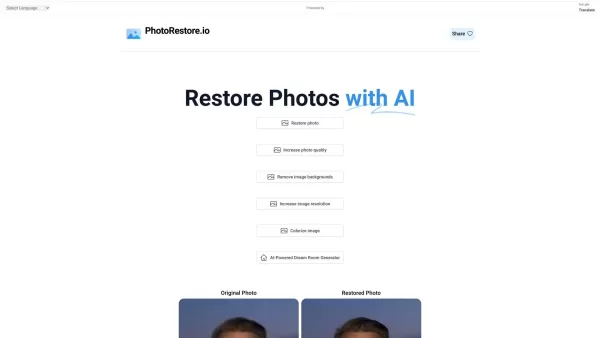
What is Photo Restore?PhotoRestore.io provides a specialized, free AI photo restoration service dedicated to reviving old, blurry, or damaged photographs. Utilizing advanced artificial intelligence, it repairs fading, enhances clarity, and improves o
AI Photo Enhancer.Pro Product Information
What is AI Photo Enhancer.Pro?
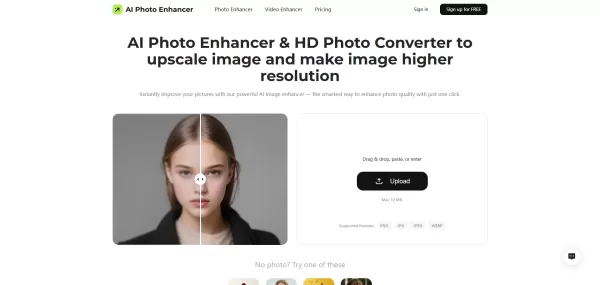
AI Photo Enhancer.Pro is a sophisticated online tool powered by artificial intelligence that elevates image quality with minimal effort. By leveraging AI, it sharpens details, reduces grain, enriches colors, eliminates blur, reconstructs pixels, and scales images up to 4K resolution. This intelligent enhancer delivers professional-grade results automatically with a single click, perfect for reviving vintage photos, brightening dimly-lit shots, and refining intricate details in both portraits and scenic views. It streamlines the enhancement process, producing rapid, high-quality outcomes without any need for manual editing expertise.
Who is AI Photo Enhancer.Pro for?
- Photographers looking for swift image quality upgrades
- Real estate professionals improving property listing photos
- Digital artists requiring crisp, detailed imagery
- Individuals digitizing and repairing old or damaged photographs
- Anyone seeking an effortless way to boost picture clarity
How to use AI Photo Enhancer.Pro
- Step 1: Upload your photo by dragging and dropping or choosing a file
- Step 2: Click 'Enhance Photo Now' for the AI to process your image automatically
- Step 3: Download the enhanced photo in your desired size and format
Platform
- Web
AI Photo Enhancer.Pro's Core Features & Benefits
The Core Features
- AI-driven image sharpening
- Noise reduction technology
- 4K upscaling capability
- Advanced color correction
- Pixel restoration and repair
- Smart blur elimination
The Benefits
- One-click instant photo enhancement
- Breathes new life into old and blurry pictures
- Enhances clarity while preserving natural textures
- Intuitive interface requiring no technical skills
- Compatible with numerous image formats
AI Photo Enhancer.Pro's Main Use Cases & Applications
- Restoring cherished family photographs
- Enhancing landscape and nature photography
- Improving pictures taken in low-light or nighttime conditions
- Refining facial details in portrait photography
- Upgrading meme and social media images
- Increasing resolution for high-quality prints
AI Photo Enhancer.Pro's Pros & Cons
The Pros
Extremely user-friendly with no manual editing necessary
Rapid, automated AI-powered improvements
Allows batch processing of multiple images
High-definition 4K image upscaling
Complimentary credits for new users
The Cons
No dedicated mobile or desktop application
Exclusively available on web platforms
Premium features may necessitate a paid subscription
AI Photo Enhancer.Pro's Pricing
Free plan available | YES |
|---|---|
Free trial specifics | Receive 50 complimentary credits upon account registration |
Pricing structure | Freemium |
Credit card required | No |
Starting price | 9.99 USD |
Lifetime plan offered | No |
Billing cycle | Monthly |
Details of Pricing Plan
Basic
0 USD
- Sign up to receive 50 complimentary credits
- Test the enhancer using free credits
Pro (110 credits/month)
9.99 USD
- 110 AI credits monthly
- Automatic monthly renewal
- Cancel subscription at any time
Pro (200 credits/month)
16.99 USD
- 200 AI credits each month
- Automatic renewal
- Flexible cancellation policy
For current pricing information, visit: https://www.aiphotoenhancer.pro/pricing
FAQs of AI Photo Enhancer.Pro
What is an AI image upscaler?
An AI image upscaler employs sophisticated algorithms to automatically increase photo resolution while maintaining image detail and quality.
How can I improve photo quality?
Enhance your photos online at no cost using AI Photo Enhancer by simply uploading your image and initiating the enhancement process.
How do I make photos clearer or convert them to HD?
Utilize AI Photo Enhancer to correct blurry images and upscale their resolution for sharper, high-definition results.
Can this tool serve as an alternative to Canva image enhancer or Remini photo enhancer?
Yes, it offers comprehensive enhancement features including noise reduction and upscaling that compete with these popular services.
Is there a free photo enhancement application?
While no standalone app exists, the web-based tool functions flawlessly across all devices and browsers.
Can I use it for free photo enhancement?
Absolutely, registration provides free credits to experience the enhancer without any financial commitment.
Is the upscaling tool suitable for beginners?
Definitely, AI automation handles all adjustments, eliminating the need for任何 editing knowledge.
How does it differ from conventional editing software?
It provides one-click AI enhancement, bypassing the complex manual procedures typically associated with software like Photoshop.
Which image formats are compatible?
The tool supports PNG, JPG, JPEG, and WEBP file formats.
Can I enhance several photos simultaneously?
Yes, batch upload functionality enables processing multiple images at once.
AI Photo Enhancer.Pro Company Information
- AI Photo Enhancer
- https://www.aiphotoenhancer.pro

Installation guide
AI Photo Enhancer.Pro Screenshot
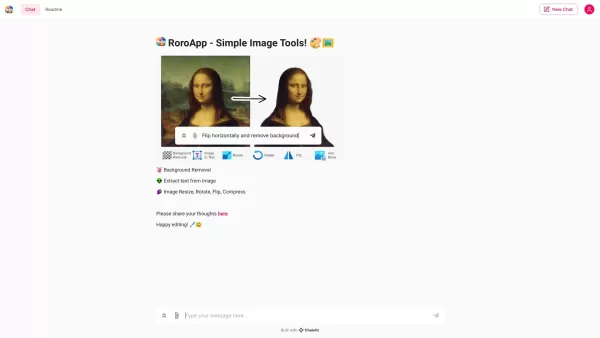

2026 Latest: Discover the best free AI photo colorizers to revitalize your vintage black-and-white family portraits into stunning HD color. Our curated list features top-rated tools, comparing free vs paid options with real-world tests. Easily restore and preserve precious memories with powerful, game-changing AI technology. Explore now and bring your family history to life with XIX.AI's weekly updated rankings.
 10 tools
 xix.ai


