


 Home
HomeReplyFast - Gmail AI Extension



Helps TikTok sellers, brands, MCNs, and TAPs discover winning products and find creators.

HelpLook is an AI-powered all-in-one knowledge base tool that helps businesses quickly build knowledge bases, help centers, and...

Your AI Workspace

302.AI is an enterprise-grade AI resource platform with pay-as-you-go pricing, API access to a full range of AI models, and ready-to-use online applications.

剧火AI — AI Screenwriter + Director, a One-Person Short Drama Studio In one sentence, what is it?

What is NOA?NOA Tech provides innovative technology solutions to enhance your business productivity. Utilizing advanced AI tools and custom automation, we identify operational bottlenecks, implement automation strategies, and empower your team to con

What is Wayin AI?Wayin AI is a robust tool that helps you understand videos quickly and effectively. Using advanced AI, it generates summaries of YouTube content so you can grasp the key points without watching the full video. This solution is ideal

What is Servant AI?Servant AI functions as your intelligent virtual assistant, integrating a wide array of tools and resources to simplify your daily tasks. Whether you're looking to erase backgrounds from photos, craft polished email signatures, or

What is US Visa Slots Auto Check and Reschedule?This Chrome extension automatically monitors the availability of US visa appointments and can reschedule your appointment to an earlier date when slots become available. It provides real-time updates an
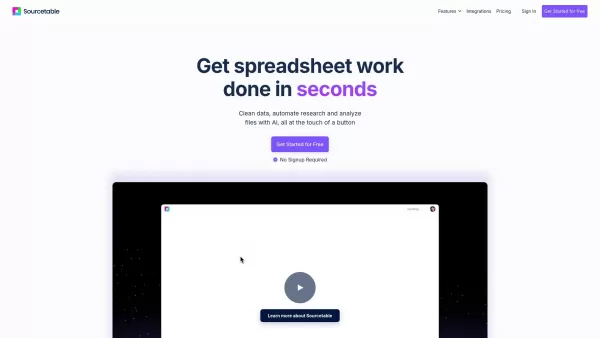
What is Sourcetable?Sourcetable is an AI-powered spreadsheet tool designed to streamline your data work. It lets you analyze files, create interactive charts, build complex formulas, clean large datasets, and perform research—all within a familiar sp
ReplyFast - Gmail AI Extension Product Information
What is ReplyFast - Gmail AI Extension?
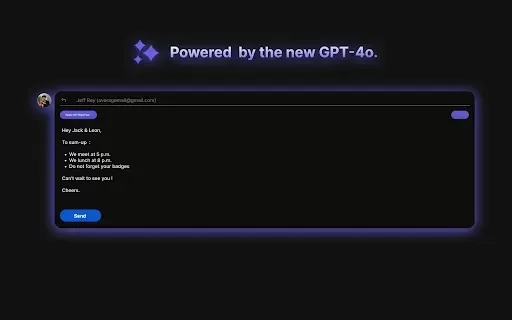
ReplyFast is an AI-powered Gmail extension that provides automated email responses and intelligent suggestions. It seamlessly analyzes incoming messages to draft replies that match your personal tone and context, streamlining your entire email workflow. This tool helps you save time and boost productivity by handling routine communications, allowing you to focus on what matters most.
Who will use ReplyFast - Gmail AI Extension?
- Professionals
- Business Owners
- Freelancers
- Customer Support Teams
- Students
How to use the ReplyFast - Gmail AI Extension?
- Step 1: Install ReplyFast from the Chrome Web Store.
- Step 2: Log into your Gmail account.
- Step 3: Open any email message.
- Step 4: Review and select an AI-generated reply from the ReplyFast panel.
- Step 5: Customize the response as needed, then send it.
- Step 6: Repeat the process for future emails to manage your inbox efficiently.
Platform
- Web
- Chrome
ReplyFast - Gmail AI Extension's Core Features & Benefits
The Core Features
- AI-Crafted Email Replies
- Context-Aware Response Suggestions
- Smooth Gmail Integration
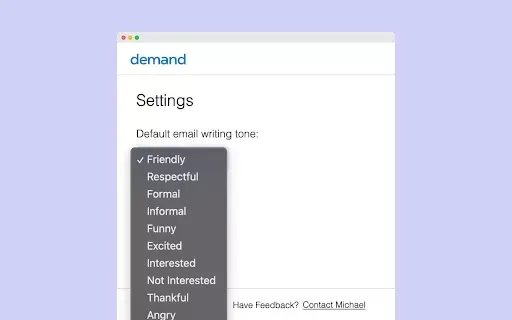
- Customizable Reply Options
- Time-Saving Automation
The Benefits
- Faster Email Response Times
- Greater Productivity
- Less Time Spent on Email Management
- More Effective Communication
- Intuitive, Easy-to-Use Interface
ReplyFast - Gmail AI Extension's Main Use Cases & Applications
- Quickly addressing customer support questions
- Responding to frequently asked email queries
- Sending fast replies during peak busy periods
- Efficiently managing high email volume
FAQs of ReplyFast - Gmail AI Extension
Is it safe to use ReplyFast?
Yes, ReplyFast follows strict privacy protocols to ensure your email data remains secure and confidential.
Which browsers support ReplyFast?
ReplyFast is designed for use with Google Chrome.
Does ReplyFast work offline?
No, an active internet connection is necessary for ReplyFast to function.
Can businesses use ReplyFast?
Yes, businesses and teams can use ReplyFast to improve their overall email communication efficiency.
What is ReplyFast?
ReplyFast is an AI extension for Gmail that automates and accelerates email replying.
How does ReplyFast work?
It intelligently analyzes email content and creates suitable reply drafts based on your style and preferences.
Is ReplyFast free to use?
ReplyFast provides a free basic version, with premium plans available for expanded features.
Can I customize the replies?
Yes, you can fully edit and personalize every AI-generated reply to fit your voice.
How can I uninstall ReplyFast?
To uninstall, visit the Chrome extensions management page and remove ReplyFast from there.
Is there customer support for ReplyFast?
Yes, customer support is available to help with any issues or inquiries you may have.
ReplyFast - Gmail AI Extension Company Information
ReplyFast - Gmail AI Extension Screenshot


2026 Latest Best Top-rated AI Object Removal Editors for portraits travel product shots! XIX.AI curates a powerful game-changing collection regularly updated with weekly rankings. These tools offer real-world tests to help you quickly remove unwanted elements, boost content quality, and save tons of time without compromising results. Must-try for anyone aiming to unlock their AI creation edge. Explore now!
 10 tools
 xix.ai

2026 Latest Best Top-rated AI Text to Speech Tools for Online Courses are curated by XIX.AI based on rigorous real-world tests and weekly updated rankings. These powerful tools help creators deliver crystal-clear audio content effortlessly, boosting writing efficiency and streamlining course production. Check out the free vs paid comparison to find your perfect fit. Explore now to unlock your AI edge in online education.
10 tools
xix.ai

2026 Latest Best Top-Rated AI Blog Title Tools for Higher Click Through Rates! XIX.AI has carefully curated a powerful, game-changing collection of top tools that go through rigorous real-world tests. You’ll find a free vs paid comparison, weekly updated rankings, and detailed insights to help you boost your blog’s traffic efficiently. Must-try options are highlighted to help you unlock your AI edge. Explore now!
10 tools
xix.ai

2026 Latest Best Top-rated AI Task Routing Tools for Support Workflows! XIX.AI has curated a highly powerful game-changing collection of must-try solutions, all undergoing rigorous real-world tests and updated weekly. These tools streamline workflows, boost productivity, and help teams deliver faster, more efficient support. Explore now to discover your perfect tool and unlock your AI edge!
17 tools
xix.ai

2026 Latest Best Top-Rated AI Citation and Paper Summary Tools Curated by XIX.AI. Get powerful game-changing solutions for quick content creation, improved writing efficiency, and boosting productivity. We offer a free vs paid comparison along with real-world tests and weekly updated rankings to help you find the must-try tool that fits your needs perfectly. Explore now to Unlock your AI edge.
10 tools
xix.ai

2026 Latest Best Top-Rated AI Productivity Tools for Daily Work! XIX.AI has curated a powerful, game-changing selection based on rigorous weekly updated rankings and real-world tests. You’ll find must-try options that boost writing efficiency, streamline content creation, and help you overcome daily work challenges. Get a free vs paid comparison to find the perfect fit for your needs. Explore now to unlock your AI edge!
9 tools
xix.ai


ReplyFast is a game-changer for my inbox! 😅 I used to dread responding to emails, but now I just click and it drafts a reply that actually sounds like me. Saves so much time, though I worry I might get too lazy to write anything myself. Still, highly recommend! 👍


