


 首頁
首頁


Helps TikTok sellers, brands, MCNs, and TAPs discover winning products and find creators.

HelpLook is an AI-powered all-in-one knowledge base tool that helps businesses quickly build knowledge bases, help centers, and...

Your AI Workspace

302.AI is an enterprise-grade AI resource platform with pay-as-you-go pricing, API access to a full range of AI models, and ready-to-use online applications.

剧火AI — AI Screenwriter + Director, a One-Person Short Drama Studio In one sentence, what is it?

有沒有想過在設計工具包中有一點魔術會是什麼樣?輸入魔術師For Figma,這是一種令人眼花ai亂的AI驅動工具,可以改變您的設計體驗。就像在您身邊有一個創意嚮導,準備想起一個

有沒有想過Tleporthq是什麼?這是一個改變遊戲規則的人,對於任何潛入前端設計和開發的人而不會迷失在代碼中。這個低代碼平台擁有一個視覺構建器,可以使製作靜態網站和用戶inte

有沒有想過要在您身邊擁有一個設計大師,引導您了解每個像素和調色板的選擇會是什麼樣?這就是設計副標士的所在地 - 一個精美的AI驅動平台,就像擁有個人UI/UX導師一樣。它旨在幫助E
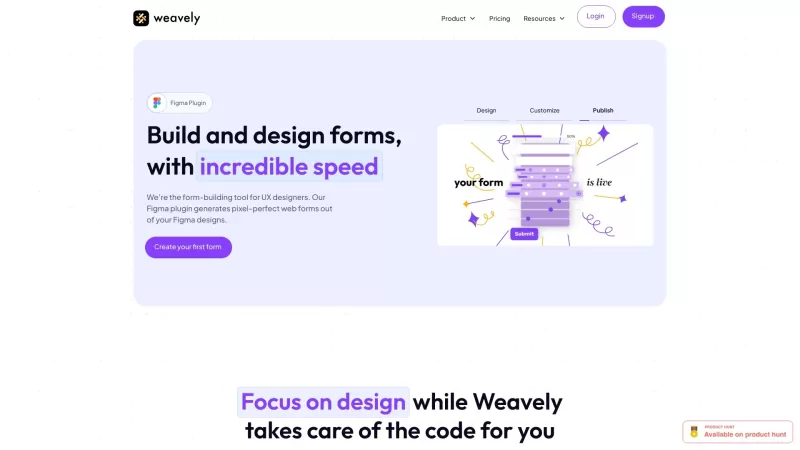
有沒有想過要編織的全部內容?好吧,讓我向您介紹有史以來第一個旨在在無花果中工作的AI形式構建器。是的,您聽到了正確的聲音 - 徹底改變了您直接在自己喜歡的DES中創建和發布表格的方式
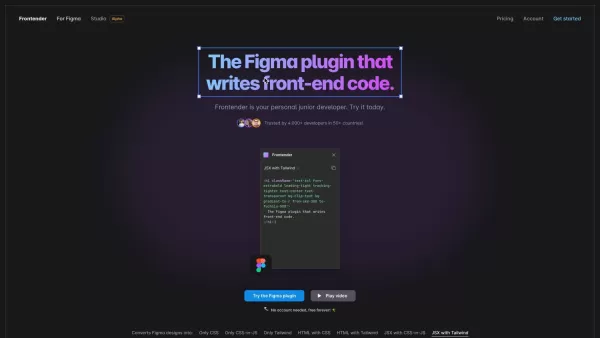
想像一下,您剛在 Figma 中完成一個美觀、人性化的設計,而現在卻要將它轉換成前端程式碼。輸入Frontender ,您在設計世界中的新好朋友。將它視為您個人的初級開發人員,只需按一下按鈕,即可將您的 Figma 設計轉換為可用的程式碼。如何使用Frontender?開始使用Frontender 非常容易。首先,您需要安裝 Figma 外掛程式。安裝完成後,只需選擇 Figma 檔案中的任
UIQuill產品信息
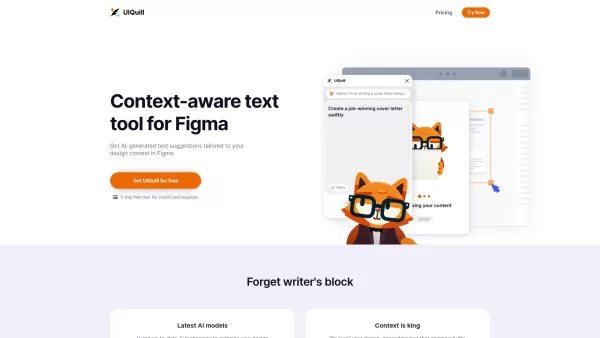
Ever found yourself staring at a blank text box in Figma, unsure of what to write? Enter UIQuill, your new best friend in the world of design. This innovative tool is not just another text generator; it's a context-aware cat writer that integrates seamlessly with Figma to provide AI-powered text suggestions tailored to your design's specific needs. Whether you're working on a light or dark mode design, UIQuill has got you covered with seamless text fitting and even throws in SEO optimization to boost your content's quality. It's like having a savvy copywriter perched on your shoulder, whispering brilliant ideas into your ear as you work.
How to Use UIQuill?
Getting started with UIQuill is a breeze. Just add it to your Figma workspace, and you're off to the races. Whether you're tweaking a single text layer, a group, a frame, or the whole page, UIQuill steps in with optimization suggestions that fit your design context like a glove. It's like magic, but better—because it's real, and it's here to make your design process smoother than ever.
UIQuill's Core Features
Context-aware AI Text Suggestions
UIQuill doesn't just throw random text at you. It understands your design's vibe and offers suggestions that match your style and tone perfectly.
Light/Dark Mode
Switching between light and dark modes? No problem. UIQuill adjusts its text suggestions to ensure they look great no matter the background.
SEO-Optimized Text
Want your content to rank higher on search engines? UIQuill's got your back with SEO-optimized text that's both engaging and effective.
10x Design Process Efficiency
Who doesn't love efficiency? UIQuill promises to speed up your design process by a whopping 10 times, leaving you more time to focus on the creative stuff.
UIQuill's Use Cases
- Quick Text Suggestions: Need text that matches your Figma design's style and tone? UIQuill delivers suggestions faster than you can say "Lorem ipsum."
- SEO Optimization: Effortlessly optimize your content for SEO with AI-generated text that's designed to perform.
FAQ from UIQuill
- Is UIQuill compatible with all versions of Figma?
- Yes, UIQuill is designed to work seamlessly with all versions of Figma, ensuring you get the best experience no matter what.
- Can UIQuill suggest text for specific design elements in Figma?
- Absolutely! UIQuill can provide tailored text suggestions for any design element you select, from individual text layers to entire pages.
UIQuill Company
Behind this game-changing tool is Karma, a company dedicated to making your design life easier and more productive.
UIQuill Pricing
Curious about the cost? Check out the pricing details at UIQuill's pricing page.
UIQuill屏幕截圖




2026 年最新、最佳且評價最高的中小企業 AI 競爭研究工具!XIX.AI 精心精選了一系列極具威力且能改變遊戲規則的工具,並透過嚴謹的實測與詳細排名,每週更新內容。您可在此找到詳盡的免費版與付費版比較,協助您找出必試的工具,以提升工作效率並獲得競爭優勢。 立即探索,找出最適合您的工具!
 9 個工具
9 個工具
 xix.ai

2026 年最新最佳 Photoshop AI 修圖工具,適用於電商服裝、皮膚清潔和色彩一致性!這份頂級精選列表包含強大的變革性解決方案,可幫助您提升寫作效率、簡化內容創作並輕鬆實現完美的視覺效果。每個工具都經過實際測試,並透過每週更新的排名進行驗證,同時提供免費與付費版本的詳細對比。由 XIX.AI 支援,這是任何希望發揮 AI 優勢的人必試指南。立即探索!
10 個工具
xix.ai

2026 年最新、最受好評的 AI 提示詞庫,可優化各類 ChatGPT 工作流程。XIX.AI 精心蒐羅了一套強大且具革命性的精選集合,並經過嚴格的實際測試,以確保其表現卓越。 您可查閱詳盡的免費版與付費版比較分析,以及專家評比,助您挑選必試工具,從而提升工作效率並釋放您的 AI 優勢。立即探索!
11 個工具
xix.ai

2026年最新最佳AI測驗構建平臺,適用於教師、輔導老師和基於群體的學習專案!XIX.AI精心整理了一份頂級評分列表,包含經過現實世界測試的強力變革性工具,以提供準確的排名。這些必試平臺有助於提高寫作效率、簡化內容創作,並簡化各種學習場景中的測驗設計。立即探索,發現您解鎖教學AI優勢的理想工具!
13 個工具
xix.ai

2026 年最新、最優秀的 GitHub 團隊 AI 拉取請求審查工具,就在 XIX.AI!這份精選且評價極高的清單,展示了多款強大且能徹底改變遊戲規則的解決方案,可優化所有團隊工作流程中的重構、錯誤修復及安全漏洞偵測。 透過免費與付費版本的比較、實際測試結果以及詳細排名,協助您找到能顯著提升生產力的完美工具。立即探索,釋放您的 AI 競爭優勢!
12 個工具
xix.ai

2026 年最新、最受好評的頂級 AI 文字轉語音工具,助您打造自然生動的配音,盡在 XIX.AI!這份精選清單收錄了強大且顛覆業界的選項,能為各種使用情境提供水晶般清晰的語音,並經由實際測試驗證,排行榜更每週更新。 立即獲取免費版與付費版的比較指南,找出能瞬間提升您工作效率的必試解決方案。現在就來探索,解鎖您的 AI 競爭優勢!
11 個工具
xix.ai


UIQuillのコンテキスト感知機能がデザインワークフローに革命をもたらしました!Figmaで迷子になるテキストボックスにさよならできるのが最高です。AIが提案してくれる文章が驚くほど自然で、クライアントプレゼンの時間を半分に短縮できました🎉 もっと早く出会いたかったかも…


