


 Home
HomeYouTube Transcript Generator
YouTube Video Transcripts Made Simple



Helps TikTok sellers, brands, MCNs, and TAPs discover winning products and find creators.

HelpLook is an AI-powered all-in-one knowledge base tool that helps businesses quickly build knowledge bases, help centers, and...

Your AI Workspace

302.AI is an enterprise-grade AI resource platform with pay-as-you-go pricing, API access to a full range of AI models, and ready-to-use online applications.

剧火AI — AI Screenwriter + Director, a One-Person Short Drama Studio In one sentence, what is it?
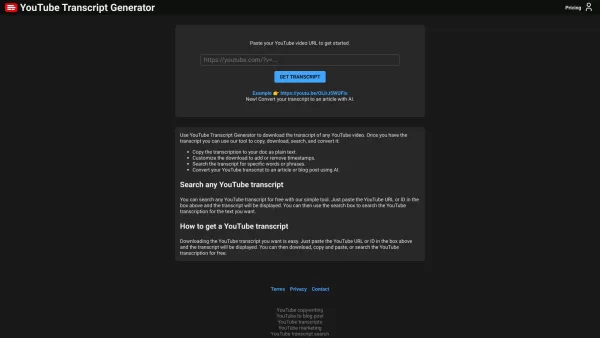
YouTube Transcript Generator Product Information
What is a YouTube Transcript Generator?
Imagine having the ability to turn any YouTube video into a neatly organized text document—well, that’s exactly what a YouTube Transcript Generator does. It’s a nifty tool powered by AI technology that extracts spoken words from videos and converts them into written transcripts. Whether you’re looking to study, analyze content, or even repurpose video material into written form, this tool makes life easier by saving you the hassle of manually transcribing audio.How Does a YouTube Transcript Generator Work?
Using one of these generators is simpler than you think. All you need to do is copy the URL of the YouTube video you want to transcribe and paste it into the generator. Within moments, voilà! You’ll have a full transcript ready to go. From there, you can tweak the text, add formatting, or even let the AI churn out an article based on the transcript—all customizable and tailored to your needs.The Core Features of a YouTube Transcript Generator
- Transcript extraction from any YouTube video: No matter how long or complex the video is, this tool handles it with ease.
- AI article generation: Not only can it create transcripts, but it can also transform those transcripts into polished articles or blog posts for further use.
Potential Use Cases
- Downloading YouTube video transcripts for reference: Perfect for students, researchers, or anyone who wants a quick reference guide.
- Converting transcripts to articles or blog posts: Ideal for bloggers or content creators who want to expand their library of written material.
Frequently Asked Questions
- How to use the YouTube Transcript Generator?
- Simply head over to the generator website, paste the video URL, and let the AI work its magic. It’s that simple!
- YouTube Transcript Generator Support Email & Customer Service Contact
- Need help? Reach out via email at [\[email protected\]](/cdn-cgi/l/email-protection#e485828b8f8cac989e858e9383928f989c8f8d8e87818e819285928d90cacc8a8c). They’re usually quick to respond and super helpful!
- YouTube Transcript Generator Login
- Log in directly through this link: https://transcriptgenerator.com/account. Forgot your password? No problem, just reset it!
- YouTube Transcript Generator Sign Up
- Ready to dive in? Sign up here: https://transcriptgenerator.com/subscribe.
- YouTube Transcript Generator Pricing
- Pricing details are available here: https://transcriptgenerator.com/subscribe. Plans vary depending on usage and features.
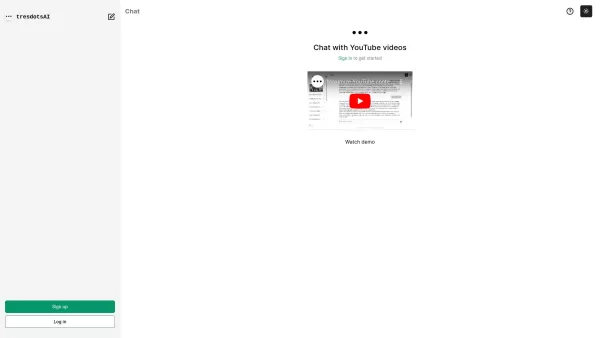
YouTube Transcript Generator Screenshot

2026 Latest Best Top-rated AI Text to Speech Tools for Online Courses are curated by XIX.AI based on rigorous real-world tests and weekly updated rankings. These powerful tools help creators deliver crystal-clear audio content effortlessly, boosting writing efficiency and streamlining course production. Check out the free vs paid comparison to find your perfect fit. Explore now to unlock your AI edge in online education.
 10 tools
 xix.ai

2026 Latest Best Top-Rated AI Blog Title Tools for Higher Click Through Rates! XIX.AI has carefully curated a powerful, game-changing collection of top tools that go through rigorous real-world tests. You’ll find a free vs paid comparison, weekly updated rankings, and detailed insights to help you boost your blog’s traffic efficiently. Must-try options are highlighted to help you unlock your AI edge. Explore now!
10 tools
xix.ai

2026 Latest Best Top-rated AI Task Routing Tools for Support Workflows! XIX.AI has curated a highly powerful game-changing collection of must-try solutions, all undergoing rigorous real-world tests and updated weekly. These tools streamline workflows, boost productivity, and help teams deliver faster, more efficient support. Explore now to discover your perfect tool and unlock your AI edge!
17 tools
xix.ai

2026 Latest Best Top-Rated AI Citation and Paper Summary Tools Curated by XIX.AI. Get powerful game-changing solutions for quick content creation, improved writing efficiency, and boosting productivity. We offer a free vs paid comparison along with real-world tests and weekly updated rankings to help you find the must-try tool that fits your needs perfectly. Explore now to Unlock your AI edge.
10 tools
xix.ai

2026 Latest Best Top-Rated AI Productivity Tools for Daily Work! XIX.AI has curated a powerful, game-changing selection based on rigorous weekly updated rankings and real-world tests. You’ll find must-try options that boost writing efficiency, streamline content creation, and help you overcome daily work challenges. Get a free vs paid comparison to find the perfect fit for your needs. Explore now to unlock your AI edge!
9 tools
xix.ai

2026 Latest Best Top-Rated AI Systematic Review Tools for Research Screening are here on XIX.AI! This curated collection includes powerful, game-changing solutions that go through rigorous real-world tests to deliver accurate results. We also offer a free vs paid comparison along with weekly updated rankings to help you find the must-try option that boosts your research efficiency significantly. Explore now to unlock your AI edge in academic work!
11 tools
xix.ai


