


 Home
HomeXpression Camera
AI Face Swap: Real-Time Expression Transfer



Helps TikTok sellers, brands, MCNs, and TAPs discover winning products and find creators.

HelpLook is an AI-powered all-in-one knowledge base tool that helps businesses quickly build knowledge bases, help centers, and...

Your AI Workspace

302.AI is an enterprise-grade AI resource platform with pay-as-you-go pricing, API access to a full range of AI models, and ready-to-use online applications.

剧火AI — AI Screenwriter + Director, a One-Person Short Drama Studio In one sentence, what is it?

Ever wondered what lies beneath the fabric? Well, Undress AI promises to give you a peek with its deepnude technology. It's like having a digital artist at your fingertips, ready to create those "what if" scenarios without any of the hassle. This tool isn

What is Celebrity AI?CelebrityAI revolutionizes digital content creation with its cutting-edge artificial intelligence platform that generates lifelike celebrity videos and voice messages. Using sophisticated technologies including deep neural networ

If you're diving into the world of AI and need a tool to streamline your interactions with models like ChatGPT, Claude, and Gemini, let me introduce you to TaoPrompt. This isn't just another AI tool; it's a professional prompt generator that's designed to

So, what’s this whole Distribute | Death To Whitepapers thing about? Think of it as your secret weapon for creating killer content—fast. In under 10 minutes, you can whip up something truly valuable, whether it’s a sleek one-pager, a micro-website, or eve

Ever wondered what EwolveAI is all about? Well, let me break it down for you. EwolveAI isn't just another AI tool; it's your all-in-one AI solution that's here to revolutionize the way you handle content. Whether you're a writer, a marketer, or just someo
Xpression Camera Product Information
What is Xpression Camera?
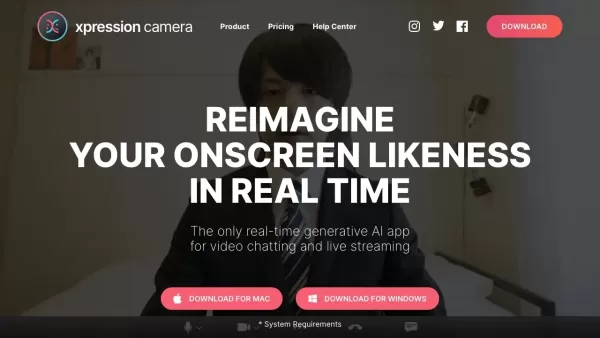
Xpression Camera is a virtual camera application that uses AI to animate photos with your live facial expressions. It integrates smoothly with popular video calling and streaming services like Zoom, Twitch, Microsoft Teams, Google Meet, and YouTube. The app makes it easy to produce fun videos, GIFs, and memes, perfect for content creators, streamers, and anyone wanting to add a creative touch to their online interactions.
Who will use Xpression Camera?
- Content Creators
- Streamers
- Educators
- Business Professionals
- Social Media Influencers
- Everyday Users
How to use the Xpression Camera?
- Step 1: Download and install Xpression Camera from the official site or your app store.
- Step 2: Launch the app and allow the required camera and microphone permissions.
- Step 3: Choose a photo or image you wish to animate.
- Step 4: Face your camera and begin your video call or live stream.
- Step 5> The app will instantly apply your facial movements and expressions to the selected image.
- Step 6: Utilize the built-in tools to record videos, generate GIFs, or create memes on the fly.
Platform
- Web
- Mac
- Windows
- iOS
- Android
Xpression Camera's Core Features & Benefits
The Core Features
- Real-Time Facial Expression Mapping
- Seamless Integration with Major Video Platforms
- AI-Powered Effects and Filters
- High-Resolution Output Enhancement
- Commercial Use Licensing
The Benefits
- Capture and hold your audience's attention
- Simplify and speed up content creation
- Strengthen your personal or brand's online image
- Flexible use across various applications and devices
- Unlock new levels of creative expression
Xpression Camera's Main Use Cases & Applications
- Video Conferencing and Chatting
- Live Streaming and Broadcasting
- Digital Content Production
- Online Education and Virtual Teaching
- Professional Video Meetings
- Boosting Social Media Interaction
FAQs of Xpression Camera
What is Xpression Camera used for?
Xpression Camera animates still images using your live facial expressions, perfect for spicing up video calls, streams, and creative projects.
How do I install Xpression Camera?
Install Xpression Camera by downloading it from the official website or your device's app store. It's available for web browsers, Windows, Mac, iOS, and Android.
Is Xpression Camera free?
Yes, Xpression Camera has a free version. A Pro version with advanced features is available through a paid subscription.
Can I use Xpression Camera on my phone?
Absolutely. Xpression Camera offers mobile apps for both iOS and Android smartphones and tablets.
Which platforms are compatible with Xpression Camera?
The app is compatible with major platforms including Zoom, Twitch, Microsoft Teams, Google Meet, YouTube, and many others.
Do I need a commercial license for Xpression Camera?
A commercial license is necessary for professional, promotional, or high-resolution commercial content creation using the app.
How does Xpression Camera reflect my facial expressions?
It uses advanced artificial intelligence to track and map your facial movements onto a chosen photo in real time.
Can I create GIFs with Xpression Camera?
Yes, you can easily create and share animated GIFs, short videos, and memes directly within the app.
Is there customer support available?
Yes, customer support is provided. You can contact the team through the official support email address.
What are the core features of Xpression Camera?
Key features are real-time facial mapping, wide platform compatibility, AI-driven effects, high-quality enhancement tools, and options for commercial licensing.
Xpression Camera Company Information
Website:
https://xpressioncamera.comCompany Name:
Xpression Inc.Support Email:
Facebook:
NAX(Twitter):
NAYouTube:
NAInstagram:
NATiktok:
NALinkedIn:
NA
Xpression Camera Screenshot

2026 Latest Best Photoshop AI retouch tools for ecommerce apparel, skin cleanup, and color consistency! This top-rated curated list features powerful game-changing solutions that help you boost writing efficiency, streamline content creation, and achieve perfect visual results effortlessly. Each tool has undergone real-world tests through weekly updated rankings, complete with free vs paid comparison details. Backed by XIX.AI, it’s the must-try guide for anyone aiming to unlock your AI edge. Explore now!
 10 tools
 xix.ai

2026 Latest Best Top-Rated AI Prompt Libraries for optimizing all types of ChatGPT workflows. XIX.AI has curated a powerful, game-changing collection that goes through rigorous real-world tests to ensure top performance. You can find detailed free vs paid comparisons and expert rankings to help you choose the must-try tools that boost your productivity and unlock your AI edge. Explore now!
11 tools
xix.ai

2026 Latest Best AI Quiz Builder Platforms for Teachers, Tutors, and Cohort-Based Learning Programs! XIX.AI has curated a top-rated list of powerful game-changing tools that go through real-world tests to deliver accurate rankings. These must-try platforms help boost writing efficiency, streamline content creation, and simplify quiz design across all learning scenarios. Explore now to discover your perfect tool for unlocking your AI edge in teaching!
13 tools
xix.ai

2026 Latest Best AI Pull Request Review Tools for GitHub Teams are here on XIX.AI! This top-rated curated list showcases powerful game-changing solutions that streamline refactoring, bug fixing, and security gap detection across all team workflows. Enjoy a free vs paid comparison along with real-world tests and detailed rankings to help you find the perfect tool that boosts productivity significantly. Explore now to unlock your AI edge!
12 tools
xix.ai

2026 Latest Best Top-rated AI Text to Speech Tools for Natural Voiceovers are here on XIX.AI! This curated list features powerful, game-changing options that deliver crystal-clear voices for every use case, backed by real-world tests and weekly updated rankings. Get a free vs paid comparison to find the must-try solution that boosts your productivity instantly. Explore now to Unlock your AI edge!
11 tools
xix.ai

2026 Latest Best Manga AI Background Generators Ranked Top-Rated! This curated collection showcases powerful game-changing tools perfect for creating high-quality chapter backgrounds, book covers, and promotional art. Every option has undergone rigorous real-world tests to ensure reliability. Get a free vs paid comparison along with detailed insights. Explore now to discover your perfect tool and unlock your AI edge in manga creation.
6 tools
xix.ai


