


 Home
HomeVivid
Vivid: Design Handoff Tool for Developers & Designers | Reduce Redundancy



Helps TikTok sellers, brands, MCNs, and TAPs discover winning products and find creators.

HelpLook is an AI-powered all-in-one knowledge base tool that helps businesses quickly build knowledge bases, help centers, and...

Your AI Workspace

302.AI is an enterprise-grade AI resource platform with pay-as-you-go pricing, API access to a full range of AI models, and ready-to-use online applications.

剧火AI — AI Screenwriter + Director, a One-Person Short Drama Studio In one sentence, what is it?
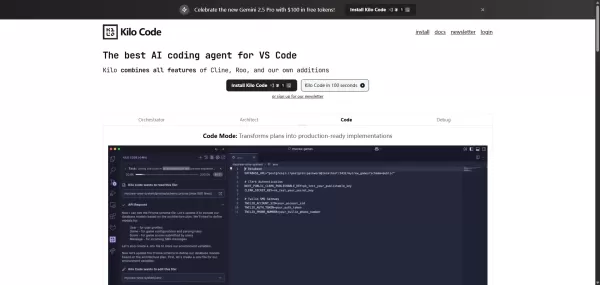
What is Kilo Code?Kilo Code brings AI-powered tools directly into your VS Code environment, helping developers automate routine coding work, debug more effectively, and produce code faster. Its distinct modes—Orchestrator, Architect, Code, and Debug—

Ever wondered what happens when two of the most advanced language models meet under one roof? That’s where Moton AI comes into play. For a single subscription fee, you get access to both Claude and GPT-4. Think of it as having two of the smartest brains w

What is Lingban AI - Free AI Assistant?Lingban AI is a versatile, all-in-one AI solution designed for both individuals and professionals. It delivers a robust suite of tools including translation, interactive dialogue, writing assistance, AI-powered

What is Kiro AI? Kiro AI is a cutting-edge AI-powered Integrated Development Environment (IDE) that streamlines coding from concept to deployment. It leverages spec-driven development to transform ide
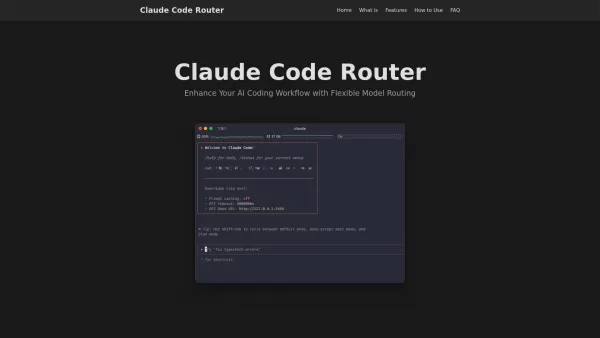
What is Claude Code Router?Claude Code Router is an innovative open-source solution built for developers using Node.js. This CLI tool expands on Anthropic's existing Claude Code platform, offering developers unprecedented control over their AI-assist
Vivid Product Information
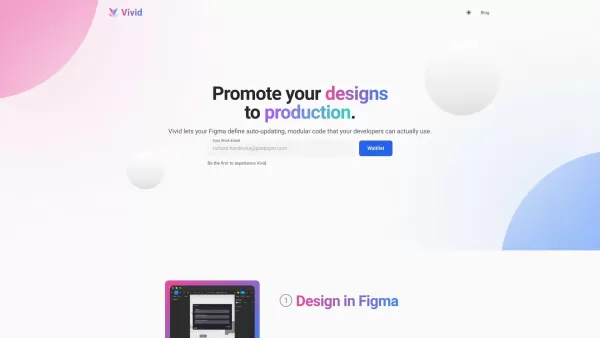
What is Vivid?
Vivid is essentially a bridge between designers and developers—a tool that makes collaboration smoother than ever. Instead of designers sketching ideas and developers manually coding them from scratch, Vivid allows designers to take ownership of the UI. Meanwhile, developers can focus on building the guts of the app without getting bogged down by repetitive tasks. Think of it as streamlining the entire workflow so everyone can hit their stride.How to Use Vivid?
Using Vivid is surprisingly straightforward. First things first, designers work their magic in Figma just like they always do. Once the design is polished and ready, they simply highlight the components they want to export. Then comes the cool part—Vivid generates clean, reusable code for each piece, making sure it’s both modular and developer-friendly. Designers can even preview the final output in a sandbox environment before sending it over. When the handoff happens, developers receive everything neatly packaged into their project files. No more back-and-forth emails or manual exports—just pure efficiency.Vivid's Core Features
Let’s break down what makes Vivid so special:- Seamless Integration with Figma: No need to switch tools mid-project. Vivid works directly within Figma.
- Auto-Generation of Modular Code: Every element gets turned into clean, reusable code automatically.
- Code Preview in a Sandbox: See how the code looks before it hits production—no surprises here.
- Direct Code Handoff to Developers: Save time by skipping unnecessary steps. The code lands right where it needs to be.
Vivid's Use Cases
Here’s where Vivid really shines:- Efficient Collaboration: Designers and developers finally speak the same language. Communication barriers vanish.
- Accelerated Development: Projects move faster because teams aren’t wasting time on redundant tasks.
- Reduced Redundant Work: Why reinvent the wheel when Vivid does it for you?
- Improved Design-to-Development Handoff: Everything arrives intact and ready to go—no guesswork involved.
FAQ from Vivid
- What is Vivid?
- Vivid is a tool designed to connect designers and developers seamlessly, enhancing productivity and collaboration across teams.
- How does Vivid work?
- Vivid integrates with Figma, automates code generation, and ensures smooth handoffs to developers—all while maintaining high-quality standards.
- What are the core features of Vivid?
- It offers seamless Figma integration, auto-generated modular code, sandbox previews, and direct handoffs to developers.
- What are the use cases for Vivid?
- Vivid excels at accelerating development cycles, improving teamwork, and reducing redundant efforts during the design-to-development phase.
Vivid Company
Vivid operates under the name **Vivid Labs, Inc.**. Their mission? To simplify workflows and empower creative professionals everywhere.Vivid Login
Need to log in? Head straight to their platform via this link: [Vivid Login](https://app.vivid.lol). Easy peasy!Vivid Screenshot



2026 Latest Best Manga AI Background Generators Ranked Top-Rated! This curated collection showcases powerful game-changing tools perfect for creating high-quality chapter backgrounds, book covers, and promotional art. Every option has undergone rigorous real-world tests to ensure reliability. Get a free vs paid comparison along with detailed insights. Explore now to discover your perfect tool and unlock your AI edge in manga creation.
 6 tools
 xix.ai

2026 Latest Best Top-rated AI Object Removal Editors for portraits travel product shots! XIX.AI curates a powerful game-changing collection regularly updated with weekly rankings. These tools offer real-world tests to help you quickly remove unwanted elements, boost content quality, and save tons of time without compromising results. Must-try for anyone aiming to unlock their AI creation edge. Explore now!
10 tools
xix.ai

2026 Latest Best Top-rated AI Text to Speech Tools for Online Courses are curated by XIX.AI based on rigorous real-world tests and weekly updated rankings. These powerful tools help creators deliver crystal-clear audio content effortlessly, boosting writing efficiency and streamlining course production. Check out the free vs paid comparison to find your perfect fit. Explore now to unlock your AI edge in online education.
10 tools
xix.ai

2026 Latest Best Top-Rated AI Blog Title Tools for Higher Click Through Rates! XIX.AI has carefully curated a powerful, game-changing collection of top tools that go through rigorous real-world tests. You’ll find a free vs paid comparison, weekly updated rankings, and detailed insights to help you boost your blog’s traffic efficiently. Must-try options are highlighted to help you unlock your AI edge. Explore now!
10 tools
xix.ai

2026 Latest Best Top-rated AI Task Routing Tools for Support Workflows! XIX.AI has curated a highly powerful game-changing collection of must-try solutions, all undergoing rigorous real-world tests and updated weekly. These tools streamline workflows, boost productivity, and help teams deliver faster, more efficient support. Explore now to discover your perfect tool and unlock your AI edge!
17 tools
xix.ai

2026 Latest Best Top-Rated AI Citation and Paper Summary Tools Curated by XIX.AI. Get powerful game-changing solutions for quick content creation, improved writing efficiency, and boosting productivity. We offer a free vs paid comparison along with real-world tests and weekly updated rankings to help you find the must-try tool that fits your needs perfectly. Explore now to Unlock your AI edge.
10 tools
xix.ai


