


 Home
Homevideo-super-resolution
Real-time Video Super Resolution | AI Video Enhancement



Helps TikTok sellers, brands, MCNs, and TAPs discover winning products and find creators.

HelpLook is an AI-powered all-in-one knowledge base tool that helps businesses quickly build knowledge bases, help centers, and...

Your AI Workspace

302.AI is an enterprise-grade AI resource platform with pay-as-you-go pricing, API access to a full range of AI models, and ready-to-use online applications.

剧火AI — AI Screenwriter + Director, a One-Person Short Drama Studio In one sentence, what is it?

What is the Netflix Overlay AI Chrome Extension? The Netflix Overlay presents decks of fact cards at the perfect moment and location within the video. It enriches the viewing experience by delivering pertinent information and context directly on the
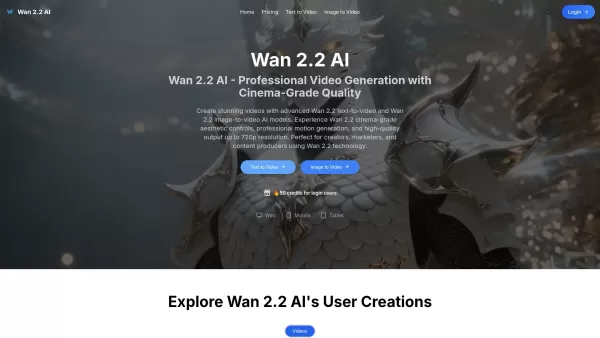
What is Wan 2.2 AI? Wan 2.2 AI is an advanced platform that creates high-quality videos from text and images using cutting-edge AI technology. It provides cinema-grade visual controls, dynamic motion
Ever wondered how to whip up stunning videos without breaking a sweat? Enter Clipfly, your go-to AI-powered online video editor that's as easy to use as it is powerful. Whether you're a pro or just starting out, Clipfly makes video editing a breeze, letti
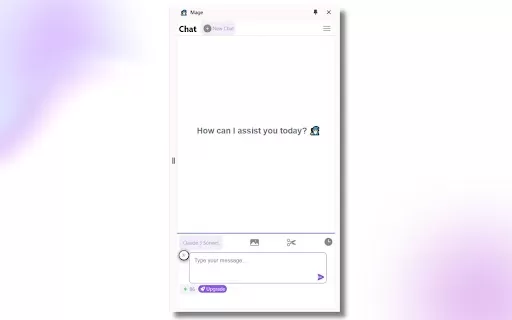
Ever stumbled upon a video that just doesn't quite meet your expectations in terms of quality? Well, let me introduce you to Videofix.ai, a nifty Chrome extension that's here to save the day. This AI-powered tool is designed to boost the video quality of
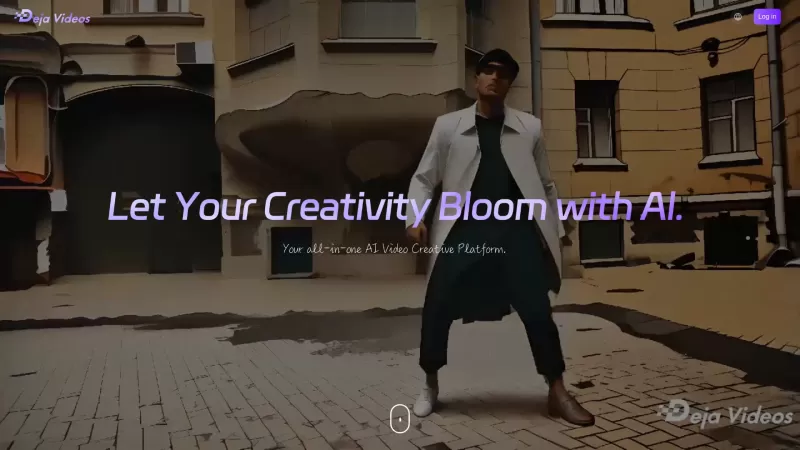
Ever wondered what Deja Videos is all about? Well, let me tell you, it's like having a magic wand for video editing! Deja Videos is this incredible AI-powered tool that lets you transform your videos into something truly special. Whether you're looking to
video-super-resolution Product Information
What is Video Super-Resolution?
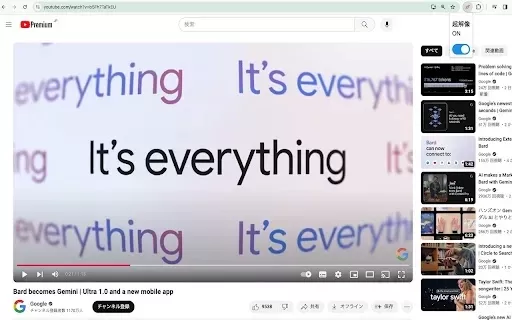
This Chrome extension utilizes sophisticated deep learning technology to upscale lower-resolution videos (such as 360p) to near-720p quality seamlessly and in real time. It intelligently boosts video clarity based on your device's capabilities, producing noticeably sharper images without complicated setup. Perfect for movies, online clips, or live streams, this tool elevates your watching experience by refining the quality of streamed video.
Who is Video Super-Resolution for?
- Everyday viewers
- Content producers
- Gamers
- Video editors
- Streaming fans
How to Use Video Super-Resolution
- Step 1: Install the Video Super Resolution extension from the Chrome Web Store.
- Step 2: Open the video you want to enhance.
- Step 3: Click the Video Super Resolution icon to enable enhancement.
- Step 4: Tweak settings if desired, based on your device's performance.
- Step 5: Enjoy improved video quality!
Platform
- Chrome
Video Super-Resolution's Core Features & Benefits
The Core Features
- Real-time video upscaling
- Supports multiple low-resolution formats
- Simple and intuitive interface
- Compatible with popular streaming services
The Benefits
- Boosts video clarity and sharpness
- Upgrades your streaming experience
- No expensive hardware upgrades needed
- Works across different operating systems
Video Super-Resolution's Key Use Cases & Applications
- Elevating video quality during streaming
- Enhancing online educational videos
- Real-time upscaling for game streams
- Improving video presentations for business meetings
FAQs About Video Super-Resolution
Does it affect playback speed?
Minor delays may occur depending on your system's power.
What types of videos can be enhanced?
Videos with resolutions below 720p, like 360p, can be improved.
Does it work with YouTube?
Yes, it works with YouTube and other streaming sites.
Is it free to use?
Yes, the extension is free to download from the Chrome Web Store.
Can it enhance live streams?
Yes, it enhances live video streams in real time.
Do I need a powerful computer?
It performs best on stronger systems but can still work on less powerful devices with some constraints.
Are there any subscription fees?
No, there are no subscription fees.
How does it improve video quality?
It applies deep learning algorithms to upscale lower-resolution frames to higher ones.
Can I customize settings?
Yes, you can adjust settings according to your computer's performance.
Can it be used on mobile platforms?
Currently, it's only available as a Chrome extension.
Video Super-Resolution Company Details
Website:
https://5-letter-words.comCompany Name:
NASupport Email:
NAFacebook:
NAX(Twitter):
NAYouTube:
NAInstagram:
NATikTok:
NALinkedIn:
NA
video-super-resolution Screenshot

2026 Latest Best Top-rated AI Scene Animation Tools for Social Media Content are curated here by XIX.AI. These powerful game-changing tools offer real-world tests and detailed free vs paid comparison, helping creators boost productivity significantly. Explore now to unlock your AI edge.
 9 tools
 xix.ai

2026 Latest Best AI Tools for Video Resolution Upscaling: Discover top-rated, powerful solutions to transform low-res clips into stunning 4K cinematic motion. Our curated list, based on real-world tests and weekly updated rankings, helps you find the perfect tool to enhance video quality effortlessly. Unlock professional-grade upscaling with XIX.AI. Explore now and elevate your visual content!
10 tools
xix.ai

Discover the 2026 best video-to-video AI generators on XIX.AI. Our curated, top-rated list features powerful tools for transforming real footage into anime, cyberpunk, or claymation styles. Get weekly updated rankings, free vs paid comparisons, and real-world tests. Unlock your creative edge today.
10 tools
xix.ai


