


 Home
HomeVideoGPT
VideoGPT: AI Text to Video Creation Tool



Helps TikTok sellers, brands, MCNs, and TAPs discover winning products and find creators.

HelpLook is an AI-powered all-in-one knowledge base tool that helps businesses quickly build knowledge bases, help centers, and...

Your AI Workspace

302.AI is an enterprise-grade AI resource platform with pay-as-you-go pricing, API access to a full range of AI models, and ready-to-use online applications.

剧火AI — AI Screenwriter + Director, a One-Person Short Drama Studio In one sentence, what is it?

What is Deepfake Maker? Deepfake Maker is a comprehensive, browser-based AI tool for creating deepfakes, tailored for creators, marketers, and designers who need striking visuals without complicated software. It combines multiple AI capabilities: adv

What is Celebrity AI?CelebrityAI revolutionizes digital content creation with its cutting-edge artificial intelligence platform that generates lifelike celebrity videos and voice messages. Using sophisticated technologies including deep neural networ

What is Makefilm?Makefilm revolutionizes video creation as a comprehensive AI-powered platform that streamlines professional-quality video production. This innovative solution combines multiple smart tools into one seamless workflow - transforming te
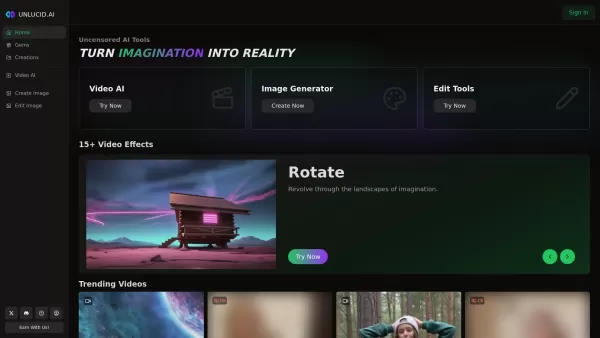
What is Unlucid AI? Unlucid AI provides free, uncensored AI tools empowering creators to craft, edit, and animate videos using advanced AI technology. It transforms imagination into reality with unres

What is AIShowX?AIShowX represents the next generation of creative tools - a comprehensive online platform powered by artificial intelligence that empowers anyone to produce professional-quality videos, images, and audio content with remarkable ease.
VideoGPT Product Information
What is VideoGPT?
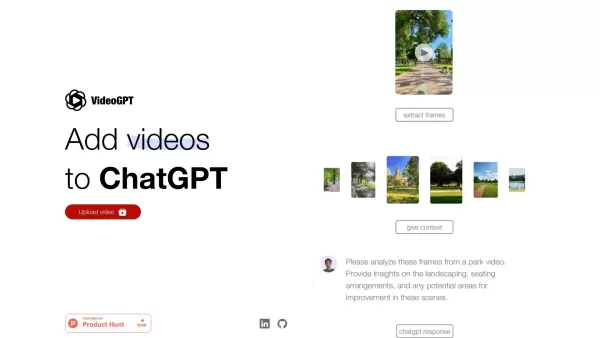
VideoGPT is a cutting-edge AI application that transforms your written text into compelling video narratives. By utilizing advanced models like VQ-VAE, it allows you to input text and receive professionally produced videos ideal for marketing, educational materials, or social media. This tool is designed for anyone who wants to create high-quality video content quickly and effortlessly, without needing expert video production skills.
Who will use VideoGPT?
- Content Creators
- Digital Marketers
- Educators
- Social Media Managers
- Businesses
How to use the VideoGPT?
- Step 1: Go to the VideoGPT website or app.
- Step 2: Sign up or log into your account.
- Step 3: Input the text or script you wish to convert into a video.
- Step 4: Select your preferred video style and settings.
- Step 5: Click 'Generate' to create your video.
- Step 6: Review and make any necessary edits to the video.
- Step 7: Download the video or share it directly from the platform.
Platform
- Web
- iOS
- Android
VideoGPT's Core Features & Benefits
The Core Features
- Text-to-Video Conversion
- Customizable Video Styles
- AI-Powered Video Editing
- Direct Sharing Options
The Benefits
- Produces high-quality videos rapidly
- No video editing expertise required
- Adaptable for diverse content needs
- Boosts engagement with visual storytelling
VideoGPT's Main Use Cases & Applications
- Marketing Campaigns
- Educational Videos
- Social Media Content
- Product Demonstrations
- Tutorials
FAQs of VideoGPT
What input data does VideoGPT best respond to?
For optimal results, provide VideoGPT with clear and well-structured text input.
Is VideoGPT free?
VideoGPT provides both free and paid subscription plans with varying features.
How to use VideoGPT?
Enter your text, select a video style, and click generate to create your video.
Can I edit the generated videos?
Yes, you can review and edit the videos after they are generated.
What platforms support VideoGPT?
VideoGPT is accessible on the web, Android, and iOS platforms.
Who can benefit from using VideoGPT?
VideoGPT is beneficial for content creators, marketers, educators, and social media managers.
What are the main features of VideoGPT?
Key features include text-to-video conversion, customizable styles, and AI-driven editing tools.
Can I share videos directly from VideoGPT?
Yes, VideoGPT enables you to share your videos directly from its platform.
Do I need video editing skills to use VideoGPT?
No, VideoGPT is built to be intuitive, requiring no prior video editing experience.
What are the use cases for VideoGPT?
Common uses are for marketing, education, social media, product demos, and tutorials.
VideoGPT Company Information
Website:
https://video-gpt.ioCompany Name:
VideoGPTSupport Email:
Facebook:
NAX(Twitter):
NAYouTube:
NAInstagram:
NATiktok:
NALinkedIn:
NA
VideoGPT Screenshot
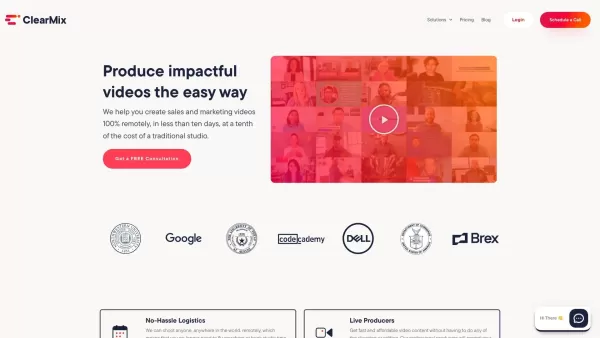
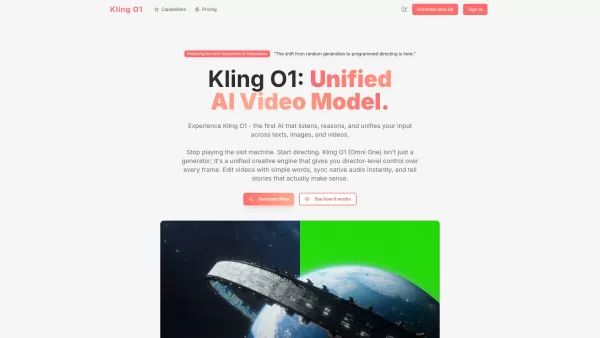

2026 Latest Best Top-rated AI Text to Speech Tools for Online Courses are curated by XIX.AI based on rigorous real-world tests and weekly updated rankings. These powerful tools help creators deliver crystal-clear audio content effortlessly, boosting writing efficiency and streamlining course production. Check out the free vs paid comparison to find your perfect fit. Explore now to unlock your AI edge in online education.
 10 tools
 xix.ai

2026 Latest Best Top-Rated AI Blog Title Tools for Higher Click Through Rates! XIX.AI has carefully curated a powerful, game-changing collection of top tools that go through rigorous real-world tests. You’ll find a free vs paid comparison, weekly updated rankings, and detailed insights to help you boost your blog’s traffic efficiently. Must-try options are highlighted to help you unlock your AI edge. Explore now!
10 tools
xix.ai

2026 Latest Best Top-rated AI Task Routing Tools for Support Workflows! XIX.AI has curated a highly powerful game-changing collection of must-try solutions, all undergoing rigorous real-world tests and updated weekly. These tools streamline workflows, boost productivity, and help teams deliver faster, more efficient support. Explore now to discover your perfect tool and unlock your AI edge!
17 tools
xix.ai

2026 Latest Best Top-Rated AI Citation and Paper Summary Tools Curated by XIX.AI. Get powerful game-changing solutions for quick content creation, improved writing efficiency, and boosting productivity. We offer a free vs paid comparison along with real-world tests and weekly updated rankings to help you find the must-try tool that fits your needs perfectly. Explore now to Unlock your AI edge.
10 tools
xix.ai

2026 Latest Best Top-Rated AI Productivity Tools for Daily Work! XIX.AI has curated a powerful, game-changing selection based on rigorous weekly updated rankings and real-world tests. You’ll find must-try options that boost writing efficiency, streamline content creation, and help you overcome daily work challenges. Get a free vs paid comparison to find the perfect fit for your needs. Explore now to unlock your AI edge!
9 tools
xix.ai

2026 Latest Best Top-Rated AI Systematic Review Tools for Research Screening are here on XIX.AI! This curated collection includes powerful, game-changing solutions that go through rigorous real-world tests to deliver accurate results. We also offer a free vs paid comparison along with weekly updated rankings to help you find the must-try option that boosts your research efficiency significantly. Explore now to unlock your AI edge in academic work!
11 tools
xix.ai


VideoGPTってすごいね!テキストから動画を作れるなんて、まるで魔法みたい。でも、生成されたビデオのクオリティは本当にプロ並み?ちょっと心配だな。でも、試してみたい!🎬


