


 Home
HomeVibe3D
AI 3D Rendering Tool: Ultra-Realistic & Fast



Helps TikTok sellers, brands, MCNs, and TAPs discover winning products and find creators.

HelpLook is an AI-powered all-in-one knowledge base tool that helps businesses quickly build knowledge bases, help centers, and...

Your AI Workspace

302.AI is an enterprise-grade AI resource platform with pay-as-you-go pricing, API access to a full range of AI models, and ready-to-use online applications.

剧火AI — AI Screenwriter + Director, a One-Person Short Drama Studio In one sentence, what is it?

Ever wondered how to make the most out of large language models (LLMs)? That's where Vellum comes into play. It's not just a platform; it's a game-changer for anyone diving into the world of LLM apps. With Vellum, you get a suite of tools designed to

What is Quick Hub? Quick Hub empowers small business owners and marketing teams by automating their marketing with AI-driven social media, customer engagement, and promotional workflows. It provides small businesses with the same advanced automation
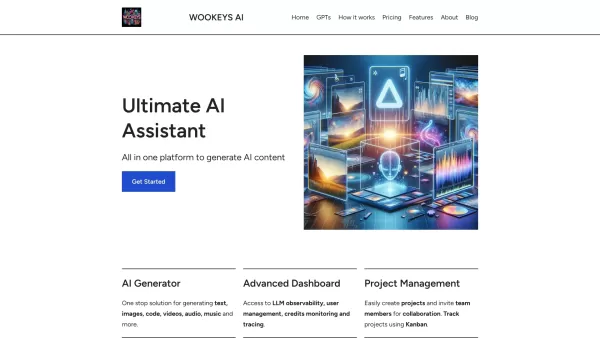
Ever wondered what the buzz around Ultimate AI Assistant is all about? Well, let me introduce you to WooKeys AI, a powerhouse platform designed to revolutionize your content creation game. It's not just another tool; it's your new best friend in the

Ever wondered what AI Search is all about? Well, let me break it down for you. AI Search is like your personal assistant in the world of AI—it helps you sift through the digital haystack to find the best AI tools, plugins, prompts, and services that can g
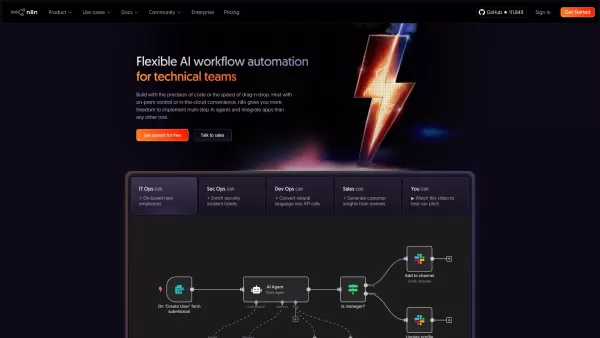
What is n8n? n8n is a powerful workflow automation platform that blends AI with process automation. It offers developers the control of code alongside the simplicity of a visual editor, empowering them to create sophisticated AI agents and connect to
Vibe3D Product Information
What is Vibe3D?
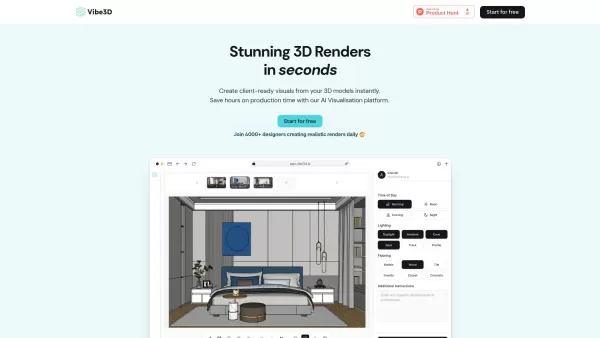
Vibe3D is an AI-powered rendering platform tailored for interior designers and architects. It transforms 3D models into exceptionally realistic, client-ready renders instantly. With capabilities like one-click edits and contextual prompt suggestions, the platform streamlines creating stunning visuals and drastically cuts down production hours. It integrates smoothly with widely-used modeling software such as SketchUp and 3ds Max, delivering high-fidelity, true-to-life results up to 10 times faster than conventional approaches.
How to use Vibe3D?
To get started with Vibe3D, simply import your design with a single click to initiate your project and configure your workspace. Then, adjust your settings, incorporate scene-specific instructions if necessary, and select 'Render.' Once the rendering is complete, make in-place edits by highlighting areas for modification and applying AI-powered adjustments through natural language commands. Finally, use the smart preview feature to compare various versions and download your favorite result.
Vibe3D's Core Features
AI-driven ultra-realistic rendering
One-click edits using natural language commands
Contextual prompt recommendations
Seamless integration with SketchUp, 3ds Max, and others
10x faster rendering performance
Exceptional fidelity and true-to-life realism
Vibe3D's Use Cases
Instantly generating client-ready visuals from 3D models
Significantly reducing production time for designers and architects
Quickly implementing client feedback for design revisions
Efficiently managing multiple design projects within studios
Enabling students to create professional-grade renders without technical hurdles
FAQ from Vibe3D
What is Vibe3D?
How does Vibe3D assist designers and architects?
Which 3D software does Vibe3D support?
Can I modify my renders after they are created?
What pricing plans are available for Vibe3D?
Vibe3D Support Email & Customer service contact & Refund contact etc.
Contact Vibe3D support for customer service at: [email protected] . For additional contact options, please visit the contact us page(mailto:[email protected])
Vibe3D Company
Company Name: Vibe3D .
Vibe3D Login
Access your account here: https://app.vibe3d.ai/editor
Vibe3D Sign up
Sign up for Vibe3D at: https://app.vibe3d.ai/editor
Vibe3D Twitter
Follow Vibe3D on Twitter: https://x.com/vibe3dai
Vibe3D Instagram
Follow Vibe3D on Instagram: https://www.instagram.com/vibe3d.ai/
Vibe3D Screenshot
Discover the 2026 latest best AI prompts for Midjourney on XIX.AI. Our top-rated, curated list helps you master hyper-realistic textures and commercial lighting styles. Explore must-try, powerful prompts based on real-world tests and weekly updated rankings. Unlock your creative edge and start creating stunning visuals today.
 10 tools
 xix.ai

Discover the 2026 best AI product relighting tools on XIX.AI. Our curated, top-rated selection helps you adjust studio lighting and reflections post-shoot seamlessly. Compare free vs paid options with real-world tests. Unlock your perfect editing tool today.
10 tools
xix.ai

2026 Latest Best AI 3D Scene Generators: Discover top-rated tools to instantly build photorealistic cinematic environments and lighting setups. Our curated list, powered by XIX.AI, features weekly updated rankings based on real-world tests and free vs paid comparisons. Unlock your creative potential and streamline your 3D workflow today. Explore now.
10 tools
xix.ai
Discover the 2026 best AI video tools for architects on XIX.AI. Our curated list features top-rated, game-changing solutions for generating hyper-realistic 3D interior and exterior walkthroughs. Compare free vs paid options with real-world tests and weekly updated rankings. Unlock your AI design edge today.
10 tools
xix.ai
Discover the 2026 best AI stylization tools for 3D clay rendering. Our curated list features top-rated, game-changing solutions to transform standard models with realistic plasticine textures. Compare free vs paid options with weekly updated rankings and real-world tests. Unlock your creative edge today.
10 tools
xix.ai
2026 Latest: Discover the top-rated AI lighting and rendering tools for animated scenes on XIX.AI. Our curated selection features powerful, game-changing solutions for realistic lighting, faster rendering, and stunning visual quality. Compare free vs paid options with weekly updated rankings. Unlock your animation potential today.
10 tools
xix.ai


