


 Home
HomeVeo 3.1



Helps TikTok sellers, brands, MCNs, and TAPs discover winning products and find creators.

HelpLook is an AI-powered all-in-one knowledge base tool that helps businesses quickly build knowledge bases, help centers, and...

Your AI Workspace

302.AI is an enterprise-grade AI resource platform with pay-as-you-go pricing, API access to a full range of AI models, and ready-to-use online applications.

剧火AI — AI Screenwriter + Director, a One-Person Short Drama Studio In one sentence, what is it?

Ever wondered what lies beneath the fabric? Well, Undress AI promises to give you a peek with its deepnude technology. It's like having a digital artist at your fingertips, ready to create those "what if" scenarios without any of the hassle. This tool isn

What is Celebrity AI?CelebrityAI revolutionizes digital content creation with its cutting-edge artificial intelligence platform that generates lifelike celebrity videos and voice messages. Using sophisticated technologies including deep neural networ

If you're diving into the world of AI and need a tool to streamline your interactions with models like ChatGPT, Claude, and Gemini, let me introduce you to TaoPrompt. This isn't just another AI tool; it's a professional prompt generator that's designed to

So, what’s this whole Distribute | Death To Whitepapers thing about? Think of it as your secret weapon for creating killer content—fast. In under 10 minutes, you can whip up something truly valuable, whether it’s a sleek one-pager, a micro-website, or eve

Ever wondered what EwolveAI is all about? Well, let me break it down for you. EwolveAI isn't just another AI tool; it's your all-in-one AI solution that's here to revolutionize the way you handle content. Whether you're a writer, a marketer, or just someo
Veo 3.1 Product Information
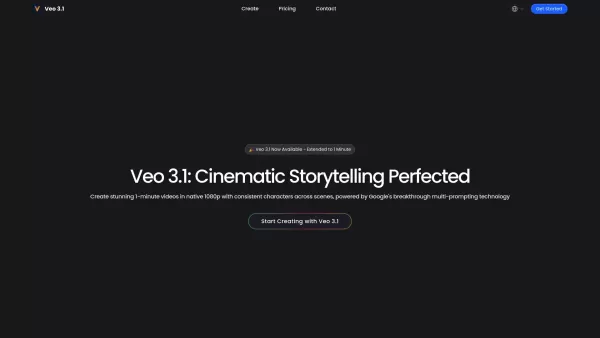
What is Veo 3.1?
Veo 3.1 is a cutting-edge AI video generator that produces high-quality, extended videos up to one minute long in native 1080p resolution. It delivers perfect character consistency across scenes, multi-shot storytelling powered by Google's breakthrough multi-prompting technology, and cinematic presets for professional-grade visuals. This tool transforms video creation by enabling continuous, coherent videos up to 60 seconds, flawless character continuity, and film-quality output with expert color grading, depth of field, and professional lighting.
How to use Veo 3.1?
To use Veo 3.1, begin by uploading a single reference image or describing your characters to lock in perfect consistency across all shots. Next, script your multi-shot story by defining different scenes with specific prompts, allowing Veo 3.1 to transition seamlessly between them while maintaining character consistency and applying your selected cinematic preset. Finally, click generate to create your complete one-minute story in native 1080p, ready for export without any need for post-processing.
Veo 3.1's Core Features
Extended 1-Minute Video Generation (up to 60 seconds)
Perfect Character Consistency across scenes
Native 1080p Cinematic Output
Multi-Prompting for Multi-Shot Stories
Fantastic Cinematic Presets
Veo 3.1's Use Cases
Create complete YouTube Shorts, TikToks, and Instagram Reels for social media storytelling.
Produce full-length commercials and product demos for marketing and advertising.
Develop complete scene sequences and short films for independent filmmaking.
Generate comprehensive educational videos with consistent instructor avatars or animated characters.
Create complete game cinematics for game development.
Bring static digital art projects to life with cinematic quality.
FAQ from Veo 3.1
What makes Veo 3.1 different from other AI video generators?
Veo 3.1 distinguishes itself with its ability to generate extended one-minute videos, perfect character consistency, native 1080p cinematic output, and revolutionary multi-shot storytelling powered by Google's multi-prompting technology.
How do the Cinematic Presets work?
Veo 3.1 provides professionally crafted cinematic presets that instantly apply Hollywood-grade aesthetics, including optimized lighting, color grading, and camera movements, delivering film-quality results immediately.
How long does it take to generate a 1-minute video?
The website indicates varying processing speeds (Standard, Priority, Fastest) based on your subscription plan, but does not give an exact time for generating a full one-minute video.
Can I use my own characters consistently across videos?
Yes. By starting with a single reference image or a detailed character description, Veo 3.1's character engine locks in every detail to ensure perfect consistency across all shots in your multi-scene story.
Is Veo 3.1 suitable for commercial use?
Yes. The Pro and Ultra subscription plans, along with the credit packs, include a Commercial License and Unrestricted Usage Rights.
Veo 3.1 Support Email & Customer service contact & Refund contact etc.
For customer service, please contact Veo 3.1 support at: [email protected] . For additional contact options, visit the contact us page(https://veo3-1.ai/contact-us)
Veo 3.1 Company
Veo 3.1 Company name: Veo 3.1 .
Veo 3.1 Company address: .
To learn more about Veo 3.1, please visit the about us page().
Veo 3.1 Login
Veo 3.1 Login Link:
Veo 3.1 Sign up
Veo 3.1 Sign up Link:
Veo 3.1 Pricing
Veo 3.1 Pricing Link: https://veo3-1.ai/pricing
Veo 3.1 Screenshot

2026 Latest Best Top-rated AI Text to Speech Tools for Natural Voiceovers are here on XIX.AI! This curated list features powerful, game-changing options that deliver crystal-clear voices for every use case, backed by real-world tests and weekly updated rankings. Get a free vs paid comparison to find the must-try solution that boosts your productivity instantly. Explore now to Unlock your AI edge!
 11 tools
 xix.ai

2026 Latest Best Manga AI Background Generators Ranked Top-Rated! This curated collection showcases powerful game-changing tools perfect for creating high-quality chapter backgrounds, book covers, and promotional art. Every option has undergone rigorous real-world tests to ensure reliability. Get a free vs paid comparison along with detailed insights. Explore now to discover your perfect tool and unlock your AI edge in manga creation.
6 tools
xix.ai

2026 Latest Best Top-rated AI Object Removal Editors for portraits travel product shots! XIX.AI curates a powerful game-changing collection regularly updated with weekly rankings. These tools offer real-world tests to help you quickly remove unwanted elements, boost content quality, and save tons of time without compromising results. Must-try for anyone aiming to unlock their AI creation edge. Explore now!
10 tools
xix.ai

2026 Latest Best Top-rated AI Text to Speech Tools for Online Courses are curated by XIX.AI based on rigorous real-world tests and weekly updated rankings. These powerful tools help creators deliver crystal-clear audio content effortlessly, boosting writing efficiency and streamlining course production. Check out the free vs paid comparison to find your perfect fit. Explore now to unlock your AI edge in online education.
10 tools
xix.ai

2026 Latest Best Top-Rated AI Blog Title Tools for Higher Click Through Rates! XIX.AI has carefully curated a powerful, game-changing collection of top tools that go through rigorous real-world tests. You’ll find a free vs paid comparison, weekly updated rankings, and detailed insights to help you boost your blog’s traffic efficiently. Must-try options are highlighted to help you unlock your AI edge. Explore now!
10 tools
xix.ai

2026 Latest Best Top-rated AI Task Routing Tools for Support Workflows! XIX.AI has curated a highly powerful game-changing collection of must-try solutions, all undergoing rigorous real-world tests and updated weekly. These tools streamline workflows, boost productivity, and help teams deliver faster, more efficient support. Explore now to discover your perfect tool and unlock your AI edge!
17 tools
xix.ai


I just tried Veo 3.1 and it’s insane how smooth the generated videos are, even at 1080p! The character stays consistent across all shots, which is way better than most tools I’ve used. Would love to see longer video support added soon 😊
I just tried Veo 3.1 and it’s seriously impressive! The output looks way better than I expected at 1080p, and the characters stay consistent throughout even in multi-shot sequences. It only takes a few minutes to generate a whole minute-long video, which is way faster than other tools I’ve used before. Highly recommend it!


