


 Home
HomeVectorAdmin



Helps TikTok sellers, brands, MCNs, and TAPs discover winning products and find creators.

HelpLook is an AI-powered all-in-one knowledge base tool that helps businesses quickly build knowledge bases, help centers, and...

Your AI Workspace

302.AI is an enterprise-grade AI resource platform with pay-as-you-go pricing, API access to a full range of AI models, and ready-to-use online applications.

剧火AI — AI Screenwriter + Director, a One-Person Short Drama Studio In one sentence, what is it?
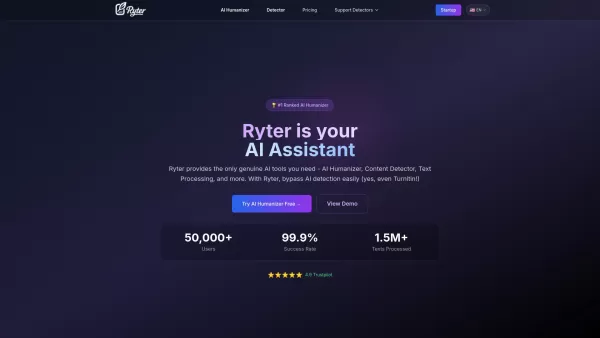
What is Ryter Pro? Ryter Pro is an AI Humanizer tool that transforms AI-generated text from platforms like ChatGPT and GPT-4 into natural, human-like content. This makes it undetectable by major AI detectors including Turnitin, GPTZero, Originality.a
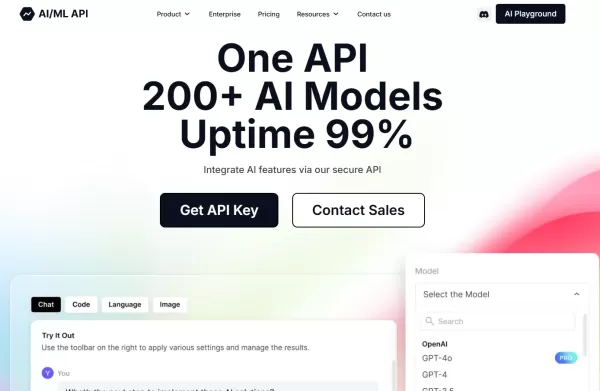
What is the AIML API?AIMLAPI delivers access to more than 200 AI models through a single, unified API, designed for low latency and effortless scaling. It's an ideal tool for developers and businesses aiming to add sophisticated AI features to their

Ever wondered how to streamline your work as a prompt engineer or digital worker? Enter GeneratedBy, a game-changing platform designed to revolutionize how you create, test, and share AI-generated prompts. It's like having a personal assistant for your AI needs, making the whole process not just eas

ENIX isn't just another AI assistant; it's a game-changer for businesses looking to boost their marketing, analytics, and creative output. Think of it as your personal toolkit, where you can craft and tailor AI agents to meet your specific needs. It's all

What is Components AI?Components AI is a suite of generative and parametric design tools that help you customize, organize, and publish designs. It enables the creation of responsive components, pages, and websites with no coding required. The platfo
VectorAdmin Product Information
What is VectorAdmin?
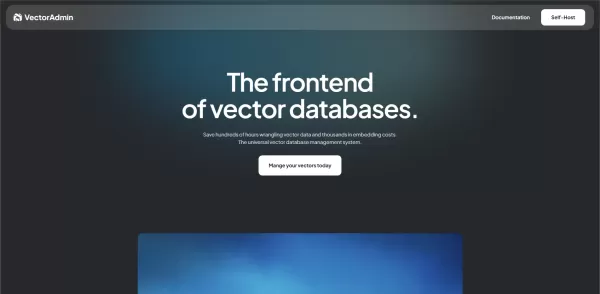
VectorAdmin delivers a complete interface for managing every facet of your vector databases. It enables users to integrate multiple vector store providers using API keys, view and filter collections, track data ingestion status, and monitor query performance. The platform supports bulk data imports via CSV or JSON, offers customizable similarity search settings, and provides visualizations for embeddings distribution. Administrators can monitor index health through dashboards displaying CPU, memory, and storage metrics. Additional features include granular user roles and permissions, configurable alerts for threshold breaches, and comprehensive audit logs for compliance, streamlining the deployment of AI-powered search and recommendation systems.
Who will use VectorAdmin?
- Developers
- Machine Learning Engineers
- Data Scientists
- AI Architects
How to use the VectorAdmin?
- Step 1: Sign up for a VectorAdmin account.
- Step 2: Connect your vector database providers using API keys.
- Step 3: Create or import vector indexes into your dashboard.
- Step 4: Configure similarity search parameters and test queries.
- Step 5: Monitor index performance and query metrics in real-time.
- Step 6: Set up alerts and user roles for team collaboration.
Platform
- Web
VectorAdmin's Core Features & Benefits
The Core Features
- Multi-provider vector database connections
- Real-time metrics dashboard
- Index creation and deletion
- Bulk data import and export
- Similarity search testing tool
- Embedding distribution visualization
- Alerts and notifications system
- Role-based access control (RBAC)
- Comprehensive audit logging
The Benefits
- Unifies vector management across different vendors
- Accelerates deployment and debugging processes
- Enhances observability and performance tuning
- Reduces dependence on CLI or direct API calls
- Improves team collaboration with granular roles
- Ensures compliance with detailed audit trails
VectorAdmin's Main Use Cases & Applications
- Semantic search application development
- Recommendation system vector management
- AI chatbot context retrieval
- Multimedia content similarity search
VectorAdmin's Pros & Cons
The Pros
Specializes in vector data management, a critical component for AI and machine learning applications.
Provides tools that enhance data indexing and search efficiency.
Offers a user-friendly platform that simplifies complex vector database operations.
The Cons
No detailed information on open-source project availability.
Limited transparency regarding pricing and feature tiers.
No visible integrations with popular app stores or social communication platforms.
VectorAdmin's Pricing
Has free plan | No |
|---|---|
Free trial details | |
Pricing model | Freemium |
Is credit card required | No |
Paid from | 25 USD |
Has lifetime plan | No |
Billing frequency | Monthly |
Details of Pricing Plan
Starter
25 USD per month
- 20GB storage
- Ideal for a single vector database with under 200K vectors
- First month 30% off
Professional
99 USD per month
- 150GB storage
- Built for managing multiple vector databases
- First month 30% off
Discount:
First month 30% off
For the latest prices, please visit: https://vectoradmin.com/
FAQs of VectorAdmin
How do I connect my vector database to VectorAdmin?
Log into your account, go to the Integrations section, and add your provider's API key under Connections.
Which vector stores are supported?
VectorAdmin supports Pinecone, Qdrant, Weaviate, Milvus, RedisVector, and other API-compatible vector stores.
Can I bulk import vector data?
Yes, you can perform bulk imports using CSV or JSON files from the Data Import section.
How do I run similarity searches?
Select an index, input your query vectors or text, adjust the search parameters, and click 'Run Search' to see the results.
Is there role-based access control?
Yes, you can assign specific roles and permissions to team members in the Users & Roles settings.
Does VectorAdmin offer monitoring alerts?
Yes, you can set up threshold-based alerts for query latency, index size, and CPU or memory usage.
Can I export my vectors and metrics?
Performance metrics can be exported as CSV files, while vector embeddings can be downloaded in JSON format.
Is there an audit log of user actions?
Yes, VectorAdmin maintains audit logs of user activities and system changes for compliance, accessible under Audit Logs.
What is the pricing model?
VectorAdmin offers a freemium model with a free tier for limited indexes; paid plans scale based on the number of indexes and users.
How do I get support?
Reach out to our support team at [email protected] or visit the Help Center on our official website.
VectorAdmin Company Information
VectorAdmin Screenshot


2026 Latest Best Top-rated AI Object Removal Editors for portraits travel product shots! XIX.AI curates a powerful game-changing collection regularly updated with weekly rankings. These tools offer real-world tests to help you quickly remove unwanted elements, boost content quality, and save tons of time without compromising results. Must-try for anyone aiming to unlock their AI creation edge. Explore now!
 10 tools
 xix.ai

2026 Latest Best Top-rated AI Text to Speech Tools for Online Courses are curated by XIX.AI based on rigorous real-world tests and weekly updated rankings. These powerful tools help creators deliver crystal-clear audio content effortlessly, boosting writing efficiency and streamlining course production. Check out the free vs paid comparison to find your perfect fit. Explore now to unlock your AI edge in online education.
10 tools
xix.ai

2026 Latest Best Top-Rated AI Blog Title Tools for Higher Click Through Rates! XIX.AI has carefully curated a powerful, game-changing collection of top tools that go through rigorous real-world tests. You’ll find a free vs paid comparison, weekly updated rankings, and detailed insights to help you boost your blog’s traffic efficiently. Must-try options are highlighted to help you unlock your AI edge. Explore now!
10 tools
xix.ai

2026 Latest Best Top-rated AI Task Routing Tools for Support Workflows! XIX.AI has curated a highly powerful game-changing collection of must-try solutions, all undergoing rigorous real-world tests and updated weekly. These tools streamline workflows, boost productivity, and help teams deliver faster, more efficient support. Explore now to discover your perfect tool and unlock your AI edge!
17 tools
xix.ai

2026 Latest Best Top-Rated AI Citation and Paper Summary Tools Curated by XIX.AI. Get powerful game-changing solutions for quick content creation, improved writing efficiency, and boosting productivity. We offer a free vs paid comparison along with real-world tests and weekly updated rankings to help you find the must-try tool that fits your needs perfectly. Explore now to Unlock your AI edge.
10 tools
xix.ai

2026 Latest Best Top-Rated AI Productivity Tools for Daily Work! XIX.AI has curated a powerful, game-changing selection based on rigorous weekly updated rankings and real-world tests. You’ll find must-try options that boost writing efficiency, streamline content creation, and help you overcome daily work challenges. Get a free vs paid comparison to find the perfect fit for your needs. Explore now to unlock your AI edge!
9 tools
xix.ai


