


 Home
HomeTurboSQL
AI SQL Desktop App for Efficient Database Management | English



Helps TikTok sellers, brands, MCNs, and TAPs discover winning products and find creators.

HelpLook is an AI-powered all-in-one knowledge base tool that helps businesses quickly build knowledge bases, help centers, and...

Your AI Workspace

302.AI is an enterprise-grade AI resource platform with pay-as-you-go pricing, API access to a full range of AI models, and ready-to-use online applications.

剧火AI — AI Screenwriter + Director, a One-Person Short Drama Studio In one sentence, what is it?
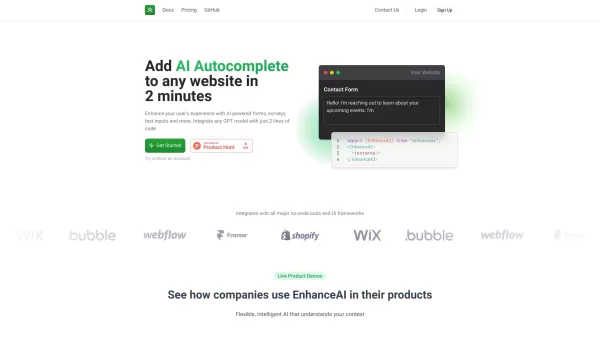
Ever wondered how you can make your website's forms, surveys, and text inputs smarter and more user-friendly? That's where EnhanceAI comes into play. This nifty platform lets you sprinkle a dash of AI magic on your website in just 2 minutes, turning your
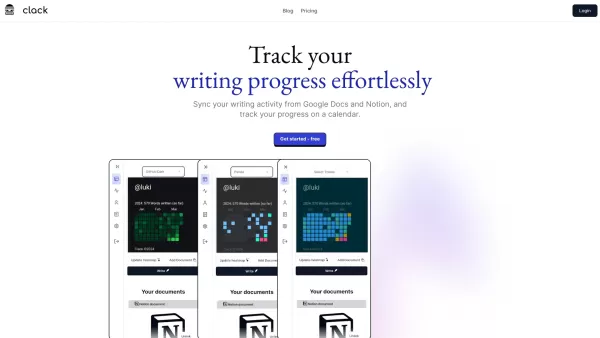
Ever wondered how to keep a close eye on your writing journey across different platforms? Let me introduce you to Clack—a nifty tool that tracks your writing progress from both Notion and Google Docs. It's like having a personal writing coach, minus
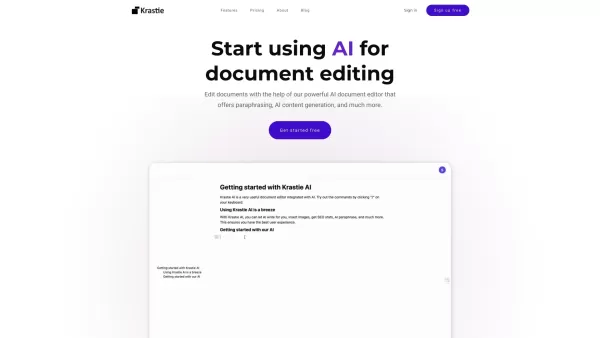
Ever wondered what the buzz around Krastie AI is all about? Well, let me break it down for you. Krastie AI isn't just another tool; it's a game-changer for anyone who's ever struggled with document editing or team collaboration. Imagine having an AI that
TurboSQL Product Information
TurboSQL: The Fastest Way to Master SQL
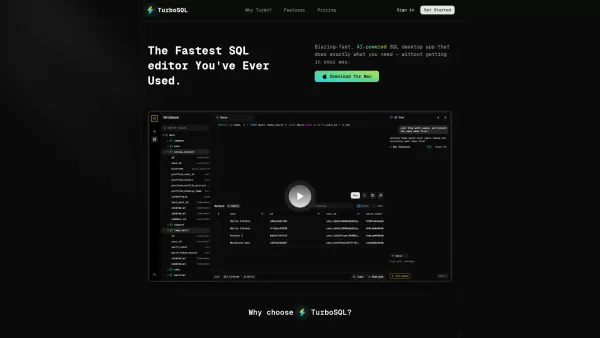
Ever found yourself stuck in a sea of SQL queries, drowning in tables and joins? Enter TurboSQL—a game-changing tool that turns database management into a breeze. Powered by AI, TurboSQL doesn’t just speed up your workflow—it reinvents it. From writing complex queries to exploring your data visually, TurboSQL has got your back every step of the way.
Why TurboSQL Stands Out
Unlike clunky old-school tools, TurboSQL combines cutting-edge technology with a sleek, user-friendly design. Its AI-driven features anticipate your needs, while its keyboard-first approach keeps things lightning-fast. Whether you’re managing MySQL, PostgreSQL, or SQLite, TurboSQL adapts seamlessly. Think of it as your ultimate sidekick for mastering SQL.
Getting Started with TurboSQL
Using TurboSQL is simpler than you think. Just follow these steps:
- Download the App: Head over to the website and grab the latest version.
- Connect Your Database: Plug in your SQL database credentials—it’s that easy.
- Start Writing Queries: Let the AI Query Assistant guide you through every step. Need help? No problem—just type what you want, and TurboSQL will finish the sentence for you.
- Explore Your Data: Dive into your database with the modern Table Viewer and Inline JSON Viewer. It’s like peering into your data’s soul.
TurboSQL’s Superpowers
AI Query Assistant
Tired of staring blankly at a blank query window? TurboSQL’s AI assistant predicts your next move, offering suggestions tailored to your workflow. Whether you’re crafting a SELECT statement or debugging a JOIN clause, it’s like having a personal mentor by your side.
Multi-Query Tabs
Juggling multiple queries? No sweat. TurboSQL lets you open tabs for each query, keeping your workspace organized and efficient.
Table Viewer
Say goodbye to cryptic table structures. TurboSQL’s Table Viewer displays your data in a clean, intuitive format. Hover over rows, filter columns, and get instant insights—all at a glance.
Inline JSON Viewer
Working with JSON data? TurboSQL makes it simple. Its Inline JSON Viewer formats nested objects beautifully, so you can spot errors faster.
Keyboard-First Design
Love shortcuts? TurboSQL does too. Every feature is designed to work smoothly with keyboard commands, making repetitive tasks a thing of the past.
Custom Type Support
From enums to arrays, TurboSQL handles custom data types flawlessly. Never struggle with unsupported features again.
Real-World Use Cases
Need proof? Here’s how TurboSQL shines in real life:
- Effortless Query Creation: Write SQL queries in seconds using the AI assistant. Save time, reduce stress.
- Database Exploration Made Easy: Navigate your SQL databases effortlessly. Spot trends, debug issues, and optimize performance like a pro.
Frequently Asked Questions
- What makes TurboSQL faster than other SQL clients?
- TurboSQL’s AI-driven features streamline your workflow, reducing redundant tasks. Plus, its modern interface ensures zero distractions.
- How do the AI features work?
- The AI assistant analyzes your input and suggests relevant queries based on patterns in your data. It’s like having a co-writer for your SQL scripts.
- What if I don’t like it?
- No worries! TurboSQL offers a money-back guarantee. Reach out to their support team via email at [\[email protected\]](/cdn-cgi/l/email-protection#ceaaafa0a7a2a18ebabbbcaca1bdbfa2e0ada1).
Stay Connected
Want to stay in the loop? Follow TurboSQL on Twitter @danilo_swe for updates, tips, and behind-the-scenes insights. And if you ever need help, their pricing page (https://www.turbosql.co/?utm_source=toolify#pricing) answers all your subscription questions.
Login and Support
Ready to dive in? Log in at https://www.turbosql.co/signin. For more info, visit their contact page or shoot them an email at [email protected].
TurboSQL isn’t just another tool—it’s your ticket to mastering SQL effortlessly. Give it a try today!
TurboSQL Screenshot

2026 Latest Best Top-rated AI Object Removal Editors for portraits travel product shots! XIX.AI curates a powerful game-changing collection regularly updated with weekly rankings. These tools offer real-world tests to help you quickly remove unwanted elements, boost content quality, and save tons of time without compromising results. Must-try for anyone aiming to unlock their AI creation edge. Explore now!
 10 tools
 xix.ai

2026 Latest Best Top-rated AI Text to Speech Tools for Online Courses are curated by XIX.AI based on rigorous real-world tests and weekly updated rankings. These powerful tools help creators deliver crystal-clear audio content effortlessly, boosting writing efficiency and streamlining course production. Check out the free vs paid comparison to find your perfect fit. Explore now to unlock your AI edge in online education.
10 tools
xix.ai

2026 Latest Best Top-Rated AI Blog Title Tools for Higher Click Through Rates! XIX.AI has carefully curated a powerful, game-changing collection of top tools that go through rigorous real-world tests. You’ll find a free vs paid comparison, weekly updated rankings, and detailed insights to help you boost your blog’s traffic efficiently. Must-try options are highlighted to help you unlock your AI edge. Explore now!
10 tools
xix.ai

2026 Latest Best Top-rated AI Task Routing Tools for Support Workflows! XIX.AI has curated a highly powerful game-changing collection of must-try solutions, all undergoing rigorous real-world tests and updated weekly. These tools streamline workflows, boost productivity, and help teams deliver faster, more efficient support. Explore now to discover your perfect tool and unlock your AI edge!
17 tools
xix.ai

2026 Latest Best Top-Rated AI Citation and Paper Summary Tools Curated by XIX.AI. Get powerful game-changing solutions for quick content creation, improved writing efficiency, and boosting productivity. We offer a free vs paid comparison along with real-world tests and weekly updated rankings to help you find the must-try tool that fits your needs perfectly. Explore now to Unlock your AI edge.
10 tools
xix.ai

2026 Latest Best Top-Rated AI Productivity Tools for Daily Work! XIX.AI has curated a powerful, game-changing selection based on rigorous weekly updated rankings and real-world tests. You’ll find must-try options that boost writing efficiency, streamline content creation, and help you overcome daily work challenges. Get a free vs paid comparison to find the perfect fit for your needs. Explore now to unlock your AI edge!
9 tools
xix.ai


Just tried TurboSQL for a quick data pull and wow, it actually made writing joins feel less painful! The AI suggestions were surprisingly on point, though I'm low-key worried about getting too reliant on it for complex logic. Still, huge time-saver for daily grunt work. 🚀
SQLの学習にこんなに役立つツールがあるなんて!TurboSQLのおかげで複雑なクエリも簡単に書けるようになったよ。AIが自然言語をSQLに変換してくれるのが最高 🚀 でも、あまり依存しすぎると基礎力が落ちちゃうかも?


