


 Home
HomeTrellis
Trellis AI Reader: Read & Share Digital Content Seamlessly



Helps TikTok sellers, brands, MCNs, and TAPs discover winning products and find creators.

HelpLook is an AI-powered all-in-one knowledge base tool that helps businesses quickly build knowledge bases, help centers, and...

Your AI Workspace

302.AI is an enterprise-grade AI resource platform with pay-as-you-go pricing, API access to a full range of AI models, and ready-to-use online applications.

剧火AI — AI Screenwriter + Director, a One-Person Short Drama Studio In one sentence, what is it?
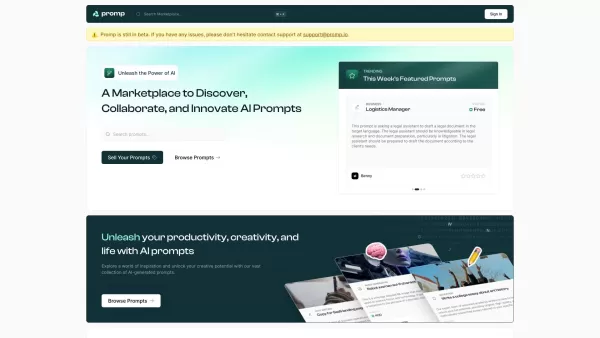
Ever stumbled upon a tool that just clicks with your creative needs? That's what Promp is all about—a bustling marketplace where you can dive into the world of AI-powered prompts. Whether you're looking to buy or sell, Promp has you covered, starting
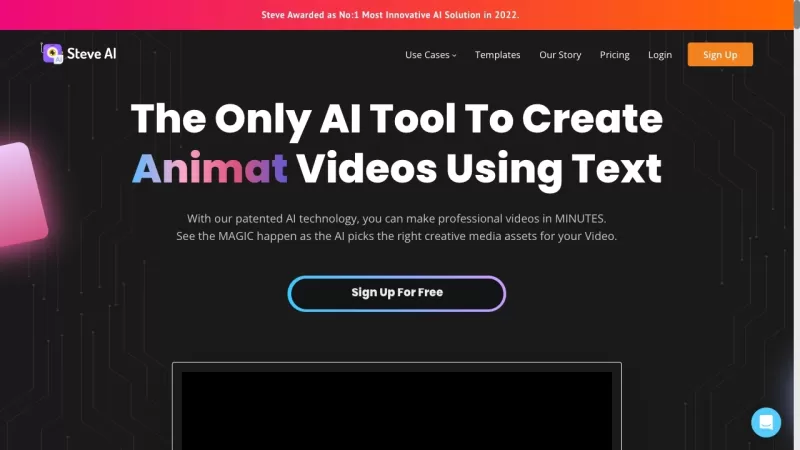
Ever wondered how to whip up professional-looking videos without breaking a sweat? That's where Steve.AI comes into play. It's not just another video-making app; it's a powerhouse that uses AI to transform your ideas into stunning videos and animations in
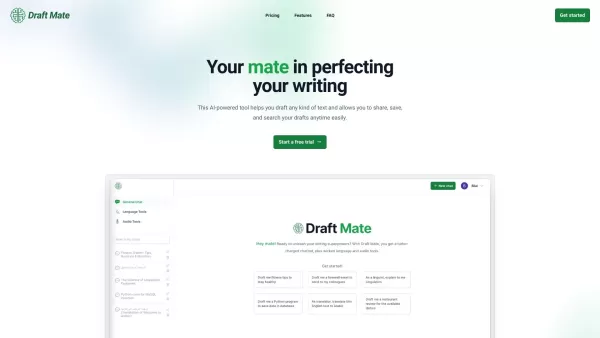
Introducing DraftMate: The Ultimate Writing Companion Picture this: you're sitting at your desk, staring at a blank screen, trying to craft the perfect email, blog post, or even a chapter for your novel. Sounds familiar? Well, DraftMate is here to make yo
Ever wondered what Amaro is all about? Well, let me fill you in on this gem of a platform. Amaro isn't just another tool; it's your go-to spot for generating and tweaking AI images, audio, and video, all on what they call an "infinite canvas." And the bes
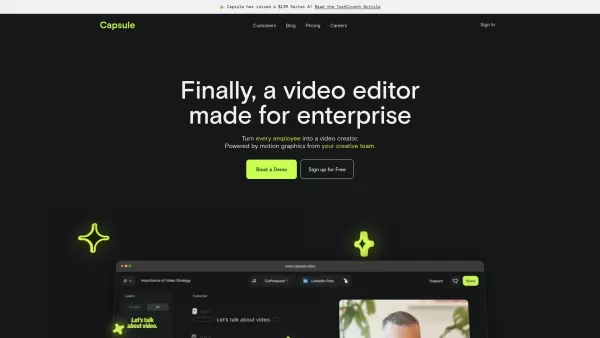
Capsule is an innovative tool designed to revolutionize video editing for content and marketing teams. It harnesses the power of AI to streamline the video creation process, ensuring not only speed but also fostering collaboration and maintaining brand co
Trellis Product Information
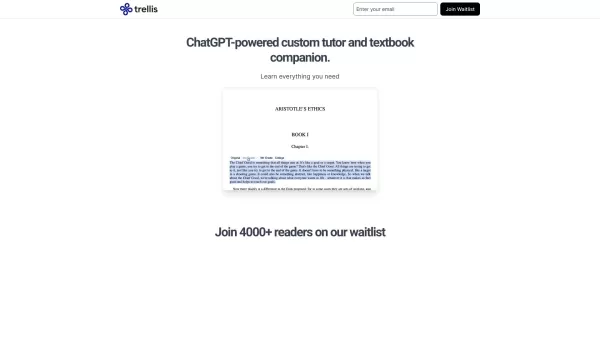
Trellis is an innovative online reader designed with cutting-edge AI technology that transforms the way you engage with digital content. Whether you're diving into research papers, textbooks, novels, or any other type of text, Trellis makes the process smarter, faster, and infinitely more interactive. Its standout feature? An AI companion that sits right beside you as you read, offering real-time insights, answering your questions instantly, and helping you grasp complex ideas effortlessly. It's like having a personal tutor available 24/7.
But it doesn't stop there. Trellis also lets you annotate, highlight, and jot down notes as you go. The best part? You can easily search through your marginalia later and even share your thoughts with friends. It’s like building a virtual study group where everyone has access to the same materials—and the knowledge you’ve distilled from them.
How to Get Started with Trellis
Using Trellis is simple. Here’s how you can dive in:- Head over to the Trellis website and sign up for a free account. No strings attached—you’re good to go right away.
- Add the books, PDFs, or files you want to read to your Trellis library. Dragging and dropping works like a charm.
- Open up your chosen file and let the magic begin. Start reading while keeping an eye out for your AI companion—it’s always ready to assist.
- Have a question? Highlight the text, ask away, and watch the AI respond with precision. It’s almost like having a supercharged search engine tailored just for you.
- Need to take notes? Highlight the important parts, add your thoughts, and save them for later. Your future self will thank you.
- Later on, use the built-in search tool to find specific highlights or annotations. It’s like finding buried treasure in your own notes.
- Finally, share your discoveries with others. Collaborate with classmates, colleagues, or friends to enhance everyone’s understanding.
Trellis’s Key Features
- AI Companion: Instant feedback and answers to your queries—your ultimate study buddy.
- Digital Reading: Seamlessly explore your content while getting relevant excerpts based on context.
- Marginalia Sharing: Easily share your notes, highlights, and insights with peers.
- Powerful Collections: Organize your readings into folders and collections (coming soon).
Real-Life Use Cases
- Enhanced Learning: Use Trellis to simplify dense texts, making learning less daunting and more enjoyable.
- Efficient Research: Save time by quickly finding key points and getting instant clarifications.
- Collaborative Study: Work together with others to build shared knowledge bases around common topics.
Frequently Asked Questions
- Q1: Is Trellis free?
- A1: Yes! You can sign up for a free account and enjoy its core features without paying a dime.
- Q2: Can I use Trellis on multiple devices?
- A2: Absolutely. Once signed in, your data syncs across all your devices, whether it’s your phone, tablet, or laptop.
- Q3: How does the AI companion work?
- A3: The AI analyzes the text you’re reading and provides context-aware answers to your questions. Think of it as a personalized tutor.
- Q4: Will my notes and highlights remain private?
- A4: Yes. By default, your notes and highlights are private unless you choose to share them.
- Q5: Are there any plans for premium features?
- A5: While the current version offers plenty of value for free users, we’re constantly improving Trellis and may introduce advanced features in the future.
Trellis Screenshot

2026 Latest Best Top-rated AI Object Removal Editors for portraits travel product shots! XIX.AI curates a powerful game-changing collection regularly updated with weekly rankings. These tools offer real-world tests to help you quickly remove unwanted elements, boost content quality, and save tons of time without compromising results. Must-try for anyone aiming to unlock their AI creation edge. Explore now!
 10 tools
 xix.ai

2026 Latest Best Top-rated AI Text to Speech Tools for Online Courses are curated by XIX.AI based on rigorous real-world tests and weekly updated rankings. These powerful tools help creators deliver crystal-clear audio content effortlessly, boosting writing efficiency and streamlining course production. Check out the free vs paid comparison to find your perfect fit. Explore now to unlock your AI edge in online education.
10 tools
xix.ai

2026 Latest Best Top-Rated AI Blog Title Tools for Higher Click Through Rates! XIX.AI has carefully curated a powerful, game-changing collection of top tools that go through rigorous real-world tests. You’ll find a free vs paid comparison, weekly updated rankings, and detailed insights to help you boost your blog’s traffic efficiently. Must-try options are highlighted to help you unlock your AI edge. Explore now!
10 tools
xix.ai

2026 Latest Best Top-rated AI Task Routing Tools for Support Workflows! XIX.AI has curated a highly powerful game-changing collection of must-try solutions, all undergoing rigorous real-world tests and updated weekly. These tools streamline workflows, boost productivity, and help teams deliver faster, more efficient support. Explore now to discover your perfect tool and unlock your AI edge!
17 tools
xix.ai

2026 Latest Best Top-Rated AI Citation and Paper Summary Tools Curated by XIX.AI. Get powerful game-changing solutions for quick content creation, improved writing efficiency, and boosting productivity. We offer a free vs paid comparison along with real-world tests and weekly updated rankings to help you find the must-try tool that fits your needs perfectly. Explore now to Unlock your AI edge.
10 tools
xix.ai

2026 Latest Best Top-Rated AI Productivity Tools for Daily Work! XIX.AI has curated a powerful, game-changing selection based on rigorous weekly updated rankings and real-world tests. You’ll find must-try options that boost writing efficiency, streamline content creation, and help you overcome daily work challenges. Get a free vs paid comparison to find the perfect fit for your needs. Explore now to unlock your AI edge!
9 tools
xix.ai


Just tried Trellis for my research paper reading and wow, the AI summary feature is a game-changer! It actually highlighted the key arguments I would've missed. Saves so much time, though I wonder about the nuance it might skip. Definitely sticking with it for now! 📚✨


