


 Home
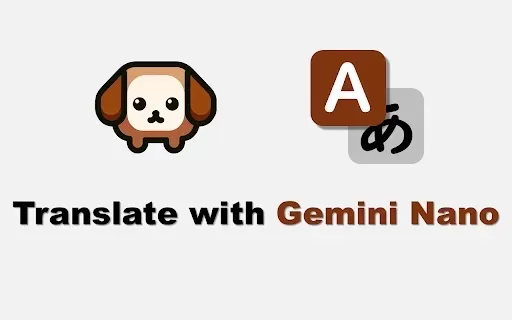
HomeTranslate with Gemini Nano
Gemini Nano: Private Web Page Translator



Helps TikTok sellers, brands, MCNs, and TAPs discover winning products and find creators.

HelpLook is an AI-powered all-in-one knowledge base tool that helps businesses quickly build knowledge bases, help centers, and...

Your AI Workspace

302.AI is an enterprise-grade AI resource platform with pay-as-you-go pricing, API access to a full range of AI models, and ready-to-use online applications.

剧火AI — AI Screenwriter + Director, a One-Person Short Drama Studio In one sentence, what is it?

Ever wondered how to jazz up your online content with a touch of AI magic? Enter CopyPilot, the go-to AI copywriting platform that's all about crafting content that not only reads well but also converts like a charm. Whether you're looking to whip up
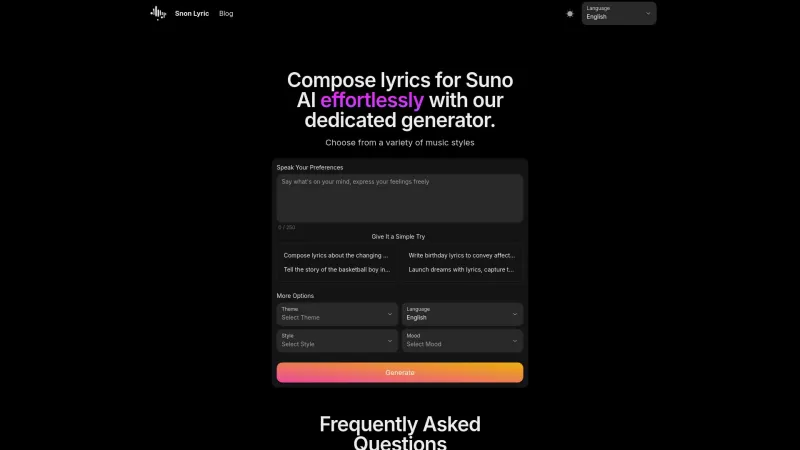
Ever found yourself staring at a blank page, trying to come up with the perfect lyrics for your next big hit? Well, Suno AI might just be the creative spark you need! This AI-powered lyrics generator is like having a personal songwriter in your pocket, ready to craft custom song lyrics in a variety

Voicefy isn't just another tool; it's a game-changer for anyone looking to bring their text to life. Imagine having the power to turn your written words into a symphony of realistic speech, with options in multiple languages and voices that sound so natur

Ever found yourself in need of a quick and accurate transcription of a video or audio file? That's where Video To Text AI comes into play. It's a slick AI-powered tool designed to effortlessly convert your media into text. Whether you're juggling YouTube
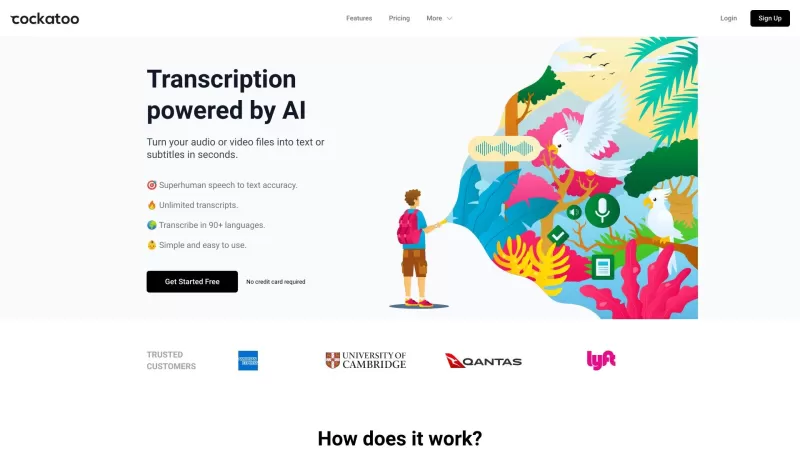
Ever wondered what Cockatoo is all about? Well, let me tell you, it's not just another bird in the tech jungle. Cockatoo is a cutting-edge AI-powered transcription service that turns your audio or video files into text or subtitles in the blink of an eye.
Translate with Gemini Nano Product Information
What is Translate with Gemini Nano?
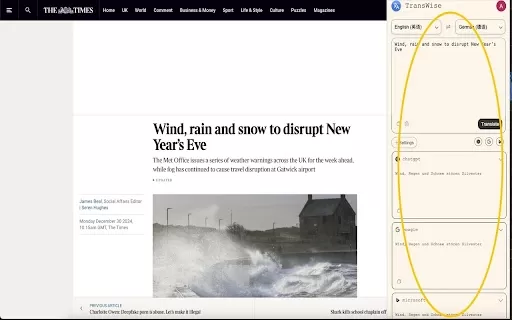
The Translate with Gemini Nano extension is a tool for effortlessly translating web content. It leverages Chrome's native AI model, Gemini Nano, to provide swift translations of selected text or full pages. Your data remains completely private, as no information is sent to external servers. Note that this tool depends on Chrome's experimental features, so its performance may change with future browser updates. Certain Chrome flags must be activated to use it.
Who will use Translate with Gemini Nano?
- People who browse the web frequently
- Multilingual users
- Researchers
- Students
- Professionals working in global markets
How to use the Translate with Gemini Nano?
- Step 1: Launch the Chrome browser.
- Step 2: Go to chrome://flags and enable the flags: 'Enables optimization guide on device' and 'Prompt API for Gemini Nano'.
- Step 3: Close and restart Chrome.
- Step 4: Go to chrome://components and check that the 'Optimization Guide On Device Model' is listed as 'Component already up to date'.
- Step 5: Highlight the text you wish to translate.
- Step 6: Click the Translate with Gemini Nano icon or use the default shortcut key (Alt+N).
Platform
- Web
- Chrome
Translate with Gemini Nano's Core Features & Benefits
The Core Features
- Translates entire web pages instantly with one click.
- Powered by Chrome's integrated Gemini Nano AI model.
- Operates without transmitting any data online.
The Benefits
- Strong privacy and security for users.
- Delivers fast and accurate translations.
- Seamlessly integrates with your Chrome browser.
Translate with Gemini Nano's Main Use Cases & Applications
- Reading websites in foreign languages
- Supporting language acquisition
- Performing research using multiple languages
- Accessing international business and professional sites
FAQs of Translate with Gemini Nano
How do I use Translate with Gemini Nano?
Simply select your target text, then click the extension icon or press the shortcut key (Alt+N).
Does Translate with Gemini Nano store or send my data?
No. It processes everything locally and does not send or store your data online.
What are the prerequisites for using Translate with Gemini Nano?
You need to activate specific Chrome experimental flags and confirm your on-device model components are up to date.
Is Gemini Nano Translation available offline?
Yes. It functions offline by utilizing Chrome's built-in AI capabilities.
Can I customize the shortcut key for translation?
Yes. You can modify the shortcut key within the extension's settings.
What should I do if the extension stops working?
Verify that the required Chrome flags are still active and that the on-device model component is updated.
Is Translate with Gemini Nano free?
Yes, it is completely free.
Does it work with all languages?
It is currently optimized for English and Japanese languages.
Where can I find support for the extension?
For support, you can email the developer at [email protected].
Will future updates to Chrome affect this extension?
Yes. As it relies on experimental Chrome features, browser updates could affect its functionality.
Translate with Gemini Nano Company Information
Translate with Gemini Nano Screenshot

2026 Latest Best AI Vocal Demo Tools for Songwriters, Hook Creators, and Multi-Language Content Teams! XIX.AI has curated a top-rated list of powerful game-changing tools that go through rigorous real-world tests. You’ll find detailed free vs paid comparison data, comprehensive rankings, and must-try options to help you boost writing efficiency and unlock your creative potential. Explore now to discover your perfect tool for all your content needs!
 9 tools
 xix.ai

2026 Latest Best Top-rated AI Competitive Research Tools for Small Businesses! XIX.AI has curated a highly powerful game-changing collection, updated weekly with rigorous real-world tests and detailed rankings. You can find a comprehensive free vs paid comparison to help you identify the must-try tools that boost your productivity and give you a competitive edge. Explore now to discover your perfect tool!
9 tools
xix.ai

2026 Latest Best Photoshop AI retouch tools for ecommerce apparel, skin cleanup, and color consistency! This top-rated curated list features powerful game-changing solutions that help you boost writing efficiency, streamline content creation, and achieve perfect visual results effortlessly. Each tool has undergone real-world tests through weekly updated rankings, complete with free vs paid comparison details. Backed by XIX.AI, it’s the must-try guide for anyone aiming to unlock your AI edge. Explore now!
10 tools
xix.ai

2026 Latest Best Top-Rated AI Prompt Libraries for optimizing all types of ChatGPT workflows. XIX.AI has curated a powerful, game-changing collection that goes through rigorous real-world tests to ensure top performance. You can find detailed free vs paid comparisons and expert rankings to help you choose the must-try tools that boost your productivity and unlock your AI edge. Explore now!
11 tools
xix.ai

2026 Latest Best AI Quiz Builder Platforms for Teachers, Tutors, and Cohort-Based Learning Programs! XIX.AI has curated a top-rated list of powerful game-changing tools that go through real-world tests to deliver accurate rankings. These must-try platforms help boost writing efficiency, streamline content creation, and simplify quiz design across all learning scenarios. Explore now to discover your perfect tool for unlocking your AI edge in teaching!
13 tools
xix.ai

2026 Latest Best AI Pull Request Review Tools for GitHub Teams are here on XIX.AI! This top-rated curated list showcases powerful game-changing solutions that streamline refactoring, bug fixing, and security gap detection across all team workflows. Enjoy a free vs paid comparison along with real-world tests and detailed rankings to help you find the perfect tool that boosts productivity significantly. Explore now to unlock your AI edge!
12 tools
xix.ai


This is actually pretty cool! I've been using it for translating random articles and it's surprisingly fast. No weird data sharing worries since it's all local. Gemini Nano does a decent job, though sometimes it stumbles on idioms. Still, beats sending everything to the cloud. 😎


