


 Home
HomeTooltips.ai
Tooltips.ai - AI-Powered Reading Extension with Word Explanations



Helps TikTok sellers, brands, MCNs, and TAPs discover winning products and find creators.

HelpLook is an AI-powered all-in-one knowledge base tool that helps businesses quickly build knowledge bases, help centers, and...

Your AI Workspace

302.AI is an enterprise-grade AI resource platform with pay-as-you-go pricing, API access to a full range of AI models, and ready-to-use online applications.

剧火AI — AI Screenwriter + Director, a One-Person Short Drama Studio In one sentence, what is it?

PureChat is a haven for those looking to dive into AI chat without hitting any paywalls or censorship barriers. Powered by the innovative ChatGPT, it offers a platform where your creativity and curiosity can run wild, completely free of charge.How to
Copilot is an innovative suite of plugins and tools designed to enhance productivity and streamline various tasks within the ChatGPT platform. It's like having a digital assistant that's specialized in boosting your workflow, whether you're summarizing documents, searching the web, or managing job a

Ever wished for a trusty sidekick to help you navigate the digital world with ease? Enter Sider, your personal AI companion designed to seamlessly blend into your daily routine. Starting off as a handy Chrome/Edge extension, Sider transforms your browsing
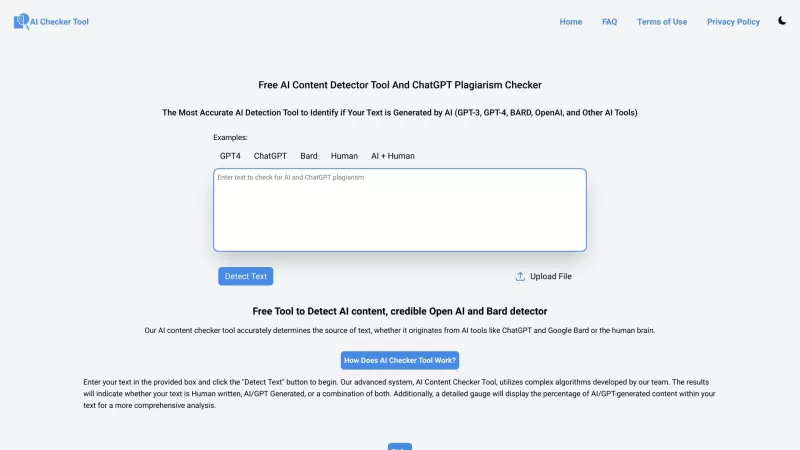
Ever wondered if that essay you just wrote or the latest ChatGPT conversation you had is truly unique? Well, the Free AI Content Detector Tool and ChatGPT Plagiarism Checker is here to put your mind at ease. This handy website uses cutting-edge AI algorit
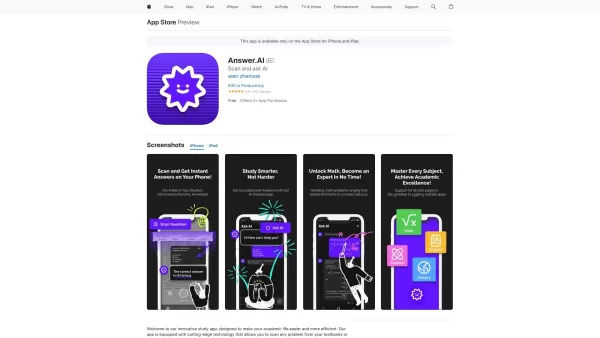
Ever found yourself stuck on a homework problem, staring at your textbook and wishing for a magic solution? Well, meet Answer.ai, your new best friend in the world of homework help. This innovative app, powered by the mighty ChatGPT, is here to transform
Tooltips.ai Product Information
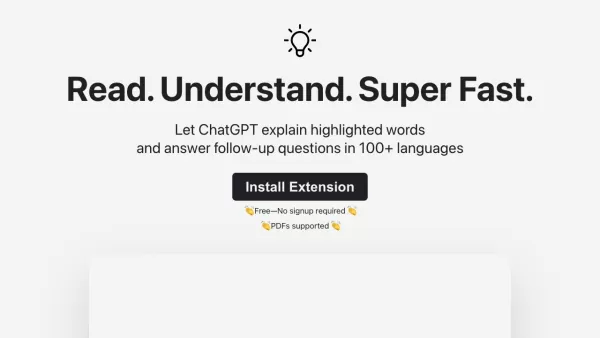
Ever heard of Tooltips.ai? Think of it as your personal reading assistant powered by AI. This clever little tool uses ChatGPT under the hood to make reading more meaningful and efficient. Whether you're stuck on a tough word or just want to dive deeper into what you're reading, Tooltips.ai has got your back. Highlight any word or phrase, and it instantly provides an AI-generated explanation. Plus, it can answer follow-up questions in over 100 languages—yes, you read that right.
So how do you get started? Simple. Install the extension in your browser (Chrome, Firefox, Edge—it works with all the big ones), and boom—you're good to go. Once installed, highlight anything on a webpage or even a PDF, and watch as the magic happens. It’s like having a tutor right there with you, but without the homework drama.
Core Features That Make Tooltips.ai Stand Out
- AI-powered explanations: Need clarity on a tricky term? No problem. Tooltips.ai breaks it down for you.
- Follow-up question answers: Got more questions? Ask away—no need to Google everything yourself.
- Multi-language support: Over 100 languages covered. Whether you're reading in Spanish, French, Mandarin, or Swahili, this tool’s got your back.
- PDF compatibility: Reading something offline? No worries. It works seamlessly with PDFs too.
Real-Life Use Cases for Tooltips.ai
Let me tell you, this isn’t just another tech gimmick. People are using Tooltips.ai in ways you’d never expect. Here are a few examples:
- Boosting comprehension: Stuck on a dense textbook? Tooltips.ai simplifies complex ideas so you can focus on learning.
- Language learners rockstars: New to a language? Highlight unknown words, and voilà—you’re expanding your vocabulary in no time.
- Effortless research: Tired of sifting through endless tabs? Tooltips.ai gives you instant answers while you’re still browsing.
- Tech doc guru: Engineers and developers love it because it helps break down jargon-heavy docs.
- Global reach: Traveling abroad? Use it to understand signs, menus, or even local news in real-time.
Frequently Asked Questions About Tooltips.ai
Curious about what makes this tool tick? Here’s the lowdown:
- What languages does Tooltips.ai support?
- Over 100 languages, covering most major tongues. If your language is missing, let them know—they’re always adding more.
- Can Tooltips.ai work with PDF documents?
- Absolutely. Just upload your PDF, and it’ll work its magic just like it does on webpages.
- How does Tooltips.ai provide explanations for highlighted words?
- It leverages advanced AI models to generate explanations based on context. Think of it as your own personal dictionary powered by super-smart algorithms.
- Is Tooltips.ai available for free?
- Yes! There’s a free version that covers most basic needs. However, they also offer premium features for power users who want even more oomph.
Whether you're a student, a professional, or just someone who loves learning, Tooltips.ai is worth checking out. It’s like having a personal tutor in your pocket—except it doesn’t charge tuition fees.
Tooltips.ai Screenshot




2026 Latest Best AI Pull Request Review Tools for GitHub Teams are here on XIX.AI! This top-rated curated list showcases powerful game-changing solutions that streamline refactoring, bug fixing, and security gap detection across all team workflows. Enjoy a free vs paid comparison along with real-world tests and detailed rankings to help you find the perfect tool that boosts productivity significantly. Explore now to unlock your AI edge!
 12 tools
 xix.ai

2026 Latest Best Top-rated AI Text to Speech Tools for Natural Voiceovers are here on XIX.AI! This curated list features powerful, game-changing options that deliver crystal-clear voices for every use case, backed by real-world tests and weekly updated rankings. Get a free vs paid comparison to find the must-try solution that boosts your productivity instantly. Explore now to Unlock your AI edge!
11 tools
xix.ai

2026 Latest Best Manga AI Background Generators Ranked Top-Rated! This curated collection showcases powerful game-changing tools perfect for creating high-quality chapter backgrounds, book covers, and promotional art. Every option has undergone rigorous real-world tests to ensure reliability. Get a free vs paid comparison along with detailed insights. Explore now to discover your perfect tool and unlock your AI edge in manga creation.
6 tools
xix.ai

2026 Latest Best Top-rated AI Object Removal Editors for portraits travel product shots! XIX.AI curates a powerful game-changing collection regularly updated with weekly rankings. These tools offer real-world tests to help you quickly remove unwanted elements, boost content quality, and save tons of time without compromising results. Must-try for anyone aiming to unlock their AI creation edge. Explore now!
10 tools
xix.ai

2026 Latest Best Top-rated AI Text to Speech Tools for Online Courses are curated by XIX.AI based on rigorous real-world tests and weekly updated rankings. These powerful tools help creators deliver crystal-clear audio content effortlessly, boosting writing efficiency and streamlining course production. Check out the free vs paid comparison to find your perfect fit. Explore now to unlock your AI edge in online education.
10 tools
xix.ai

2026 Latest Best Top-Rated AI Blog Title Tools for Higher Click Through Rates! XIX.AI has carefully curated a powerful, game-changing collection of top tools that go through rigorous real-world tests. You’ll find a free vs paid comparison, weekly updated rankings, and detailed insights to help you boost your blog’s traffic efficiently. Must-try options are highlighted to help you unlock your AI edge. Explore now!
10 tools
xix.ai


I've been using Tooltips.ai for a week now and it's honestly a game-changer for reading articles in foreign languages. Just hover over a tricky word or phrase and it gives you a clear, contextual explanation. No more switching tabs to look up stuff! 😄 The ChatGPT integration feels smooth, though I wonder about privacy sometimes. Still, huge time-saver for research.
Tooltips.ai、試してみました!難しい単語にカーソルを合わせるだけで説明が出てくるのは便利だね。ただ、長文を読んでるとちょっとウザく感じることもあるかも?AIが全部理解してる訳じゃないから、時々変なヒントが出てきたりするのも愛嬌かな。😄
This looks like a super handy study buddy! I already use ChatGPT for quick explanations, but having a dedicated reading assistant that pops up when I highlight text sounds way more efficient. The concept reminds me of those old Clippy helpers but way smarter and actually useful 😄 Wonder if it'll work with dense academic papers or only simpler articles?


