


 Home
HomeText.Theater
AI Discord Bot for TV Show Scenes Generation



Helps TikTok sellers, brands, MCNs, and TAPs discover winning products and find creators.

HelpLook is an AI-powered all-in-one knowledge base tool that helps businesses quickly build knowledge bases, help centers, and...

Your AI Workspace

302.AI is an enterprise-grade AI resource platform with pay-as-you-go pricing, API access to a full range of AI models, and ready-to-use online applications.

剧火AI — AI Screenwriter + Director, a One-Person Short Drama Studio In one sentence, what is it?
Ever wondered what it's like to try on a whole new wardrobe without leaving your room? Grey's Secret Room brings that fantasy to life with its cutting-edge AI technology. This innovative platform allows you to experiment with different styles and even swa

If you're looking for a chat experience that breaks the mold, let me introduce you to NoLimit IA—an app that promises to keep the conversation flowing without any boundaries. Think of it as your go-to place for engaging in unfiltered chats with AI ch
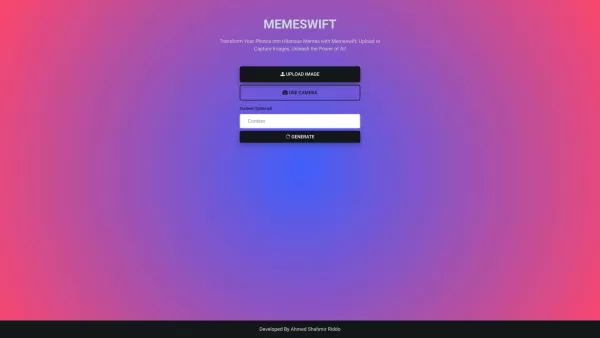
MemeSwift is like the Swiss Army knife of humor—it’s an AI-powered meme generator designed to turn your photos into laugh-out-loud-worthy memes. Whether you’re looking to poke fun at yourself or your friends, this tool makes it easy to craft something fun

Ever wished you had a magic wand for video editing? Meet AutoCut, the Premiere Pro plugin that's like your very own AI editing assistant. It does everything from adding those snazzy animated subtitles to cutting out those awkward silences. Whether you're
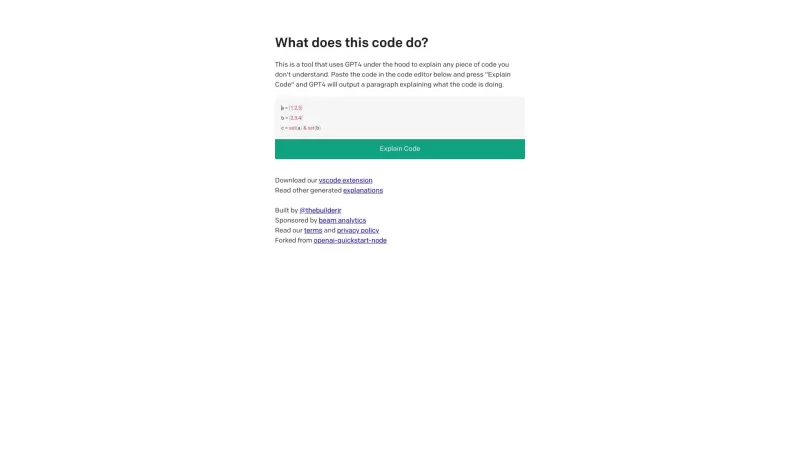
Ever found yourself staring at a piece of code, scratching your head and wondering, "What on earth does this do?" Well, that's where Code Explain comes in—your trusty AI-powered sidekick that's here to make sense of any code that's got you puzzled. It's l
Text.Theater Product Information
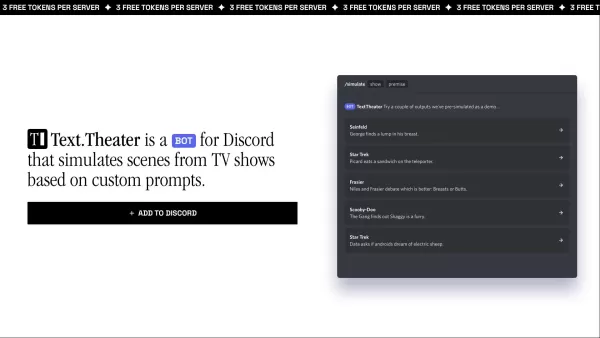
Ever wondered what it would be like to see your favorite TV show characters in a completely new scene? Enter Text.Theater, an AI-powered Discord bot that lets you simulate scenes from over 200 different TV shows based on your prompts. It’s like having a mini episode generator right in your Discord server.
To get started, simply invite Text.Theater to your server and start playing around with its commands. The most common command is /simulate, where you type the name of the TV show and give it a premise for the scene. For example, you could ask for something like /simulate friends Ross tries to explain quantum physics to Joey. Poof! Instant hilarity—or drama, depending on your preference.
Core Features of Text.Theater
- AI-Powered Scene Simulation: Think of it as an endless stream of fresh dialogue tailored just for you.
- Over 200 TV Shows Available: From classic sitcoms to modern thrillers, there’s something for everyone.
- Advanced Language Generation Technology: Every line feels authentic because it’s powered by cutting-edge AI.
- Command-Based Interaction: Simple yet powerful—you tell it what to do, and it delivers.
Use Cases for Text.Theater
Who’s it for? Well, anyone who loves their favorite shows but craves something fresh, or maybe someone who enjoys imagining alternate scenarios between beloved characters. It’s also great for writers looking for inspiration or just fans who want to have a little fun.
Frequently Asked Questions
- Q: What exactly is this bot, and what does it do?
- A: Text.Theater is a Discord bot that uses AI to simulate new scenes from popular TV shows based on user input. It’s perfect for creating fun, unexpected interactions between characters.
- Q: How do I request a new scene?
- A: Use the
/simulatecommand followed by the name of the show and a brief description of the scene. Easy peasy. - Q: Can I request scenes from any TV show?
- A: While it supports over 200 shows, availability depends on data availability. Some niche shows might not be covered.
- Q: How much does it cost?
- A: Text.Theater is free to use! But hey, quality bots often rely on donations—so if you dig it, consider supporting them.
- Q: How long does it take to generate a scene?
- A: Usually pretty quick—just a few seconds, depending on server load.
- Q: How accurate are the dialogues?
- A: The bot does its best to stay true to the tone and style of each show, but remember—it’s AI-generated, so there might be slight quirks.
- Q: Can I share the scenes I create?
- A: Totally! Share away. Just don’t forget to tag Text.Theater if you post online.
- Q: Is there a limit to how many scenes I can request?
- A: No limits here! Go wild.
- Q: Is this service free?
- A: Yes! But if you love it, consider donating to keep the magic alive.
- Q: What if I run into issues?
- A: Reach out to support at [\[email protected\]](/cdn-cgi/l/email-protection#1c6f696c6c736e685c68796468326874797d68796e). They’re super helpful.
- Q: Is my info safe?
- A: Absolutely. Your privacy is important, and Text.Theater takes care of it.
- Q: Any rules or guidelines?
- A: Just keep it respectful and avoid anything NSFW. Beyond that, go nuts!
Support and Contact Info
Need help or just wanna say hi? Drop a line to their support team at [\[email protected\]](/cdn-cgi/l/email-protection#1c6f696c6c736e685c68796468326874797d68796e). And if you’re curious about the company behind the bot, it’s called GravityFish, LLC. They’re the ones bringing this awesome tool to life.
Text.Theater Screenshot



Discover the 2026 best AI tools for sensory description at XIX.AI. Our top-rated, curated list features powerful, game-changing solutions to generate vivid text for action, combat, and romantic scenes. Compare free vs paid options with weekly updated rankings and real-world tests. Unlock your creative edge and start writing masterfully today.
 10 tools
 xix.ai
Discover the 2026 latest top-rated AI tools for short drama creation. Our curated list features powerful, game-changing text-to-video solutions to generate realistic emotional and action scenes. Compare free vs paid options with weekly updated rankings. Unlock your AI edge and start creating today at XIX.AI.
10 tools
xix.ai
Discover the 2026 latest best AI background drawing tools for comic scenes and panels. Our curated, top-rated selection features powerful, game-changing solutions to elevate your artwork. Compare free vs paid options with real-world tests and weekly updated rankings. Find the perfect AI assistant for stunning comic backgrounds. Explore now at XIX.AI.
10 tools
xix.ai


