


 Home
HomeTextomap 2.0
Textomap: AI Text to Interactive Maps



Helps TikTok sellers, brands, MCNs, and TAPs discover winning products and find creators.

HelpLook is an AI-powered all-in-one knowledge base tool that helps businesses quickly build knowledge bases, help centers, and...

Your AI Workspace

302.AI is an enterprise-grade AI resource platform with pay-as-you-go pricing, API access to a full range of AI models, and ready-to-use online applications.

剧火AI — AI Screenwriter + Director, a One-Person Short Drama Studio In one sentence, what is it?

What is Banana AI - Free AI Photo Editor?Banana AI is a free, AI-driven photo editor that uses Google's Nano Banana technology (Gemini 2.5 Flash Image) to transform your pictures with simple text commands. Easily remove unwanted objects, swap backgro

What is Deepfake Maker Nano Banana AI? Nano Banana AI is an advanced artificial intelligence platform that generates stunning images from text descriptions and facilitates seamless image-to-image transformations. This cutting-edge AI model revolution

What is TranslateImages?AI Image Translator is an advanced tool that precisely translates text embedded in images, keeping the original layout and format intact. It supports over a dozen languages, such as English, Hindi, Arabic, Chinese, Japanese, K
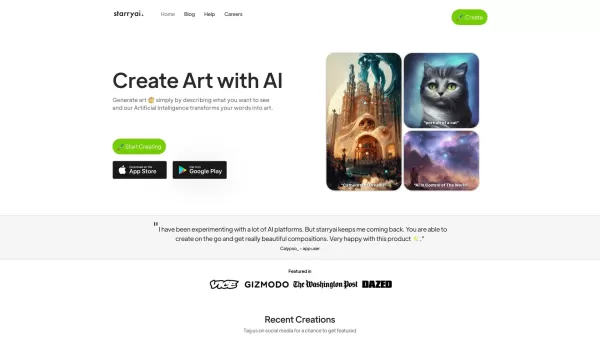
What is starryai 2.0?StarryAI 2.0 is an advanced AI tool that transforms your text descriptions into stunning, high-quality visuals. Choose from diverse AI modes like Art, Photos, and Illustrations, or explore custom styles. Simply select a style, ty
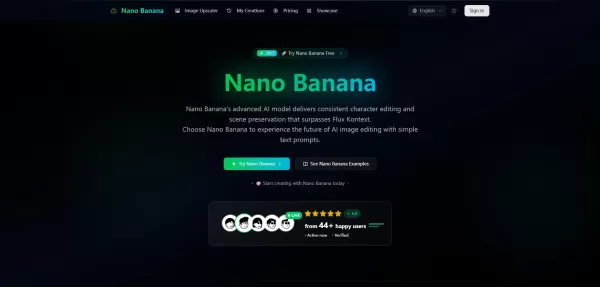
What is Google Nano Banana?Nano Banana is a cutting-edge AI platform for generating and editing images. By integrating text and image inputs, it enables consistent character editing and scene preservation. The platform offers ultra-fast generation, h
Textomap 2.0 Product Information
What is Textomap 2.0?
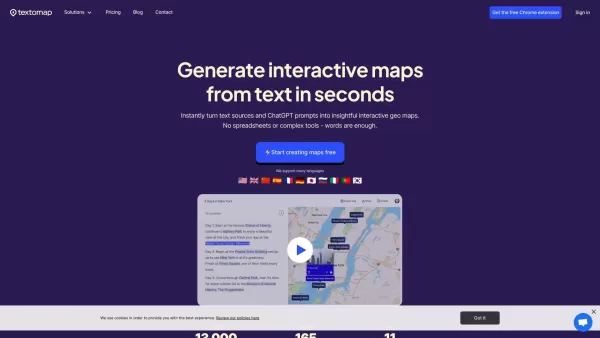
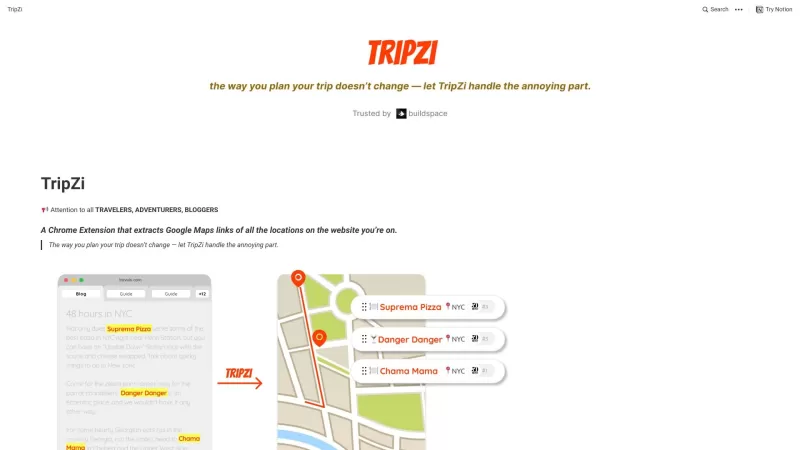
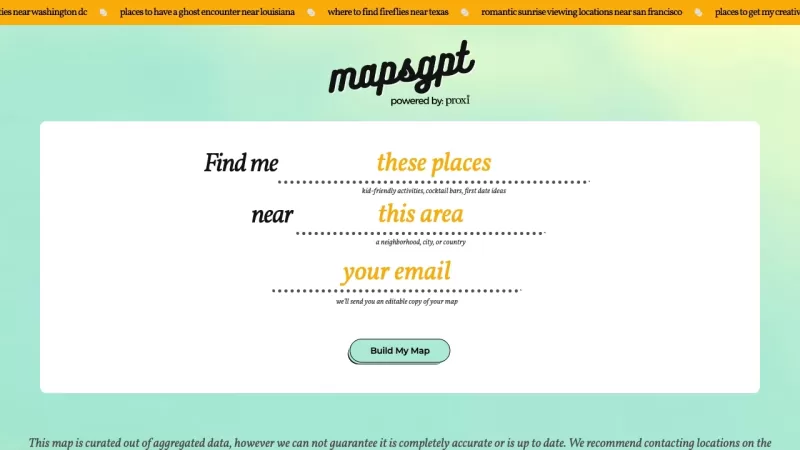
Textomap is a cutting-edge solution that quickly converts text-based information into meaningful, interactive maps. It uses advanced AI technology to streamline the map creation process, enabling users to generate, personalize, and integrate maps without spreadsheets or advanced tools. This makes it perfect for businesses, educators, content creators, and anyone who needs a compelling way to visualize location data.
Who uses Textomap 2.0?
- Businesses
- Educators
- Content creators
- Researchers
- Journalists
How to use Textomap 2.0
- Step 1: Enter your location-based text into Textomap.
- Step 2: Customize the map to your preferences using the available tools.
- Step 3: Generate the final map.
- Step 4: Embed or share your interactive map directly via Textomap.
Platform
- Web
- Chrome
Textomap 2.0's Core Features & Benefits
Core Features
- Interactive map creation
- Customization capabilities
- Easy embedding options
- AI-driven text analysis
Benefits
- Saves time on manual map generation
- User-friendly, no technical skills required
- Improves content presentation
- Efficiently visualizes location-based information
Main Use Cases & Applications
- Crafting travel plans
- Illustrating research findings
- Enhancing educational content
- Boosting content marketing
- Supporting journalistic reports
Textomap 2.0's Pros & Cons
Pros
AI-powered assistant (ChatGPT) responds to geographic and historical questions with visual map presentations
Supports various input types (text, images, audio, CSV) for map creation
Easy embedding and social media sharing options
Supports multiple languages
Accessible via Chrome extension and WordPress plugin
No need for manual data entry or spreadsheet uploads
Cons
Free plan restrictions include ads, limits on map creation and saves, and limited AI assistant usage
Not open source
Certain advanced features require a paid plan
Rare location inaccuracies may occur due to natural language processing constraints
Textomap 2.0's Pricing
Has free plan | Yes |
|---|---|
Free trial details | |
Pricing model | Freemium |
Credit card required | No |
Starts from | $5.80 USD |
Lifetime plan available | No |
Billing frequency | Monthly |
Details of Pricing Plan
Free
$0 USD
- Create unlimited maps
- Unlimited AI assistant maps
- Unlimited maps from images
- Unlimited saved maps
- 500 monthly map views
- Unlimited map embeds
- Unlimited locations per map
- 20,000 characters per map
- Share via link and post to social media
- Export to Google Maps
- Import and export CSV files
- Ads appear in designated areas
- Email support
Basic
$8 USD
- Create unlimited maps
- Unlimited AI assistant maps
- Unlimited maps from images
- Unlimited saved maps
- 3,000 monthly map views
- Unlimited map embeds
- Unlimited locations per map
- 30,000 characters per map
- Share via link and post to social media
- Export to Google Maps
- Import and export CSV files
- Ad-free experience
- Priority chat and email support
Pro
$19 USD
- 100 monthly maps per student
- Unlimited AI assistant maps
- Unlimited maps from images
- Unlimited saved maps
- 3,000 monthly map views
- Unlimited map embeds
- Unlimited locations per map
- 30,000 characters per map
- Share via link and post to social media
- Export to Google Maps
- Import and export CSV files
- Ad-free experience
- Priority chat and email support
Teach with Textomap
$99 USD
- Individual account for each student
- Generate maps with ChatGPT
- Customize locations with links, images, and more
- Personal onboarding (on request)
- Ad-free experience
- Priority chat and email support
Discount:
Save two months with an annual subscription
For the most up-to-date pricing, visit: https://www.textomap.com/pricing/
Frequently Asked Questions
What is Textomap?
Textomap is an AI-powered tool that generates interactive maps from simple text input.
How do I use Textomap?
Simply enter location details in text, customize your map, generate it, and then embed or share.
Who benefits from using Textomap?
Textomap serves businesses, educators, content creators, researchers, and journalists.
Which platforms does it support?
Textomap is available on web and as a Chrome extension.
What are the core features?
Key features include interactive map generation, customization tools, and AI-based text analysis.
Are there other options besides Textomap?
Alternatives include Google Maps API, Mapbox, Leaflet, OpenStreetMap, and Carto.
What data works best with Textomap?
Textomap is ideal for any text that includes location-specific details.
Is it user-friendly?
Yes, Textomap is designed to be intuitive and requires no specialized technical skills.
Can I customize my maps?
Yes, you can personalize your maps using a range of built-in customization features.
Is there a limit to the number of maps I can create?
Refer to the current pricing and plan information on their official website for exact details.
Product Company Information
Website:
https://www.textomap.com/Company Name:
TextomapSupport Email:
Facebook:
Not availableX (Twitter):
Not availableYouTube:
Not availableInstagram:
Not availableTikTok:
Not availableLinkedIn:
https://www.linkedin.com/company/textomap/
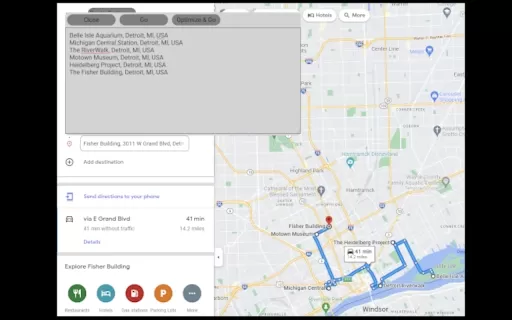
Textomap 2.0 Screenshot


2026 Latest Best Top-rated AI Text to Speech Tools for Online Courses are curated by XIX.AI based on rigorous real-world tests and weekly updated rankings. These powerful tools help creators deliver crystal-clear audio content effortlessly, boosting writing efficiency and streamlining course production. Check out the free vs paid comparison to find your perfect fit. Explore now to unlock your AI edge in online education.
 10 tools
 xix.ai

2026 Latest Best Top-Rated AI Blog Title Tools for Higher Click Through Rates! XIX.AI has carefully curated a powerful, game-changing collection of top tools that go through rigorous real-world tests. You’ll find a free vs paid comparison, weekly updated rankings, and detailed insights to help you boost your blog’s traffic efficiently. Must-try options are highlighted to help you unlock your AI edge. Explore now!
10 tools
xix.ai

2026 Latest Best Top-rated AI Task Routing Tools for Support Workflows! XIX.AI has curated a highly powerful game-changing collection of must-try solutions, all undergoing rigorous real-world tests and updated weekly. These tools streamline workflows, boost productivity, and help teams deliver faster, more efficient support. Explore now to discover your perfect tool and unlock your AI edge!
17 tools
xix.ai

2026 Latest Best Top-Rated AI Citation and Paper Summary Tools Curated by XIX.AI. Get powerful game-changing solutions for quick content creation, improved writing efficiency, and boosting productivity. We offer a free vs paid comparison along with real-world tests and weekly updated rankings to help you find the must-try tool that fits your needs perfectly. Explore now to Unlock your AI edge.
10 tools
xix.ai

2026 Latest Best Top-Rated AI Productivity Tools for Daily Work! XIX.AI has curated a powerful, game-changing selection based on rigorous weekly updated rankings and real-world tests. You’ll find must-try options that boost writing efficiency, streamline content creation, and help you overcome daily work challenges. Get a free vs paid comparison to find the perfect fit for your needs. Explore now to unlock your AI edge!
9 tools
xix.ai

2026 Latest Best Top-Rated AI Systematic Review Tools for Research Screening are here on XIX.AI! This curated collection includes powerful, game-changing solutions that go through rigorous real-world tests to deliver accurate results. We also offer a free vs paid comparison along with weekly updated rankings to help you find the must-try option that boosts your research efficiency significantly. Explore now to unlock your AI edge in academic work!
11 tools
xix.ai


