


 Home
HomeText Explorer - Chrome Extension



Helps TikTok sellers, brands, MCNs, and TAPs discover winning products and find creators.

HelpLook is an AI-powered all-in-one knowledge base tool that helps businesses quickly build knowledge bases, help centers, and...

Your AI Workspace

302.AI is an enterprise-grade AI resource platform with pay-as-you-go pricing, API access to a full range of AI models, and ready-to-use online applications.

剧火AI — AI Screenwriter + Director, a One-Person Short Drama Studio In one sentence, what is it?

Ever found yourself wondering if that slick article or clever comment was penned by a human or churned out by an AI? Enter GPT-Zero.cc, your go-to free tool for sniffing out AI-generated content from the likes of ChatGPT, GPT-4, and beyond. It's like havi
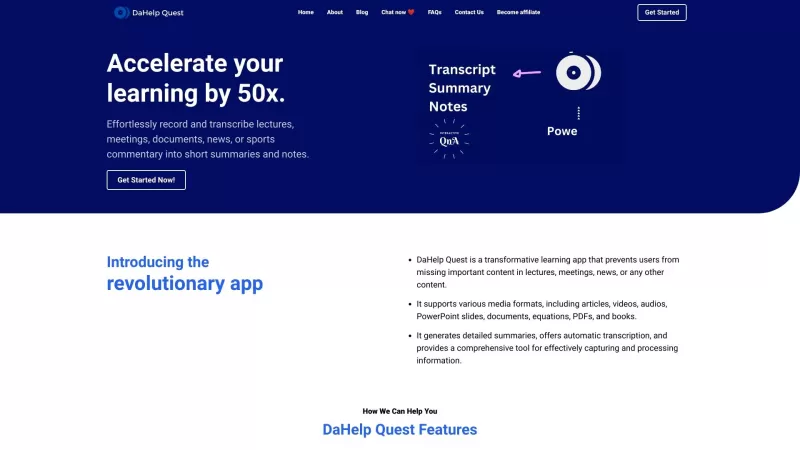
Ever felt overwhelmed by the sheer amount of information you need to process? Enter DaHelp Quest, a game-changer in the world of learning and knowledge management. This nifty app isn't just another tool; it's your personal assistant that helps you capture
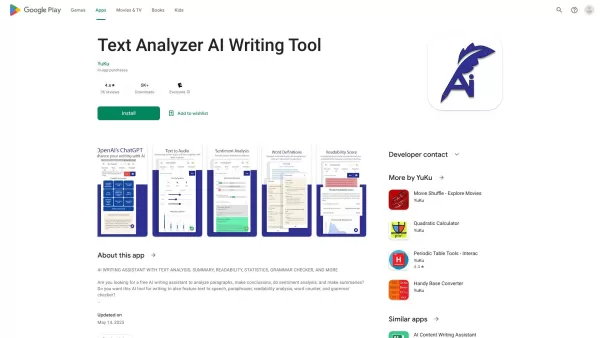
Ever wondered how you could dive deeper into the nuances of written content? Enter Text Analyzer, our sophisticated tool that's not just about reading text but truly understanding it. Powered by cutting-edge NLP and OpenAI tech, this app goes beyond the s
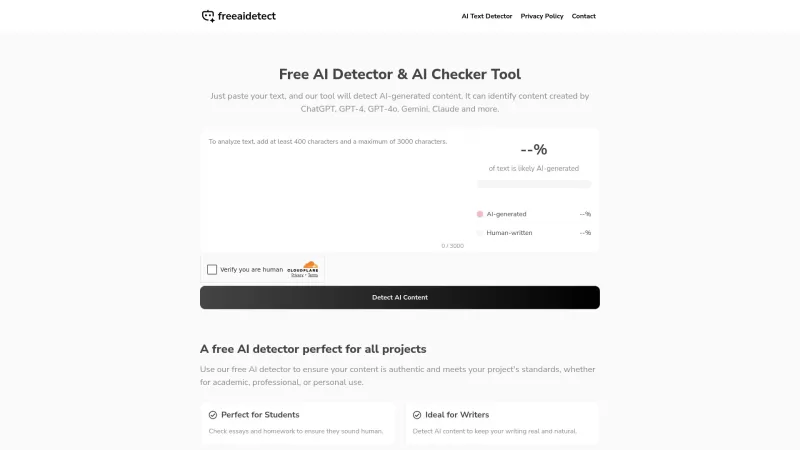
Ever wondered if that essay you're reading was crafted by a human or churned out by an AI? That's where the Free AI Detector & AI Checker Tool comes into play. It's your go-to gadget for sniffing out AI-generated content, ensuring the text you're dealing with is genuinely human-crafted. Whether you'
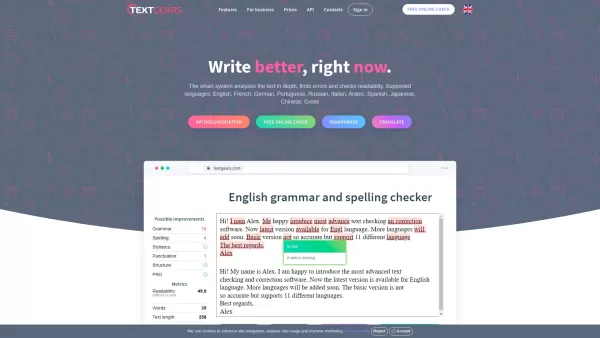
Ever stumbled upon a piece of writing and wished there was a quick fix for those pesky grammar and spelling errors? Enter TextGears, your go-to online tool that's here to make sure your text shines, no matter the language. From English to Spanish, French,
Text Explorer - Chrome Extension Product Information
What is Text Explorer AI Chrome Extension?
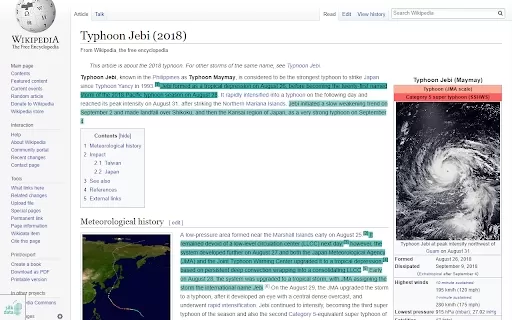
Text Explorer is a user-friendly AI assistant that enhances your reading by automatically highlighting key information and terms. It helps you save time by directing your focus to an article's most critical parts, so you don't have to read everything to find what you need.
How to Use Text Explorer AI Chrome Extension
Using Text Explorer is simple: activate the extension on any webpage you're reading. Key points will be highlighted instantly. Use the control bar at the bottom of the page to toggle between keyword and sentence modes, or to access custom settings. Click the extension icon in your Chrome toolbar or the red close button in the webpage's lower-left corner to deactivate it. For more advanced controls, click the extension icon to open the full interface. There, you can choose to highlight keywords or key sentences, identify named entities with emojis, change the highlight color, select specific text areas, or adjust the webpage's language setting.
Text Explorer AI Chrome Extension's Core Features
Highlight Keywords and Key Sentences
Pinpoint Named Entities
Support for English, German, and Russian
Customizable Highlight Color
Adjustable Number of Keywords and Sentences
Text Explorer AI Chrome Extension's Use Cases
Quickly Identify Key Information in Articles and Web Pages
Focus on Relevant Content to Save Reading Time
Extract Important Entities Like Organizations and Locations
FAQ from Text Explorer
How do I use Text Explorer?
What languages does Text Explorer support?
What are the known limitations of Text Explorer?
Text Explorer - Chrome Extension Screenshot


2026 Latest Best Manga AI Background Generators Ranked Top-Rated! This curated collection showcases powerful game-changing tools perfect for creating high-quality chapter backgrounds, book covers, and promotional art. Every option has undergone rigorous real-world tests to ensure reliability. Get a free vs paid comparison along with detailed insights. Explore now to discover your perfect tool and unlock your AI edge in manga creation.
 6 tools
 xix.ai

2026 Latest Best Top-rated AI Object Removal Editors for portraits travel product shots! XIX.AI curates a powerful game-changing collection regularly updated with weekly rankings. These tools offer real-world tests to help you quickly remove unwanted elements, boost content quality, and save tons of time without compromising results. Must-try for anyone aiming to unlock their AI creation edge. Explore now!
10 tools
xix.ai

2026 Latest Best Top-rated AI Text to Speech Tools for Online Courses are curated by XIX.AI based on rigorous real-world tests and weekly updated rankings. These powerful tools help creators deliver crystal-clear audio content effortlessly, boosting writing efficiency and streamlining course production. Check out the free vs paid comparison to find your perfect fit. Explore now to unlock your AI edge in online education.
10 tools
xix.ai

2026 Latest Best Top-Rated AI Blog Title Tools for Higher Click Through Rates! XIX.AI has carefully curated a powerful, game-changing collection of top tools that go through rigorous real-world tests. You’ll find a free vs paid comparison, weekly updated rankings, and detailed insights to help you boost your blog’s traffic efficiently. Must-try options are highlighted to help you unlock your AI edge. Explore now!
10 tools
xix.ai

2026 Latest Best Top-rated AI Task Routing Tools for Support Workflows! XIX.AI has curated a highly powerful game-changing collection of must-try solutions, all undergoing rigorous real-world tests and updated weekly. These tools streamline workflows, boost productivity, and help teams deliver faster, more efficient support. Explore now to discover your perfect tool and unlock your AI edge!
17 tools
xix.ai

2026 Latest Best Top-Rated AI Citation and Paper Summary Tools Curated by XIX.AI. Get powerful game-changing solutions for quick content creation, improved writing efficiency, and boosting productivity. We offer a free vs paid comparison along with real-world tests and weekly updated rankings to help you find the must-try tool that fits your needs perfectly. Explore now to Unlock your AI edge.
10 tools
xix.ai


