


 Home
HomeTableBits
TableBits: Fast PDF Table Extraction Tool



Helps TikTok sellers, brands, MCNs, and TAPs discover winning products and find creators.

HelpLook is an AI-powered all-in-one knowledge base tool that helps businesses quickly build knowledge bases, help centers, and...

Your AI Workspace

302.AI is an enterprise-grade AI resource platform with pay-as-you-go pricing, API access to a full range of AI models, and ready-to-use online applications.

剧火AI — AI Screenwriter + Director, a One-Person Short Drama Studio In one sentence, what is it?

What is SciSpace?SciSpace is your go-to AI-powered buddy for diving into the world of scientific research papers. It's like having a super-smart assistant that helps you not just read but really understand and analyze those dense academic texts. With SciSpace, you can highlight bits of text, ask que
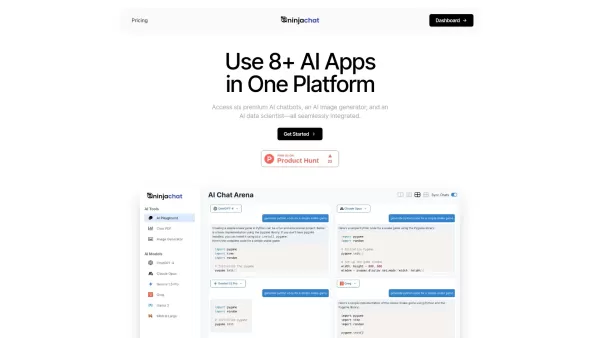
What is NinjaChat AI?NinjaChat is a comprehensive AI assistant that combines multiple AI capabilities into one unified platform. Users can interact with advanced models such as GPT-4 and Claude 3, analyze PDF documents, create images, and communicate
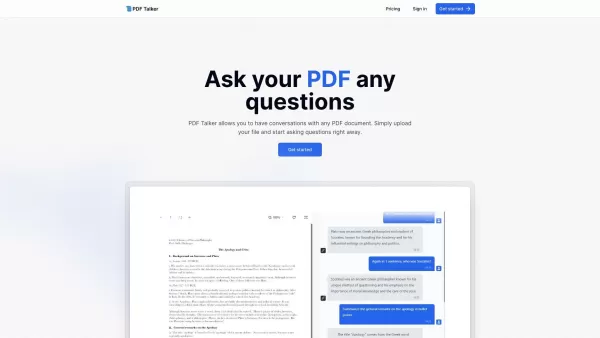
What can PDFTalker do? PDFTalker lets you interact with your PDF documents through conversation. Just upload your file and begin asking questions immediately. It streamlines bank statement analysis by automatically extracting and interpreting data fr
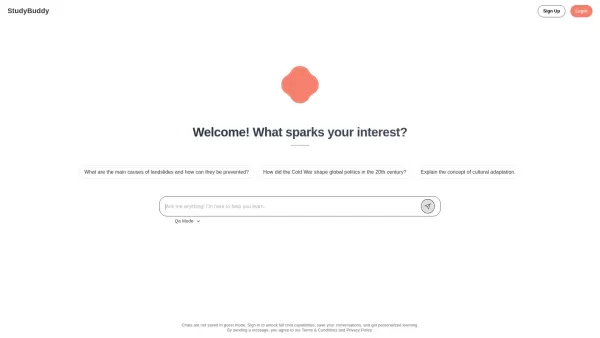
Ever felt like you need a bit more help with your studies but don't know where to turn? Enter StudyBuddy—an AI-powered study tool that's here to revolutionize the way you learn. It's not just another app; it's like having a personal tutor at your fingerti
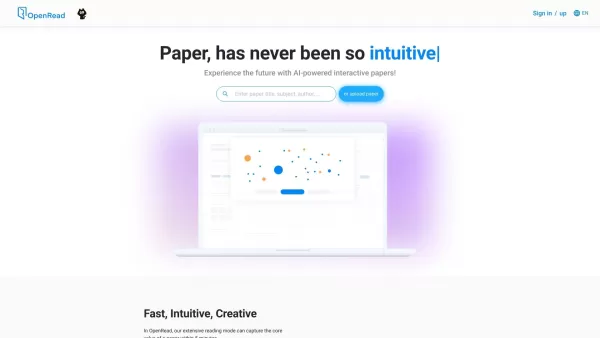
What is OpenRead? OpenRead leverages advanced AI technology to turn static PDF scientific papers into interactive documents. Features like Paper Espresso and Paper Q&A allow you to grasp key insights quickly without reading the full text. It also pro
TableBits Product Information
Ever found yourself staring at a pile of PDF documents, wishing you could magically pull out all those tables without breaking a sweat? Well, let me introduce you to your new best friend: TableBits. This nifty tool is like a Swiss Army knife for anyone drowning in PDFs, designed to automatically extract tables from them with the ease of a seasoned pro.
How to Use TableBits?
Using TableBits is a breeze. Just upload your PDF files—yep, you can throw up to 100 at it at once—and watch as it works its magic. Whether it's annual reports, financial statements, or even those pesky invoices, TableBits can handle it all. The average extraction time? A mere 60 seconds per file. And if you need to be a bit more specific, you can even define an extraction range. It's like having a personal assistant for your documents, but without the coffee runs.
TableBits's Core Features
- Automatically Extract Tables from PDFs - Say goodbye to manual data entry.
- Upload Up to 100 Files at Once - Perfect for those big projects.
- Supports Files Up to 400 Pages Each - No document is too long.
- Average Extraction Time of 60 Seconds per File - Speedy and efficient.
TableBits's Use Cases
- Extract tables from annual reports - Get the data you need fast.
- Extract tables from financial statements - Simplify your financial analysis.
- Extract tables from sustainability reports - Make your green initiatives easier to manage.
- Extract tables from bank statements - Keep your finances in check.
- Extract tables from invoices - Streamline your accounting processes.
- Extract tables from telco statements - Manage your telecom data effortlessly.
FAQ from TableBits
- What types of documents can TableBits extract tables from?
- TableBits can handle a variety of documents including annual reports, financial statements, bank statements, invoices, and more.
- How many files can I upload at once?
- You can upload up to 100 files at a time.
- What is the average extraction time per file?
- The average time is about 60 seconds per file.
- Is there a minimum payment transaction for using TableBits?
- Check the pricing page for details on minimum transactions.
- Are there any additional fees for using a different currency?
- Additional fees may apply depending on the currency used; refer to the pricing page for specifics.
Need a hand or have a question? Drop an email to [email protected] or head over to the contact us page for more ways to get in touch.
TableBits is brought to you by LENSELL, and if you're curious about the pricing, you can find all the details here. Want to stay updated? Follow them on social media:
- Facebook: Lensell
- YouTube: Lensell's Channel
- LinkedIn: Lensell Group
- Twitter: @lensellgroup
- Instagram: @lensellgroup
TableBits Screenshot



2026 Latest Best Top-rated AI Object Removal Editors for portraits travel product shots! XIX.AI curates a powerful game-changing collection regularly updated with weekly rankings. These tools offer real-world tests to help you quickly remove unwanted elements, boost content quality, and save tons of time without compromising results. Must-try for anyone aiming to unlock their AI creation edge. Explore now!
 10 tools
 xix.ai

2026 Latest Best Top-rated AI Text to Speech Tools for Online Courses are curated by XIX.AI based on rigorous real-world tests and weekly updated rankings. These powerful tools help creators deliver crystal-clear audio content effortlessly, boosting writing efficiency and streamlining course production. Check out the free vs paid comparison to find your perfect fit. Explore now to unlock your AI edge in online education.
10 tools
xix.ai

2026 Latest Best Top-Rated AI Blog Title Tools for Higher Click Through Rates! XIX.AI has carefully curated a powerful, game-changing collection of top tools that go through rigorous real-world tests. You’ll find a free vs paid comparison, weekly updated rankings, and detailed insights to help you boost your blog’s traffic efficiently. Must-try options are highlighted to help you unlock your AI edge. Explore now!
10 tools
xix.ai

2026 Latest Best Top-rated AI Task Routing Tools for Support Workflows! XIX.AI has curated a highly powerful game-changing collection of must-try solutions, all undergoing rigorous real-world tests and updated weekly. These tools streamline workflows, boost productivity, and help teams deliver faster, more efficient support. Explore now to discover your perfect tool and unlock your AI edge!
17 tools
xix.ai

2026 Latest Best Top-Rated AI Citation and Paper Summary Tools Curated by XIX.AI. Get powerful game-changing solutions for quick content creation, improved writing efficiency, and boosting productivity. We offer a free vs paid comparison along with real-world tests and weekly updated rankings to help you find the must-try tool that fits your needs perfectly. Explore now to Unlock your AI edge.
10 tools
xix.ai

2026 Latest Best Top-Rated AI Productivity Tools for Daily Work! XIX.AI has curated a powerful, game-changing selection based on rigorous weekly updated rankings and real-world tests. You’ll find must-try options that boost writing efficiency, streamline content creation, and help you overcome daily work challenges. Get a free vs paid comparison to find the perfect fit for your needs. Explore now to unlock your AI edge!
9 tools
xix.ai


TableBits has been a total game-changer for my quarterly reports! I used to dread copy-pasting from PDFs, but now it's almost fun. The accuracy on complex tables is impressive, though it does stumble on super blurry scans. Honestly worth the subscription to save hours of manual work. Anyone else using it for academic papers? 😅
PDFから表を抽出するのはいつも面倒だったけど、TableBitsで本当に楽になった!自動認識の精度が高く、編集も簡単で感動😊 ただ、複雑な表形式だと少し崩れることがあるかも?でも全体的には超便利!
TableBits has been a lifesaver for my research! Extracting tables from PDFs used to be such a pain, but now it's literally one-click magic ✨. The accuracy is impressive, though I did notice some formatting quirks with complex tables. Still, 9/10 would recommend!
TableBits is a lifesaver! 🔥 Just tested it on some financial reports and it pulled out tables perfectly. No more manual copying - this tool is worth every penny. Makes my data analysis workflow 10x faster. Only wish it had more formatting options tho!


