


 Home
HomeSpyne Flip
Spyne Flip: Automotive Image Editing Chrome Extension



Helps TikTok sellers, brands, MCNs, and TAPs discover winning products and find creators.

HelpLook is an AI-powered all-in-one knowledge base tool that helps businesses quickly build knowledge bases, help centers, and...

Your AI Workspace

302.AI is an enterprise-grade AI resource platform with pay-as-you-go pricing, API access to a full range of AI models, and ready-to-use online applications.

剧火AI — AI Screenwriter + Director, a One-Person Short Drama Studio In one sentence, what is it?

What Is Watermark PhD?Watermark PhD is a sophisticated free online tool that specializes in removing watermarks and intelligently erasing backgrounds from images. It offers an intuitive platform that enables users to effortlessly eliminate any undesi
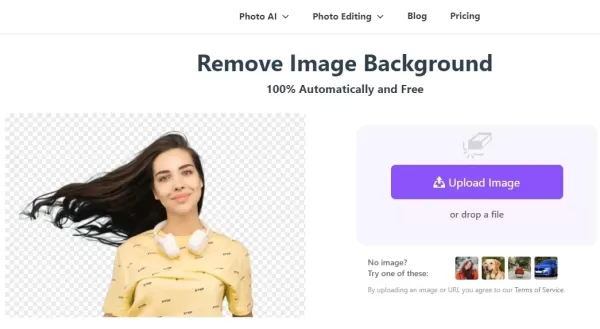
What is BGRemover?SharkFoto BGRemover is an AI-driven online tool that effortlessly removes backgrounds from images. It handles over 200 file formats and enables you to edit images directly in your browser—no software installation needed. Ideal for p
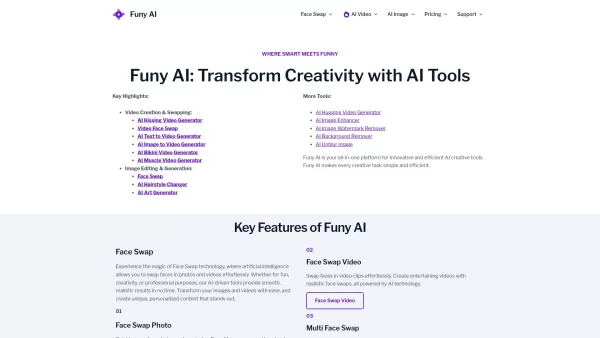
Welcome to the world of Funy AI—a playground for creators where imagination meets innovation. Whether you're looking to craft an AI kissing video, experiment with face swapping, or transform static images into dynamic stories, Funy AI has got you covered.
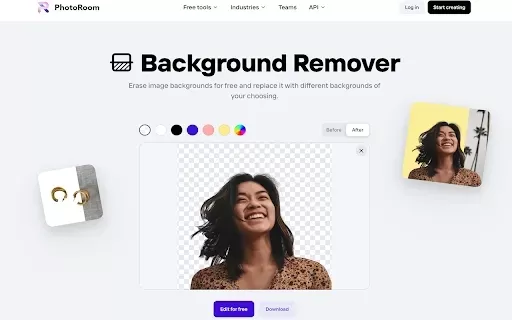
What is PhotoRoom Background Remover?PhotoRoom's Background Remover lets you easily and efficiently erase the background from any picture. Just right-click on the image in your browser, choose 'Remove Background', and let the tool handle the rest. It
Ever found yourself wishing you could magically strip away the background of a photo? Well, say hello to the AI Background Remover—a nifty, free online tool that uses the magic of AI to do just that. Whether you're sprucing up images for your e-commerce b
Spyne Flip Product Information
What is Spyne Flip?
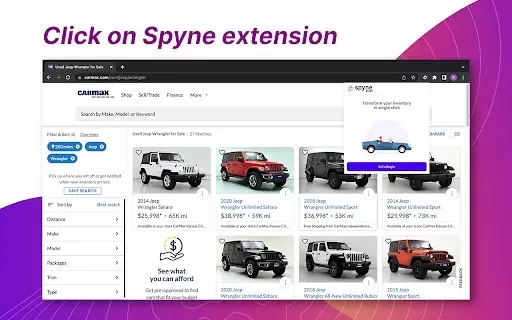
Spyne Flip provides advanced tools designed to help automotive enthusiasts and professionals elevate their vehicle images. It features background replacement for seamless backdrop changes, color correction to refine the vehicle's look, and center alignment for optimal composition, effortlessly boosting visual appeal. Ideal for online marketplaces, Spyne Flip simplifies the image editing workflow and enhances the professionalism of car listings, ultimately increasing customer engagement and sales opportunities.
Who uses Spyne Flip?
- Car Dealerships
- Automotive Marketplace Owners
- Photographers
- Graphic Designers
- Marketing Teams
How do you use Spyne Flip?
- Step 1: Install the Spyne Flip extension from the Chrome Web Store.
- Step 2: Open the extension and upload your vehicle image.
- Step 3: Select the background replacement option to choose a new background.
- Step 4: Apply color correction tools to fine-tune the colors.
- Step 5: Use center alignment to position the vehicle precisely.
- Step 6: Save or export your professionally edited image.
Platform
- Chrome
Spyne Flip's Core Features & Benefits
Core Features
- Background Replacement
- Color Correction
- Center Alignment
Key Benefits
- Enhances image professionalism
- Simplifies the editing process
- Increases customer engagement
Primary Use Cases & Applications
- Upgrading vehicle photos for online listings
- Creating marketing materials for dealerships
- Enhancing car posts on social media
Spyne Flip FAQs
What is Spyne Flip?
Spyne Flip is a Chrome extension tailored for automotive image editing.
How do I install Spyne Flip?
It can be installed directly from the Chrome Web Store.
What features does Spyne Flip offer?
The tool includes background replacement, color correction, and center alignment features.
Who can use Spyne Flip?
It is well-suited for car dealerships, photographers, and marketing teams.
Can I use Spyne Flip for social media images?
Absolutely, it's excellent for enhancing car-related social media posts.
Is Spyne Flip free?
Yes, it is free to use and available on the Chrome Web Store.
Is there a limit on the number of images I can edit?
No, there are no limits; you can edit an unlimited number of images.
What platforms support Spyne Flip?
It is supported as a Chrome extension.
Can I save my edited images?
Yes, you can save or export your modified images.
Are there alternatives to Spyne Flip?
Yes, alternatives include Canva, Adobe Photoshop, and Pixlr.
Spyne Flip Company Details
Website:
https://www.spyne.ai/Company Name:
SpyneSupport Email:
Facebook:
NAX (Twitter):
NAYouTube:
NAInstagram:
NATikTok:
NALinkedIn:
NA
Spyne Flip Screenshot


Discover the 2026 best AI image outpainting tools on XIX.AI. Our curated, top-rated selection helps you seamlessly extend photo borders and adjust aspect ratios. Compare free vs paid options with real-world tests and weekly updated rankings. Unlock your creative edge today.
 10 tools
 xix.ai


