


 Home
HomeSpreadify AI



Helps TikTok sellers, brands, MCNs, and TAPs discover winning products and find creators.

HelpLook is an AI-powered all-in-one knowledge base tool that helps businesses quickly build knowledge bases, help centers, and...

Your AI Workspace

302.AI is an enterprise-grade AI resource platform with pay-as-you-go pricing, API access to a full range of AI models, and ready-to-use online applications.

剧火AI — AI Screenwriter + Director, a One-Person Short Drama Studio In one sentence, what is it?
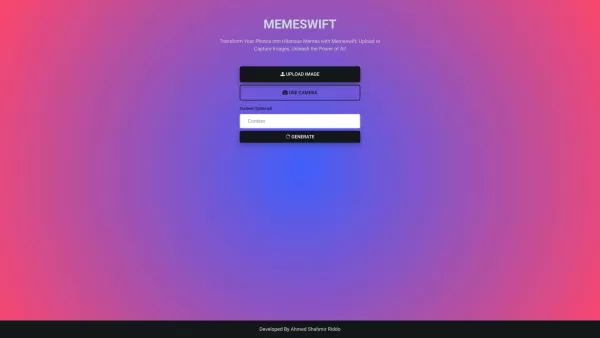
MemeSwift is like the Swiss Army knife of humor—it’s an AI-powered meme generator designed to turn your photos into laugh-out-loud-worthy memes. Whether you’re looking to poke fun at yourself or your friends, this tool makes it easy to craft something fun
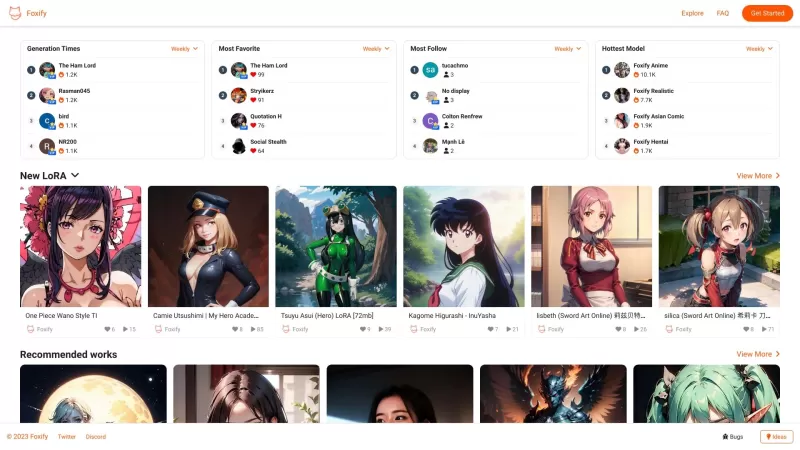
Ever stumbled upon Foxify and wondered what it's all about? Well, let me tell you, Foxify is your go-to online AI image creator, and the best part? It's absolutely free! Whether you're a budding artist or just looking to spice up your social media posts,
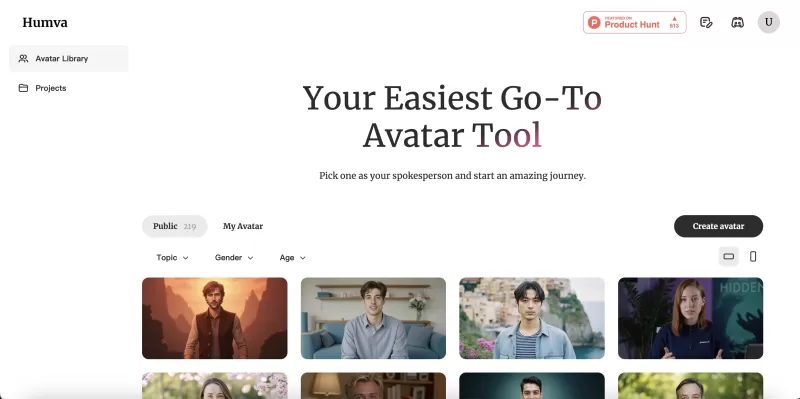
Ever wondered what Humva is all about? Let me tell you, it's a game-changer in the world of digital avatars! Humva.ai is this cool tool that's all set to shake up the talent market with its easy-to-use platform for crafting professional or custom digital

Ever stumbled upon FaceHi and wondered what it's all about? Well, let me give you the lowdown: FaceHi is your go-to spot for some hilarious face-swapping action, whether you're using their snazzy video templates or uploading your own videos. It's like hav
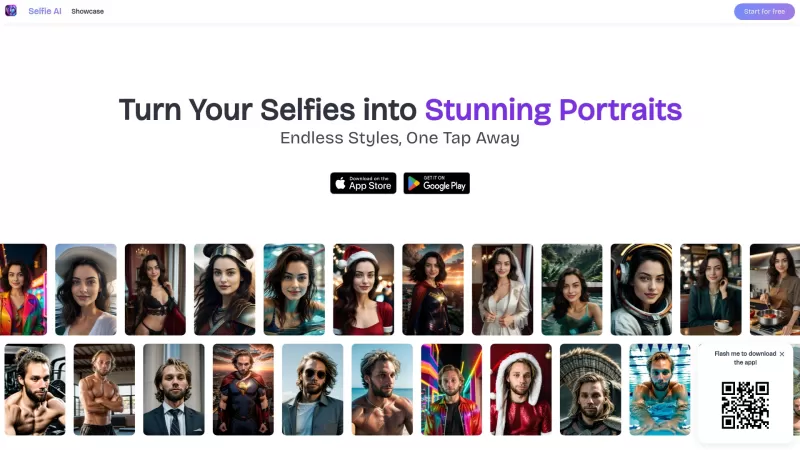
Ever wondered how to turn your everyday selfies into something extraordinary? Enter Selfie AI, the app that's revolutionizing the way we look at our selfies. This nifty tool uses cutting-edge AI technology to transform your ordinary selfies into stunning,
Spreadify AI Product Information
What Is Spreadify AI?
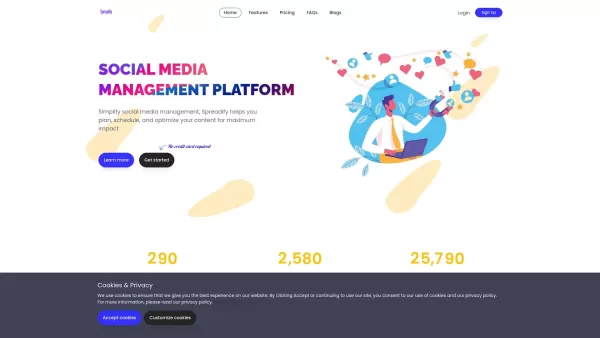
Spreadify is a social media management platform built to help users simplify their social media workflows. It provides features such as a centralized dashboard, post scheduling, bulk uploads, and in‑depth analytics. Designed for individuals, small to large businesses, and digital marketers, it saves time by letting users manage multiple social media accounts from one place. Spreadify also includes advanced tools like watermarking, photo editing, and URL shortening to boost the efficiency and impact of social media campaigns.
Who Uses Spreadify AI?
- Individuals
- Small Businesses
- Large Enterprises
- Software Companies
- Digital Marketers
How to Use Spreadify AI
- Step 1: Sign up for Spreadify
- Step 2: Connect your social media accounts
- Step 3: Create content with the composer
- Step 4: Schedule your posts
- Step 5: Monitor and analyze your social media performance
Platform
- Web
Spreadify AI's Core Features and Benefits
Core Features
- Centralized dashboard
- Post scheduling
- Bulk upload
- Analytics
- Watermarking
- Photo editor
- URL shortener
Benefits
- Time savings
- Greater efficiency
- Improved content organization
- Enhanced visibility
- Better ROI
Main Use Cases and Applications
- Social media campaigns
- Brand management
- Customer engagement
- Content scheduling
Spreadify AI's Pros and Cons
Pros
Centralized dashboard for managing multiple social media accounts
Bulk scheduling saves time and effort
Advanced features including content composer, photo editor, URL shortener, and watermarking
Flexible scheduling options like saving drafts and captions
Enhances brand visibility and customer relationships through strategic social media management
No credit card required to start the free trial
Supports various post types (images, videos, links, text)
Cons
Spreadify AI's Pricing
Free Plan Available | No |
|---|---|
Free Trial Details | |
Pricing Model | Paid |
Credit Card Required | No |
Starting Price | 19 USD |
Lifetime Plan Available | No |
Billing Frequency | Monthly |
Pricing Plan Details
Standard
19 USD
- Planning and scheduling
- 3 social accounts
- Advanced features
- Bulk posting
- Draft posts
- Watermark
- URL shortener
- Proxies
- OpenAI content generation
- OpenAI image generation
- Image editor
- Cloud import
- Max storage: 100 MB
- Max file size: 2 MB
Premium
29 USD
- Planning and scheduling
- Up to 42 social accounts (6 per platform)
- Advanced features
- Bulk posting
- Draft posts
- Watermark
- URL shortener
- Proxies
- OpenAI content generation
- OpenAI image generation
- Image editor
- Cloud import
- Max storage: 500 MB
- Max file size: 5 MB
Entrepreneur
59 USD
- Planning and scheduling
- Up to 70 social accounts (10 per platform)
- Advanced features
- Bulk posting
- Draft posts
- Watermark
- URL shortener
- Proxies
- OpenAI content generation
- OpenAI image generation
- Image editor
- Cloud import
- Max storage: 1000 MB
- Max file size: 10 MB
For the latest pricing, visit: https://spreadify.io/pricing
Spreadify AI FAQs
How do I sign up?
Visit our sign‑up page and fill in the required information.
Can I schedule posts for multiple accounts?
Yes, you can manage and schedule posts for multiple social media accounts.
Is there a free trial?
Yes, we offer a free trial with no credit card required.
What types of posts can I create?
You can create image, video, link, and text posts.
How many posts can I bulk upload?
You can schedule over a hundred posts using our Bulk Uploader.
Can I edit photos in Spreadify?
Yes, we have an integrated photo editor for your convenience.
Is there a limit on connected accounts?
No, you can connect and manage an unlimited number of accounts.
How do I contact support?
Reach out to us at [email protected].
Can I save drafts of my posts?
Yes, you can save and edit drafts at any time.
Is there a URL shortener?
Yes, we offer a URL shortener to share links efficiently.
Spreadify AI Company Information
Website:
https://spreadify.ioCompany Name:
SpreadifySupport Email:
Facebook:
N/AX (Twitter):
N/AYouTube:
N/AInstagram:
N/ATikTok:
N/ALinkedIn:
N/A
Spreadify AI Screenshot

2026 Latest Best Top-rated AI Object Removal Editors for portraits travel product shots! XIX.AI curates a powerful game-changing collection regularly updated with weekly rankings. These tools offer real-world tests to help you quickly remove unwanted elements, boost content quality, and save tons of time without compromising results. Must-try for anyone aiming to unlock their AI creation edge. Explore now!
 10 tools
 xix.ai

2026 Latest Best Top-rated AI Text to Speech Tools for Online Courses are curated by XIX.AI based on rigorous real-world tests and weekly updated rankings. These powerful tools help creators deliver crystal-clear audio content effortlessly, boosting writing efficiency and streamlining course production. Check out the free vs paid comparison to find your perfect fit. Explore now to unlock your AI edge in online education.
10 tools
xix.ai

2026 Latest Best Top-Rated AI Blog Title Tools for Higher Click Through Rates! XIX.AI has carefully curated a powerful, game-changing collection of top tools that go through rigorous real-world tests. You’ll find a free vs paid comparison, weekly updated rankings, and detailed insights to help you boost your blog’s traffic efficiently. Must-try options are highlighted to help you unlock your AI edge. Explore now!
10 tools
xix.ai

2026 Latest Best Top-rated AI Task Routing Tools for Support Workflows! XIX.AI has curated a highly powerful game-changing collection of must-try solutions, all undergoing rigorous real-world tests and updated weekly. These tools streamline workflows, boost productivity, and help teams deliver faster, more efficient support. Explore now to discover your perfect tool and unlock your AI edge!
17 tools
xix.ai

2026 Latest Best Top-Rated AI Citation and Paper Summary Tools Curated by XIX.AI. Get powerful game-changing solutions for quick content creation, improved writing efficiency, and boosting productivity. We offer a free vs paid comparison along with real-world tests and weekly updated rankings to help you find the must-try tool that fits your needs perfectly. Explore now to Unlock your AI edge.
10 tools
xix.ai

2026 Latest Best Top-Rated AI Productivity Tools for Daily Work! XIX.AI has curated a powerful, game-changing selection based on rigorous weekly updated rankings and real-world tests. You’ll find must-try options that boost writing efficiency, streamline content creation, and help you overcome daily work challenges. Get a free vs paid comparison to find the perfect fit for your needs. Explore now to unlock your AI edge!
9 tools
xix.ai


