


 Home
HomeSpider Clients



Helps TikTok sellers, brands, MCNs, and TAPs discover winning products and find creators.

HelpLook is an AI-powered all-in-one knowledge base tool that helps businesses quickly build knowledge bases, help centers, and...

Your AI Workspace

302.AI is an enterprise-grade AI resource platform with pay-as-you-go pricing, API access to a full range of AI models, and ready-to-use online applications.

剧火AI — AI Screenwriter + Director, a One-Person Short Drama Studio In one sentence, what is it?
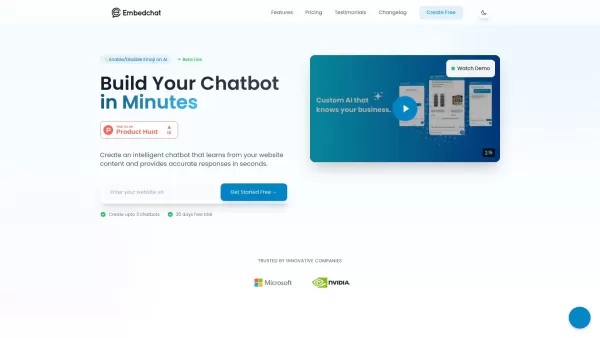
What is Embed Chat?Embed Chat is an all-in-one live chat solution that integrates seamlessly into your website. It enables instant communication between businesses and visitors, boosting engagement and customer satisfaction. The platform offers autom

Ever felt like the dating scene is more about swiping than connecting? That's where Vibing swoops in to save the day. This isn't just another dating app—it's a platform designed for those of us craving authentic connections. Vibing uses AI-guided video st
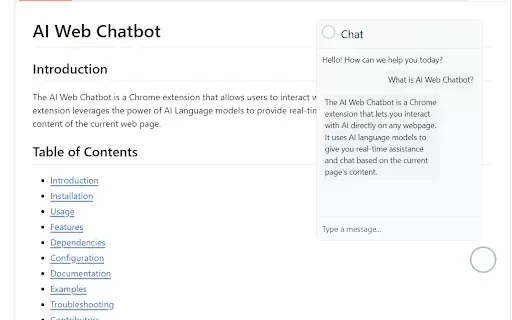
What is an AI Web Chatbot?The AI Web Chatbot browser extension enhances how you interact with online content by integrating a smart AI assistant. A floating chat icon appears on your screen, which you can click to open a responsive chat window. This

What is ZEGOCLOUD? ZEGOCLOUD provides robust SDKs and APIs for creating real-time video, voice, and chat applications with ultra-low latency. Featuring scalable infrastructure and over 20 prebuilt UIKits, it allows developers to incorporate video cal
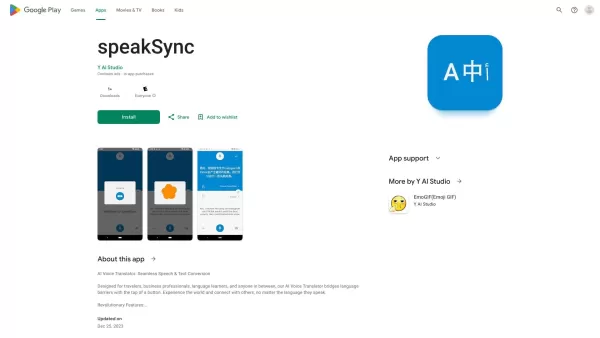
What is speakSync?SpeakSync uses advanced AI to deliver instant voice translation in over 70 languages. Powered by OpenAI's Whisper model for exceptional speech recognition, it allows users to communicate fluently, breaking down language barriers. Id
Spider Clients Product Information
What is Spider Clients?
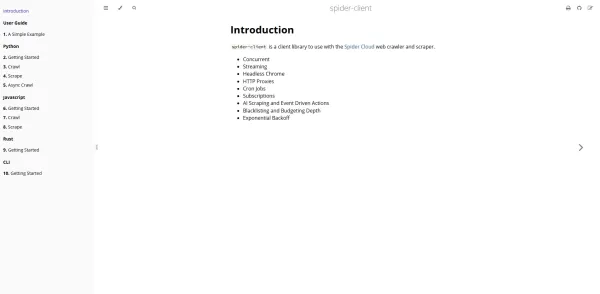
Spider Clients are lightweight, language-specific SDKs designed to interface with a Spider orchestration server, coordinating complex AI agent workflows. By leveraging HTTP requests, these clients allow users to initiate interactive sessions, execute multi-step chains, register custom tools, and receive real-time, streaming AI responses. They manage authentication, serialize prompt templates, and implement robust error recovery internally. Consistent APIs are maintained across Node.js and Python environments. Developers have the flexibility to set custom retry policies, attach metadata to logs, and integrate middleware to intercept requests. The accompanying CLI client facilitates rapid testing and workflow prototyping directly from the terminal. Ultimately, Spider Clients streamline the creation of AI-driven agents by abstracting intricate network and protocol details, empowering teams to concentrate on prompt engineering and task orchestration.
Who will use Spider Clients?
- AI Application Developers
- Machine Learning Engineers
- Data Scientists
- DevOps and Platform Engineers
- Software Architects
How to use the Spider Clients?
- Step 1: Install the Spider client package via npm (`npm install @spider/clients`) or pip (`pip install spider-clients`).
- Step 2: Configure your API endpoint and authentication token using environment variables or a configuration file.
- Step 3: Import and initialize the client in your code, providing the endpoint URL and your token.
- Step 4: Register any custom tools and define your chain prompt templates.
- Step 5: Execute workflows by calling methods like `client.run()` or by creating interactive sessions.
- Step 6: Handle streaming responses and errors using the provided callback or asynchronous interfaces.
- Step 7: Monitor activity through built-in utilities for logs, metadata, and retry behavior analysis.
Platform
- Web
- macOS
- Windows
- Linux
Spider Clients's Core Features & Benefits
The Core Features
- Node.js SDK
- Python SDK
- Command-Line Interface (CLI)
- Interactive Session Management
- Multi-Step Chain Execution
- Custom Tool Registration
- Real-Time Streaming Response Support
- Comprehensive Error Handling and Retry Logic
- Metadata and Activity Logging
- Custom Middleware Integration
The Benefits
- Consistent, Unified API Across Languages
- Extensible Architecture with Custom Middleware
Spider Clients's Main Use Cases & Applications
- Building multi-tool AI chatbots and assistants
- Rapidly prototyping LLM chains from the terminal
- Integrating AI orchestration into backend systems and microservices
- Testing, debugging, and monitoring AI workflows
- Embedding intelligent agents within web applications
Spider Clients's Pros & Cons
The Pros
Supports high-concurrency and real-time streaming data retrieval.
Seamlessly integrates AI-powered data extraction with event-driven automation.
Utilizes headless Chrome for dynamic and versatile web scraping.
Includes support for HTTP proxies and scheduling via cron jobs.
Features configurable blacklists and crawl-depth budgeting for controlled operations.
Implements exponential backoff strategies for enhanced reliability and fault tolerance.
FAQs of Spider Clients
What is Spider Clients?
Spider Clients are specialized SDKs for Node.js and Python, plus a CLI tool, that connect to a Spider orchestration server to manage and execute multi-step AI agent workflows through HTTP APIs.
Which languages are supported?
Officially supported SDKs are provided for Node.js and Python, alongside a standalone CLI for command-line interaction and quick prototyping.
How do I install the client?
For Node.js, run `npm install @spider/clients`. For Python, use `pip install spider-clients`.
How do I configure authentication?
Set your Spider server's API endpoint and your authentication token as environment variables or within a JSON configuration file before initializing the client.
Does the client support streaming responses?
Yes, both the SDKs and the CLI support real-time streaming of AI responses, accessible via callback functions or asynchronous iterators.
How can I register custom tools?
Custom tools can be registered using the `client.registerTool()` method prior to executing your workflow chain.
What retry policies are available?
The clients offer configurable retry policies, including fixed-interval retries, exponential backoff, and maximum attempt limits.
How do I enable logging?
Built-in logging modules are included; you can set the log level and specify an output destination within the client's configuration.
Is TypeScript supported?
Yes, the Node.js SDK comes with full TypeScript type definitions included.
Where can I report issues or contribute?
Please visit the official GitHub repository at https://github.com/spider-rs/spider-clients to open issues or submit pull requests.
Spider Clients Company Information
Spider Clients Screenshot



2026 Latest Best Top-rated AI Text to Speech Tools for Natural Voiceovers are here on XIX.AI! This curated list features powerful, game-changing options that deliver crystal-clear voices for every use case, backed by real-world tests and weekly updated rankings. Get a free vs paid comparison to find the must-try solution that boosts your productivity instantly. Explore now to Unlock your AI edge!
 11 tools
 xix.ai

2026 Latest Best Manga AI Background Generators Ranked Top-Rated! This curated collection showcases powerful game-changing tools perfect for creating high-quality chapter backgrounds, book covers, and promotional art. Every option has undergone rigorous real-world tests to ensure reliability. Get a free vs paid comparison along with detailed insights. Explore now to discover your perfect tool and unlock your AI edge in manga creation.
6 tools
xix.ai

2026 Latest Best Top-rated AI Object Removal Editors for portraits travel product shots! XIX.AI curates a powerful game-changing collection regularly updated with weekly rankings. These tools offer real-world tests to help you quickly remove unwanted elements, boost content quality, and save tons of time without compromising results. Must-try for anyone aiming to unlock their AI creation edge. Explore now!
10 tools
xix.ai

2026 Latest Best Top-rated AI Text to Speech Tools for Online Courses are curated by XIX.AI based on rigorous real-world tests and weekly updated rankings. These powerful tools help creators deliver crystal-clear audio content effortlessly, boosting writing efficiency and streamlining course production. Check out the free vs paid comparison to find your perfect fit. Explore now to unlock your AI edge in online education.
10 tools
xix.ai

2026 Latest Best Top-Rated AI Blog Title Tools for Higher Click Through Rates! XIX.AI has carefully curated a powerful, game-changing collection of top tools that go through rigorous real-world tests. You’ll find a free vs paid comparison, weekly updated rankings, and detailed insights to help you boost your blog’s traffic efficiently. Must-try options are highlighted to help you unlock your AI edge. Explore now!
10 tools
xix.ai

2026 Latest Best Top-rated AI Task Routing Tools for Support Workflows! XIX.AI has curated a highly powerful game-changing collection of must-try solutions, all undergoing rigorous real-world tests and updated weekly. These tools streamline workflows, boost productivity, and help teams deliver faster, more efficient support. Explore now to discover your perfect tool and unlock your AI edge!
17 tools
xix.ai


