


 Home
HomeSpaceduck
Spaceduck Web Clipper: Save & Organize Web Content



Helps TikTok sellers, brands, MCNs, and TAPs discover winning products and find creators.

HelpLook is an AI-powered all-in-one knowledge base tool that helps businesses quickly build knowledge bases, help centers, and...

Your AI Workspace

302.AI is an enterprise-grade AI resource platform with pay-as-you-go pricing, API access to a full range of AI models, and ready-to-use online applications.

剧火AI — AI Screenwriter + Director, a One-Person Short Drama Studio In one sentence, what is it?
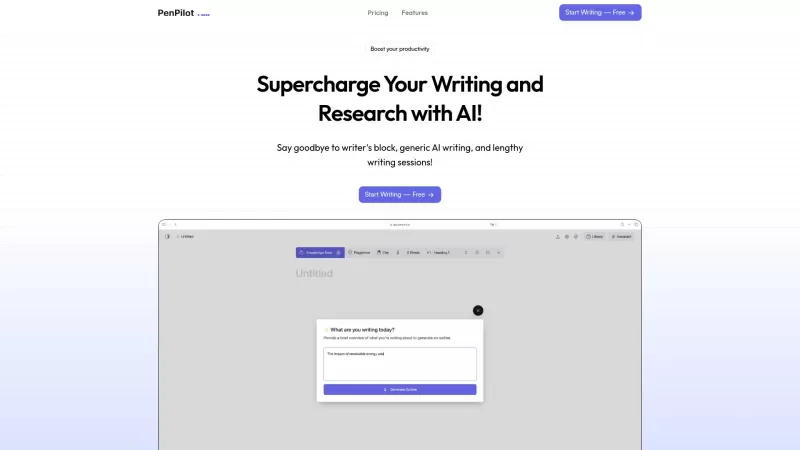
Ever wondered what makes your writing journey smoother and more productive? Enter PenPilot AI, your go-to AI writing assistant that's here to elevate your academic papers, blogs, and other writing projects. With its array of features, from personalized suggestions to a nifty speech-to-text tool, it'
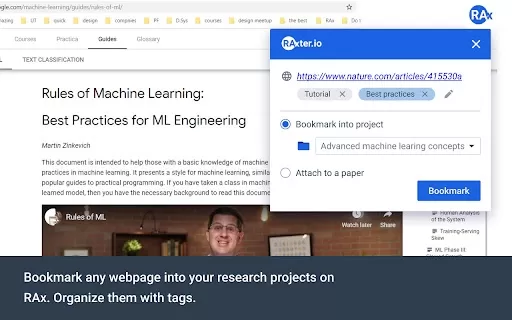
What is the RAx Web Importer Chrome Extension? RAx Web Importer is a productivity tool that accelerates literature reviews by enabling you to seamlessly add research papers into the RAx platform. This facilitates quick access to key insights, discove
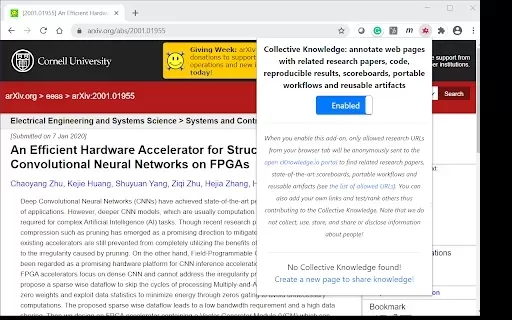
What is Collective Knowledge?Collective Knowledge is a Chrome extension that allows users to enrich any webpage with notes, relevant research papers, code snippets, and reproducible findings. It also supports building portable workflows and reusable
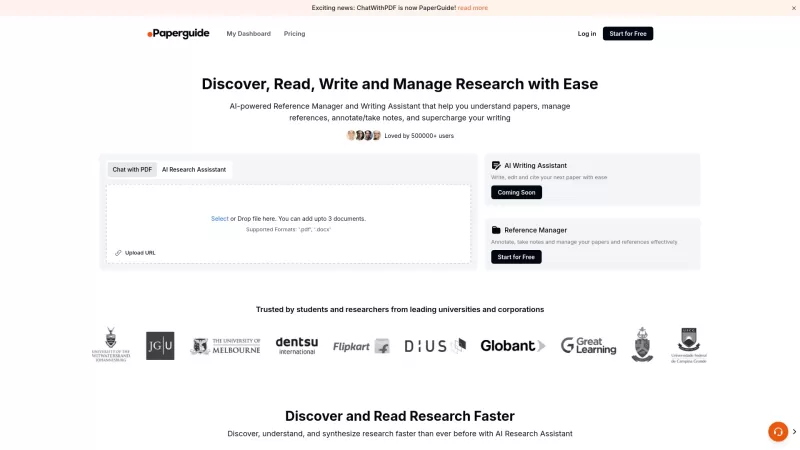
Ever find yourself drowning in a sea of research papers, wishing there was a way to streamline the whole process? Enter Paperguide, your new best friend in the world of academic research. This AI-powered platform is designed to make reading, writing, and
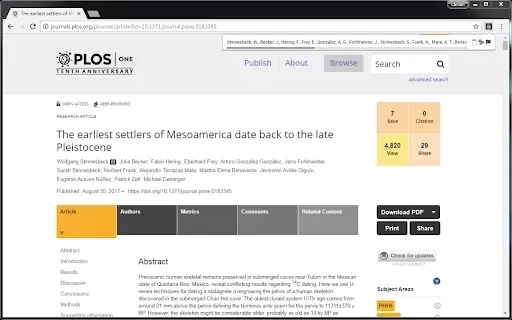
What is Citeclops?CiteClops is a robust application that allows users to instantly generate citations for online sources. It extracts key details such as author names, publication dates, and titles, enabling users to concentrate on their core researc
Spaceduck Product Information
What is Spaceduck?
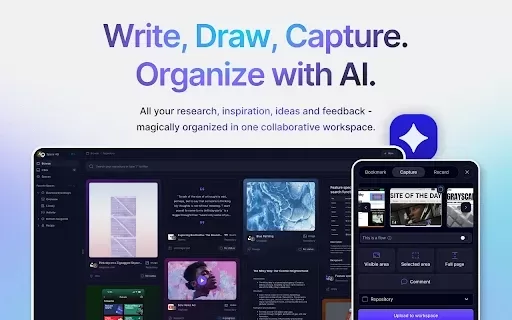
Spaceduck Web Clipper is a flexible tool that enables users to capture any type of web content—such as articles, bookmarks, and images—and store them in a unified platform. It allows tagging, organization, and direct commenting on web content to enhance your workflow. This easy-to-use clipper integrates seamlessly into your browser, keeping all your important discoveries just one click away. Features include auto-tagging, color extraction, and storage management, making it simple to organize research and ideas.
Who is Spaceduck for?
- Students
- Researchers
- Content creators
- Professionals
- Anyone looking for better web content organization
How to use Spaceduck
- Step 1: Install the Spaceduck Web Clipper extension in your browser.
- Step 2: Go to the webpage you want to save.
- Step 3: Click the Spaceduck icon in the toolbar.
- Step 4: Choose to capture a specific part or the whole page.
- Step 5: Add tags or notes if desired, then save it to your Spaceduck workspace.
Platform
- Web
- Chrome
Spaceduck's Core Features & Benefits
Core Features
- Capture web content (articles, bookmarks, images)
- Automated tagging and organization
- Real-time commenting on web pages
- Store items in virtual "Spaces"
Key Benefits
- Better productivity and organization
- Easy access and navigation of saved content
- Smooth integration with your browsing
- Improved collaboration features
Main Use Cases & Applications
- Organizing research projects
- Content creation
- Idea collection
- Educational activities
Spaceduck FAQs
What can I capture with Spaceduck?
You can save articles, images, bookmarks, and virtually any web content.
Is Spaceduck free to use?
Spaceduck provides a free version with basic features and a paid plan for advanced capabilities.
How do I install the Spaceduck extension?
You can add it directly from the Chrome Web Store.
Can I access my saved content from multiple devices?
Yes, as long as you're signed into your Spaceduck account.
Does Spaceduck support other browsers?
Currently, Spaceduck is optimized for Chrome.
What is the maximum file upload size?
The free account allows uploads up to 25MB.
Can I organize my saved clippings?
Yes, you can use tags and create Spaces to keep everything organized.
Is Spaceduck mobile-friendly?
Spaceduck mainly functions as a browser extension, so mobile support may be limited.
Can I share my clippings with others?
Yes, you can share content via links or collaborative tools.
What is AI tagging in Spaceduck?
AI tagging automatically suggests relevant tags to help you organize content efficiently.
Spaceduck Company Information
Spaceduck Screenshot





2026 Latest Best Top-rated AI Object Removal Editors for portraits travel product shots! XIX.AI curates a powerful game-changing collection regularly updated with weekly rankings. These tools offer real-world tests to help you quickly remove unwanted elements, boost content quality, and save tons of time without compromising results. Must-try for anyone aiming to unlock their AI creation edge. Explore now!
 10 tools
 xix.ai

2026 Latest Best Top-rated AI Text to Speech Tools for Online Courses are curated by XIX.AI based on rigorous real-world tests and weekly updated rankings. These powerful tools help creators deliver crystal-clear audio content effortlessly, boosting writing efficiency and streamlining course production. Check out the free vs paid comparison to find your perfect fit. Explore now to unlock your AI edge in online education.
10 tools
xix.ai

2026 Latest Best Top-Rated AI Blog Title Tools for Higher Click Through Rates! XIX.AI has carefully curated a powerful, game-changing collection of top tools that go through rigorous real-world tests. You’ll find a free vs paid comparison, weekly updated rankings, and detailed insights to help you boost your blog’s traffic efficiently. Must-try options are highlighted to help you unlock your AI edge. Explore now!
10 tools
xix.ai

2026 Latest Best Top-rated AI Task Routing Tools for Support Workflows! XIX.AI has curated a highly powerful game-changing collection of must-try solutions, all undergoing rigorous real-world tests and updated weekly. These tools streamline workflows, boost productivity, and help teams deliver faster, more efficient support. Explore now to discover your perfect tool and unlock your AI edge!
17 tools
xix.ai

2026 Latest Best Top-Rated AI Citation and Paper Summary Tools Curated by XIX.AI. Get powerful game-changing solutions for quick content creation, improved writing efficiency, and boosting productivity. We offer a free vs paid comparison along with real-world tests and weekly updated rankings to help you find the must-try tool that fits your needs perfectly. Explore now to Unlock your AI edge.
10 tools
xix.ai

2026 Latest Best Top-Rated AI Productivity Tools for Daily Work! XIX.AI has curated a powerful, game-changing selection based on rigorous weekly updated rankings and real-world tests. You’ll find must-try options that boost writing efficiency, streamline content creation, and help you overcome daily work challenges. Get a free vs paid comparison to find the perfect fit for your needs. Explore now to unlock your AI edge!
9 tools
xix.ai


SpaceduckのWebクリッパー、結構便利!特に記事を保存してタグ付けできる機能が仕事用の資料整理にぴったり。ただ、保存した画像の検索がちょっと面倒かも…🤔もう少し直感的なUIだとありがたいな。


